
Best Amp for Studio Monitors: Types Compared and How to Choose for 2026
Disclosure: We may earn a commission when you buy through links on this page, at no extra cost to you. As an Amazon Associate I earn from qualifying purchases. Learn more

Types of amps compared for passive monitors: how to choose the best amp for studio monitors by noise floor, power, inputs and price.
Studio monitors promise an honest picture of your mix, but passive monitors are only as honest as the amp driving them. The market offers several amp types that look similar on a shelf yet behave very differently in a studio. Choosing the wrong type leaves you with hiss at your desk, too little headroom, or connections that fight your interface.
This guide compares each amp type clearly so you can pick the best amp for studio monitors for your room, your monitors, and your budget. You will see who each type suits, what it costs, and where it compromises. Use the comparison table below for current models, then read the type breakdowns before you commit.


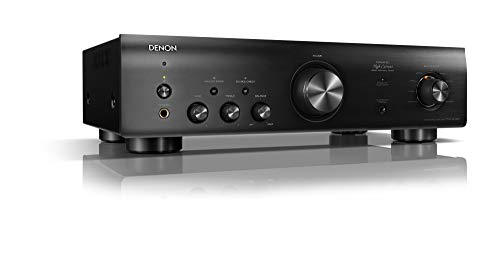


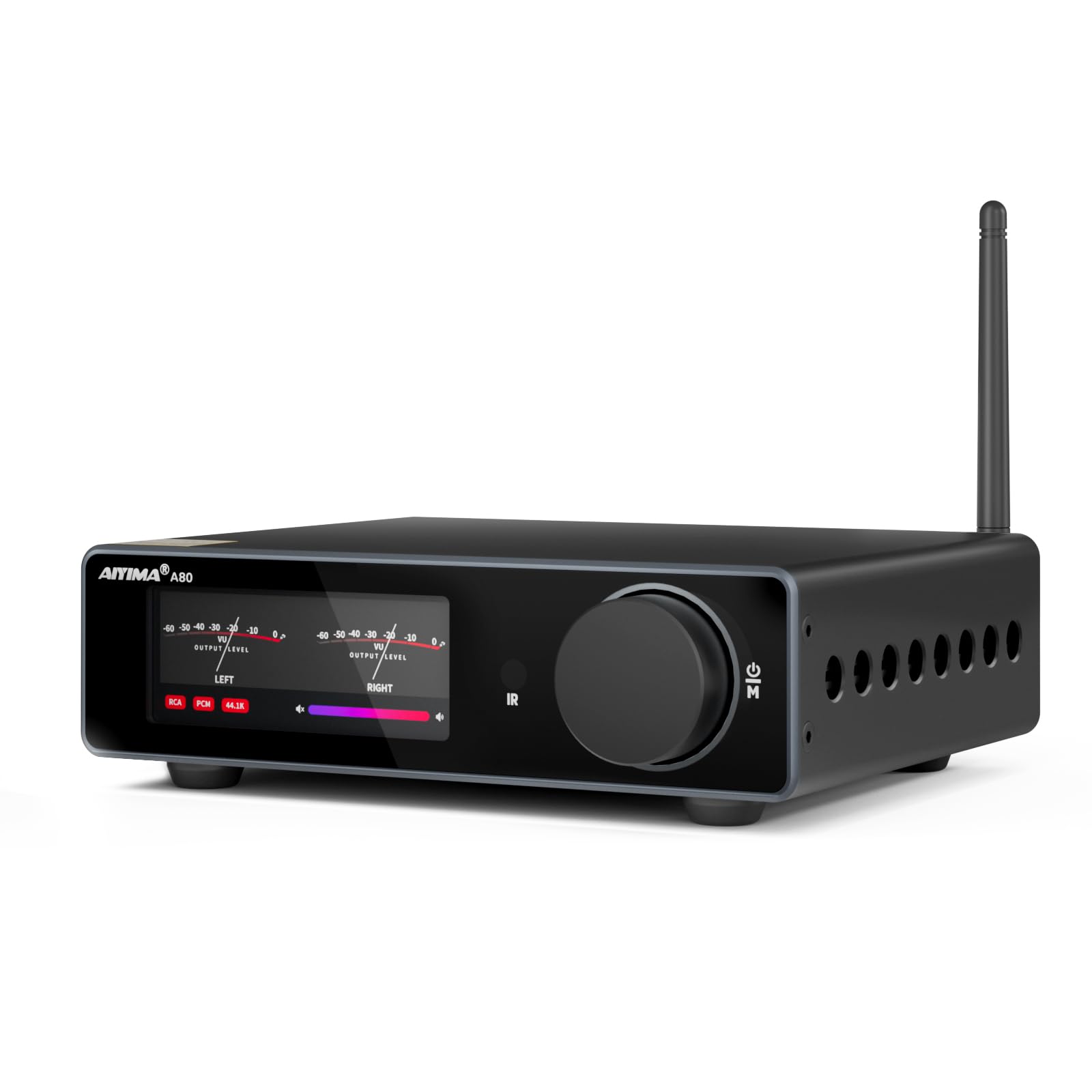
Types of Amps Compared
Four amp types cover nearly every passive monitor setup. Prices below are typical ranges for new gear, and each type section explains how it works, where it shines, and who should choose it.
Integrated Amps
An integrated amp combines a preamp, with volume control and input switching, and a power amp in one box. You connect your interface or media player, turn one knob, and work. The strengths are simplicity, tidy wiring, and broad availability from about $150 to $600 for studio worthy models. The weakness is focus: most integrated amps are built for living rooms, so balanced inputs and truly flat, measurement led design are not guaranteed. Choose this type if your studio doubles as a listening room and you value convenience, but verify low distortion and a quiet noise floor before trusting it with critical work.
Dedicated Power Amps
A dedicated power amp does one job: it takes a line level signal from your interface or monitor controller and drives the monitors, with no tone controls or extra features in the path. This is the classic studio architecture, and it shows in the specs, with very low distortion, high damping factor for tight bass control, and balanced inputs as standard. Prices typically run about $300 to $1,000 for respected two channel models. The trade off is that you must supply volume control elsewhere, usually from your interface. Choose this type for a dedicated studio where accuracy outranks convenience. Our dedicated guide to the best power amp for studio monitors digs deeper into this category.
AV Receivers Used as Monitor Amps
An AV receiver can technically drive passive monitors, and many home studios start with a spare one. It brings plenty of channels, a remote, and room correction software, often for about $300 to $800. For studio work, though, the compromises stack up: processing and sound modes color the signal, noise floors are rarely studio grade, and the sheer size eats desk or rack space. It suits a hybrid room where movies matter as much as mixes. If your goal is translation you can trust, treat a receiver as a temporary stand in rather than the destination.
Compact Desktop Amps
Compact class D desktop amps pack surprising power into a small case for about $100 to $300. They suit tight desks and small rooms where monitors sit two to three feet away and modest volume is the norm. Good ones measure remarkably clean, run cool, and sip power. The limits are headroom and connectivity: balanced inputs are rare, and loud, bass heavy sessions in bigger rooms can run them out of breath. Choose this type for a small, honest near field setup, and step up to a dedicated power amp when your room or monitors outgrow it.
Dedicated Power Amp vs Integrated Amp: Which Should You Choose?
These two types compete for the same buyer, so compare them on the criteria that shape daily studio work. On signal purity, the power amp wins, because its short, feature free path adds the least coloration. On convenience, the integrated amp wins, with one box, one knob, and inputs for every source you own. On connections, power amps usually offer balanced inputs that reject hum from your interface, while integrated amps lean on unbalanced RCA jacks. On cost, a good integrated amp is cheaper than a power amp plus a monitor controller bought separately. On growth, the power amp path scales better, since you can upgrade the controller later without replacing amplification.
The verdict follows your room. A dedicated studio with an interface that already controls volume should take the power amp and enjoy the cleaner path. A mixed use room where you also play records and stream music should take the integrated amp and enjoy the simpler life. Either choice can sound excellent; the wrong fit, not the wrong type, is what causes regret.
How to Choose the Right Amp
Features That Matter for Studio Monitors
Accuracy features come first: a flat frequency response, total harmonic distortion under about 0.05 percent at rated power, and a signal to noise ratio above 100 dB so quiet editing work stays silent between sounds. Power should match your monitors maker suggestion, commonly about 50 to 150 watts per channel for passive near fields, with headroom above your loudest honest working level. A high damping factor, roughly 100 or more, keeps woofer movement controlled and bass tight. If you are still choosing monitors themselves, our guide to the best sounding studio monitors explains what flat really sounds like.
Connections and Monitoring Features
Balanced XLR or TRS inputs are the studio standard because they reject hum and interference picked up along cable runs from your interface. Unbalanced RCA works over short desk runs but offers no such protection. A good monitor controller or interface supplies what the amp omits: stepped volume, mute and dim switches, and a headphone output for detail checks. Speaker terminals should accept bare wire or banana plugs firmly, since a loose connection crackling mid session ruins takes and concentration. Readers comparing complete speaker options can also see our guide to the best studio monitor speakers.
Amplifier Class and Design
Amplifier class describes how the output stage works, and each class trades efficiency against tradition. Class AB designs are the long standing studio default, offering proven low distortion with moderate heat. Modern class D designs run far cooler and smaller, and the best current examples measure as clean as class AB, which makes them ideal for desks and racks with limited airflow. Older pure class A designs sound lovely but waste most of their power as heat, a poor trade in a small room. Judge by measured distortion and noise, not by class loyalty.
Noise Floor and Headroom
At near field distance, hiss is the enemy you hear most, so the noise floor matters more than headline watts. An amp with a high signal to noise ratio keeps silence silent when you edit quiet passages at night. Headroom is the reserve above your normal level: mixes with sharp transients need brief bursts of power well beyond the average, and an amp with two to three times your typical power demand delivers those peaks without strain. Distortion that appears only on peaks is easy to misread as a mix problem, which is why honest headroom protects your decisions.
Setup and Care Tips
Set gain in stages: run your interface output healthy and strong, then set the amp or controller so your normal working volume sits near the top of its comfortable range, which keeps noise down and control smooth. Use balanced cables wherever the gear allows, and keep power cables separated from audio cables to reduce hum. Give the amp clear air above its vents, since studio racks run warm during long sessions. Dust vents with a dry brush monthly, and never spray cleaner into openings. Recheck speaker wire connections twice a year, because a strand loosened by vibration can crackle or short. If your amp accepts firmware updates for its digital sections, apply them during a quiet week, not the night before a deadline.
FAQs
What features matter most in amps for studio monitors?
Low distortion, a quiet noise floor, and balanced inputs matter most, because your decisions depend on hearing the recording rather than the gear. Look for distortion under about 0.05 percent, a signal to noise ratio above 100 dB, and power matched to your monitor maker guidance with headroom to spare. Tone controls are a minus, not a plus, in this role. Flat and boring on paper is exactly right for studio amplification.
Do passive studio monitors need a separate amp?
Yes, passive monitors have no amplification inside and stay silent without an external amp. Check the back panel: if your monitors only have speaker wire terminals and no power cord or volume knob, they are passive. Active monitors, by contrast, contain their own matched amps and need only a line level signal from your interface. Never connect an amp output to an active monitor input, because that can damage the monitor. Match the tool to the design you own.
How much power do passive studio monitors need?
Most passive near field monitors work well with about 50 to 150 watts per channel from the amp. Your maker lists a suggested range, and the middle of that range with clean headroom beats the maximum every time. Small rooms and close listening distances need the lower end. What damages monitors is usually a small amp driven into distortion, not a larger amp used sensibly, so buy clean power generously and control volume with discipline.
Balanced or unbalanced connections: which is better for studio monitors?
Balanced connections are better in a studio because they cancel hum and interference gathered along the cable. Interfaces and studio amps offer balanced XLR or TRS connections for exactly this reason, and the benefit grows with cable length and nearby computers. Unbalanced RCA is acceptable for a very short desk run when no balanced option exists. If you hear buzzing that changes when you move a cable, switching that run to balanced usually ends the problem for good.
What size amp should I get for my room or desk?
Size follows your listening distance and volume habits more than the room itself. A compact desktop amp suits small rooms and close monitors at moderate levels. A full size power amp suits larger rooms, louder reference levels, and monitors with low sensitivity that demand current. Measure your desk or rack space with cables attached before choosing. Budget shoppers will find workable accuracy at lower prices too, as our guide to the best inexpensive studio monitors shows for the speaker side.
Wrapping Up
Decide the type first: a dedicated power amp for a focused studio, an integrated amp for a mixed use room, and a compact amp for a small desk. Then verify the numbers that protect accuracy, namely low distortion, a quiet noise floor, balanced inputs, and honest headroom. Check your shortlist against the product table above with those filters in hand. Choose the best amp for studio monitors that fits that profile, and your monitors will finally tell you the truth about your mixes.


