
Best Alternative Keyboards for Android: Matching the Right Model to Your Routine for 2026
Disclosure: We may earn a commission when you buy through links on this page, at no extra cost to you. As an Amazon Associate I earn from qualifying purchases. Learn more

Match the best alternative keyboards for android to your routine, from compact Bluetooth boards to folding travel and ergonomic designs.
No single keyboard suits every Android user. A student typing notes on a tablet, a remote worker answering mail on a phone, and a traveler writing in cafes all need different sizes, connections, and key feel. That is why the search for the best alternative keyboards for android should start with your routine, your device, and where you actually type.
This guide sorts choices by user type first, then covers layout, software, and wired versus wireless links. Use the comparison table below for a quick view of size and price, then read the sections that match your day.
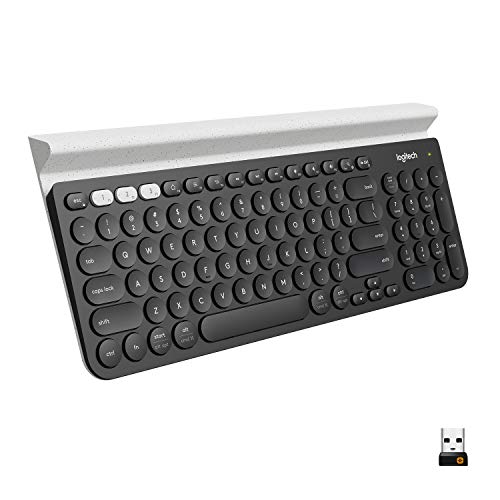


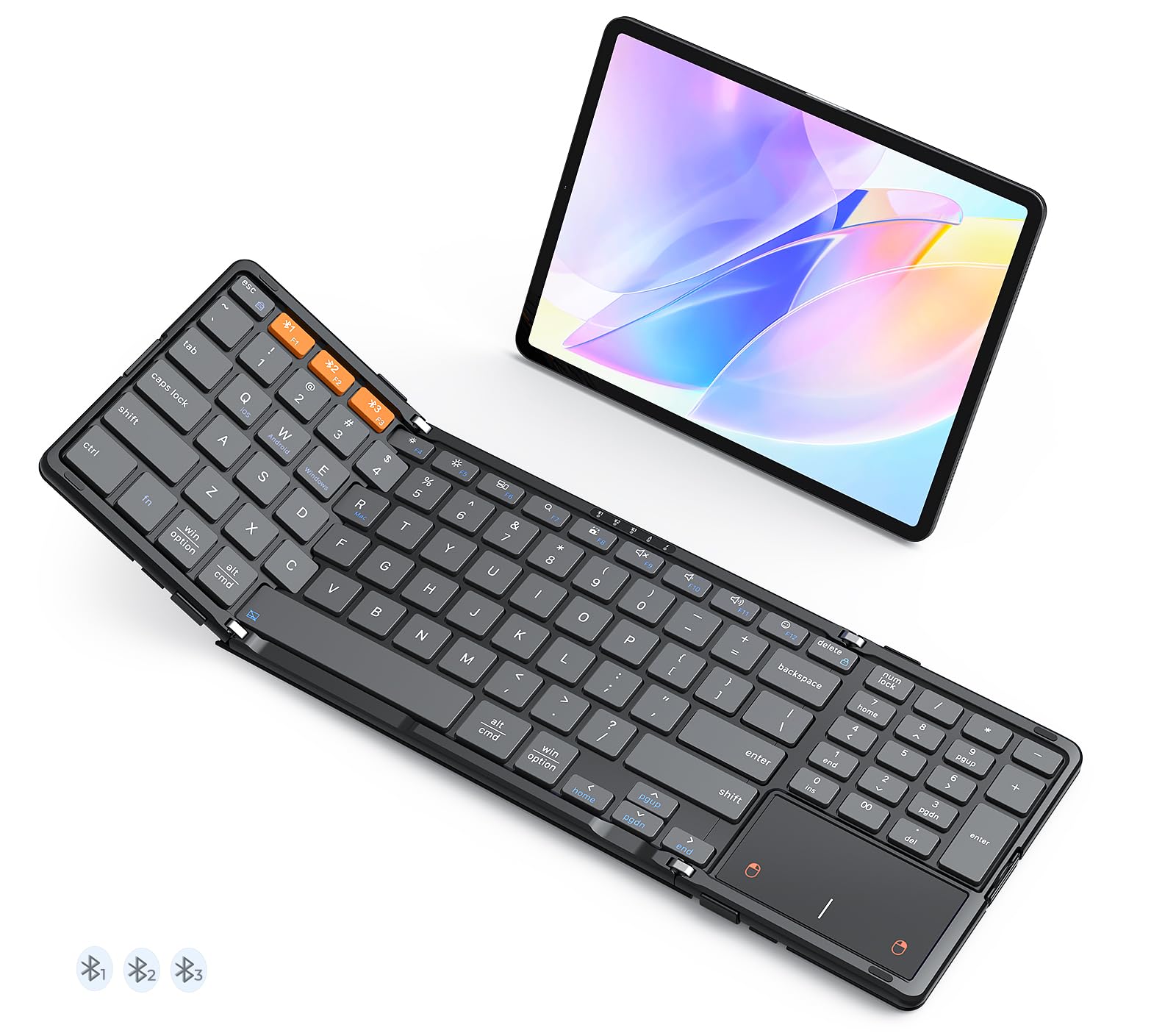
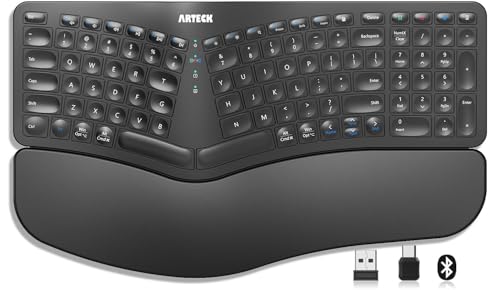


Who Should Buy Which Alternative Keyboards?
Alternative keyboards include compact Bluetooth boards, folding travel models, full size boards with number pads, and ergonomic split designs. Each solves a different problem. If you also use an on screen keyboard app, keep in mind that this guide covers physical keyboards you pair or plug into an Android phone or tablet, a topic separate from our guide to the best android keyboards apps.
For Students and Everyday Users
Students and everyday users need a stable connection, long battery life, and a fair price. A compact or medium board with clear key labels covers notes, homework, email, and web forms on a tablet or phone. Look for a protective sleeve or case if the board will live in a backpack.
Simple pairing matters more than advanced extras for this group. A keyboard that reconnects quickly after sleep saves time in every class or study session. Choose standard key spacing if you touch type, because cramped mini boards slow most people down and cause more errors over a long paper.
For Remote Workers and Creators
Remote workers and creators type for hours, so comfort, key feel, and reliable connections come first. A board with a slight tilt, a wrist friendly profile, or a split ergonomic layout can reduce strain during long writing days. Multipoint pairing lets you switch between a tablet, a phone, and a computer with one tap.
Creators may also value shortcut keys for media, screen capture, and app switching on Android. Check that function keys behave as you expect in your main apps before a deadline depends on them. If you mostly type on a phone at a desk, our guide to the best keyboard for android phones covers stand and dock setups in detail.
For Travelers and Commuters
Travelers and commuters should put weight, folded size, and durability first. A folding board or a slim compact board fits a small bag and sets up on a tray table, cafe counter, or hotel desk. Battery life of several weeks or months matters because charging chances on the road are limited.
Look for a case that protects keys from pressure in a packed bag, since a pressed key can drain the battery or damage a switch. A board that pairs with more than one device also helps if you carry both a phone and a tablet. Skip full size boards unless you rent a car and work from one base for weeks.
Key Features to Compare
The features below decide whether a keyboard feels like a tool or a burden after the first week. The product table above lists sizes and connection types, but these explanations show how each feature plays out in real Android use. Rank them against your routine before you compare prices.
Customization and Software
Customization includes remappable keys, macros, backlight settings, and onboard memory that stores your choices. For Android, keep expectations realistic, since many companion apps offer fewer settings on Android than on a desktop system. The most useful options are simple ones, such as swapping a key function or adjusting backlight brightness.
Hot swappable mechanical switches let you change key feel without buying a new board, which suits enthusiasts who like to tune sound and touch. Most everyday users can skip deep software features and focus on pairing stability. Always check recent app details to confirm which settings work on Android itself.
Compatibility (PC, Mac, Console)
Compatibility decides whether one board can serve all your devices. Many boards work with Android, Windows, Mac, and other systems, but modifier key labels and shortcut behavior change between systems. A layout switch or a mode key makes moving between systems much easier.
For Android specifically, confirm Bluetooth pairing steps and whether a USB C cable or receiver is included for wired use. Some older Android devices limit external keyboard options, so test language layouts and shortcut support in your main apps during the return window. Console support matters only if you plan to type in game chats on the same board.
Features That Matter for Android
Android places its own demands on a keyboard. You need an Android friendly layout with working home, back, and search or assistant functions, plus media keys that your apps respect. Bluetooth Low Energy pairing should stay stable when the phone screen sleeps, and the board should wake and reconnect without a long delay.
Size your choice to your device. A tablet on a stand pairs well with a medium board and a separate stand angle, a setup explored in our guide to the best keyboards for android tablets. Phone users need a stand or a case with a stand, because a great keyboard is useless if the phone lies flat. For general background, see our guide to the best android keyboards as well.
Weight and Build Quality
Weight and build quality shape both travel comfort and typing feel. A solid frame reduces flex when you type fast, while a very light plastic board can feel hollow and loud. PBT keycaps resist shine and wear longer than basic caps, which matters if you type daily.
Balance weight against your bag. A metal frame that feels premium at a desk can feel punishing on a long walk between classes. Check the feet and pads on the base, because a board that slides on a smooth desk will annoy you in every session. Small details like a firm on off switch also prevent battery drain in transit.
Wired vs Wireless (2.4GHz, Bluetooth)
Wireless choice is the biggest daily decision. Bluetooth connects directly to phones and tablets without a receiver, supports multipoint switching on many models, and keeps your USB C port free. A 2.4 GHz receiver can give a very stable link with low latency, but most phones need an adapter to use the receiver, which adds bulk.
Wired USB C links have no battery worries and no pairing steps, which suits a fixed desk. The cable limits movement and occupies the charging port, so you may need a hub for long sessions. For Android on the move, Bluetooth is usually the practical default, with wired as a backup mode worth having.
Common Mistakes to Avoid When Buying Alternative Keyboards
- Shopping by price alone and ending up with cramped keys, weak pairing, or a board that flexes and rattles as you type.
- Ignoring customization and software limits on Android, then finding that remapping or backlight controls need a desktop app you do not use.
- Buying the wrong size, either a mini board that slows touch typing or a full size board that never leaves home because it is too bulky.
- Skipping warranty and return terms, which matter because switches, hinges on folding boards, and batteries can fail early.
- Forgetting a stand for your phone or tablet, so your posture and screen angle suffer even though the keyboard itself is good.
A five minute check of your bag size, your device ports, and your main apps prevents most of these mistakes.
How to Make Your Alternative Keyboard Last Longer
Clean the board regularly with a soft brush and short bursts of air to clear crumbs and dust from between keys and switches. Update the firmware through the companion app when an update is offered, since fixes often improve pairing and battery behavior. Store the board in its case or sleeve during travel so pressure on the keys does not drain the battery.
Two habits help most. First, turn the board off during long storage to protect the battery. Second, keep liquids away from the desk edge, because one spill can end a board that would otherwise last for years. Treat the charging cable gently as well, since a loose port is a common failure point.
Alternative Keyboards: Your Questions Answered
What features matter most in alternative keyboards for android?
Stable Bluetooth pairing, an Android friendly layout, and comfortable key spacing matter most. A board that reconnects fast, offers working home and media keys, and fits your hands will serve you better than exotic extras. Battery life and a stand for your device come next. When people compare the best alternative keyboards, these basics separate daily tools from drawer clutter more than any advanced feature list.
Can I use a keyboard with a case on my phone?
Yes. Most Bluetooth keyboards work with any case, but you need a stand or a case with a built in kickstand so the screen sits at a usable angle. Check that the stand holds your phone in landscape and portrait before you rely on it for long typing sessions.
Are mechanical keyboards worth it?
Mechanical keyboards are worth it if you type for long stretches and care about key feel and durability. Individual switches give a consistent press, last through years of heavy use, and can be replaced on hot swappable models. They are usually thicker, heavier, and louder than membrane boards. For light travel typing, a slim membrane board may suit you better at a lower price.
Wired or wireless: which is better for gaming?
For gaming, a wired link or a good 2.4 GHz connection gives the lowest and most stable latency. Standard Bluetooth can add a small delay that fast paced players may notice, although casual games feel fine. On Android, most keyboard gaming is strategy, writing, or emulation based, so Bluetooth delay rarely decides the outcome. Choose based on your desk setup, and keep a cable handy as a backup.
Does it work with Mac and console?
Many alternative keyboards work with Mac systems and some consoles, but shortcuts and modifier keys may behave differently than on Android. Look for a system mode switch and clear labels for each layout. Console support often covers typing in menus and chats rather than full game control. Check the maker listing for each system you own, and test your main shortcuts during the return period. Swipe style users can also compare our guide to the best swype keyboards for android for touch typing options.
Wrapping Up
Match the board to your routine first, then check Android layout support, connection type, and key comfort in that order. Students need value and stability, remote workers need comfort and multipoint pairing, and travelers need light weight and long battery life. The right best alternative keyboards for android choice will feel obvious once those basics line up. Glance back at the product table above and pick the size and connection that fit your real week.


