
Best All Metal Laptops: A First Time Buyer's Guide for 2026
Disclosure: We may earn a commission when you buy through links on this page, at no extra cost to you. As an Amazon Associate I earn from qualifying purchases. Learn more

Shopping for the best all metal laptops for the first time? Learn the terms, compare options, and avoid rookie mistakes with this easy guide.
Buying your first laptop in a metal body is easier once someone translates the jargon. Shoppers looking at best all metal laptops usually want a machine that feels solid, travels well, and will not feel outdated in two years, and those goals are reasonable at many budgets.
This guide starts with the basics, explains each key specification in plain English, and ends with the mistakes first time buyers make most often. The comparison table below gives you a quick view of how typical models divide by size and price.
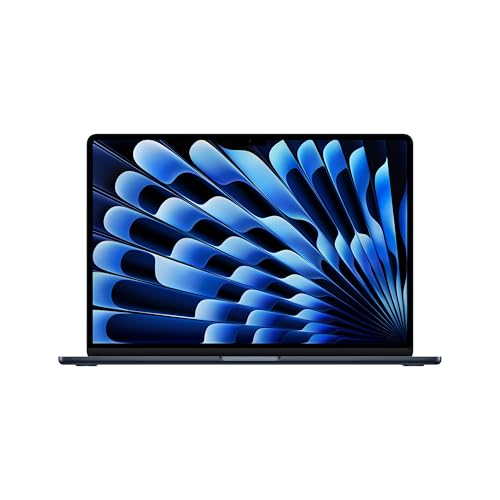
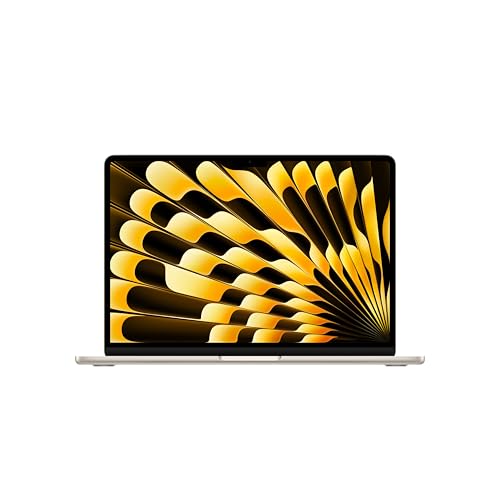
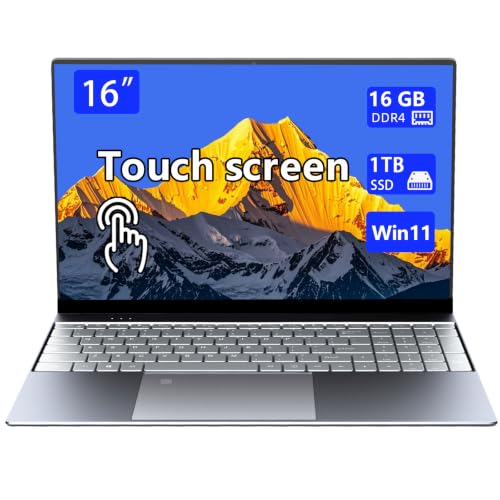
You do not need the fastest machine in the store. You need enough performance for your real tasks, a screen and keyboard you enjoy daily, and a body that survives your bag, your desk, and your commute.
Metal Laptops 101: The Basics
An all metal laptop uses aluminum or magnesium alloy for the lid, the keyboard deck, and usually the base, rather than plastic panels. Metal feels cooler and stiffer, resists flex when you lift the machine by one corner, and tends to hold its hinges and corners better over years of travel. It does not automatically mean the inside parts are better, so treat the shell as one factor among several.
A few terms will recur as you shop. The processor is the main thinking chip, RAM is short term working memory for open apps, and an SSD is the fast storage where your files and system live. Screen size is measured diagonally, and weight matters more than thickness once you carry the machine daily. If you prefer the smallest formats, our guide to the best notebook laptops covers compact models and how they trade power for portability.
Key Specs Explained in Plain English
Read each specification by asking one question: what will I feel if this is too weak, or waste money on if it is too strong? The answers below use everyday tasks as the yardstick.
Processor and Performance Tier
The processor decides how quickly apps open and how smoothly heavy work runs. Current lines include Intel Core and Core Ultra chips, AMD Ryzen chips, and Apple M series chips in MacBooks, each offered in good, better, and fastest tiers. For email, documents, browsing, and video calls, a mid tier chip with 16 GB of RAM is comfortably enough. For photo editing, programming with large projects, or engineering software, step up a tier and value sustained cooling, because a thin metal body can slow a fast chip during long tasks if its fans and vents are limited.
Ports and Connectivity
Ports decide how many adapters you carry. USB C is the modern standard, and Thunderbolt over USB C adds faster data transfer and support for docks and external displays on many models. An HDMI port lets you connect a TV or classroom projector without a dongle, and a headphone jack still matters for calls. For wireless, WiFi 6E or WiFi 7 gives faster and steadier connections on compatible routers, while Bluetooth handles mice and earbuds. Count the ports on both sides, because machines with all ports on one side crowd cables on a small desk.
Graphics (Integrated vs Dedicated GPU)
Integrated graphics are built into the processor and handle everyday visuals, streaming, light photo work, and casual games well while using little power. A dedicated GPU is a separate graphics chip that speeds up gaming at higher settings, 3D work, and some video editing effects, but it adds cost, weight, heat, and fan noise. Metal bodies shed heat through the shell, which helps, yet a slim design still limits how much graphics power it can cool quietly. Buy dedicated graphics only when your games or software truly need them, since the battery penalty follows you even on light days.
Keyboard, Trackpad, and Build
You touch the keyboard and trackpad more than any specification, so judge them carefully. Good keys have around 1.3 to 1.5 mm of travel, a firm landing, and backlighting you can dim for night work. A large glass trackpad should track smoothly without sticking in humid weather. For build, check that the lid opens with minimal wobble, the deck does not flex under typing pressure, and the hinges feel even across their range. Shoppers comparing shell wording will also find our guide to the best metal body laptops and our guide to the best metal case laptops useful, since sellers use those terms for very similar constructions.
Operating System (Windows, macOS, ChromeOS, Android, iPadOS)
Choose the system that runs your required software and fits the devices you already own. Windows offers the widest software and gaming choice across many brands. macOS is limited to Apple laptops but integrates tightly with iPhone services and offers long battery life on Apple chips. ChromeOS is simple and quick for browser based school and office work, though it cannot run most traditional desktop programs. Android and iPadOS belong mainly to tablets, which can pair with keyboards but remain app focused. If a course or employer names required software, that requirement should settle this choice before anything else.
Rookie Mistakes to Avoid
- Paying for power you never use. A top tier chip and dedicated graphics are wasted on documents and browsing, and the money would serve you better in more storage or a better screen.
- Skimping on RAM and storage. RAM and SSD size are hard or impossible to upgrade in many thin metal laptops, so 16 GB of RAM and at least 512 GB of storage is a safer starting point for a machine you will keep.
- Ignoring weight and battery life. A 16 inch model that feels fine in a store becomes a burden on a daily commute, and maker battery claims assume light use, so look for results based on real mixed workloads.
- Forgetting the total cost. Budget for a case, a spare charger for your bag, and any adapters your ports require, plus extended warranty if you travel often.
- Buying at the wrong moment. Prices move around new model launches and major sale periods, a pattern explained in our guide to the best time to purchase laptops, so a short wait can fund a higher specification.
Getting Started: Setup and First Use
On your first evening, plug the laptop in, connect to WiFi, and let it finish its initial updates before you judge its speed, because a new machine often downloads large system files in the background. Keep the OS and firmware updated after that by checking the settings update page once a month and installing what it offers.
Next, turn on device encryption and a backup routine, even a simple automatic cloud backup for documents, since a metal shell cannot protect your files from theft or drive failure. Avoid running the battery at 100 percent charge all the time if the maker offers a charge limit setting, because holding a full charge for months ages the battery faster. Finally, create a recovery sign in method, such as a fingerprint or a backup PIN, and store your purchase receipt and serial number somewhere other than the laptop itself.
FAQs
How much RAM do I need in a laptop?
Most buyers need 16 GB of RAM for comfortable everyday use with many browser tabs and apps open at once. Eight GB can work for very light browser based tasks, but it fills quickly and shortens the useful life of the machine. If you edit video, run virtual machines, or keep large creative projects open, 32 GB gives clear headroom and is worth the step up.
Is a Chromebook enough for school?
A Chromebook is enough for school when the work happens in a browser, such as documents, email, research, and learning platforms. It falls short when a course requires specific Windows or macOS software, offline desktop apps, or heavy creative tools. Students should check the school list first, and our guide to the best laptops for college outlines what different majors typically need before you commit to any system.
Is a dedicated GPU worth it in a laptop?
A dedicated GPU is worth it if you play demanding games, edit video regularly, or use 3D and engineering software that lists one as a requirement. For office work, study, and streaming, integrated graphics are quieter, cheaper, and easier on the battery. A simple check is to look up the recommended specifications of your main game or program and buy to that line, not above it.
How long should a metal laptop last?
A metal laptop should last about five to seven years for everyday tasks, with the battery usually aging before the body does. Expect a battery replacement or reduced runtime around year three or four with heavy daily charging. Software support length also matters, so favor current models whose makers still provide system updates, because an unsupported system becomes a security risk before the hardware fails.
Should I buy a laptop or a tablet?
Buy a laptop if you type long documents, manage files, or run full desktop software, because the keyboard, ports, and multitasking are stronger. A tablet suits reading, drawing, media, and light notes, especially with a stylus. Many people who try to replace a laptop with a tablet end up adding a keyboard, a stand, and adapters, which closes the price gap while keeping the software limits.
The Bottom Line
For most first time buyers, the sweet spot is a mid tier processor, 16 GB of RAM, a 512 GB SSD, and a metal body in the size you will happily carry. Confirm the ports and operating system against your real software, and the rest is preference.
Get those basics right and the best all metal laptops will feel less like a gamble and more like a tool you understand. Compare your finalists in the product table above, check return terms, and buy with confidence.


