
Best Affordable Video Cameras in 2026: Which Type Is Right for You?
Disclosure: We may earn a commission when you buy through links on this page, at no extra cost to you. As an Amazon Associate I earn from qualifying purchases. Learn more

Shoppers comparing the best affordable video cameras can match camcorders, compacts, mirrorless and action cameras to how they film.
Video cameras come in more shapes than ever, and the labels rarely explain which shape suits your filming. Camcorders, compacts, mirrorless bodies and action cameras all record video, yet they differ in handling, sound and low light strength. This guide compares the types side by side so you can choose with confidence. If you are shopping for the best affordable video cameras on a real budget, the comparison table below lays out what each class does well, where it compromises, and what it typically costs.
One idea runs through every section. At this end of the market, steady footage and clean sound matter more than a big resolution badge, because a steady 1080p picture with clear voices beats shaky 4K that nobody wants to rewatch. Makers also measure zoom reach and resolution claims in their own ways, so treat headline numbers as a rough guide. The sections below focus on the trade offs that actually change your results.


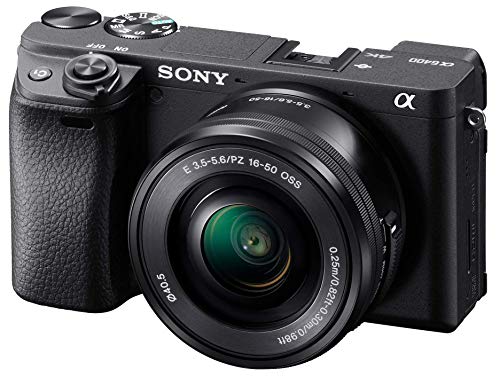
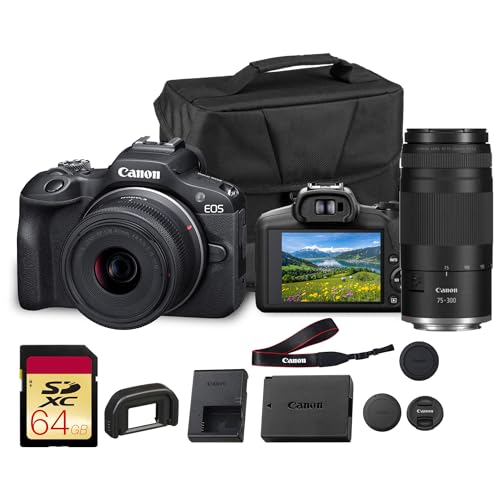
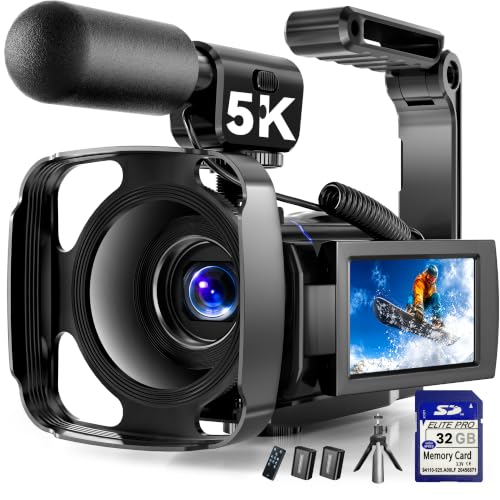
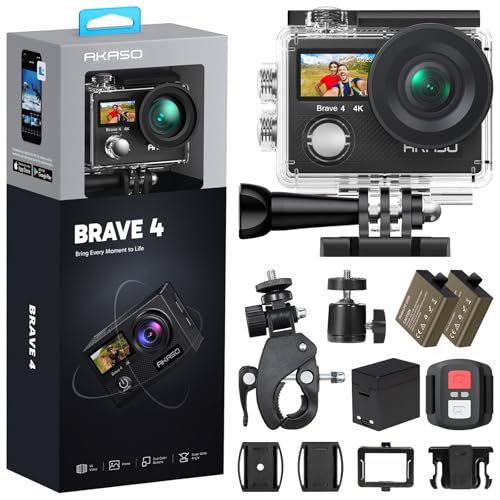
Best Affordable Video Cameras: Types Compared
Four classes cover nearly everything sold at budget prices. The table gives the short version first, and the sections after it explain how each class behaves in daily filming. If stills matter as much as video, our guide to the best affordable digital cameras covers the stills first side of the same budget.
| Type | Best For | Pros | Cons | Typical Price |
|---|---|---|---|---|
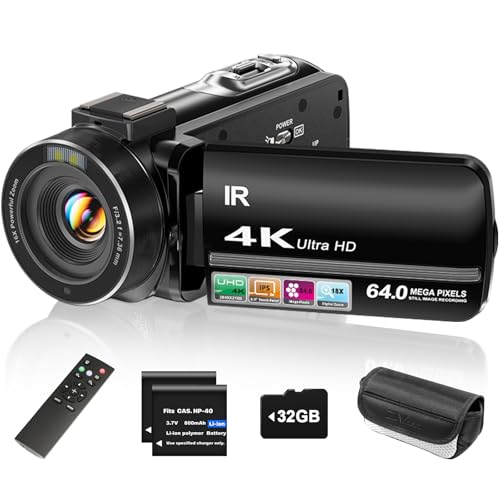
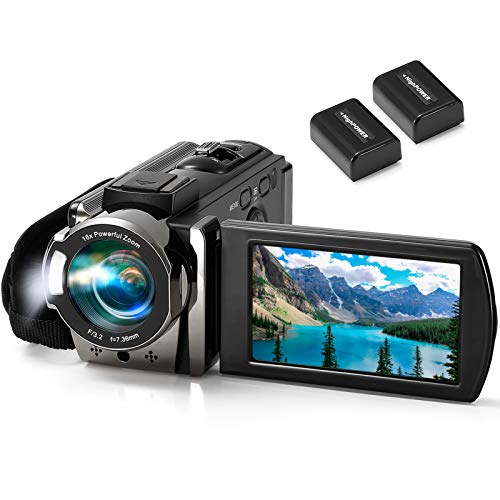
| Traditional camcorders | Long events and family recording | Long optical zoom, long battery life, easy handling | Small sensors struggle in dim rooms | about $200 to $400 |
| Point and shoot compacts | Travel and everyday clips | Pocketable, simple controls, good stills too | Fixed lens, modest audio | about $250 to $500 |
| Mirrorless cameras | Creators who want control | Large sensors, lens choice, strong low light video | Lenses add cost and weight | about $450 to $800 |
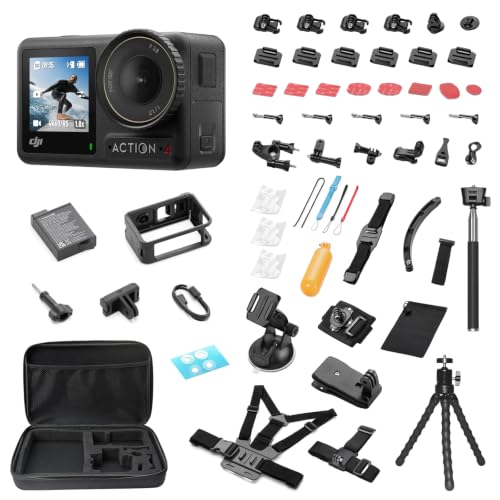
| Action cameras | Sports, water and mounted shots | Tiny, rugged, very wide view | Small screen, fixed focus, wind noise | about $150 to $350 |
Traditional Camcorders: Built for Long Recording Sessions
A camcorder is a camera shaped around recording, with a grip that suits one handed filming and a zoom lens built in. Optical zoom on these models often reaches far beyond what a phone can do, and it stays sharp because the lens itself moves rather than cropping the picture. That reach makes camcorders a natural fit for school concerts, sports from the stands and ceremonies filmed from the back row.
Most camcorders record for hours on one battery and accept large memory cards, so long events are their home ground. The compromise is the sensor, which is usually small. Indoors and in the evening, footage can look grainy next to a larger sensor camera, and makers quote zoom figures in their own way, so compare the optical range rather than any digital zoom number.
Point and Shoot Compacts: Small Cameras That Shoot Serious Video
A point and shoot compact pairs a small body with a fixed lens and simple controls, so it slips into a jacket pocket and is ready in seconds. Many shoot stills as happily as video, which suits travelers who want one device for both. Better models in this class add a 1 inch sensor, and that step up shows in cleaner evening footage.
The limits are reach and sound. The lens cannot be changed, zoom range is modest, and the built in microphone sits close to your fingers and the zoom motor. Hold the camera with both hands, keep clips short, and stand closer to your subject. For quiet everyday filming and travel diaries, though, this class is hard to beat for sheer convenience.
Mirrorless Cameras: The Step Up in Picture and Control
Mirrorless cameras use interchangeable lenses and larger sensors, and they are the class most creators grow into. An APS C sensor gathers far more light than a camcorder sensor, so indoor video looks cleaner and backgrounds blur more easily. You also gain manual control over focus, exposure and color as your skills grow.
The catch is the system around the body. A kit lens is only a start, and a faster lens, a spare battery and a microphone can double the real spend. Some models also limit very long recording sessions, so check the stated recording limit if you film events. Readers planning to grow into paid work can compare the next step in our guide to the best affordable professional video cameras.
Action Cameras: Tiny, Tough and Wide
Action cameras are tiny sealed boxes built to be mounted, worn or dunked. Their very wide fixed lens keeps everything in focus and makes them forgiving when you cannot watch a screen, which is why they dominate sports, cycling and water filming. Electronic stabilization on this class is strong, so mounted footage stays watchable over rough ground.
That width is also the limit. Faces look distant unless the camera is close, the small screen is hard to judge in bright sun, and wind can swamp the built in microphones. Battery life per charge is short, so most owners carry spares. Choose this class when toughness and mounting options matter more than zoom or close up detail.
Camcorders vs Point and Shoot Compacts: Which Should You Choose?
These two classes overlap in price, so the choice comes down to how you film. A camcorder wins on handling, zoom reach and battery life, and it can record a whole match or recital without a break. A compact wins on pocket size, stills quality and discretion, and its larger sensor options handle dim restaurants and evening streets better. Audio is modest on both, so neither solves spoken video on its own.
If your filming centers on events from a fixed seat, choose the camcorder. If it centers on travel days and spontaneous clips, choose the compact. Shoppers who want a wider look at filming first models can also browse our guide to the best cameras for video, and the comparison table above summarizes the key differences between all four classes.
How to Choose the Right Video Camera
Once the type feels right, these are the checks that separate a good buy from a regret. None of them requires a large budget, but each one changes daily results more than the badge on the box.
What You Can Realistically Get on a Budget
For about $200 to $400 you can expect clean 1080p video, basic stabilization and autofocus that handles slow movement. What gets cut first at this level is low light quality, weather sealing and audio options. Protect two things with your money: some form of stabilization, and a way to improve sound. A modest camera with steady footage and clear voices looks more expensive than it is, while a feature packed camera with shaky, echoing footage does not.
Stabilization and Why It Beats Resolution
Stabilization comes in three forms. Optical systems move lens elements, sensor shift systems move the sensor itself, and electronic systems crop the frame slightly to smooth movement. All three help, and even the simplest version turns walking footage from seasick to watchable. Judge this feature before resolution, because viewers forgive a softer picture far sooner than constant shake. If you film while walking or following kids and pets, put stabilization at the top of your list.
Sensor Size and Image Quality
Sensor size shapes low light video more than megapixel counts do. A 1 inch sensor collects more light than the small sensors in most camcorders, and APS C sensors in mirrorless bodies collect more again, which is why their evening footage looks cleaner. Makers measure and market resolution and zoom figures in their own ways, so a bigger number on the box does not promise a better picture. Prefer the larger sensor when indoor filming matters most.
Microphone Inputs and Sound Quality
A microphone input is the single step that changes results most for spoken video. Built in microphones capture room echo, handling noise and every voice at the same level, while a small external microphone placed near the speaker makes speech clear at any camera price. If you record talks, lessons or interviews, treat the input as required and budget about $20 to $50 for a simple wired microphone. Cameras without an input can still record a separate audio track on a phone.
Size, Weight, and Ergonomics
The camera you carry is the camera you use. A mirrorless body with two lenses can outweigh a camcorder three times over, and that weight decides whether it joins a day trip. Check grip comfort, button layout and screen brightness outdoors before you buy. A screen that flips out helps framing at arm length, while a fixed screen is fine when the camera sits on a tripod most of the time.
Battery Life, Cards, and Charging
Recording drains batteries far faster than stills, and makers quote battery life under gentle, ideal conditions. Plan on a spare battery for any filming day longer than an hour, and add its cost to the camera price. Video also fills memory cards quickly, especially at higher resolutions, so budget for at least one large fast card. USB C charging is worth having because it lets you recharge from a power bank between sessions.
Picking the Right Video Cameras for Different Uses
Most buyers film one main subject again and again. Matching the class to that subject matters more than chasing the longest feature list, and one use deserves its own look.
Best Affordable Video Cameras for Vlogging: Which Type Works Best
Vlogging needs three things at once: a screen you can see while you film yourself, autofocus that holds a face, and a microphone input for clear speech outdoors. Point and shoot compacts and smaller mirrorless bodies fit best, because most camcorders lack a screen that faces forward and many action cameras sound thin. Our guide to the best cameras for video blogging goes deeper on creator setups and accessories.
How to Make Your Video Camera Last Longer
Clean the lens with a proper lens cloth, not your shirt, because shirt fabric drags grit across the coating. Carry a spare battery and rotate it with the main one so both age evenly. Store the camera in a dry, padded bag away from damp rooms, and keep memory cards in a hard case rather than loose in a pocket. Update the camera software when the maker offers an update, and never leave the camera baking in a hot parked car.
Frequently Asked Questions
Is a smartphone enough instead of a video camera?
For many people, yes: a good smartphone covers casual clips well, while a dedicated camera pulls ahead when you need real optical zoom from the back of a hall, swappable batteries during a long event, or a microphone input for interviews. Phones also fill with footage quickly and can overheat on very long recordings. If your filming is short and close, save the money, but if it is long, distant or spoken, a camera earns its place.
What specs matter most for beginners buying a video camera?
Reliable autofocus, some form of stabilization and simple menus matter most for a beginner. Add a microphone input if you will record speech. Ignore digital zoom figures entirely, because they only crop the picture and soften it, and megapixels beyond a modest level change little for video. A beginner learns fastest on a camera that is easy to hold and quick to start, so handling belongs on your checklist too.
Which video camera type handles low light best?
Mirrorless cameras handle low light best because their larger sensors gather more light per frame. A 1 inch compact is the next step down, and small sensor camcorders and action cameras struggle most after dark. Whatever class you choose, adding light beats adding budget: one small lamp near your subject improves any camera more than the next model up would. Keep that in mind before stretching for a bigger sensor.
How much should I spend on my first video camera?
About $250 to $500 buys a capable first camera in any class. Keep roughly a quarter of your total budget back for the battery, the memory card, a basic microphone if the camera accepts one, and a padded bag. Those extras decide whether the camera is ready on the day. Spending everything on the body and nothing on support gear is the most common first purchase mistake.
Do I need 4K in an affordable video camera?
No, 4K is optional at this budget. A clean 1080p picture with steady framing and clear sound looks better on a TV than shaky 4K. The real reason to record 4K is editing room: you can crop into the frame later and still deliver a sharp 1080p result. If you never edit, skip it without regret and put the savings toward audio or a spare battery instead.
Wrapping Up
Choosing among the best affordable video cameras comes down to three checks: stabilization that keeps footage watchable, a route to clean sound, and a sensor sized for the light you film in. Pick the camcorder for long events, the compact for travel, the mirrorless body for control and low light, and the action camera for sports and water. Before you order, look back at the comparison table above to confirm the class, the typical price and the compromises you are accepting.


