
Best Affordable Surveillance Cameras 2026: What Actually Matters Before You Buy
Disclosure: We may earn a commission when you buy through links on this page, at no extra cost to you. As an Amazon Associate I earn from qualifying purchases. Learn more

Plan coverage before hardware: how to choose the best affordable surveillance cameras by recording type, detection zones, power, and price lane.
Surveillance starts with a map, not a shopping cart. Before any feature list matters, decide which ground each camera must watch: the gate, the side path, the stretch of driveway where a car slows down. This guide to best affordable surveillance cameras works outward from that map, because a well placed modest camera records more useful footage than a costly one aimed at the wrong corner.
Coverage also decides your budget more honestly than brand tiers do. One camera stretched across a wide yard produces tiny figures and missed detail, while two modest cameras with overlapping views record faces and plates at working distance. The sections below build from coverage to recording to cost, in that order.



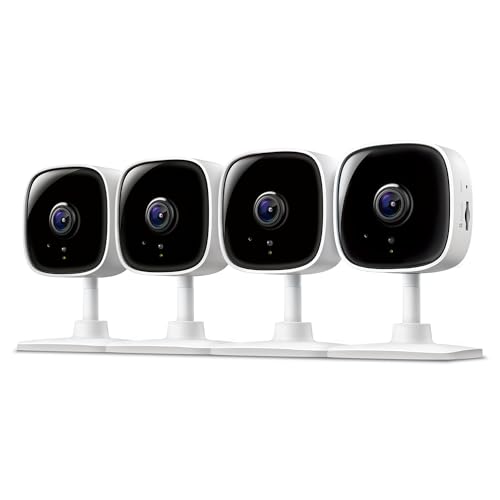
Coverage First: Plan the Watching Before the Hardware
Map the Ground Each Camera Must Cover
Walk your property and name the watching jobs out loud: entry coverage watches doors and gates at close range, where faces matter. Perimeter coverage watches fences and side paths, where the goal is a clear record that someone passed, and when. Area coverage watches yards and driveways, where width matters most. Each job wants a different lens width and mounting height, so one camera rarely serves two jobs well.
Field of view figures around 130 to 160 degrees sound generous, and for area coverage they are. But width spreads pixels thin: a person at the far edge of a very wide frame may be a dozen pixels tall. Keep identification distance in mind, roughly the range where a face fills enough of the frame to recognise. Shorten that distance with placement before you shorten it with money.
Recording Classes: Continuous, Motion Triggered, and Scheduled
How a camera records decides what it can prove. Continuous recording captures everything, including the quiet minutes before an event that explain how it started, and it is the natural partner of a recorder or a large local card. Its cost is storage churn and hours of footage to search. Motion triggered recording saves space and surfaces events quickly, but a missed trigger means a missing minute.
Scheduled recording sits between the two and suits predictable routines, such as a shop yard that only needs watching overnight. Many affordable setups blend classes: continuous at the main entrance, motion triggered at quiet sides. Whatever you choose, confirm the camera keeps recording locally when the internet fails. A surveillance system that stops during an outage has its priorities backwards.
Night Coverage and the Dark Corners
Most incidents a surveillance camera exists for happen in the dark, so night performance is a coverage issue, not a luxury. Infrared classes light a scene in black and white out to a stated range, and that range is a best case figure measured in open space. Walls, rain, and spider webs near the lens all cut it down, and webs glow bright enough to white out the frame.
Colour night classes use larger sensors and any ambient light available, trading reach for identification detail such as clothing colour. Existing light is the cheapest upgrade in this whole category: a porch lamp or a motion light extends every camera you own. Plan night coverage lamp by lamp, and be suspicious of any listing that quotes a night range without saying in what conditions.
Detection Zones and Alert Discipline
Detection decides which motion becomes a recording and which becomes an alert. Person detection matters most at boundaries, where you want to know a human crossed, not that a cat did. Drawn activity zones matter just as much: exclude the public pavement and the busy road, and include the gate swing and the path to the door. Without zones, a perimeter camera alerts on the whole street.
Alert discipline is a system setting, not a personality trait. Send instant alerts only from boundary cameras, and let area cameras record quietly for review. Households that route every camera to the phone with sound end up muting the app entirely. Tune sensitivity after a week of real footage, not on day one, because wind, rain, and headlights each have their own signature.
Audio: Listening, Speaking, and the Consent Line
Two way audio lets you speak through the camera, which suits gates and delivery points where a voice settles most situations. A siren class adds noise as a deterrent, though neighbours within earshot will have opinions about false triggers at night. Judge audio by the spot: valuable at a front gate, pointless on a quiet fence line, and unwelcome in shared courtyards.
Listening carries the legal weight here. Recording conversations follows consent rules that differ by place, and those rules are stricter than the rules for silent video. Keep audio off in any spot where people reasonably expect a private conversation, never aim a camera into bedrooms or bathrooms, and check your local rules before enabling sound on cameras that face shared spaces.
Power Routes for Cameras That Must Always Watch
Surveillance is a promise of continuity, so power is a coverage decision. Wired power and network cable power classes run indefinitely and suit fixed perimeter points. Battery cameras belong on temporary or hard to reach spots, with the understanding that a busy boundary can drain them fast and a flat battery is a hole in your coverage exactly when routine says nobody checks.
Solar charging stretches battery life on sunlit fences and does little on shaded walls. Whichever route you pick, note the failure mode: wired cameras stop in a power cut unless the recorder has backup power, and wireless cameras keep recording locally through one. Our guide to best home surveillance cameras builds full home layouts around these power routes if your map grows past two or three cameras.
What the Budget Takes Away, Stated Plainly
Now the money, because coverage plans die on unrealistic budgets. Affordable cameras pay for their price with thinner housings, smaller storage, and thinner maker support, and those trades are survivable when you plan for them. Anyone comparing best affordable surveillance cameras should also price the second bill: the cloud plan class. A plan can quietly double the two year cost, so a camera that records well to a local hub may be the cheaper system by a wide margin.
Protect the core and economise on the extras. Spend on the entrance camera and the recorder, and let the far fence line run a simpler model. Skip decorative features, oversized resolution you cannot store, and detection bundles you will never enable. Readers weighing wider recorded setups against app first cameras can see the combined category in our guide to best security surveillance cameras, while yard specific layouts sit in best surveillance cameras outdoor.
Three Spending Lanes for the Best Affordable Surveillance Cameras
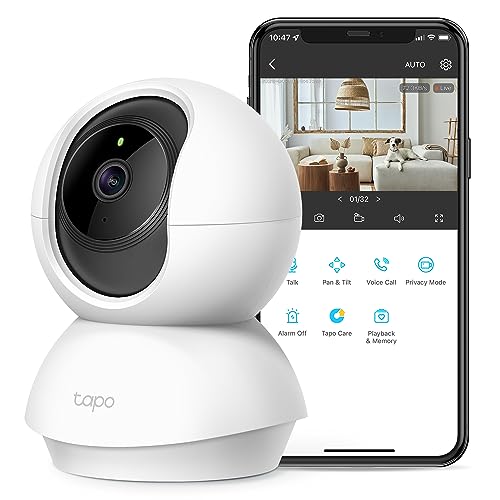
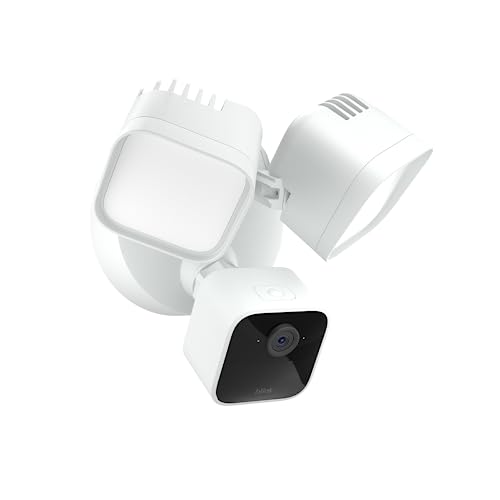
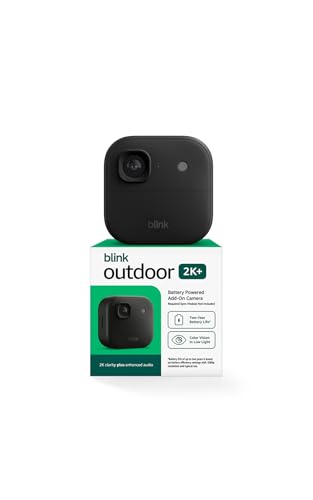
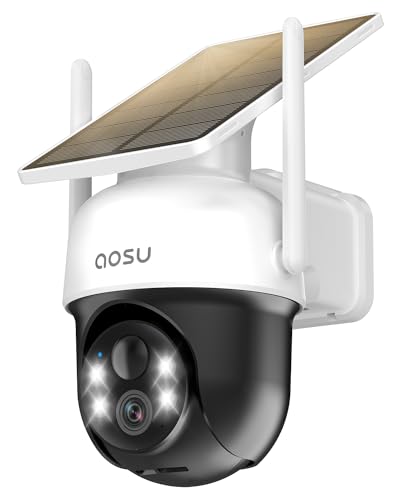
Read the product table above by lane rather than by price alone. Each lane assumes the coverage map from earlier, and moving up a lane should widen or sharpen coverage, not just add ornaments.
Entry Lane: Under $50 per Camera
One or two cameras cover a door and a short driveway with motion triggered clips and basic person alerts. Storage leans on small cards, night range is short, and housings want shelter. This lane proves the concept and teaches you your own map: where people actually walk, and where light actually falls. Many households should start here and expand with knowledge instead of guessing big.
Coverage Middle: About $50 to $110 per Camera
This lane funds a real perimeter: overlapping views, local recording with room to spare, and detection zones that hold down false alerts. Recorders and hubs appear here, which is where continuous recording at the entrance becomes practical. Most detached homes belong in this lane for their boundary cameras, filling quieter spots from the entry lane. It is the best balance of evidence quality and total cost for typical properties.
Upper End of Affordable: About $110 to $180 per Camera
Spending at this level buys reach and refinement: longer night range, colour night view, sturdier housings, and cleaner pictures at identification distance. Reserve it for the gate, the street facing corner, and any spot where detail at range is the whole job. Past this lane the word affordable stops applying, and the comparison should move to dedicated system guides rather than single camera listings. Side and rear spots rarely need this lane at all.
Red Flags in Surveillance Listings
- Night range with no conditions named. A distance quoted without darkness, weather, or surface details is a guess wearing a number.
- Recording that needs the cloud to exist. If local recording is absent, an internet outage or a lapsed plan erases your coverage.
- Zones you cannot draw. Sensitivity sliders alone cannot separate your gate from the public pavement, so alerts will flood or miss.
- Battery life quoted in months with no activity level. Busy boundaries drain batteries in weeks; vague figures hide that.
- No stated weather rating on an outdoor camera. Unrated housings fog and fail, usually during the first hard season.
Price games deserve a flag of their own. Sorting listings purely by cost mixes surveillance gear with general photo and travel cameras, and the phrase best cameras affordable names that wider bargain category, not cameras built to watch a property overnight.
A Short Checklist Before You Commit
- Have you named the job of every camera: entry, perimeter, or area coverage?
- Does each camera record locally when the internet is down?
- Can you draw zones that exclude the street and include the gate?
- Is night range quoted with conditions, and does a lamp help the spot?
- Does the two year cost, hardware plus any plan, fit the lane you chose?
- Is audio off anywhere people expect private conversation?
- Can the farthest camera still show a recognisable face at its distance?
If two answers fail, fix the map before fixing the cart. Moving a camera three feet often gains more than moving up a price lane, and outside spots reward the planning in our guide to best outside surveillance cameras.
Getting More From the Cameras You Own
Do a walk-through after installation. Walk each boundary at normal pace, day and night, then watch the footage and ask whether you could describe the walker to a stranger. Adjust the angle before you adjust the settings, because geometry beats sensitivity. Clean lenses every few months, and clear webs weekly in summer, since a single strand can ruin night footage.
Review one random clip each month. That habit confirms recording still works, cards still cycle, and zones still match a yard that changes with seasons and furniture. Update firmware when the maker offers it, keep two factor sign in enabled on the account, and replace tired memory cards yearly on continuously recording cameras. Surveillance fails quietly, so scheduled suspicion is part of owning it.
Questions Answered: Affordable Surveillance Cameras
How many surveillance cameras does a small property need?
Most small properties need two to four. One watches the main entrance at identification distance, one covers the driveway or street facing corner, and one or two close the side paths if they exist. Sketch the blind spots after the first two are placed, and only add a camera that closes a named gap, since extra cameras usually duplicate views rather than add coverage. Overlapping views at the entrance beat a ring of cameras that each watch empty lawn.
Does a wider camera view always beat a sharper one?
No, width and sharpness trade against each other inside any fixed sensor. A very wide view shows the whole yard but renders people small, while a narrower, sharper view identifies one doorway properly. Choose by job: area coverage wants width, entry coverage wants detail at short range. If you can only afford one camera at a gate, pick the narrower view, because a clear face at the gate outweighs a blurry panorama of everywhere else.
What happens to surveillance cameras when the internet goes down?
Cameras with local recording keep working and store footage on a card, hub, or recorder until the connection returns. What you lose is the live phone view, remote playback, and instant alerts. Cameras that depend entirely on cloud upload stop recording usefully, which is why local storage is a core requirement in this guide rather than a preference. When service returns, check that time stamps stayed correct, since clock drift during an outage can scramble the order of events.
How long should surveillance recordings be kept?
One to two weeks suits most homes, long enough to notice a problem after a trip and act on it. Incidents reported by neighbours or discovered late are the usual reason people wish for more. If something matters, export that clip to separate storage the day you find it rather than extending retention for everything. Continuous recording fills space roughly four to six times faster than motion triggered recording, so set retention per camera instead of globally.
Can surveillance cameras watch a yard with no power outlet nearby?
Yes, battery cameras with solar charging handle sunlit fences and gates well. The trade is vigilance: charge levels become part of your routine, and shaded spots may need a wired run after all. A hybrid plan works for many yards, with wired cameras on the house walls and solar battery units only on the far boundaries. Budget the panel and a spare battery into the price, because a boundary camera that dies in winter is a gap, not a saving.
Final Thoughts
Draw the map first, pick recording classes second, and let price come last. That order keeps affordable gear honest: coverage decides the lens, storage decides the evidence, and the plan decides the real cost. Read the product table above with your own map beside it, and choose best affordable surveillance cameras that keep recording through outages, respect the people they watch, and hold their zones without flooding your phone.


