The Best Affordable Sublimation Printers: Buying Guide and Guidance for 2026
Disclosure: We may earn a commission when you buy through links on this page, at no extra cost to you. As an Amazon Associate I earn from qualifying purchases. Learn more

Learn how to choose best affordable sublimation printers by print size, ink system, and cost per print, with setup and care tips for lasting results.
Sublimation printing lets you put vivid, durable designs on shirts, mugs, and gifts, but the wrong printer can waste ink, paper, and blanks on faded or blurry transfers. The best affordable sublimation printers balance print width, ink cost, and reliable feeding for the items you actually sell or gift. This guide explains the real choices, including converted ink tank models and dedicated sublimation models.
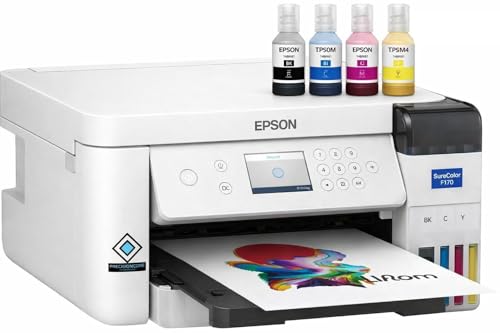
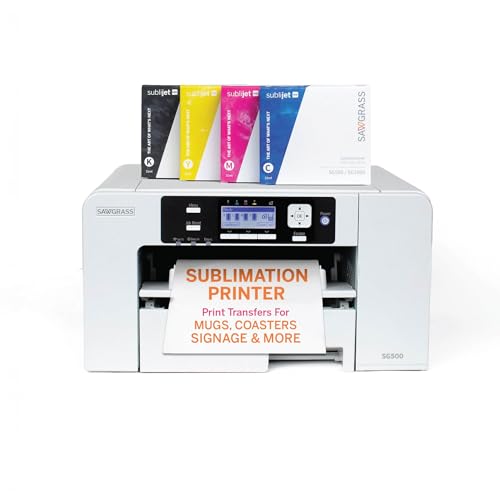
Use the comparison table below to compare print size, ink system, and connection options. Then read the buying guide to decide what size and ink path fits your workspace and your budget over a full year.
Guidance by Budget Tier at a Glance
Use these tier profiles instead of hunting for a single winner. Each profile states who it suits, what to demand, and what limit comes with the price. Your heat press, blanks, and paper are part of the system, so leave budget for them.
Best Overall Profile
This profile suits makers who print shirts and gifts several times a week and need consistent color without daily fuss. Around $300 to $500 for the printer alone, look for a dedicated sublimation model or a well supported ink tank conversion with refillable tanks and clear driver support. Demand reliable paper feeding for sublimation paper and easy nozzle checks. The limit is print width, which on most affordable models stops at standard letter and legal sizes.
Best Value Profile
This profile suits beginners testing product ideas, family gifts, and small online orders. Around $180 to $300, an ink tank printer converted for sublimation often gives the lowest ink cost per print. You must accept that conversion can affect warranty coverage, so read the maker terms carefully before you fill tanks with sublimation ink. Value comes from low running cost, not from the lowest sticker price alone.
Best Upgrade Profile
This profile suits sellers who need wider prints for larger shirts, all over designs, or faster batch work. Around $500 to $800, wider format models that print up to 13 by 19 inches reduce the need to tile designs across sheets. You gain size and often better paper handling, but you pay more for paper, ink, and a larger heat press to match. Buy width only if your product list truly needs it.
How to Choose the Best Sublimation Printers: Buying Guide
This is the core decision section. Work through print size, ink system, setup, support, speed, and workspace fit in that order. A printer that is fast or cheap but too narrow for your main product will frustrate you on every order.
What You Can Realistically Get on a Budget
Around $200 to $400, you can get sharp full color prints on letter size sublimation paper, refillable ink tanks on many models, and WiFi printing from a computer or phone. You will not get commercial speed, wide format output, or included heat press equipment at this level. Do not cut cost by choosing a cartridge model with tiny ink volumes for regular selling. Cost per page will erase any upfront saving within a few dozen prints.
Printer Type (Dedicated, Converted Ink Tank, and Cartridge)
Dedicated sublimation printers ship ready for sublimation ink, with profiles and support built for heat transfer work. Converted ink tank printers start as standard inkjet models and use sublimation ink in their tanks, offering low ink cost but more setup care. Cartridge models are the poorest fit for volume work because cartridges hold little ink. Choose dedicated for simplicity and support, or ink tank for low running cost and careful setup.
If shirts are your main product, compare sizing notes in our guide to the best sublimation printers for shirts before you settle on a print width.
Ease of Setup and Calibration
Setup means filling ink correctly, installing the right driver, choosing sublimation color profiles, and running test prints on cheap blanks first. Good instructions and widely shared profile files save hours of trial and error. Run a nozzle check before an important batch, because a single blocked nozzle can stripe a design. Keep notes on paper side, press time, and temperature for each blank type so good results repeat.
Reliability and Support
Check driver support for your computer system, how often firmware updates appear, and whether the maker or seller answers sublimation specific questions. Community groups for a popular model can be valuable, but they do not replace a real warranty. Ask what happens if the print head clogs after conversion, because answers vary widely. A model with many users usually has more shared profiles, spare parts, and troubleshooting guides.
Print Speed
Print speed is listed in pages per minute for standard documents, but full color sublimation pages with heavy coverage print more slowly. For batch work, drying and handling time between sheets can matter as much as print speed. A slightly slower printer that feeds thick sublimation paper without jams will finish a batch sooner than a fast model that misfeeds. Test with the exact paper weight you plan to use.
Footprint and Noise
Measure your bench with the paper tray open and room behind the printer for sheet exit, not just the closed body size. Ink tank models need level bench space so tanks read correctly and ink flows as designed. Noise is modest for inkjet models, but early morning printing in a shared home can still disturb sleep. Place the printer away from dust and direct sun, which can affect ink and paper.
For general budget printer context, our guide to the best affordable printers explains how ink systems affect long term cost across printer types.
Types of Sublimation Printers
These types overlap, but the labels help you compare listings honestly. Focus on ink delivery and intended use, not on marketing names. The right type is the one your support path and product size both support.
Dedicated Sublimation Printers
These printers are built and sold for sublimation ink from the start, with matching software and color profiles. They cost more upfront but simplify setup and keep warranty support clear for sublimation use. They suit sellers who need repeatable color for logos and photos. Their main drawback is higher ink cost from maker specific ink packs on some models.
Converted Ink Tank Printers
These standard ink tank printers are filled with sublimation ink instead of the standard ink they ship with or call for. Ink cost per page is low and tanks are easy to refill, which is why many beginners start here. The trade off is responsibility: you manage profiles, cleaning, and warranty risk yourself. Never mix standard and sublimation ink in the same tank path.
Wide Format Sublimation Printers
Wide format models print larger sheets for bigger garments, tote panels, and oversized designs without seams. They need a larger heat press, more bench space, and pricier paper and ink volumes. They suit growing shops with proven demand for large prints. If most of your work is mugs and small shirts, this size adds cost you will rarely use.
All in One Printers for Sublimation Work
All in one models add scanning and copying, which helps if you scan artwork or keep paper records for orders. The scan function does not improve sublimation print quality by itself, so do not pay extra for it unless you will use it weekly. Check that the print path, not just the feature list, suits sublimation paper. A flat scanner lid is useful, but paper feeding is the deciding factor.
Makers who care most about ink savings can also read our guide to the best printers with affordable ink for cost per page comparisons.
How to Make Your Sublimation Printer Last Longer
- Print a small test page weekly to prevent clogs, even during slow weeks, and run a nozzle check before large batches.
- Use genuine or reputable sublimation ink matched to your model, because poor ink can clog heads and shift colors.
- Keep the printer on a level surface, covered from dust when idle, and away from heat sources that dry ink paths.
- Store sublimation paper flat in its bag, away from humidity, so feeding stays smooth and transfers stay even.
- Clean the paper path and rollers as the manual directs when you see dust marks or repeated misfeeds.
Ventilation matters during pressing, not just printing. Work in a ventilated space when using a heat press, keep children and pets away from hot equipment, and let pressed items cool on a safe surface before handling.
If you are still weighing printer categories, our guide to the best printers for dye sublimation explains the dye transfer process in plain terms.
Sublimation Printers: Your Questions Answered
What does cost per page mean for sublimation printers?
Cost per page means the ink and paper cost to produce one printed sheet, not counting the blank item or heat press power. Ink tank systems usually give the lowest cost per page because bottles hold far more ink than cartridges. Track your own cost by noting bottle price, pages printed, and paper cost. That real number tells you how to price products with a fair margin.
Are ink tank printers worth it for sublimation?
Ink tank printers are worth it for sublimation if you print regularly and accept the setup and warranty trade offs of conversion. People searching for best sublimations printers often land on tank models for this reason. Casual users who print a few gifts a year may prefer a dedicated model for simpler support. Volume is the deciding factor, because savings grow with every sheet.
Why do my sublimation colors look dull before pressing?
Colors look dull on sublimation paper before pressing, and that is normal. Heat activates the dye and the design becomes vivid as it bonds with a coated blank or polyester fabric. Judge color only after a correct press on the right material. If pressed colors stay dull, check press temperature, time, pressure, and whether the blank is truly sublimation ready.
Can I switch a printer back to regular ink after sublimation?
You should not plan to switch back, because sublimation ink leaves residue in tanks, lines, and the print head that can affect regular printing. Treat conversion as a permanent choice for that machine. If you also need a home document printer, keep a separate low cost model for that job. Mixing roles is the most common cause of clog and color complaints.
Shoppers comparing other maker hobbies sometimes also browse our guide to the best affordable 3d printers, but note that those machines use plastic filament or resin and cannot make sublimation transfers.
Our Verdict
Choose print width for your main product first, then pick the ink system whose cost per page and support path you can live with for a year. Compare finalists in the product table above and budget for paper, blanks, and a suitable press. Selected that way, the best affordable sublimation printers produce bright, repeatable transfers without draining your margin on ink.