
Best Affordable Security Cameras 2026: What Actually Matters Before You Buy
Disclosure: We may earn a commission when you buy through links on this page, at no extra cost to you. As an Amazon Associate I earn from qualifying purchases. Learn more

Best affordable security cameras judged by storage, alerts, power, and build, with price bands and a checklist to avoid hidden fees.
A low price is the easy part of this purchase. The hard part is knowing which corners a cheap camera can safely cut, and which cuts leave you with blurry faces, gaps in your recordings, and fees you never planned for. This guide treats best affordable security cameras as a checklist problem, so you can judge any model by the classes that actually decide daily use: storage, alerts, power, and build.
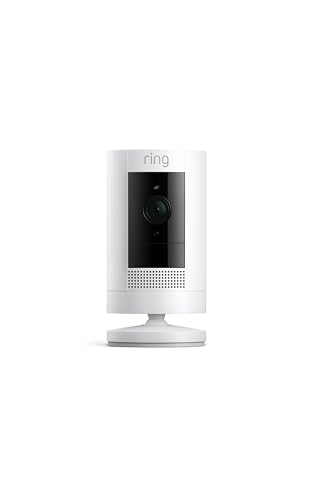
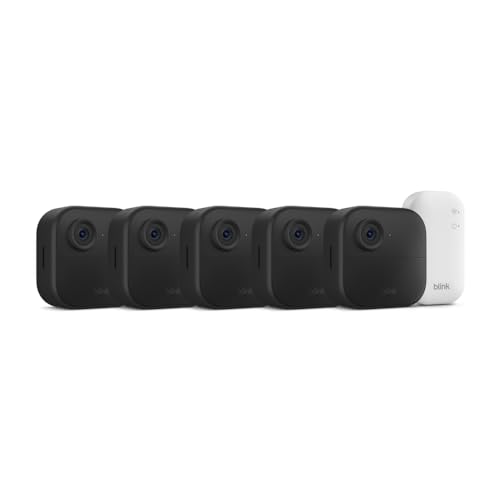
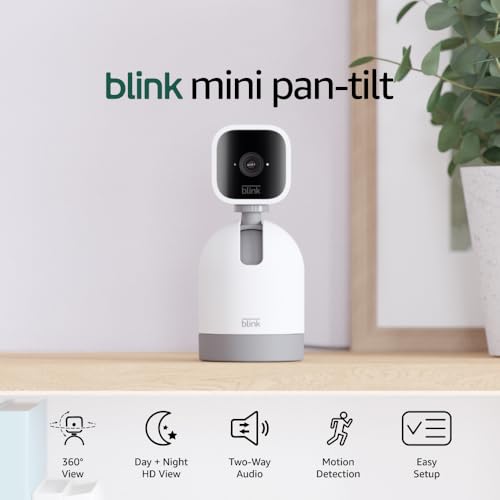
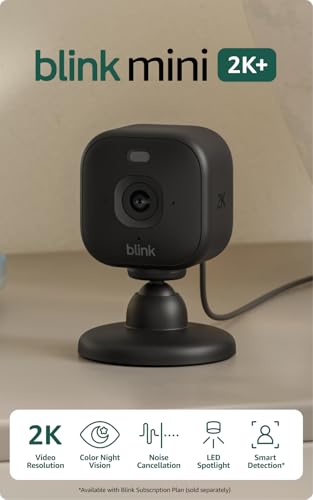
Start from the job the camera must do at your home. A camera watching a front door needs fast alerts and clear faces at close range, while a driveway camera needs width and night reach. The product table sets the main options side by side, and the sections after it explain what each class gives up and what it protects.




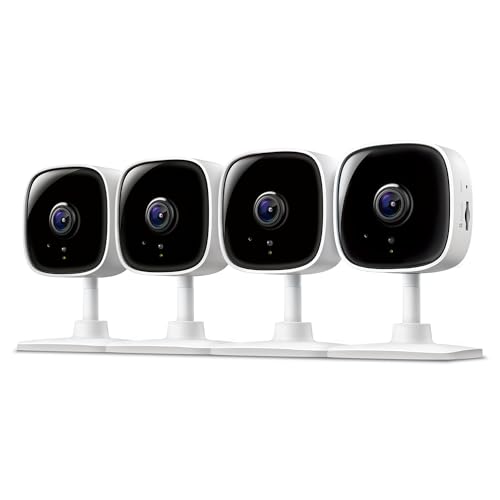
What Actually Matters: The Criteria That Decide This Purchase
Start With the Budget: What Affordable Really Trades Away
When people search for best affordable security cameras, they usually mean a camera that stays useful after the first month, not the cheapest box on the shelf. Affordable models trade away three things first: build quality, storage depth, and maker support. Housings get thinner, cards fill faster, and help desks get harder to reach. None of that is fatal if you know it in advance.
The bigger trap is the hidden second price. Many low cost cameras record short clips for free, then charge a monthly subscription before you can review a full day or use person detection. Price the camera and the plan together across two years. A camera at about $40 with a paid plan can cost more than a camera at about $90 that records to a local card with no plan at all.
Storage Decides What You Can Watch Later
Storage is the class that decides whether an event is evidence or a rumor. Local storage on a memory card keeps clips in the camera, costs nothing each month, and keeps working when the internet drops. Its weakness is simple: a stolen camera takes its card with it. Cloud storage answers that by keeping clips off site, but it rents that safety back to you month after month.
Card size matters more at this price level than most listings admit. A busy door camera can cycle a small card in days, quietly overwriting the clip you needed. Cards in the 64 to 256 gigabyte range are the sensible classes for home use. Choose the storage class before you fall for any other feature.
Resolution and Field of View, Read Together
Resolution numbers only help when the view is wide enough to use them. A 2K class sensor spread across a very wide view can show faces no larger than a sharper looking 1080p camera aimed at a narrow spot. Read the two figures as a pair: field of view tells you how much of the yard or room fits in frame, and resolution tells you how much detail survives inside that frame.
For most homes, a view around 130 to 160 degrees covers a porch or driveway without bending straight lines too badly at the edges. Push the camera wider than that and faces at the sides stretch and shrink. If identifying a person at the gate matters more than seeing the whole yard, a narrower view on a second camera often beats one very wide camera.
Alerts and Person Detection Keep Notifications Useful
A camera that alerts on every moving shadow trains you to ignore it within a week. Person detection is the feature that separates a visitor at the door from a tree branch in the wind, and activity zones let you tell the camera which part of the frame counts. At budget prices, detection quality varies more than resolution, so treat it as a first class criterion, not a bonus.
Ask two questions before buying. Does person detection run on the camera itself or only inside a paid plan? And can you draw zones, or only raise and lower overall sensitivity?
Privacy and Account Security Are Part of the Purchase
A security camera records; it never prevents anything by itself. Its value is a clear record and a fast alert, and that record deserves protection. Use a long unique password, turn on two factor sign in, and keep the camera firmware updated, because an unpatched camera is the weakest door into your home network. These steps cost nothing and matter more than a small step up in resolution.
Placement is a privacy decision as much as a coverage one. Aim cameras at doors, driveways, and shared spaces, and never point them into bedrooms or bathrooms. Tell household members and regular visitors where cameras watch, respect what your neighbors can see into the frame, and treat audio as the restricted part: recording sound follows consent rules that vary by place, so check yours before enabling it.
Power Options Shape the Whole Installation
Wired cameras are the reliability class: they never need charging and they suit spots near an outlet or existing doorbell wiring. Battery cameras trade that certainty for freedom of placement, and their charge life figures are maker figures measured under light use. A busy door camera can drain in weeks where a quiet side gate camera lasts for months on the same battery.
Solar panel classes soften the battery compromise by topping up the charge on bright days, though shaded walls limit the gain. Match the power class to the spot, because a camera you must climb to recharge every month is a camera that quietly stops being watched.
Weather Resistance and Build for Outdoor Spots
Any camera living outside needs a weather resistance rating you can read. The IP65 class means the housing is sealed against dust and rain jets from any direction, which covers most porches and eaves. IP66 classes add protection against heavier water pressure. A camera with no stated rating belongs indoors, whatever the listing photos suggest about gardens and gates.
Temperature range is the quiet half of build quality. Batteries lose capacity in deep cold, and dark housings bake in direct sun, so a shaded mount under an eave protects both the electronics and the picture. In deep cold, favor wired power outdoors and treat battery figures as best case numbers.
Smart Home Integration and the App You Will Live With
Voice assistant classes let you pull a camera view onto a smart display or fold alerts into routines you already use. That convenience is real but secondary. The app is the product you will touch daily, so its clarity matters more: how fast live view opens, how easily you can find a clip from last night, and whether settings stay where you left them.
Check that the camera and your phone speak to each other without extra hubs unless you want one. A maker that maintains one app well is a safer long term bet than a maker promising every platform on the box and supporting none of them properly.
Best Affordable Security Cameras: What Each Price Band Buys
With the criteria above in hand, the product table sorts into three honest bands. The step from one band to the next should buy a named improvement, such as local storage without a plan, detection on the camera, or a housing rated for real weather.
Starter Spend: About $30 to $60
This band covers a single door or room with basic motion clips and app alerts. Expect cloud leaning storage, detection that may sit inside a paid plan, and housings meant for sheltered spots. It suits renters and households guarding one entry. Spend here only if the storage terms are printed clearly, because this is the band where the second price hides most often.
Household Sweet Spot: About $60 to $120
The middle band is where affordable stops meaning fragile. Local card storage becomes common, person detection more often runs without a plan, and outdoor housings carry real weather ratings. Most homes should land here: a door camera and a driveway camera from this band cover the classic jobs without renting back your own footage. Battery life also improves, though maker figures still flatter the truth.
Stretch Budget: About $120 to $200
Stepping up buys polish rather than a new category: sharper sensors, wider dynamic range for backlit doors, color night view, and hubs that gather several cameras into one recorder. It is worth it for a main entrance you rely on daily or a large yard that needs reach at night. Above this band you have left the affordable question behind, so judge those cameras by a different guide.
A Quick Buyer Checklist Before You Order
Run these questions against any listing. A no answer is not always fatal, but you should know about it before the box arrives, not after the first missed event.
- Can the camera record to a local card or hub without any monthly plan?
- Does person detection work for free, or does it need a subscription?
- Is the total two year cost, camera plus plan, still inside your budget?
- Does the housing carry a stated weather rating for the spot you chose?
- Can you draw activity zones to cut alerts from the street or trees?
- Does the account offer two factor sign in and regular firmware updates?
- Is the power class realistic for how often you can reach the camera?
- Does the return window let you try night view at your own door?
Households comparing whole home layouts can also read our guide to best security cameras for house, which starts from room by room coverage rather than price.
Red Flags That Mark a Weak Budget Camera
- Resolution with no field of view stated. A sharp sounding number hiding a narrow or distorted view is marketing, not information.
- Storage described only as cloud. If no card slot or hub option exists, you are renting your own recordings forever.
- Basic playback locked behind a plan. Paying extra for detection is a business model; paying to watch yesterday at all is a warning.
- No two factor sign in offered. A maker careless with account security will be careless with your footage too.
- Warranty measured in a few months. Outdoor electronics live hard lives, and a very short warranty tells you what the maker expects.
Care and Maintenance That Keep Clips Usable
Mount door and driveway cameras about 8 to 10 feet high, high enough to resist tampering and low enough to catch faces rather than the tops of heads. Wipe the lens with a soft cloth every few months, since a film of dust and pollen softens night pictures first. Check the mount after storms, because a small tilt can move your careful zones off the path.
Once a season, open the app and confirm three things: firmware is current, the card still records and plays back, and your alert zones still match the yard after furniture and plants have moved. Readers setting up yard coverage will find our guide to best security cameras outside useful for placement heights and angles. Small checks like these keep a budget camera honest for years.
Questions Answered: Affordable Security Cameras
How much storage does a home security camera need?
Most homes do well with a 128 gigabyte card or a hub of similar size. That holds roughly one to three weeks of motion clips from a typical door camera before the oldest footage is overwritten. Continuous recording eats space far faster and can cycle the same card in days. If you must keep an event, export the clip to your phone promptly, because no local card is an archive and cloud plans only extend the window while you keep paying.
Are home security cameras easy to hack?
They are only as hard to break into as the account protecting them. Most real world compromises trace back to reused passwords, accounts without two factor sign in, and firmware left years out of date, not to clever attacks on the camera itself. Use a unique password, enable two factor sign in, update promptly, and put cameras on your main network only if the maker supports current security standards. A cheap camera from a maker that never ships updates is the one genuine risk in this category.
Is a wired or wireless security camera more reliable?
Wired cameras are more reliable for recording, since power and connection never depend on a battery or a busy wireless signal. Wireless battery cameras win on placement and survive short power cuts on their own charge. Reliability also hides in the storage class: a wireless camera recording to a local card keeps working through an internet outage, while one that must upload every clip goes blind. Pick wired for the main door if wiring exists, and wireless where running a cable is unrealistic.
Do I need a subscription for an affordable security camera?
No, a subscription is optional on cameras that record to a local card or home hub. Shoppers hunting affordable security cameras often find the plan, not the hardware, decides the real price, because two years of fees can pass the cost of the camera itself. Plans buy off site clip storage, longer history, and sometimes richer detection. Read exactly what stops working when the free trial ends, and favor cameras whose free tier still records, alerts, and plays back without a card on file.
Can a security camera work without WiFi?
Yes, if it records to local storage and you view clips by card, hub, or a wired monitor. What you lose is the live phone view and instant alerts away from home, which many households consider the main point. Cellular classes exist for sites with no internet at all, though they add a data plan. For wider recorded coverage rather than app first use, our guide to best security surveillance cameras covers recorder based setups, and the outdoor picks in best affordable outdoor security cameras suit yards where the router signal runs thin.
Final Thoughts
Affordable works when the compromises are the ones you chose. Let storage lead, because it decides whether you own your footage or rent it, then check detection, then power. The product table is easiest to read with those three classes in mind. Choose best affordable security cameras that record without permission from a subscription, protect the account properly, and fit the spot they will actually watch, and a modest budget will cover a home honestly.


