
Best Affordable Phones with Great Camera for 2026: What Your Money Really Gets You
Disclosure: We may earn a commission when you buy through links on this page, at no extra cost to you. As an Amazon Associate I earn from qualifying purchases. Learn more

Compare affordable phones with a great camera by sensor, night mode, lenses, storage and updates so you pay for photos, not extras you will not use.
Prices for camera phones stretch from under $200 to well past $1,000, and the gap is not always obvious from a spec sheet. A phone can promise huge megapixel numbers and still produce dull evening photos, while a modest model with smart processing can look far better. This guide to the best affordable phones with great camera results shows where extra money actually improves your photos.
Start by deciding how you shoot most often, then use the comparison table below to match that habit to a price tier. Your subjects matter more than any headline number.


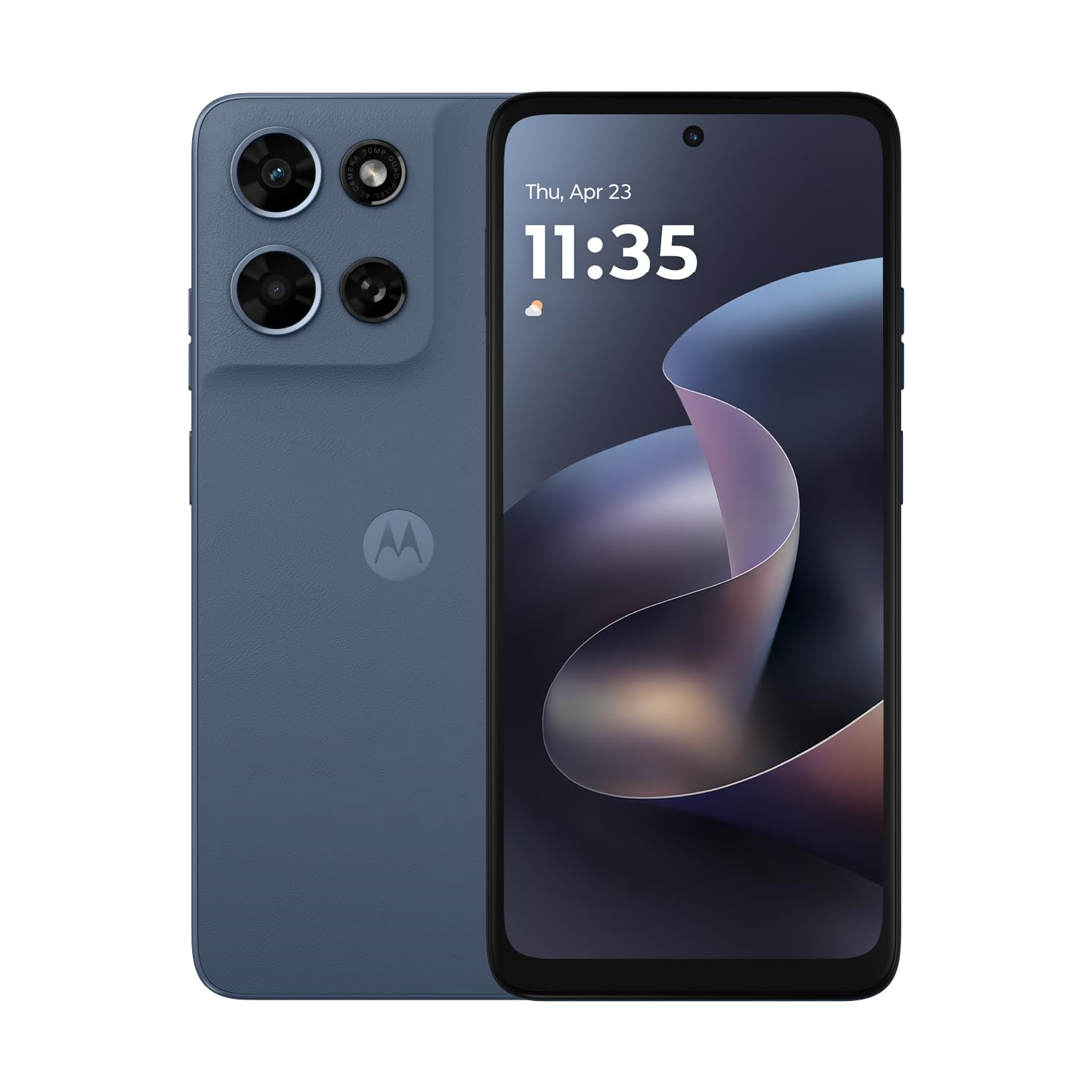
Who Should Buy an Affordable Phone With a Strong Camera?
Affordable here means paying less than flagship phones cost while still getting a camera you can trust for everyday memories.
Parents and Family Photographers on a Budget
You need fast focus, reliable faces, and good color indoors, because children rarely pose under perfect light. Prioritize a main camera with optical stabilization and a night mode that works without a tripod. Skip paying extra for long zoom.
Travelers Who Want Compact Phones for Photos
You need a phone that fits one hand on a crowded street and survives a full day of maps and photos. Compact phones suit this group, but check battery size before choosing the smallest body. An ultrawide lens helps with buildings and landscapes.
Creators and Sellers Who Shoot for Social Media
You need clean video, accurate color for products or food, and a front camera that handles indoor light without heavy blur. Choose at least 256 GB of storage if you film often, because short clips add up fast.
Camera Results You Get at Each Phone Price Tier
Each tier shows typical hardware and trade offs, so you can set a ceiling first.
Under $300: Bright Daylight Results, Modest Nights
Phones around $200 to $300 usually give you a capable main camera for sunny days, outdoor school events, and well lit rooms. Expect slower focus in dim light and softer ultrawide shots. Put your money toward the model with stabilization and the longest update promise rather than the largest screen.
About $300 to $500: Better Nights and Wider Lens Choices
Phones about $300 to $500 add stronger image processing, more useful night mode results, and often an ultrawide lens that stays reasonably sharp at the edges. For most buyers this range offers the strongest value, because the jump in evening photo quality is easy to see.
About $500 to $800: Near Flagship Results for Less
Phones about $500 to $800 often add a real telephoto lens, better water resistance such as IP68 on some models, and processors that handle burst photos and 4K video without slowing down. Choose this tier if you crop photos often, shoot concerts from a distance, or plan to keep the phone for four years or more.
Key Features to Compare
Main Sensor, Night Mode, and Image Processing
The main sensor collects the light, and processing decides how that light becomes a finished photo. A larger sensor usually gathers more light, so faces keep more detail at night. Value steady low light results and natural skin tones over a headline megapixel count. Sellers comparing rankings can also see our guide to the best phones by camera for a camera first view.
Lens Choices Beyond the Main Camera
Most affordable models pair the main camera with an ultrawide lens, while a true telephoto lens appears more often as price rises. An ultrawide lens helps with group photos in small rooms and tall buildings outdoors, but check edge sharpness in sample photos when you can. Macro lenses on budget models are often low resolution and add little, so do not let a long lens list sway you.
Display Quality With OLED and a High Refresh Rate
An OLED screen shows deeper blacks and richer contrast, so you can judge shadow detail in a photo more honestly before you share it. A refresh rate of 90 Hz or 120 Hz makes scrolling and panning feel smoother, though it does not change photo quality itself.
Battery Size in mAh, Charging, and Photo Storage
Battery capacity is listed in mAh, and many current phones fall around 4,500 to 5,500 mAh. Camera use, bright screens, and 5G drain power faster than calls do, so a larger battery helps on travel and event days. For storage, 128 GB suits light shooters, while 256 GB gives frequent video users room to keep originals on the device.
Processor Speed and Years of Software Updates
The processor runs the camera app, stitches night mode frames together, and handles video stabilization, so a very slow chip can mean missed moments while the app lags. Software updates matter for security and for camera improvements delivered after launch. Look for a clear promise of several years of updates, and treat vague promises as a warning sign.
How to Match a Phone to Your Carrier and Shooting Style
Start with compatibility, because a great camera is useless on a network the phone cannot use well. Buying unlocked gives you freedom to switch carriers, but confirm the phone supports the main 5G and LTE bands your US carrier uses before you order.
Next, rank your subjects. Landscapes call for a strong ultrawide lens, portraits call for good depth detection and natural color, and action calls for fast focus and stabilization. If you often weigh a phone against a separate camera, see our guide to the best affordable digital cameras to judge when a dedicated camera still wins. See also our guide to the best phones with good camera quality.
Finally, ask which flaw would bother you every week. Slow charging, dim outdoor screens, and weak evening photos are weekly annoyances, while a missing macro lens may never matter. That is the practical test behind the best affordable phones with great camera choices for your own routine, and it keeps you from paying for a spec sheet instead of a better photo.
Ongoing Costs to Plan for After You Buy the Phone
The purchase price is only part of what you will spend. A sturdy case and lens protector usually cost under $50 together and can prevent a cracked camera cover that hazes every photo. Cloud storage adds a monthly cost if you shoot lots of video, while more built in storage may cost less over two years.
Common Mistakes to Avoid
- Choosing by megapixel count alone, because a huge number can still produce noisy evening photos with weak processing.
- Paying for a long lens list with a weak macro camera, because those extra lenses rarely improve the photos you take most.
- Buying an imported version without checking US bands, because missing bands can leave you with slow data and dropped calls.
- Picking 128 GB for heavy video use, because full storage can stop the camera app from saving new clips.
- Ignoring the update promise, because a phone dropped from support early can become unsafe and lose app compatibility.
- Skipping a case to save money, because one drop onto concrete can crack the camera glass and blur every later photo.
Care and Maintenance for Your Phone Camera
Wipe the camera glass with a clean microfiber cloth before important shots, because skin oil builds up in pockets and creates soft glare around lights. Keep software current, since makers often refine focus and color through updates long after launch.
Back up photos on a schedule you can keep, such as a weekly cloud upload or a monthly copy to a computer, so a lost phone does not mean lost memories. If photos look hazy after a drop, inspect the lens cover for cracks first. For a broader brand comparison, see our guide to the best mobile phone cameras.
Phones: Your Questions Answered
Is a midrange phone good enough for family photos and travel?
Yes, a midrange phone is good enough for most family photos and travel shots. The biggest gain over budget models is consistency, because processing keeps working when light drops at restaurants or evening events.
How much storage do phone photographers need for photos and video?
Most phone photographers should choose 256 GB if they record video weekly. Photos alone are small, but one minute of 4K video can use hundreds of megabytes. Check your current phone: if you have already used more than 100 GB, the smaller option will feel tight within a year.
Do affordable camera phones need 5G for everyday use in the US?
No, an affordable camera phone does not need 5G for the camera itself, and photos save the same way on any connection. 5G mainly speeds up cloud backups, large video uploads, and map downloads in covered areas.
How many years of software updates should an affordable phone get?
An affordable phone should get at least three years of security updates, and longer is better. Security patches protect banking and mail apps, while system updates keep camera and sharing apps working as services change. Check the maker page for a written promise tied to your exact model.
Should I buy an unlocked phone for use on a US carrier?
Yes, buying unlocked is usually the safer choice if the phone supports your carrier bands. An unlocked phone lets you change carriers without replacing hardware, and it often receives updates without carrier delays. One caution is financing: carrier deals can look cheaper each month but may lock the phone until the balance is paid, which matters if you travel or switch plans.
The Bottom Line
Set your tier first, then compare the main sensor, night mode, lens set, storage, and update promise inside that budget. When you are ready, review the best affordable phones with great camera options in the product table above and pick the tier that matches how you actually shoot.


