Best Affordable Motherboards for Gaming 2026: Guide
Disclosure: We may earn a commission when you buy through links on this page, at no extra cost to you. As an Amazon Associate I earn from qualifying purchases. Learn more

Pick an affordable gaming motherboard with the right socket, chipset, power delivery, and ports for a smooth and upgradeable gaming PC before you buy.
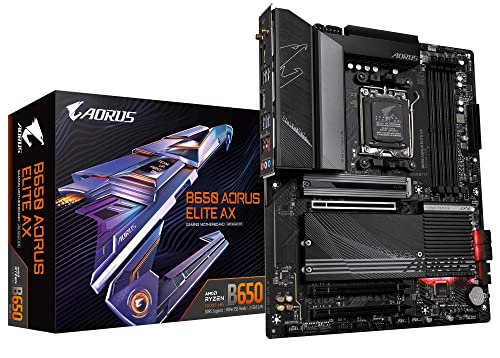
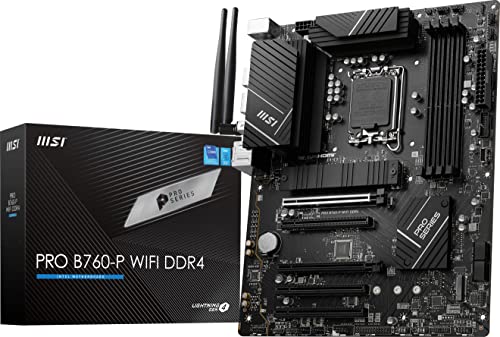
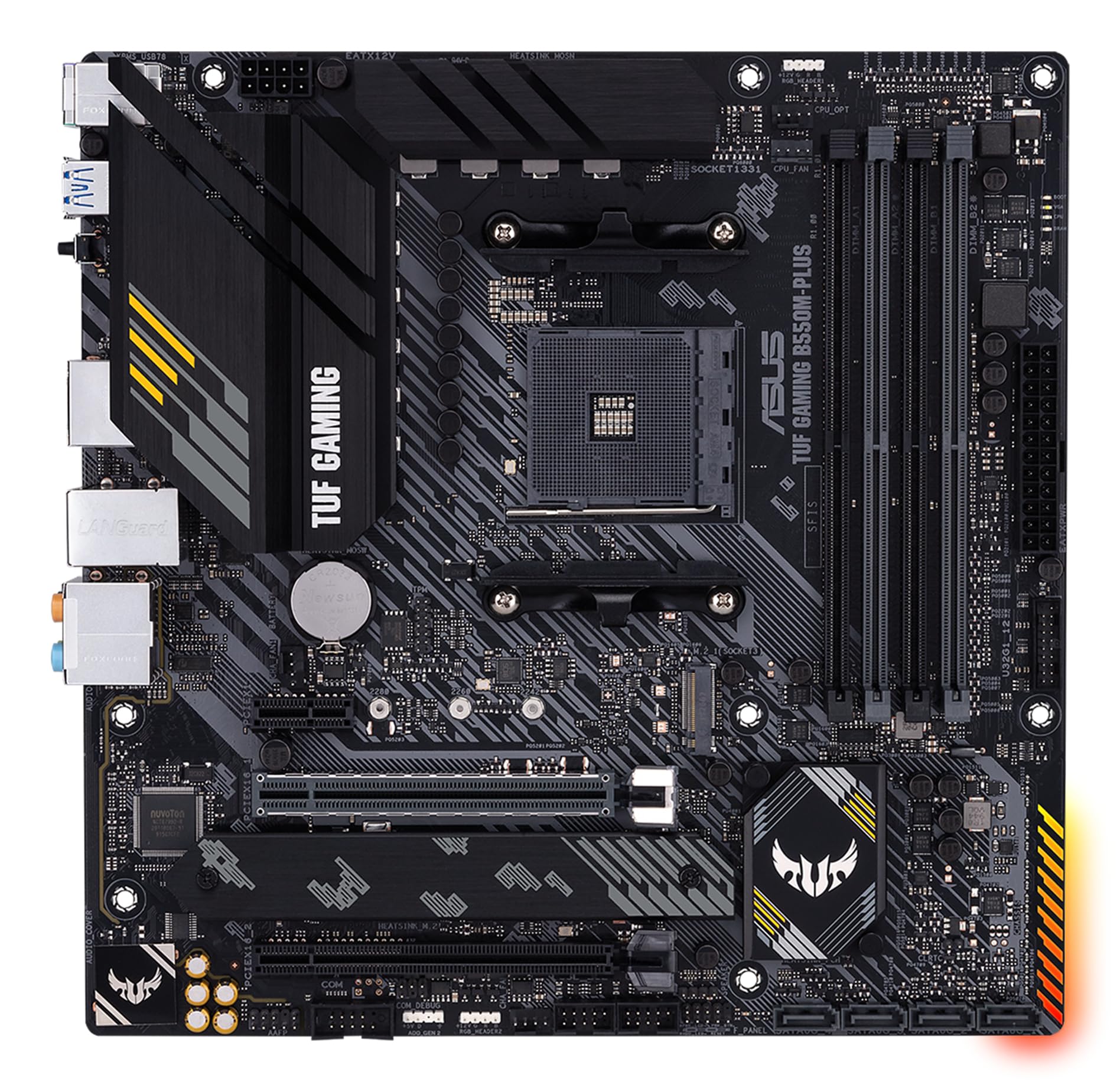
A motherboard rarely appears in gaming highlights, yet it decides what processor, memory, and graphics card your PC can use. If you want the best affordable motherboards for gaming, compatibility and power delivery matter more than flashy lighting. The comparison table below gives a quick overview, while this guide explains how to choose a board that supports your build and future upgrades.
Budget boards vary widely in power delivery, cooling, and expansion, and a weak board can limit even a good processor. A well chosen affordable board, by contrast, runs quietly, supports fast memory, and leaves room to grow. This guide keeps the focus on compatibility and stability, the two qualities gamers notice most over time.





Who Should Buy Them
These boards suit PC gamers building a first or budget gaming rig, and upgraders replacing an older platform. They are ideal when the graphics card deserves the largest share of the budget. If you overclock heavily or run extreme multi GPU setups, a higher end board may be needed. For most single graphics card gaming builds, an affordable board is plenty.
Key Features to Compare
Compare gaming motherboards on the technical points that decide stability, speed, and upgrade room.
- Socket and chipset. These must match your processor choice, since a wrong socket cannot be adapted.
- Power delivery. Solid voltage regulation keeps the processor stable under gaming loads, especially with higher end chips.
- Memory support. Check maximum capacity and speed, since fast memory helps gaming smoothness.
- Expansion slots. A full speed graphics slot plus spare slots for storage and capture cards protects future options.
- Connectivity. Enough USB ports, fast networking, and M.2 storage slots keep the build practical daily.
Types and Options
Gaming motherboards come in a few sizes and chipsets, each with its own build role.
- ATX boards. Full size boards with the most slots and cooling, ideal for larger cases.
- Micro ATX boards. Compact boards with good value, suited to mid size cases and single graphics card builds.
- Mini ITX boards. Tiny boards for small form factor builds, with fewer slots and tighter cooling.
- Budget chipsets. Lower cost chipsets that still support gaming well, with fewer premium features.
How to Choose the Right One
Pick the processor first, then find boards with its socket and a chipset that supports your needs. Check the board memory list for your chosen memory kit, since compatibility avoids frustrating boot problems. Think about case size too, since a large board cannot fit a small case. Count storage needs honestly, including future drives.
Read power delivery and cooling details rather than marketing alone. A board with heatsinks on voltage regulation runs cooler under load. The product table above lets you compare socket, memory support, and slots side by side. If you plan a processor upgrade later, favour a board with headroom over the cheapest option today.
For a related guide, see best affordable motherboards.
Budget and Long Term Value
Affordable gaming motherboards often cost from about $100 to $200, with solid options across that range. Spending more usually buys better power delivery, cooling, and connectivity. Do not starve the graphics card budget for a premium board, since graphics power affects gaming frames far more. A balanced board near the middle of the range usually serves best.
Everyday Use and Care
Handle boards by the edges and use static precautions during installation. Keep firmware updated for processor compatibility and stability, but update carefully with stable power. Keep airflow over voltage regulation heatsinks, and check connections after moving the PC. Dust the case regularly, since heat is the enemy of stable electronics.
Mistakes to Avoid
- Buying a board with the wrong socket for the chosen processor.
- Ignoring power delivery quality on a budget board.
- Choosing a board size that does not fit the case.
- Spending so much on the board that the graphics card budget suffers.
Getting the Most From Your Choice
Building a gaming PC rewards planning the whole system before ordering any single part, since compatibility drives every decision. List processor, memory, graphics card, storage, case, and power supply together, then check the motherboard against each item. Confirm socket, memory support, slot layout, and case size in one pass, which avoids the frustration of a part that cannot fit or function. A careful parts list saves more money than any single discount.
Think about upgrades over the life of the build, because a motherboard chosen only for today can block tomorrow improvements. Extra memory slots, spare storage slots, and power delivery headroom all preserve options without large upfront cost. Consider cooling and airflow too, since a hot board throttles performance and shortens component life. Balanced planning beats chasing one premium feature while ignoring the rest.
Questions to Ask Before You Order
Before ordering, verify socket and chipset against your processor, check the memory compatibility list, and confirm case and power supply fit. Ask about firmware update methods, warranty length, and expansion room for future storage. These checks ensure a stable build that games well today and upgrades gracefully later.
- Does socket and chipset match my chosen processor?
- Is my memory kit on the board compatibility list?
- Does the board fit my case and power supply?
- Is there room for future storage and memory upgrades?
Long Term Value
When you judge long term value, look beyond the purchase price to how gaming motherboard holds up under daily use. Power delivery and cooling quality decide whether a board stays stable as processors and games demand more. A product that needs frequent replacement or repair quickly costs more than a slightly pricier alternative that lasts. Check warranty length, availability of spare parts, and how easily the item can be cleaned or serviced at home. These practical details decide whether a budget buy stays a bargain or becomes a repeated expense over the years you own it.
Total cost includes future memory or storage upgrades, and planning for those costs avoids surprises. Extra slots preserve upgrade paths, so a board with headroom often costs less over the build lifetime. Set aside a small amount for upkeep from the start, and compare that total against the next price tier rather than judging the sticker alone. Often the middle option costs less over three years than the cheapest one, because it avoids early replacement and performs better throughout its life.
Know when to upgrade rather than repair. If the board cannot support a needed processor, slots run out, or stability fails under normal loads, replacement makes sense. Until then, regular care and timely small fixes extend life considerably. A thoughtful owner gets far more value from a mid priced gaming motherboard than a careless owner gets from a premium one, so habits matter as much as hardware.
- Check warranty length and spare part availability before buying.
- Budget for upkeep costs from the first year, not as an afterthought.
- Compare total ownership cost across price tiers, not sticker price alone.
Frequently Asked Questions
Does a motherboard affect gaming performance?
Directly, a motherboard affects gaming less than the graphics card and processor, but it sets limits on memory speed, storage speed, and processor support. A weak board can throttle a strong processor or block fast memory. A balanced board lets other parts perform fully, which is why compatibility matters more than premium extras.
What socket do I need?
Socket depends entirely on your processor brand and generation, so check the processor specification first. Intel and AMD use different sockets, and generations change them over time. Never assume a board fits because it looks similar. Confirm socket and chipset support on the manufacturer page before ordering.
How much memory should a gaming board support?
Most gaming builds do well with 16 GB of memory, while 32 GB gives headroom for streaming and heavy multitasking. Check the board maximum and slot count, since two slot boards limit future upgrades more than four slot boards. Buy a supported kit from the board memory list when possible.
Do I need Wi Fi on a motherboard?
Built in wireless is convenient if your PC sits far from a router, but wired networking usually gives lower latency for gaming. If you play online competitively, favour a wired connection. Wireless is handy for casual use and for rooms where running a cable is impractical.
Can I upgrade my processor later on the same board?
Sometimes, depending on socket support and firmware updates for newer processors in the same family. Check the manufacturer CPU support list before assuming an upgrade path. Power delivery also matters, since a stronger future processor needs a board that can feed it stably.
After building, keep the motherboard box, manuals, and spare accessories together in one place, since future upgrades and warranty claims both need them. Note your firmware version and settings before major updates, so you can recover quickly if an update behaves unexpectedly. Organised records turn troubleshooting from a stressful search into a short, calm task.
Final Thoughts
The best affordable motherboards for gaming are the ones that disappear into a stable, compatible build. Match socket and chipset to your processor, favour solid power delivery, and leave room to grow. A balanced board lets your graphics card shine and your games run smoothly.