
Best Affordable Mini Laptops in 2026: Which Type Is Right for You?
Disclosure: We may earn a commission when you buy through links on this page, at no extra cost to you. As an Amazon Associate I earn from qualifying purchases. Learn more

Pros and cons, ideal users and price range for the best affordable mini laptops, explained to help you pick the right style.
Mini laptops promise full computer power in a bag friendly size, yet the best affordable mini laptops come in types that feel nothing alike. Some are really tablets with keyboards, some are small budget laptops, and some push gaming parts into tight frames. This guide compares each type clearly so the small size never becomes a daily frustration.
Small screens and tight keyboards reward careful buyers and punish rushed ones. Use the comparison table below to spot the types, then read on for sizing, specs, and honest budget limits.


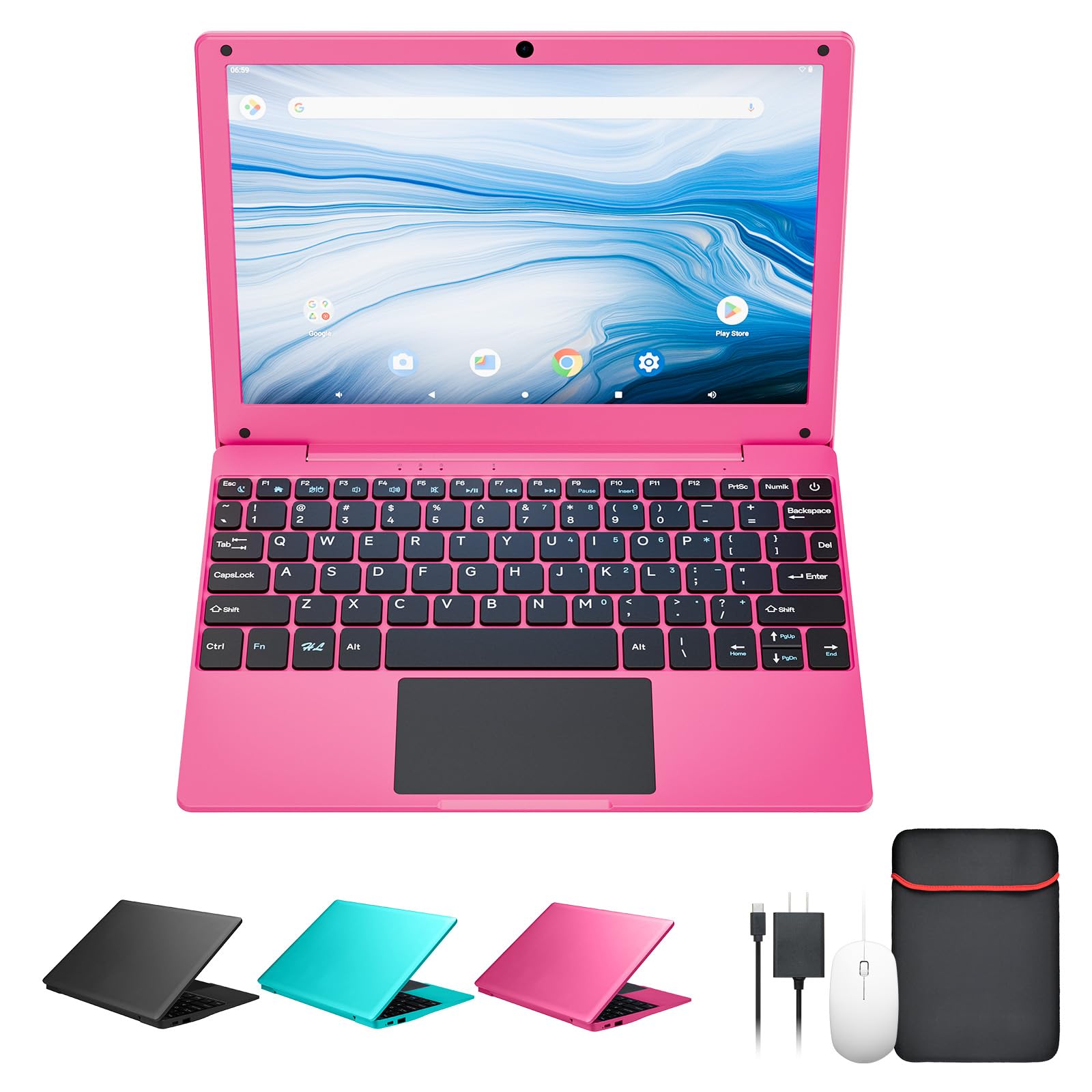

Types of Mini Laptops Compared
For this guide, mini means screens of about 11 to 13 inches and weights that stay easy to carry. Prices usually run from about $250 to $800. The type matters because mini machines make sharper trade offs than full size laptops: every inch saved costs screen room, key space, or cooling.
Tablets
Tablets with keyboard covers act like mini laptops for reading, notes, streaming, and light writing. They start fast, run quietly, and often last a long time on one charge. Touch and pen input make them great for marking documents and sketching ideas.
The limits show up in multitasking and file work. Mobile systems restrict window layouts, and keyboard covers feel cramped and flexible on your lap. Choose a tablet if your work lives in a browser and a few apps. Choose a true laptop if you juggle many files, windows, and programs at once.
Budget Laptops
Budget mini laptops run full Windows or ChromeOS in an 11 to 13 inch body, usually around $300 to $550. You get a real attached keyboard, proper file folders, and ports for drives and displays. They handle schoolwork, email, documents, and video calls without drama.
Screens and speakers are modest, and cheaper models can feel slow if memory is low. This is still the most flexible type for most buyers. If you want to compare the broader budget field, see our guide to the best and affordable laptops for how small and standard sizes compare.
Gaming Laptops
Small gaming laptops squeeze dedicated graphics into 13 or 14 inch frames, usually around $700 to $900 in the affordable range. They play popular games at modest settings and double as compact editing machines. Fans get loud under load because tight bodies have little room to move air.
Weight climbs to about 3.5 to 4.5 lb with the charger, and battery life shrinks during play. Buy this type only if gaming on the go is a true priority. Shoppers focused on that niche can read about best gaming laptops affordable options before narrowing a list.
Tablets vs Budget Laptops: Which Should You Choose?
Compare them on five everyday points. For typing, the budget laptop wins, since an attached keyboard beats a cover on desks and laps. For media and reading, the tablet wins, with touch, pen support, and easy one handed holding. For software freedom, the laptop wins, running full desktop programs and easier printing.
For battery life, tablets often last longer during light use. For total cost, laptops usually win once you add a keyboard cover, pen, and extra storage to a tablet. Students who write essays daily should pick the laptop. Readers and note takers who rarely type long documents can happily pick the tablet.
How to Choose the Right Mini Laptop
Mini laptops forgive fewer mistakes, because you cannot swap the screen or keyboard later. Work through size, budget reality, graphics, memory, and processor in that order. Each section below turns a listing term into a decision you can test in a store or during a return window.
Measuring for Size and Portability
Measure the bag or sleeve the laptop must fit, then compare exact width and depth, not just screen size. Two 13 inch models can differ by an inch because of bezels and hinges. Weight under 2.5 lb feels effortless, while 3 lb is still fine for daily carrying.
Practical know how: type a full paragraph on any display unit or during your first day at home. Mini keyboards shrink some keys and move others, and ten minutes of real typing reveals more than any spec sheet. Also confirm the screen opens wide enough for your usual chair and desk angles.
What You Can Realistically Get on a Budget
Around $350 to $600, expect a sharp 1080p screen on better models, 8GB of RAM, and a 256GB SSD in a plastic or partly metal body. Webcams will be basic and speakers thin. Trackpads vary widely, so treat a smooth, accurate one as a real upgrade worth paying for.
Never accept tiny 64GB storage on a Windows mini laptop, because updates alone can choke it. If money is tight, our coverage of the best mini laptops explains which features makers cut first at each price. Protect memory and storage, and compromise on finish instead.
Graphics (Integrated vs Dedicated GPU)
Integrated graphics share system memory and handle streaming, documents, light photo edits, and older or casual games. They keep mini laptops thin, cool, and affordable. For most school and office buyers, integrated graphics are the right call.
A dedicated GPU adds real power for games and video editing, but it adds heat, fan noise, weight, and cost. In a mini body those penalties grow, since cooling space is scarce. Buy dedicated graphics only when a named program or game you use weekly truly needs it.
RAM and Storage
Choose 8GB of RAM as the floor and 16GB if you multitask heavily or plan to keep the laptop for years. Mini laptops rarely allow memory upgrades, so the amount you buy is the amount you keep. Too little memory shows up as stutter when calls, tabs, and documents run together.
For storage, an SSD is non negotiable for speed. A 256GB SSD fits cloud based work, while 512GB suits offline media, games, and photo libraries. Students can compare school focused sizing advice in the best affordable laptops for students guide as well.
Processor and Performance Tier
Entry processors handle browsing, writing, and streaming well, and they sip power for long battery life. Mid range chips from recent Intel Core and AMD Ryzen lines add speed for spreadsheets, light editing, and coding. In mini bodies, efficient chips often feel better than powerful ones because fans stay quiet.
Check the exact chip generation, not just the family name, since older generations at a discount can be much slower. A newer entry chip often beats an older mid range chip while using less power. That matters more in a mini laptop than in a big desktop replacement.
How to Make Your Mini Laptop Last Longer
Keep the operating system and firmware updated, because small machines depend on power and thermal fixes. Avoid running at 100 percent charge all the time if the laptop lives on a desk, and use any charge limit setting the maker provides. Heat is the enemy of small bodies, so keep vents clear of blankets and bedding.
Use a padded sleeve when commuting, since mini laptops ride in crowded bags where corners take hits. Practical know how: raise the back edge slightly on a desk with a small stand or book during long sessions. That tiny tilt improves airflow and typing angle at once, and it costs nothing.
FAQs
Is a Chromebook enough for school?
A Chromebook is enough for school when classes use web based tools for homework, documents, and calls. Many mini Chromebooks are cheap, light, and quick to start, which suits younger students well. It falls short when a course needs Windows programs, offline editing suites, or special exam software. Check the school software list first, then decide, rather than guessing and returning the machine mid term.
How long should a mini laptop last?
A mini laptop should last about four to five years with normal use. Batteries wear first, often showing shorter runtime after three years of daily charging. Because most mini models block memory and storage upgrades, starting with 16GB of RAM and a 512GB SSD stretches that life. Gentle handling matters too, since small hinges and thin lids suffer more from rough bags.
How much RAM do I need in a mini laptop?
You need 8GB of RAM at minimum in a mini laptop, and 16GB if you multitask. With 8GB, school and office work run smoothly one or two programs at a time. With 16GB, video calls, browsers, and documents coexist without stutter. Since upgrades are rarely possible in this size class, buying enough memory on day one is the cheapest way to add years of use.
Should I buy a laptop or a tablet?
Buy a laptop if you type often, manage many files, or need desktop programs. Its attached keyboard and full system make long work sessions easier. Buy a tablet if reading, drawing, media, and handwritten notes dominate your day. Some people pair a budget mini laptop with an older tablet for reading, rather than paying for one premium device that compromises on both jobs.
Is a dedicated GPU worth it in a mini laptop?
A dedicated GPU is worth it in a mini laptop only for regular gaming or video editing. It raises price, heat, fan noise, and weight, all of which hurt a machine bought for portability. Integrated graphics handle school, office work, and casual games comfortably. Spend the savings on memory, storage, and a better screen unless your weekly software clearly demands graphics power.
Wrapping Up
Decide the type first, then size the machine to your bag, your hands, and your hardest weekly task. Protect RAM and SSD space, because mini laptops seldom allow upgrades later. Tablets reward readers, budget laptops reward writers and students, and small gaming models reward players who accept noise and weight.
Before you order, check your finalists in the product table above against your measurements. The best affordable mini laptops feel almost invisible in your bag and completely capable at your desk, and that balance is exactly what this size class promises.


