
Best Affordable HP Laptops: Buying Guide for 2026
Disclosure: We may earn a commission when you buy through links on this page, at no extra cost to you. As an Amazon Associate I earn from qualifying purchases. Learn more

A plain guide to the best affordable hp laptops: product line, memory, storage, screen, and price.
HP makes laptops for almost every budget, from simple 14 inch machines for homework to larger screens for work from home. If you are comparing best affordable hp laptops, it helps to know which models are built for light use, which are better for work, and which specs are worth paying for. This guide explains the choices in plain terms and shows how to read the comparison table below.
Affordable HP laptops cost from around $230 for a Chromebook to about $700 for a well equipped 15 inch model. Most people find the best value between $300 and $600.
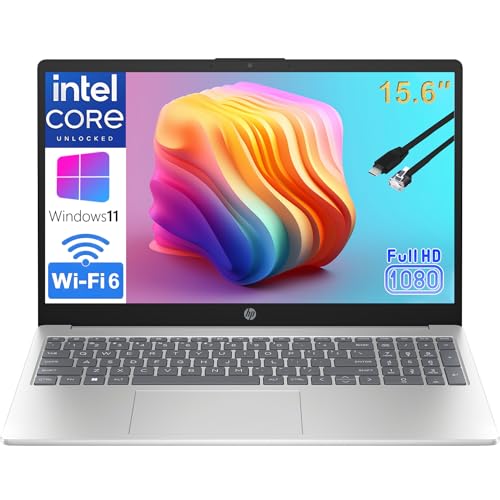
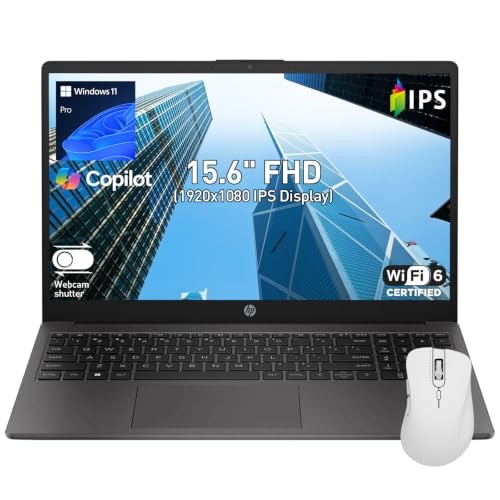


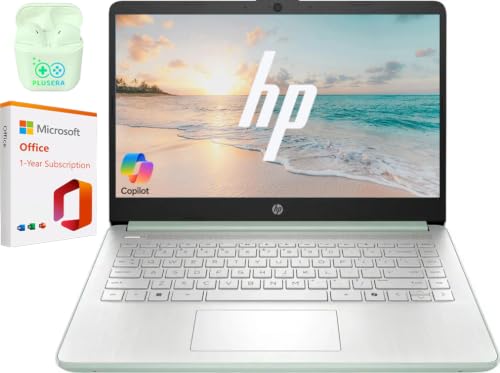
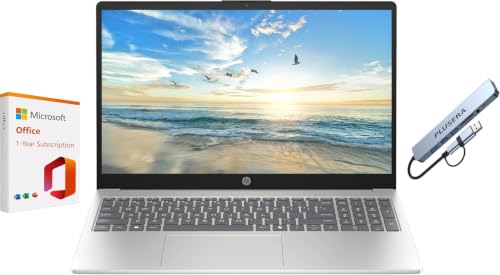


HP Laptop Lines Explained
HP 14 and HP 15 Series
These are the basic everyday laptops. They suit browsing, streaming, documents, and video calls. They are usually plastic, light to medium weight, and have simple screens. Many come with an Intel Celeron, Pentium, or Core i3 processor, or an AMD Ryzen 3 or 5.
HP Stream and Chromebook Models
Stream laptops and Chromebooks are cheap, simple, and light. They suit school, web use, and cloud apps, but have small storage and limited power. A Chromebook runs ChromeOS, which is fast and secure but cannot run Windows software.
HP 255 and Business Style Models
Models like the HP 255 G10 are built for office work, with sturdier builds, more ports, and optional Windows Pro. They suit home workers who need a dependable machine for spreadsheets and calls.
Key Specs to Compare
Processor and Memory
For everyday use, a recent Ryzen 5 or Core i5 is a good target, and a Core i3 or Ryzen 3 works for light tasks. Choose 8 GB of memory at minimum, and 16 GB if you keep many tabs or apps open. A laptop with 4 GB is only suitable for the most basic use.
Storage
A solid state drive makes the laptop feel fast. 256 GB is enough for basic use if you rely on the cloud, and 512 GB gives more room for files and photos.
Screen and Keyboard
Look for a full HD screen (1920 by 1080) if you can, since low resolution panels look soft. A backlit keyboard helps in dim rooms, and a comfortable layout matters if you type a lot.
Battery and Weight
Many affordable HP laptops last six to ten hours on light use. A 14 inch model is lighter to carry, while a 15 inch model gives a larger screen and often a number pad.
What You Can Realistically Get on a Budget
Around $230 to $330 buys a basic 14 inch laptop or Chromebook for school and web use. Around $450 to $700 buys a 15 inch machine with a faster processor, more memory, and a full HD screen. Expect plastic builds and average speakers at these prices. See our guide to the best and affordable laptops for models from other brands.
Who Each HP Laptop Suits
Students and families do well with a 14 or 15 inch HP with a Ryzen 5 or Core i5 and 8 GB of memory. Home workers should look for 16 GB of memory, a backlit keyboard, and a good webcam. Anyone who mostly uses web apps may be happy with a Chromebook. For a closer look at student choices, see our guide to the best affordable hp laptops for students.
Windows, Windows Pro, and ChromeOS
Most affordable HP laptops ship with Windows 11 Home, which suits families and students. Windows 11 Pro appears on some business style models and adds features such as remote desktop and stronger device management, useful for home offices. HP Chromebooks run ChromeOS instead, which is simple and secure but built around web apps. Choose the system that matches the software you use. If you are unsure, a Windows laptop is the more flexible choice.
Warranty, Support, and Upgrades
HP laptops usually include a one year limited warranty. Check whether the seller offers an extended plan, and think about accidental damage coverage if the laptop will travel. Many affordable HP models allow memory or storage upgrades through a small panel on the bottom, but some have soldered memory, so confirm before you buy if you plan to upgrade. A quick look at the HP support page for the exact model number will tell you what is possible.
Common Mistakes to Avoid
- Buying a model with 4 GB of memory, which feels slow with modern software.
- Choosing a hard drive instead of a solid state drive.
- Ignoring the screen resolution, which affects daily comfort.
- Paying extra for a touchscreen you will not use.
- Skipping the return policy when buying from an unfamiliar seller.
Setup and Care
Update Windows and the HP drivers when you first turn the laptop on. Remove trial software you do not need, set up a backup, and keep the vents clear of dust. Use the battery care setting if it is offered, and avoid leaving the laptop in a hot car.
Before You Buy
Look up the exact model number to confirm the processor, memory, storage, and screen, since HP sells many variants with similar names. Check whether the laptop includes an Office trial or a full license, and what ports it has. Buy from a seller with clear returns, and keep the box for the first few weeks in case the keyboard, trackpad, or fans do not feel right.
It also helps to read the manual or the HP support page for the model before you buy. You will see whether memory and storage can be upgraded, how large the battery is, and which operating system is included. A few minutes of checking prevents surprises after delivery.
Frequently Asked Questions
How much should I spend on an HP laptop?
$300 to $600 is a good range for most people. Spend more only if you need a faster processor, more memory, or a better screen.
Is an HP Chromebook enough?
Yes, for web, email, streaming, and school work. If you need Windows software, choose a Windows laptop.
How much memory do I need?
8 GB is the practical minimum. 16 GB helps with many tabs, video calls, and multitasking.
How long will an HP laptop last?
Four to six years with normal use. A solid state drive and enough memory help it stay quick.
Are HP laptops good for work?
Yes. Business style models such as the HP 255 series offer sturdy builds and the ports needed for office use.
Final Thoughts
Choose the line that fits your use, then check memory, storage, and screen resolution. Use the product table above to compare current models. For broader ideas, see our guide to the best notebook laptops. With those specs in order, best affordable hp laptops can handle daily work and play for years.


