Best Affordable Cameras for Videography: A Practical Buying Guide for 2026
Disclosure: We may earn a commission when you buy through links on this page, at no extra cost to you. As an Amazon Associate I earn from qualifying purchases. Learn more
Compare the best affordable cameras for videography by record limits, audio inputs, sensor size and price, with a plain buying guide for every budget level.
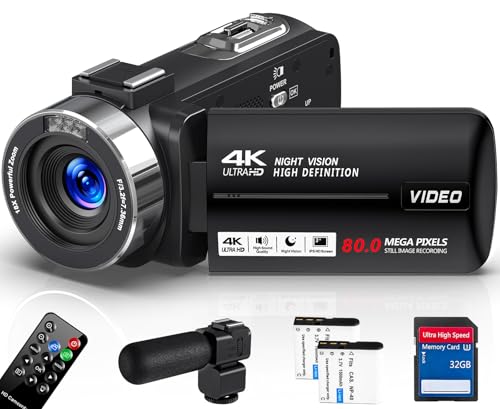
Plenty of cameras shoot video, but far fewer shoot it well for long stretches without stopping, overheating, or recording sound you cannot use. If you are shopping for best affordable cameras for videography, the comparison table below is a useful starting point, because the spec lines that matter for video are rarely the ones used to sell stills cameras.
Start with record limits and heat. Videography is read by the record limit and heat classes: many affordable bodies cap a single take at about 30 minutes, and a camera that stops mid take is the known affordable class failure, because the moment you needed is the one that got cut. Sound matters almost as much, so read the microphone input class before you fall for a lens or a sensor.


What Each Budget Level Actually Buys
Affordable is a wide word, so it helps to split it into bands and name what each band realistically includes. Readers comparing the wider field of best cameras affordable across stills and video will notice that video ready bodies cluster in the middle band, where record limits relax and audio inputs appear.
Under About $400: Phones Aside, Basic Video Bodies
At this level you get fixed lens compacts and older interchangeable lens bodies with 1080p video, basic autofocus, and strict record caps. Expect no microphone input on many models, so plan to record sound on a separate device or accept the built in microphones. This band suits short clips, class projects, and learning framing and exposure before you spend more.
About $400 to $800: The Working Starting Point
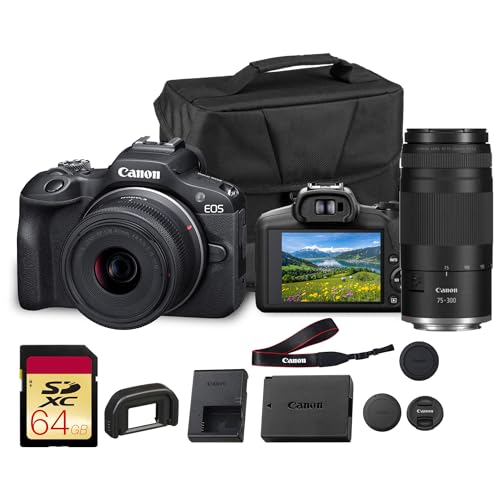
This is where videography becomes practical. Bodies in this band commonly add 4K recording, a microphone input, a screen that flips toward you, and autofocus that follows a face. Heat handling improves, though long takes in warm rooms still strain some models. For most new creators, teachers, and small business owners, this band covers real work without forcing compromises on every shoot.
About $800 to $1,500: Fewer Workarounds
Spending more buys relief from the budget class limits rather than a different picture. Longer record times, better heat dissipation, headphone monitoring, stronger low light results, and more reliable autofocus all show up here. If video is paid work, or you shoot events that cannot be repeated, this band is the sensible ceiling for an affordable purchase.
Key Features of the Best Affordable Cameras for Videography
The features below decide whether a camera serves your shooting style, and they are the same checks experienced buyers run through when reading guides to the best cameras for videography at higher prices. Work through them in order, because the first two rule out more cameras than sensor size ever will.
Record Limits and Heat Management
Check the longest single take the camera allows at your chosen resolution, and check whether that limit is a hard cap or a heat warning. Interview, lesson, and ceremony shooters need takes of 30 minutes or more, so a capped body forces a second camera or a restart plan. Bodies with vents or larger shells shed heat better, and shooting in a cool room with the screen flipped away from the body also helps.
Microphone Inputs and Sound Monitoring
The microphone input class is the videography filter. A camera with a 3.5 mm input lets you place a microphone near the speaker, which improves clarity far more than any in camera setting. A camera with no input class is a silent partner: it can shoot the picture, but the sound must come from a separate recorder that you sync later. A headphone jack matters too, because it lets you hear hum, echo, and wind while there is still time to fix them.
Stabilisation and What the Figures Mean
Stabilisation figures are maker figures, measured under ideal conditions, so treat them as a rough guide rather than a promise. In body stabilisation smooths handheld walking shots and static handheld framing, while digital stabilisation crops the frame and can soften detail. If you mostly shoot on a tripod or a gimbal, stabilisation should rank below record limits and audio on your list.
Sensor Size and Low Light Results
Larger sensors gather more light, which keeps indoor and evening footage cleaner at high sensitivity settings. One inch sensors in compacts do respectable work in daylight, while APS C and full frame bodies hold up better in dim rooms. Looking across the broader range of best digital cameras shows the same pattern: sensor size, not megapixel count, is what separates clean footage from noisy footage once the light drops.
Autofocus That Follows Your Subject
Video autofocus has to be smooth as well as accurate, because a lens that hunts back and forth ruins a take even when it ends in focus. Face and eye detection help solo creators stay sharp while presenting, and touch focus makes deliberate focus pulls easy. If you film children, sports, or pets, favour bodies known for steady tracking over bodies with longer feature lists.
Camera Types Worth Considering
Form factor decides how a camera fits your day. The three types below cover most of the best affordable cameras for videography, and each one also appears in roundups of best affordable digital cameras, because the same bodies often serve stills shooters on the same budget.
Vlogging and Compact Cameras
Compacts built for video pair a fixed wide lens with a flip screen, simple controls, and product showcase focus modes. They are light enough to carry daily and quick to set up, which suits creators who film alone. The trade is flexibility: the lens cannot change, and low light results trail larger sensors once you leave daylight.
Mirrorless Cameras with Swappable Lenses
Interchangeable lens bodies cost more at the start, then grow with you as you add lenses for portraits, products, or wide interiors. They offer the strongest autofocus, the best low light results, and the widest choice of microphones and mounts. For anyone building a lasting setup, this is the type that stays useful longest.
Action Cameras for Rough Conditions
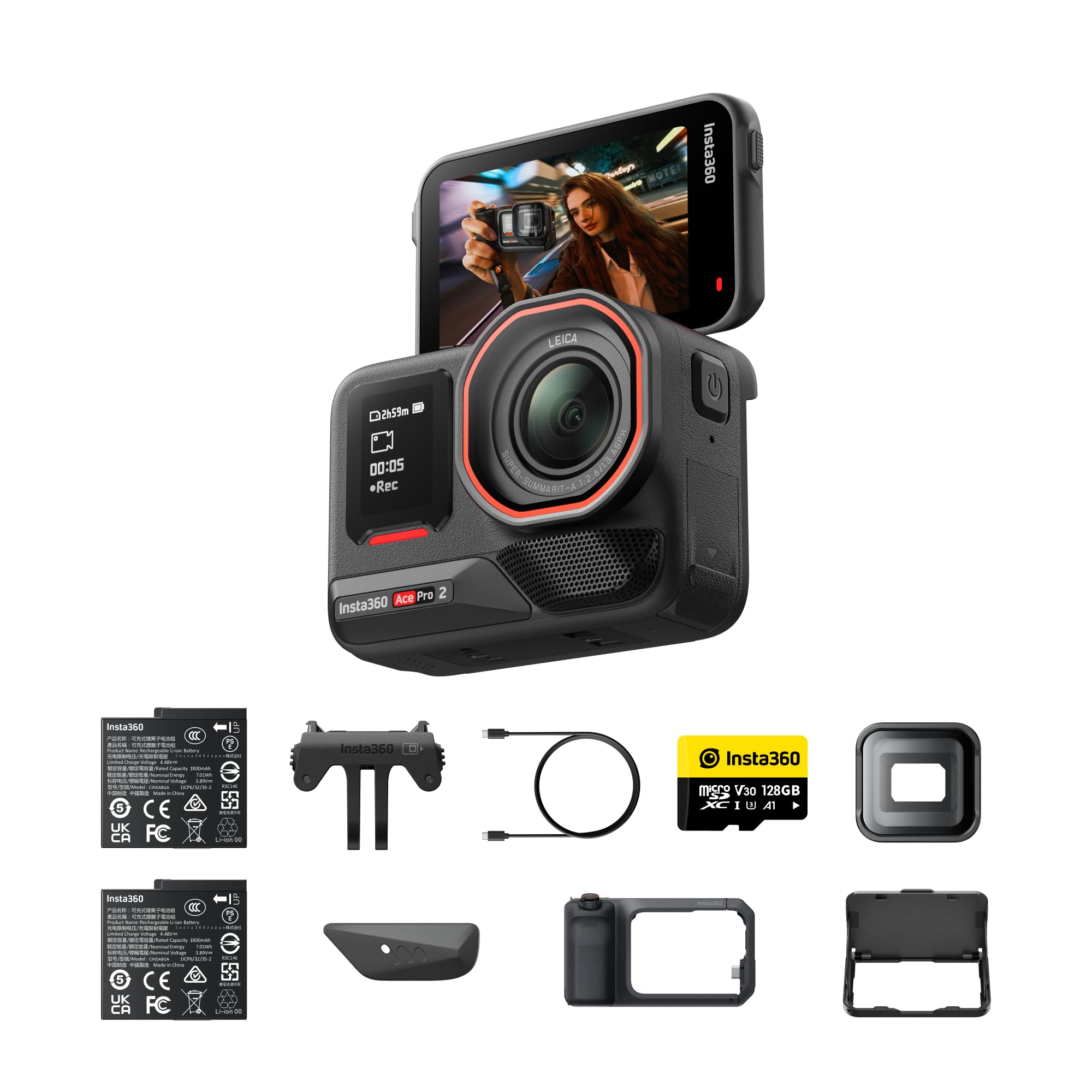
Small, sealed, and wide angled, action cameras go where other bodies cannot: on a bike, in rain, or mounted to a vehicle. Their fixed focus and tiny sensors limit them in dim light and make close ups awkward. Treat one as a second camera for angles and conditions, not as your only video tool.
Common Mistakes to Avoid
- Buying for megapixels when record limits and audio inputs decide daily usability.
- Skipping the microphone budget, then discovering the built in sound is unusable.
- Ignoring heat behaviour and losing the key take of an interview to a shutdown.
- Choosing a body with no flip screen for solo filming and guessing at framing.
- Forgetting cards, batteries, and a tripod when adding up the real cost.
Care and Maintenance Tips
- Wipe lenses with a clean microfibre cloth, never a shirt, which drags grit across the coating.
- Carry at least one spare battery, because video drains a pack far faster than stills.
- Store the camera in a dry, padded bag, and keep memory cards in a hard case.
- Update the firmware when the maker releases autofocus or heat management improvements.
- Format cards in the camera after backing up, rather than deleting files on a computer.
One more note on tool choice: if stills matter as much as video, compare hybrid bodies carefully, since the strengths covered in guides to best affordable photography cameras sometimes come with the record caps this guide warns about.
Frequently Asked Questions
Is 1080p enough, or do affordable cameras for videography need 4K?
1080p is enough for most online publishing, lessons, and family footage, and it keeps files small and editing easy. Choose 4K if you plan to crop or reframe shots in editing, because the extra resolution gives you room to tighten a frame without softening it. Many creators record in 4K and publish in 1080p, gaining sharper results and flexible framing from the same footage.
How important is a flip screen on an affordable videography camera?
A flip screen is close to essential if you film yourself, because it confirms framing, focus, and recording status at a glance. Without one, solo shooters rely on phone apps or mirrors, both of which slow setup. If you always work with a camera operator, a fixed screen is a fair trade for a lower price or a larger sensor.
Can an affordable camera record a full wedding ceremony or school play?
Yes, if you choose a body with no short record cap or one rated to run past an hour, and you manage heat with airflow and a flipped out screen. Carry mains power or a large USB power bank, since batteries rarely last a full event. For unrepeatable moments, a second camera or recorder is cheap insurance against a single failure.
Do affordable videography cameras need fast memory cards?
Higher bitrate recording modes need faster cards, and a slow card can stop a recording as surely as a record cap can. Match the card speed class to the camera manual, and buy from a maker you trust, because counterfeit cards are common at this price. A modest card from a known maker beats a huge card with no name behind it.
Should beginners buy used to afford better video features?
A used body from a reputable dealer can be a smart route to longer record times and better audio at the same budget. Check the shutter count, try every dial and port, and confirm a return window before paying. Avoid used action worn bodies with unknown heat history, because heavy past use can mean earlier thermal shutdowns.
Final Thoughts
Read the product table above once more with three filters in mind: record limits and heat first, audio inputs second, and sensor size third. That order protects you from the failures that actually ruin shoots at this price. Chosen with those filters, the best affordable cameras for videography stop being a compromise and become a practical tool you can build on for years.