Best Adjustable Gaming Mouse in 2026: What Your Money Really Gets You at Every Price
Disclosure: We may earn a commission when you buy through links on this page, at no extra cost to you. As an Amazon Associate I earn from qualifying purchases. Learn more

Compare adjustable gaming mouse choices by price, with plain guidance on weight tuning, shape changes, DPI steps, polling rate and grip fit for your hand.
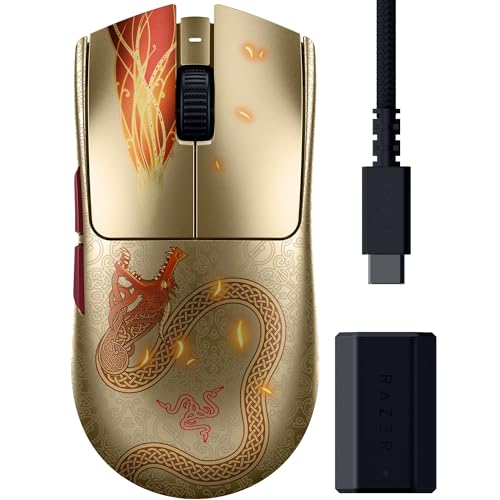
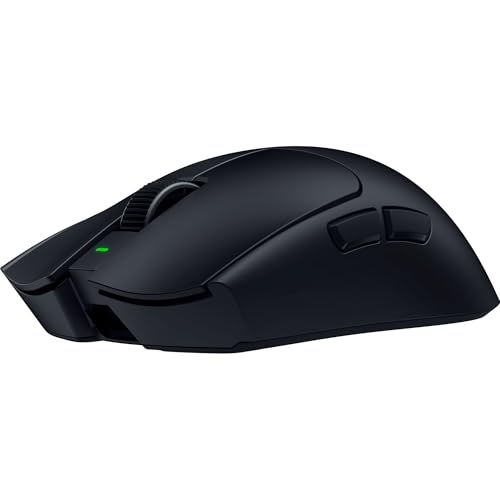
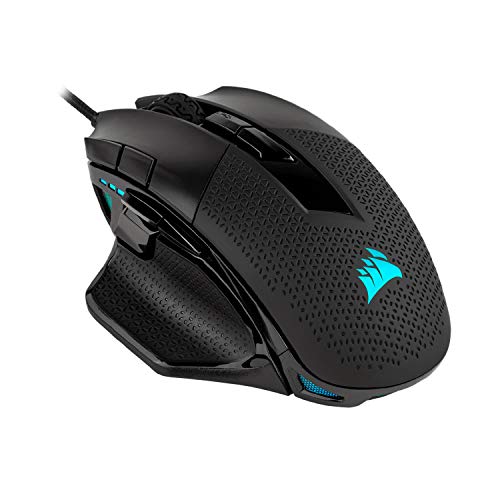
Prices for adjustable gaming mice run from about $30 to well over $150, and the price gap does not always match a real gap in play. The best adjustable gaming mouse for you earns its cost when its weight, shape and sensor settings can change to fit your hand and your games. Use the comparison table below to see which changes each price level offers.
Start with the adjustment you will use most. If your grip feels strained, shape changes matter more than a higher sensor ceiling. If your aim overshoots in fast games, weight tuning and saved DPI steps matter more.



Who Should Buy an Adjustable Gaming Mouse?
Buyers who gain most from adjustment share one trait. A fixed mouse forces a compromise they feel every session, and changing one setting removes it.
Players Who Switch Between Fast and Precise Games
You play a fast shooter one night and a slow strategy or sniper role the next. A heavier setup can steady careful aim, while a lighter setup makes quick turns feel less tiring. Saved profiles pair each weight setup with its own DPI steps, so one mouse covers both styles without daily rework.
Players Who Change Grip Style by Game
You may hold a palm grip for relaxed play and shift to a claw grip when matches get intense. Swappable side panels and a palm rest that rises or extends can support both holds, because each grip puts pressure on a different part of your hand. This flexibility also helps two people share one desk setup.
Players Whose Hands Sit Outside the Average Size
Fixed shapes are drawn around an average hand, so very small or very large hands often reach too far for buttons or curl fingers to stay on the shell. An adjustable length, a wider grip option or a taller back can close that gap.
Key Features to Compare
Compare adjustment features in this order, because fit changes your play more than headline sensor numbers do.
Adjustable Weight and Balance Point
Many adjustable models accept small weights, often in steps of about 3 to 5 grams, placed near the front, middle or back. Adding weight can calm tiny hand shakes during careful aim, while removing it makes quick flicks easier to start and stop. Balance matters as much as total mass, because a back heavy mouse can feel sluggish on turns.
Adjustable Shape, Palm Rest and Side Grips
Shape changes come as swappable shells, side wings of different widths, or a palm rest that slides or tilts. A wider wing gives your ring finger a resting place in a palm grip, while a narrow body leaves room for fingertip steering. Textured grip panels help sweaty hands stay planted without squeezing harder. Pick options that lock firmly, because a panel that flexes or rattles distracts during play.
Sensor Range, DPI Steps and Polling Rate
DPI sets how far your cursor moves for each inch of hand travel, and most gaming sensors span roughly 100 to 25600 DPI. What matters daily is saving a few steps you actually use, such as 400, 800 and 1600, and switching them with a button you can reach. Polling rate sets how often the mouse reports position, with 1000 Hz common and higher rates on costlier wireless models.
Lift Off Distance and Surface Tuning
Lift off distance is the height at which the sensor stops tracking when you raise the mouse to recenter it. A low setting suits players who lift often, because the cursor stays put during each reset. Some models tune the sensor for cloth or hard surfaces, which keeps tracking even across desks. Your surface matters too, and our guide to the best gaming mouse mat explains how mat texture changes glide.
Programmable Buttons, Profiles and Onboard Memory
Extra side buttons and a tilting wheel add commands, but the real value is storing them well. Onboard memory keeps your DPI steps, button maps and lighting choices on the mouse, so your setup travels to another computer without new software. Check how many profiles the mouse holds and whether a clear indicator shows the active one.
Connection Type, Battery Life and USB C Charging
Wired models never need charging and often cost less, while wireless models free your desk from cable drag during wide sweeps. A 2.4 GHz receiver usually gives lower delay than Bluetooth, and Bluetooth suits travel or office use where saving battery matters more. Wireless battery claims range from about 40 to over 100 hours depending on polling rate and lighting. USB C charging is worth seeking.
What Each Price Tier Adds in Fit Tuning and Sensors
The best adjustable gaming mouse for your desk is rarely the priciest one. Each tier adds a clear layer of adjustment, so you can stop paying once that layer covers your needs. If your budget is tight, start with our guide to the best inexpensive gaming mouse options.
Entry Tier: Core Tuning for About $30 to $60
At this level you usually get DPI steps you can save, a few programmable buttons and sometimes a simple weight tray. Shape changes are rare, and most models are wired. This tier suits a first adjustable purchase, because you can learn whether weight or sensitivity changes help your aim before paying for swappable shells.
Middle Tier: Fuller Fit Control for About $60 to $100
This range adds the adjustments most players feel at once. Expect wireless play with a 2.4 GHz receiver on many models, better weight systems, grip panels or a second shell width. For a broader view of this class against fixed designs, see our guide to the best mouse for gaming before you choose a style.
Top Tier: Deep Custom Fit for About $100 to $180
Premium models combine wide shape options, fine weight placement, high polling rates and long battery life in one body. Some add adjustable click tension or a palm rest that changes both height and length. This tier pays off if you play daily, compete seriously or have a hand size that mid priced fixed shapes serve poorly. Otherwise the middle tier usually delivers the same results for less money.
Costs After Purchase: Replacement Feet, Grips and Batteries
Ownership costs stay modest, but they are not zero. Replacement glide feet, often called skates, wear down with heavy use and cost a few dollars per set. A wireless battery also loses capacity slowly, so favor brands with clear warranty terms.
Common Mistakes to Avoid
These errors waste the very adjustment you paid for.
- Setting DPI to the highest number makes tiny hand movements jump across the screen and ruins careful aim.
- Adding every included weight at once makes quick turns tiring and slows your stopping point.
- Choosing a wide shell for a fingertip grip forces your fingers to spread and cramp in long sessions.
- Running a wireless mouse at its highest polling rate all week drains the battery sooner than expected.
- Ignoring your desk surface leaves tracking uneven, so careful tuning feels inconsistent from day to day.
Care and Maintenance for an Adjustable Gaming Mouse
Keep the sensor lens clean with a dry cotton swab, because dust near the lens can cause uneven tracking that looks like a settings problem. Wipe the shell and grip panels with a slightly damp cloth, then dry them fully before play. Store spare weights and extra shells in a small box, since losing one small part can remove a fit option.
Check glide feet every few months and replace them when edges catch on your pad, because worn feet change glide and make tuned weight feel different. Our guide to the best gaming mouse and pad covers pairing and upkeep for both pieces.
Frequently Asked Questions
Does an adjustable gaming mouse work with Mac computers and game consoles?
An adjustable gaming mouse works as a basic pointer on most Mac computers and on consoles that accept mouse input, but full setup software is often built for Windows first. Saved onboard profiles help, because settings stored at a Windows desk carry over to another system. Console support also depends on each game, since many titles limit button options.
Is a wired or wireless adjustable gaming mouse better for gaming?
Both can perform well, and modern 2.4 GHz wireless play feels very close to wired play for most players. The practical difference is routine. A wired mouse is always ready, while a wireless mouse needs a charging habit and a receiver kept close to the desk. Choose wireless if cable drag bothers your sweeps, and wired if you dislike managing battery levels.
What DPI setting do most players need in an adjustable gaming mouse?
Most players settle between 400 and 1600 DPI for shooters, then fine tune with the sensitivity slider inside each game. That pairing matters, because raising in game sensitivity while lowering DPI can feel smoother than running very high DPI alone. Try one step for a full week before judging it, since a single match mostly measures habit.
How can I test whether adjustable weight helps my aim in a gaming mouse?
Use one short aiming drill, such as tracking a moving target in a practice range for five minutes. Run it with your lightest setup, then add weight in one step and repeat it the next day. Keep the setup that gives steadier tracking with less forearm tension, and note the weight used inside each profile.
How do I measure my hand for an adjustable gaming mouse?
Measure from the crease at your wrist to the tip of your middle finger for length, then across your knuckles for width, and write both numbers down. Hands under about 17 cm long often suit compact shells, while hands over about 20 cm long often need the longest palm setting a model offers. Compare your numbers with each maker size chart before ordering.
Wrapping Up
Choose adjustment in the order your hands feel it. Fit the shape first, then tune weight and balance, then save the DPI steps you use. Use the product table above to check which tier carries the changes you picked.
When you judge the best adjustable gaming mouse options by fit rather than by headline numbers, the right tier becomes clear. Buy the least costly model that adjusts in the ways your grip and games demand, and spend the savings on a good pad.