Best Active Monitors under 500: Powered Studio Speakers for Home Studios for 2026
Disclosure: We may earn a commission when you buy through links on this page, at no extra cost to you. As an Amazon Associate I earn from qualifying purchases. Learn more

Pick the best active monitors under 500 for your room: woofer size, inputs, power and setup tips for home studios.
Active monitors are studio speakers with the amplifier built into each cabinet, so you only need a power outlet and an audio source. Under $500, you can get a pair that is accurate enough for music production, mixing, video editing, or critical listening at a desk. This guide explains what to look for in the best active monitors under 500 and how to match a pair to your room.
The product table lists current pairs and single speakers across the budget. Read the sections below to decide on size, connections, and sound character first, then compare the models in the table against your own checklist.


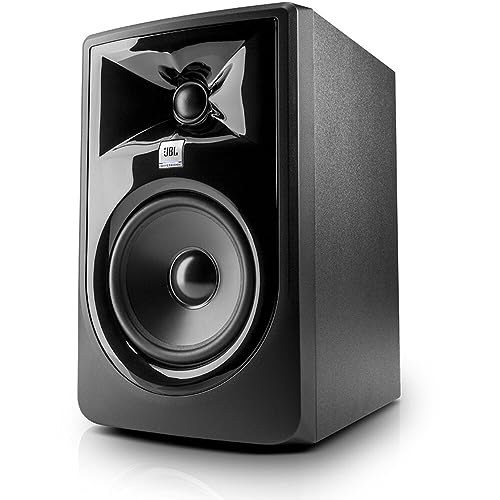


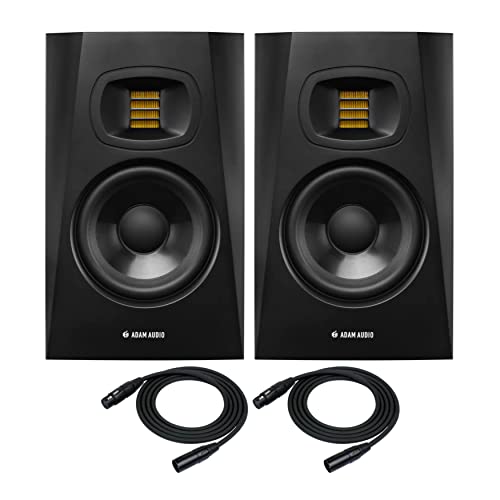

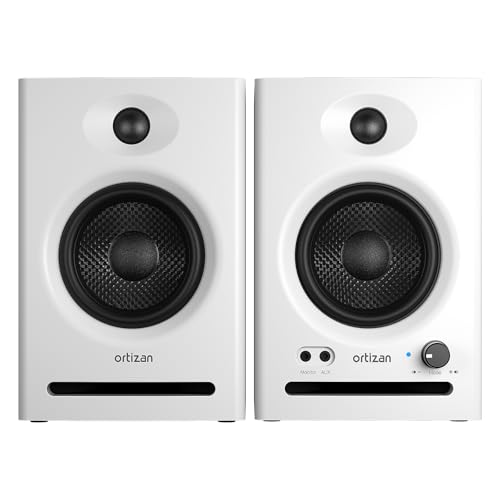
What Active Monitors Do Differently
A passive speaker needs a separate amplifier, while an active monitor has amplifiers matched to its woofer and tweeter inside the cabinet. That pairing lets the maker tune each driver with its own amplifier, which keeps the sound controlled and consistent. It also saves desk space and cables, since there is no receiver to buy or place.
Studio monitors aim for a flat, honest sound so you hear what is in a recording, not what the speaker adds. Consumer speakers often boost bass or treble to sound exciting, which can mislead you when you mix. If you mostly want pleasant background music, a bookshelf speaker may suit you better. If you create or edit audio, an active monitor is the right tool.
Who Should Buy Active Monitors Under $500?
Home Producers and Beat Makers
If you make music in a bedroom or spare room, a compact pair with a 4 to 5 inch woofer is easy to place and gives clear midrange and highs. Larger 7 to 8 inch models reach deeper bass, but they need more room and can sound boomy in a small space. See our guide to the best studio monitors under 500 for more help on matching size to room.
Video Editors and Podcasters
Speech and sound design benefit from a smooth midrange. A pair with a clean, quiet amplifier and balanced inputs lets you judge dialogue and effects without hiss. Desktop sized models also fit beside a monitor without crowding the workspace.
Musicians and Critical Listeners
Guitarists, singers, and keyboard players often want to hear their instruments without added color. An active pair gives you an honest reference, and many models include simple room controls to tame boomy bass when a speaker sits near a wall.
Key Features to Compare
Woofer Size and Bass Extension
A 4 inch woofer suits a small desk and rolls off around 60 to 70 Hz. A 5 inch woofer reaches roughly 45 to 55 Hz and is the most common choice. A 7 or 8 inch woofer goes lower, but only helps if your room is large enough to use the extra bass.
Connections
Balanced inputs on XLR or quarter inch TRS connectors reduce hum over longer cable runs. RCA and 3.5 mm inputs are fine for a short run from a phone or a basic interface. Bluetooth is convenient for casual listening, but wired inputs give better quality for mixing.
Power and Headroom
Power ratings vary, and more watts do not always mean better sound. What matters is clean volume without distortion at your listening level. A small desk pair rated at 50 to 100 watts total is plenty for nearfield use.
Room Controls
Rear panel switches or knobs for bass roll off and high frequency trim help you adjust a pair to your room. They are a useful extra when speakers sit close to a wall or on a desk.
Which Size Fits Which Room?
| Woofer size | Best for | Typical price per pair |
|---|---|---|
| 3 to 4 inch | Small desks, casual listening, podcast editing | $70 to $200 |
| 5 inch | Bedroom studios and general mixing | $150 to $450 |
| 7 to 8 inch | Larger rooms where deeper bass can be used | $300 to $500 |
Room size matters more than brand. In a room under about 120 square feet, a 5 inch pair placed well usually gives more trustworthy results than a bigger pair that fills the room with bass. In a larger room, the extra woofer area keeps volume clean without strain. Treating the first reflection points on the side walls with a few acoustic panels can improve results more than a speaker upgrade at this price.
It also helps to think about how the speakers will be used over time. A pair that sounds good at low volume for late night sessions is worth more than one that only shines when loud. Listen at modest levels, check that vocals sit clearly in the center, and confirm that quiet details do not vanish into noise from the amplifier.
Setup Tips for Better Sound
Place the two speakers and your head at the corners of an equal sided triangle, usually 3 to 5 feet per side at a desk. Point the tweeters at your ears and keep them at ear height when seated. Use isolation pads or stands so the desk does not vibrate along with the bass, and keep the back of the cabinet away from the wall if the port faces rearward.
Check the sound with music you know well. If the bass feels bloated, move the speakers a few inches out from the wall or use the bass control on the back panel.
Common Mistakes to Avoid
- Buying a large pair for a small untreated room, where extra bass only blurs the mix.
- Placing speakers on a bare desk without isolation, which adds boom and rattle.
- Listening at very high volume for hours, which tires your ears and hides mixing mistakes.
- Using unbalanced cables for long runs, which invites hum.
- Expecting a single speaker to act as a pair, since studio monitors are usually sold as pairs or singles depending on the listing.
Care and Maintenance
Dust the cabinets and the drivers with a dry microfiber cloth and never press on a cone or dome. Keep drinks away from the speakers, and route cables so nothing pulls on the input jacks. Switch the pair off during long breaks, and avoid running them at maximum volume for long periods.
Active Monitors: Your Questions Answered
Are active monitors better than passive monitors?
For most home studios, yes. The built in amplifiers are matched to the drivers, which removes guesswork and saves space. Passive monitors suit engineers who already own a trusted power amplifier.
Do I need a subwoofer under $500?
Most home producers do not. A 5 to 8 inch pair already covers kick drums and bass guitar. A subwoofer is worth considering for film work or electronic music with very low notes, but it also adds setup and room challenges.
What size is best for a small room?
A 4 or 5 inch pair is the usual fit for a bedroom or desk. Larger woofers can overload a small room with bass.
Can I use active monitors for gaming or movies?
Yes, they sound clear and detailed. Just be aware that their flat tuning has less bass punch than speakers made for entertainment, and you may want to add a small subwoofer for movies.
Do I need an audio interface?
If you only play music from a computer or phone, a simple cable is enough. For recording and mixing, an audio interface with balanced outputs gives better sound and clean connections.
Final Thoughts
The best active monitors under 500 fit your room first, then your connections and sound preference. Choose a woofer size that suits your space, check the inputs you need, and set the pair up carefully. Then compare the models in the product table against that checklist before you buy.