
Best Active Desktop Speakers 2026: A Practical Guide
Disclosure: We may earn a commission when you buy through links on this page, at no extra cost to you. As an Amazon Associate I earn from qualifying purchases. Learn more

A practical guide to the best active desktop speakers: built in amps, inputs, desk placement and when a subwoofer actually helps.
Choosing the best active desktop speakers is the simplest route to good desk sound, because the amplifier lives inside the speaker, so you just connect a computer or phone and play. No separate amplifier, no speaker wire matching, and no extra box on an already crowded desk, which suits home offices, studios, and gaming setups alike.
The product table gathers the main options for the best active desktop speakers, and this guide explains built in amplification, inputs, placement, and sound balance. You will learn how to judge nearfield sound, where to place speakers on a desk, and when a subwoofer or a larger pair actually improves the result.


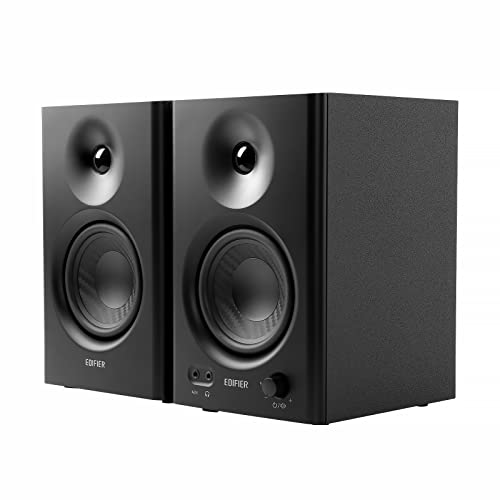


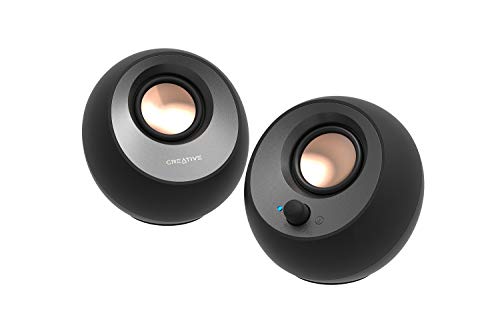

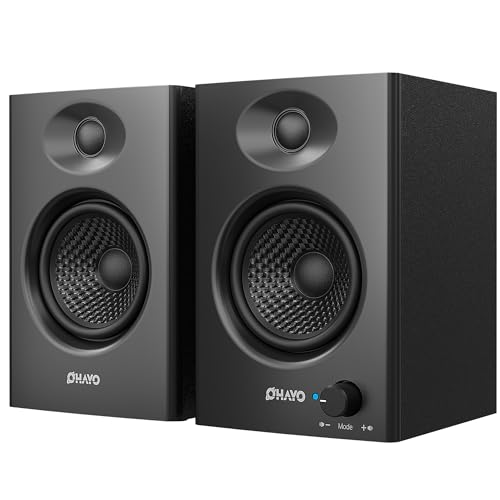
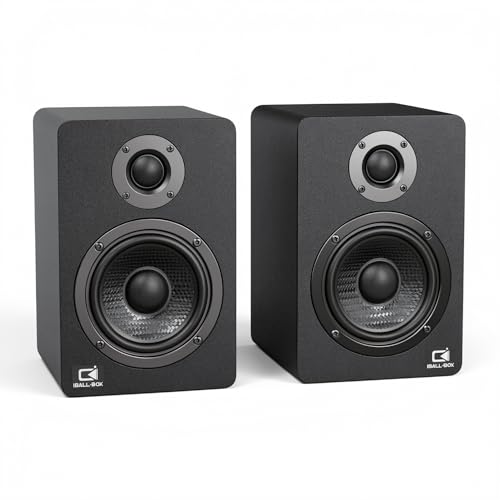
Who Should Buy Active Desktop Speakers
Active desktop speakers suit anyone who listens at a desk for work, music, films, or games and wants better sound than tiny monitor speakers without building a hi fi system. Remote workers gain clearer calls and video sound, music lovers gain detail at low volume, and gamers gain positional cues and fuller effects. They suit small rooms especially well, because nearfield listening needs less power to sound full.
They suit a single desk setup best. If you want room filling sound across a large living room, a larger mains speaker or a home cinema system serves better. For a desk, though, active speakers hit the sweet spot of simplicity, size, and sound quality, and they move easily when you rearrange the workspace.
Built In Amplifiers And Sound Balance
A built in amplifier is matched to the drivers by the maker, which removes guesswork and usually gives cleaner sound than a random pairing of amplifier and passive speakers. Each driver often gets its own amplifier channel, with a crossover tuned for the cabinet, so bass, midrange, and treble blend smoothly. That tuning matters at low volume, where desktop listening usually happens.
Sound balance for nearfield use differs from room speakers. Voices should sound natural and close, without harshness, and bass should feel firm without booming off the desk surface. Tone controls or an app equalizer help adapt the sound to your desk and room, but start flat and adjust gently. A speaker that sounds balanced at low volume will serve long workdays better than one that only shines loud.
Placement On A Desk
Placement shapes desktop sound more than specifications, because speakers sitting directly on a desk reflect sound off the surface and can sound boomy or hollow. Raise speakers to ear height with stands or foam pads, angle them slightly toward your ears, and form a triangle with your listening position for the best stereo image. Keep speakers away from walls when possible, since a wall behind a rear port boosts bass unevenly.
Leave space around the speakers for ventilation and cable access, and keep them clear of drinks and papers that block drivers. If the desk is small, compact speakers or a soundbar style unit may fit better than a large pair, but do not push speakers against a monitor or a wall just to save space. A few centimeters of clearance and a slight angle often transform the sound.
Inputs, Controls, And Connectivity
Inputs decide how easily the speakers fit your setup. A wired auxiliary input works with almost any device, USB audio suits computers and keeps the signal digital, and Bluetooth adds phone and tablet playback without cables. Optical input suits TVs and some computers, while a headphone output on the speaker saves reaching behind the desk. Choose the inputs you will actually use, not the longest list.
Controls should be reachable without hunting: volume, power, and input selection on the front or top beat rear controls for daily use. A remote helps when speakers sit far back on a deep desk, and an app can add equalizer presets, though simple physical controls often prove more reliable. Test Bluetooth pairing and reconnection, since a speaker that pairs slowly every morning quickly becomes annoying.
When To Add A Subwoofer
A subwoofer adds deep bass for films, games, and bass heavy music, but it is optional for most desk listening, where a good pair already gives satisfying midbass. Add one only if you miss deep low end after living with the speakers for a few weeks, and place it on the floor near the desk rather than on the desk itself. Set the crossover and volume low at first, so bass supports rather than overwhelms voices.
For music, podcasts, and calls, a subwoofer often adds little and can muddy the sound if set too loud. For films and games, it adds impact that a small pair cannot reach. Judge by your content: if films and games dominate, budget for a subwoofer later; if work and music dominate, invest in a better pair first and skip the subwoofer.
Related Guides Worth Reading
For related shopping questions, see our guides to the best active speakers, best sounding desktop speakers, best desktop gaming speakers, best affordable desktop speakers and best desktop speakers with subwoofer.
A Final Check Before You Order
Before you buy, check the inputs you will actually use, since a wired connection suits a computer, USB audio keeps the signal digital, and Bluetooth adds phone playback. Confirm the speakers fit your desk with room for stands or pads, and test that volume and input controls sit within easy reach. A speaker that is awkward to control daily quickly becomes annoying no matter how good it sounds.
After setup, raise the speakers to ear height, angle them toward your seat, and try small position changes until voices sound natural and bass feels firm rather than boomy. Listen at your normal work volume for a few days before judging, and add a subwoofer only if you genuinely miss deep bass for films and games. Careful placement usually improves sound more than new equipment.
Keep speaker cables tidy with a small clip or channel, since a tangled desk distracts and a yanked cable can topple a speaker. Route cables behind the desk, leave a little slack for adjustment, and keep drinks away from drivers and controls. A tidy desk sounds better too, because clear space around speakers lets sound reach your ears without bouncing off clutter.
Frequently Asked Questions
What does active mean in desktop speakers?
Active means the amplifier is built into the speaker and matched to its drivers by the maker, so you connect a source and play without a separate amplifier. Passive speakers need an external amplifier and speaker wire, which adds boxes and matching decisions. For a desk, active speakers simplify setup, save space, and usually sound more balanced because the amplifier and crossover are tuned together.
How should I place desktop speakers?
Raise them to ear height with stands or pads, angle them slightly toward your ears, and form a triangle with your listening position for the best stereo image. Keep them clear of walls and desk clutter, and leave a little space behind rear ported models to avoid boomy bass. Small moves and angles change the sound noticeably, so experiment before settling on a final position.
Do desktop speakers need a subwoofer?
Not usually, because a good pair gives satisfying midbass for music, calls, and everyday video at a desk. A subwoofer adds deep bass for films, games, and bass heavy music, but it can muddy voices if set too loud. Live with the speakers for a few weeks first, and add a subwoofer only if you genuinely miss deep low end, placing it on the floor and setting volume low.
Can I connect active speakers to a TV?
Yes, when the speaker offers a suitable input, such as auxiliary, optical, or Bluetooth, and the TV can send audio through it. A wired connection usually gives the most reliable sound with no lip sync delay, while Bluetooth may add a slight delay. Check inputs on both devices, test dialogue clarity at normal volume, and keep the speakers near the TV for the best stereo image.
Why do my desktop speakers sound boomy?
Boomy sound often comes from speakers sitting directly on a desk or pushed against a wall, which boosts bass unevenly through reflections and rear ports. Raise the speakers on stands or pads, move them slightly away from the wall, and reduce bass with tone controls if fitted. Check that no objects block the drivers, and try a small change in angle, since placement usually fixes boom better than new equipment.
Final Thoughts
Choose active speakers matched to your desk size, with inputs you use daily and placement that puts drivers at ear height. The product table compares the main options on inputs, size, and sound role.
With a good position and a simple connection, best active desktop speakers turn work, music, and games into a pleasure rather than a compromise. Set them up carefully, listen at comfortable volume, and enjoy sound that suits the desk.


