
Best 4K and 1080p Projectors of 2026: Complete Buying Guide
Disclosure: We may earn a commission when you buy through links on this page, at no extra cost to you. As an Amazon Associate I earn from qualifying purchases. Learn more

Compare best 4k and 1080p projectors by brightness, throw distance, contrast and gaming lag, with guidance on screens, placement and total cost for your room.
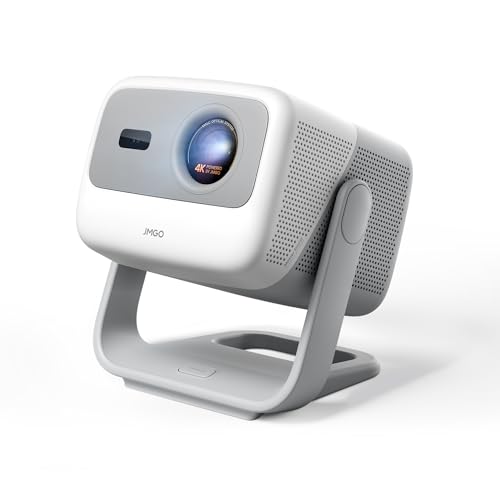
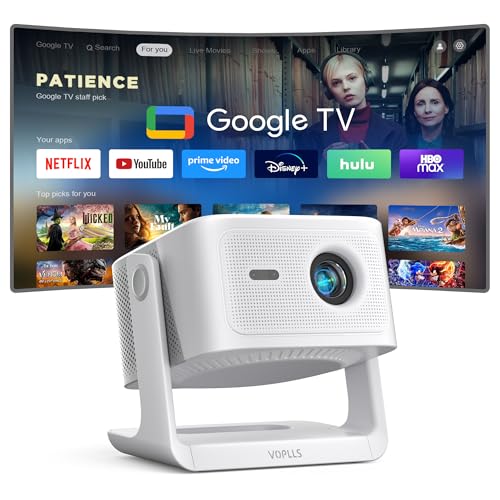
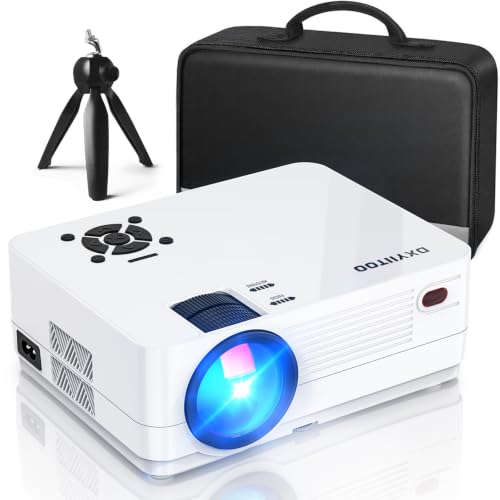
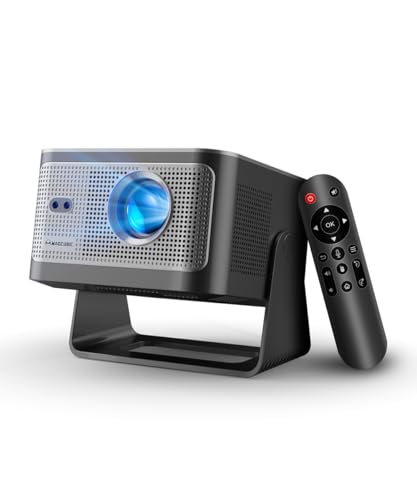
Choosing between 4K and 1080p sounds simple until screen size, seating distance and room light enter the picture. The best 4k and 1080p projectors fit your throw distance, stay bright enough for your room and stay sharp from your actual seat. This guide walks through those tradeoffs so you can read the comparison table below with a clear plan.
Start with the room, not the resolution badge. Measure how far the projector will sit from the screen, note how much daylight the room gets and decide how large an image you truly want.





Who Should Buy a 4K or 1080p Projector?
Your room and viewing habits matter more than a single headline spec. Match your situation below first.
Movie Fans With a Dedicated Dark Room
You watch mostly at night, control the light and sit at a planned distance from a large screen. A 4K model rewards you most here, since a dark room lets detail and contrast show on screens of 100 inches or more. Plan for a fixed mount and a screen, and see our guide to the best 4k home projectors if a permanent setup is your goal.
Families in a Bright Living Room
You share the room for films, sports and daytime viewing, and curtains only dim the space so far. Brightness and a screen that handles some room light matter more for you than the jump to 4K. A strong 1080p model can look clean and punchy for sport, while a brighter 4K model suits you if films at night are a regular habit.
Gamers and Renters Who Need Flexible Placement
You move the projector between rooms, play console games and cannot always mount anything to a ceiling. Look for low input lag, a throw ratio that fits a table or shelf and a compact body you can store. A portable 1080p model often serves this use well, while a 4K model with a game mode suits larger screens.
Key Features to Compare
Compare these factors in order, since each one limits the next.
Resolution and Seating Distance
A 4K projector shows about 3840 by 2160 pixels, while a 1080p projector shows about 1920 by 1080 pixels. That extra detail becomes easy to see on large screens and at closer seats, where pixels on a 1080p image can show as a faint grid. At smaller sizes or from farther back, your eye may not separate the two. Measure seat distance and screen size before you pay for 4K.
Matching Lumen Output to the Light in Your Room
Projector brightness is rated in ANSI lumens, and the right figure depends on your room. A dark room can work well at about 1500 to 2500 lumens, while a living room with daylight often needs about 2500 to 3500 lumens or more. A larger screen spreads the same light over more area, so size and brightness must rise together. If you compare the best 4k and 1080p projectors only by lumens, check that each figure uses the ANSI standard.
Throw Ratio, Zoom and Lens Shift
Throw ratio tells you how far the projector must sit to fill a given screen width. Standard throw models need a longer room, short throw models fill a large image from a few feet and ultra short throw models sit close to the wall. Zoom lets you adjust image size without moving the unit, and lens shift moves the image without tilting the body. Digital keystone is a backup only, since it crops pixels and can soften the picture.
Contrast, Black Level and HDR Handling
Contrast decides how dark scenes look, and it matters most for films in a dim room. Strong native contrast keeps shadow detail visible instead of turning dark areas into flat gray. HDR support such as HDR10 can widen the range between highlights and dark scenes, but tone mapping quality matters more than the HDR label, since a projector peaks well below a good TV. In a bright room, light washes out black levels on any model.
Light Source Life and Running Cost
Lamp models cost less at first but need a new lamp after about 3000 to 5000 hours in normal mode. LED and laser models cost more upfront and can run for about 20000 hours or longer without a lamp change. For value picks that keep long term cost in view, see our guide to the best affordable 4k projectors.
Input Lag, Refresh Rate and Connections
Input lag is the delay between a controller input and the change on screen, and gamers should look for a game mode at about 20 milliseconds or less. Most projectors refresh at 60 Hz, and some gaming models accept a 120 Hz signal at 1080p. Look for at least two HDMI ports, an audio output for a soundbar and a USB port for a streaming stick if the built in apps miss your services.
Types of Projectors Compared by Placement and Light Source
Once the room is clear, the main families below cover most homes.
Standard Throw Lamp and Laser Models for Fixed Rooms
These models sit on a rear shelf or ceiling mount and suit a planned screen and seating layout. Lamp versions lower the entry price, while laser versions add long light life and steadier brightness. If laser light appeals to you, see our guide to the best 4k laser projectors for models built around that light source.
Short Throw and Ultra Short Throw Models for Small Rooms
These models place the image from close range, so people walking past cast fewer shadows and small rooms can still hold a large picture. Ultra short throw units sit on a low cabinet and pair best with a flat, taut screen, since any ripple shows clearly at that angle. Placement must be precise, so measure cabinet depth and screen height carefully.
Portable LED Models for Renters and Travel
Portable models use LED light, weigh little and often include a battery for moving between rooms. Brightness is lower than on fixed models, so they work best after dark or on modest screen sizes. If moving the projector often is the point, see our guide to the best portable 4k projectors.
Common Mistakes to Avoid
- Buying 4K for a small screen viewed from far away wastes money on detail your eyes cannot see.
- Choosing brightness by a peak marketing figure instead of ANSI lumens leaves daytime images washed out and flat.
- Ignoring throw ratio leads to an image too large or too small for the only shelf in the room.
- Relying on digital keystone to fix poor placement crops the image and softens fine detail across the whole picture.
- Projecting on a rough or tinted wall without testing first dulls color and makes focus look uneven.
- Forgetting lamp replacement cost makes a cheap lamp model costly over years of heavy use.
Care and Maintenance for Projectors
Keep the lens clean with a soft microfiber cloth and a blower for loose dust, and never wipe a dry lens with a rough tissue, since grit can scratch the coating. Clean or replace the air filter on the manual schedule, and keep vents clear so cooling air can move. A clogged filter lets heat build and shortens lamp life.
Let the fan finish its cooling cycle before you unplug or move the projector, especially after a long film with a lamp model. Store a portable unit in a padded case away from damp rooms, and check mount screws once or twice a year. If brightness drops sharply or the unit shuts down from heat, contact a qualified service technician rather than opening the case yourself.
FAQ
What screen size works for 4K and 1080p projectors in a typical living room?
A screen of about 100 to 120 inches suits most living rooms with seating about 9 to 13 feet away. At that size, 4K detail is easier to appreciate from a sofa, while 1080p still looks clean for sport. Tape the edges of the size you want on the wall before ordering a screen, since taped edges reveal sight line clashes early.
Is 4K worth paying for on a projector used mainly for streaming?
Yes, 4K can be worth paying for on a projector if you watch a lot of 4K streaming and sit close enough to a large screen. Stream quality varies by service and plan, and a compressed stream shows less detail than a disc, so the source limits the gain. If most viewing is 1080p sport, put the money toward brightness and a better screen instead.
How long does a projector light source last before it needs service?
A projector lamp typically lasts about 3000 to 5000 hours, while LED and laser sources are often rated for about 20000 hours or more. Running a lamp in its lower brightness eco mode can extend its life, though the image will be dimmer. Budget for a lamp swap in your second or third year of heavy use.
How much input lag do 4K and 1080p projectors need for console gaming?
Console gaming feels responsive on a projector with input lag of about 35 milliseconds or less, and fast paced games feel better under about 20 milliseconds. Turn on game mode for play, since it switches off extra processing that adds delay. Note that game mode on some models lowers the signal to 1080p for a higher refresh rate, so check which resolution the fast mode uses.
Do 4K and 1080p projectors need a screen, or will a plain wall work?
A plain wall will work for a projector, but a screen gives you a smoother, brighter and more even image. Wall texture, a slight tint and small bumps all show through a projected picture, and the effect grows with screen size. A matte white screen with modest gain suits most rooms, while a gray screen can help contrast where ambient light remains.
Final Thoughts on 4K and 1080p Projectors
Let the room lead the choice. Fix screen size, seat distance and light level first, then pick brightness and throw ratio to match, and only then decide whether 4K detail will show from your seat. Use the product table above to check lumens, throw and lag.
When you compare best 4k and 1080p projectors with those points settled, the right resolution and type usually stand out. Buy for the room you have, and the big screen experience will follow.


