
Best 3D Cameras of 2026: Complete Buying Guide
Disclosure: We may earn a commission when you buy through links on this page, at no extra cost to you. As an Amazon Associate I earn from qualifying purchases. Learn more

Compare 3D cameras by lens spacing, sensor size, video sync and color match, with plain guidance on camera types, playback options, setup and prices.
A 3D camera records the same scene from two slightly different viewpoints, much like your two eyes, so the finished image carries real depth instead of a flat view. The best 3d cameras match those two views so closely in focus, exposure and color that your brain reads them as one solid scene. This guide explains the specs that control that match, so you can read any spec sheet with confidence.
Start with how you plan to watch. A clip for a VR headset, a photo pair for a small viewer and a video for a 3D television each favor a different camera shape and file format. The sections below move from your viewing plan to lens spacing, sensor size, sync and price.


Who Should Buy Which 3D Cameras?
Your viewing screen decides more than any single spec, so match the camera to how you will show the results.
Families and Travelers Who Watch on a Headset
You want birthdays, trips and everyday moments that feel like standing in the room again. Choose a simple twin lens camera with automatic exposure and focus, because you will rarely have time to set two sides by hand. Simple controls beat raw resolution, since a missed moment has no depth at all.
Creators Publishing Immersive Video Online
You shoot for viewers who wear headsets, so format support comes first. Look for a camera that records in the VR180 format or a clean side by side format your editor accepts. Clean audio matters too, because viewers forgive soft edges sooner than harsh sound.
Stereo Photo Hobbyists Who Print and Share Pairs
You enjoy the craft of the stereo pair itself, from framing to print viewing. Manual control suits you better than full automation, because small differences between the two views show up fast in print. If you love that process on film, see our guide to the best 3d film cameras for the analog route. For digital work, favor still image quality over video extras.
Key Features to Compare
When you compare best 3d cameras on paper, judge them as pairs. Strong single lens numbers mean little if the two sides drift apart in focus, timing or color.
Lens Spacing and the Strength of the Depth Effect
Lens spacing is the distance between the two lenses, and it sets how strong the depth feels. Spacing near normal eye distance, about 60 to 75 mm, gives natural depth for people and rooms. Narrower spacing, about 30 to 50 mm, suits close subjects such as food and flowers, where wide spacing exaggerates depth. Fixed lens cameras lock you into one spacing, while paired rigs let you widen or narrow it.
Sensor Size, Resolution and Matching Between Sides
Each lens needs its own sensor or half of a shared sensor, and listed resolution may describe both sides combined rather than each view alone. Always check the resolution per eye, because that number sets your real sharpness. Larger sensors gather more light and hold detail in shadow. If you mainly want flat stills and video instead, see our guide to the best digital cameras for single lens options.
Shutter and Frame Sync for Moving Subjects
Both sides must capture the same instant. If one side records later than the other, moving hands and water sit at different depths in each view, and the scene breaks apart. For video, look for matched frame rates and true electronic sync between the two streams. For stills, a single shutter action for both lenses is best. Test any camera with a waving hand before you trust it with sports or children.
Autofocus and Image Stabilization That Agree
Focus and stabilization must behave the same on both sides. If one lens focuses on the face and the other settles on the wall behind, the pair will never fuse comfortably. Cameras that lock focus and exposure across both views give the most reliable results. Image stabilization should move both images together, since uneven correction tilts one view against the other. Smooth matched movement matters more for comfort than the strongest correction figure.
Video Resolution, Formats and Playback Compatibility
Many 3D cameras record 4K video, but ask whether that figure covers each eye or both views together, because a shared figure halves the detail per eye. Check the output format: common options include side by side files, VR180 files and maker specific formats that only one app can open. Confirm your headset, television or editor accepts the format before you buy.
Types of 3D Cameras Compared
Three broad shapes cover most buyers, and each trades convenience against control.
Fixed Twin Lens Cameras
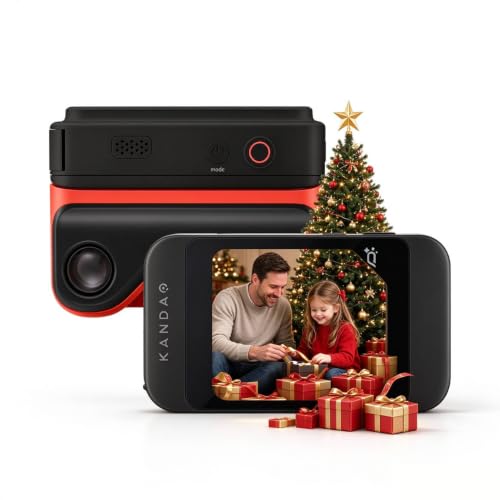
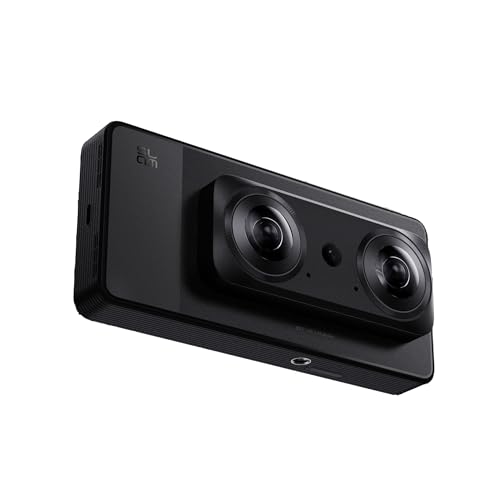
These cameras place two lenses and two matched sensors in one body, with spacing and sync set at the factory. They are the easiest route into 3D stills and video, because you frame once and press one button. The trade off is fixed depth strength and few manual controls. They suit families and travelers who value speed.
VR180 Cameras Built for Headset Video
These models use two very wide lenses to record a half sphere of view that fills a headset display. They fit publishers of immersive clips and anyone recording events for friends with headsets. Many double as vlogging cameras when you crop a flat view. Outside a headset their files look warped on a normal screen, so buy one only for true headset viewing.
Paired Rigs and Stereo Lens Bodies
A paired rig mounts two matching cameras on one bar, while a stereo lens lets one mirrorless body record both views at once.
Rigs offer the widest choice of spacing and sensor size, plus the strongest image quality. They also cost the most, weigh the most and demand careful alignment before every shoot. If flat photography is your main craft, see our guide to the best cameras for photography before spending rig money.Choosing a 3D Camera for Your Situation
One group needs a closer look: anyone whose work stands or falls on how color renders in both views.
Best Color 3D Cameras
The right choice here is the camera whose two views agree on color, not the one with the most vivid single image. Look for a white balance lock that holds one setting across both lenses, because auto settings that drift apart leave one eye warmer than the other. A flat or log style picture profile helps if you grade footage later, since it preserves highlight detail. Check skin tones in sample pairs, because mismatched reds are the first flaw viewers notice. For wider context on image quality, see our guide to the best quality cameras.
Common Mistakes to Avoid
- Buying for total resolution without checking resolution per eye leaves each view softer than expected.
- Shooting close subjects with wide lens spacing exaggerates depth and makes the pair tiring to watch.
- Leaving white balance on auto for each lens lets the two views drift to different colors.
- Recording fast movement with poorly synced cameras breaks the depth effect and can cause eye strain.
- Skipping a playback test before a trip can leave you with files your headset will not open.
Care and Maintenance for a 3D Camera
Clean both lenses with a soft lens cloth, never your shirt, because grit can scratch coatings, and a scratch on one lens alone spoils the pair. Blow loose dust off first, then wipe gently. Check both lens surfaces under the same light, since a smear on only one side reads as a depth flaw in the finished shot.
Carry a spare battery and a spare card, because twin recording drains power and fills storage fast. Store the camera in a dry, padded bag with the lens covers on. Update firmware when the maker releases it, since updates often improve autofocus and file handling, and use the same version on both bodies of a rig.
Frequently Asked Questions
How much lens spacing does a 3D camera need for close subjects?
A 3D camera needs narrower lens spacing for close subjects, usually about 30 to 50 mm for objects within arm reach. Background distance matters too: a close subject against a far wall can strain the eyes, because the gap between near and far depth grows. Move close subjects away from distant backgrounds where you can.
How much should you spend on a first 3D camera?
Plan about $300 to $700 for a first complete setup from a fixed twin lens or VR180 model. That figure should include the camera, a fast memory card and a spare battery. Reserve part of the budget for viewing too, because a headset you do not yet own is part of the true cost.
Can a smartphone replace a dedicated 3D camera?
A smartphone can record spatial video on some models, but it does not fully replace a dedicated 3D camera. Phone files often play best inside one brand of headset and app, which limits how you share them. A dedicated camera gives you wider lens spacing, matched sensors and standard file formats. Choose the phone for casual clips and the camera when depth quality matters most.
What helps a 3D camera record cleaner footage in low light?
A tripod and a still subject help a 3D camera most in low light. Holding the camera steady lets it use slower shutter speeds without blur, and still subjects stay aligned. Raising sensitivity adds noise, and that noise differs between the two sensors. A simple lamp near your subject beats pushing camera settings.
Can you edit 3D camera files on a normal computer?
Yes, you can open most 3D camera files on a normal computer, because side by side video appears as one wide clip in standard editors. You trim and grade it, then export it in the format your headset expects. Apply every color and exposure change to the whole frame at once, so both views stay matched.
The Bottom Line
Buy for your screen first, then check lens spacing for your subject distance, sync for moving subjects and color agreement between the two views. Fixed twin lens models suit most people, VR180 models suit headset publishers and rigs suit hobbyists with time to align them.
When those points line up, the best 3d cameras stop being a novelty and start recording memories with presence. Compare the finalists in the product table above, confirm the file format plays on your screen, and order the simplest model that passes.


