Best 3 Piece Computer Speakers Made Simple: A Clear Buying Guide for 2026
Disclosure: We may earn a commission when you buy through links on this page, at no extra cost to you. As an Amazon Associate I earn from qualifying purchases. Learn more

Shopping for the best 3 piece computer speakers for the first time? Learn the terms, compare options, and avoid rookie mistakes with this easy guide.
Buying your first set of real computer speakers sounds simple until the listings start throwing around watts, drivers, and Bluetooth versions. Take a breath. The best 3 piece computer speakers all follow the same basic recipe: two small satellite speakers for your desk and one subwoofer that handles the low notes from the floor. Once you understand what each piece does, the spec sheets become much easier to read.
This guide starts with the basics, explains each key spec in plain English, and flags the mistakes first time buyers make most often. Use the product table below to see the field, then work through the sections in order and you will know exactly which questions to ask before you pay.

3 Piece Computer Speakers 101: The Basics
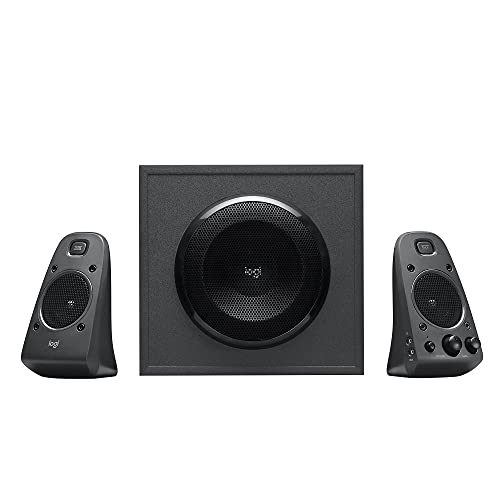
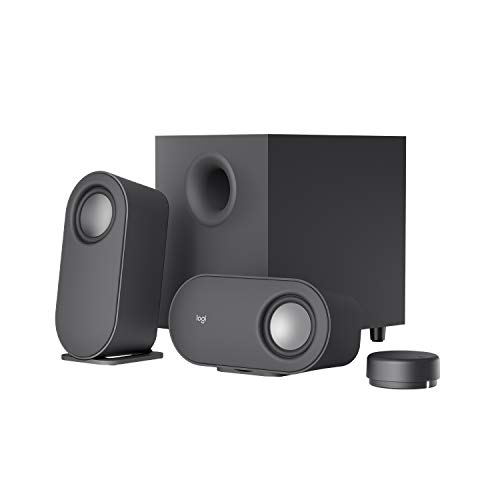
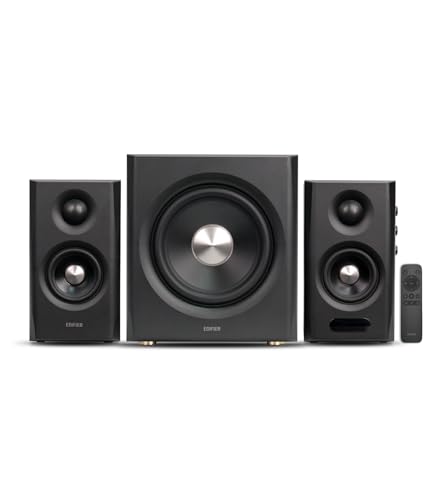
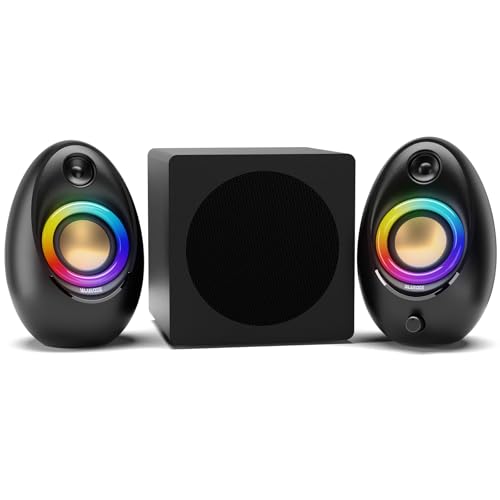
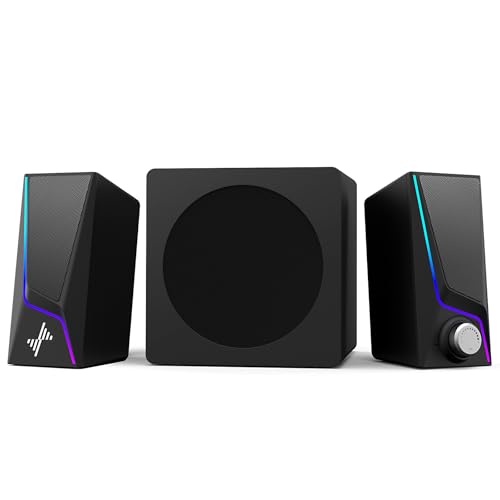
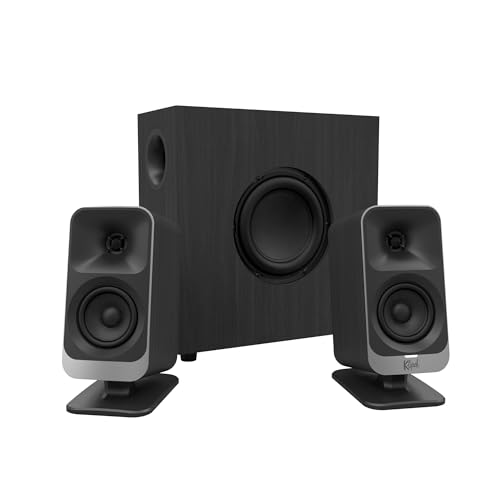
A 3 piece system, often called a 2.1 system, splits the work of sound into three jobs. The two satellites sit on your desk, one on each side of the screen, and handle voices, melody, and detail. The subwoofer sits on the floor and handles only low sounds, like bass lines, drum kicks, and film rumbles. Your ears cannot easily tell where low sounds come from, which is why one floor box can serve both channels.
Most sets are powered, meaning an amplifier lives inside the subwoofer or one satellite and the system plugs into the wall. Your computer connects by a simple audio cable, USB, or Bluetooth depending on the model. A wired control pod or a knob on a satellite adjusts volume, and better sets add a separate bass knob so you can tame the subwoofer without digging through software settings. If you do not want a floor box at all, our guide to the best 2 piece computer speakers covers the simpler two box route.
Key Specs Explained in Plain English
Sound Quality and Tuning
Sound quality starts with the drivers, the round parts that actually move air. Satellites with a small tweeter plus a midrange driver usually sound clearer than a single tiny driver doing everything. Frequency response describes the range from low to high a system can play, but the printed numbers vary so much between brands that they help little. Tuning matters more in daily life. A balanced set keeps voices natural and bass firm rather than boomy. If a listing brags mostly about thunderous bass, expect dialogue and podcasts to suffer, because one strength was bought by weakening the other.
Connectivity: Wired, USB, and Bluetooth
A standard audio cable is the safest first choice: it works with nearly every computer, never needs pairing, and has no delay. USB connections can sound cleaner on laptops with noisy headphone jacks and sometimes add controls that sync with your system volume. Bluetooth frees you from cables and lets a phone play music while the computer sleeps, which is lovely for a bedroom desk. The trade is a small delay that can show in fast games and video. Codec names like aptX or AAC mainly affect wireless quality, and most beginners will not hear a difference worth paying extra for.
Subwoofer Size and Bass Control
The subwoofer is what separates a 3 piece system from plain desk speakers, so judge it carefully. A driver around 4 to 6 inches suits a small or medium room, giving full low notes without shaking the walls. Bigger drivers suit larger rooms and film fans. Placement changes everything: a sub in a corner sounds louder and boomier, while a spot along a wall sounds tighter. Insist on a bass volume control that is separate from the main volume. Without it, you are stuck with whatever balance the factory chose, and that balance rarely matches your room.
Shoppers who know the subwoofer is their priority can compare layouts in our guide to the best computer speakers with subwoofer, which explains ported and sealed designs in more depth.
Placement and Room Size
Your desk and room decide how good any set can sound, so plan placement before you buy. Satellites should sit at ear level or angle upward, spaced about as far apart as you sit from them, with nothing blocking the front grilles. Leave a little space behind ported subwoofers so air can move. In a small room, a modest system sounds full and a large one overwhelms. In a big open space, expect to sit closer or accept thinner sound. Cable length matters too. Check that the satellite cables reach your chosen spots, because some sets use fixed cables that limit your layout.
Controls and Extra Features
Daily controls shape your experience more than exotic features do. A control pod with a volume knob and headphone jack on your desk is genuinely useful, especially when the subwoofer hides under it. Remote controls help if you watch films from a bed or sofa. Extra inputs let a game console or a television share the system. If you play games often, our guide to the best computer speakers for gaming explains which features matter for that use. Skip features you will touch once, like flashing lights and novelty sound modes, and spend the money on cleaner sound instead.
Rookie Mistakes to Avoid
- Trusting watt numbers. Brands measure power differently, so a higher number does not guarantee louder or cleaner sound. Judge by driver sizes, reviews of distortion, and your room size instead.
- Putting the subwoofer anywhere. A corner placement can double the boom. Start along a wall and adjust in small steps until bass sounds firm, not muddy.
- Buying for a huge room. Desk systems are built for near listening. If your seat is far from the desk, plan a different kind of system.
- Forgetting the headphone jack. In a shared home, a front headphone output on the control pod saves you from unplugging cables at night.
- Paying for unused inputs. Count your devices first. One cable and Bluetooth cover most beginners, and our guide to the best inexpensive computer speakers shows how little a sensible set can cost.
Getting Started: Setup and First Use
Setup takes about fifteen minutes if you go in order. Place the subwoofer on the floor along a wall, set the satellites on your desk angled slightly toward your chair, and only then run the cables, keeping them loose rather than stretched tight. Connect the satellites to the subwoofer, link the subwoofer to your computer, plug in the power last, and start with every volume knob low.
Raise the main volume to a normal level, then bring the bass knob up slowly until low notes sound full without swallowing voices. Play something you know well, ideally a song with clear singing plus a podcast, and adjust once more. If your set uses Bluetooth, pair it after the wired test so you know the system itself works. Keep the box and cables tidy in a drawer for the first month, and if a model offers firmware updates through USB, apply them once the basics are stable.
Frequently Asked Questions
Wired or wireless: which sounds better?
A wired connection sounds at least as good and never lags, which makes it the safer default for a desk. Bluetooth has improved a lot and sounds fine for music and casual video, but games and fast dialogue can expose a slight delay on some computers. Here is a new wrinkle worth knowing: if your laptop has an older Bluetooth version, the delay grows. When a set offers both options, use the cable for the computer and save wireless for your phone.
Do I need Bluetooth on computer speakers?
No, but it is more useful than it first appears. Bluetooth lets you play music from your phone while your computer updates or sleeps, and it keeps the desk free of one more cable. It also helps guests share a song without touching your machine. If your desk setup never changes and your computer is always on, skip it and put the savings toward a better subwoofer. Decide by your habits, not by the length of the feature list.
How big a subwoofer do I need?
For a bedroom or small office, a subwoofer driver around 4 to 6 inches is plenty and easier to place well. Larger drivers suit bigger rooms and people who watch many films. Size alone is not the whole story, though. A smaller sub placed along a wall away from corners often sounds tighter than a big one jammed in a corner. If your downstairs neighbors are close, a modest sub with a precise bass knob is the polite and practical choice.
Can a 3 piece system work for gaming and films?
Yes, and this is where the format shines for the price. The subwoofer gives explosions and engines real weight, while the satellites keep dialogue clear at the desk. Two limits are worth knowing. A 2.1 system cannot place sounds behind you the way a surround setup can, and Bluetooth delay can dull fast reactions, so use the cable for games. For story games, racing, and films at a desk, most beginners find a good 2.1 set completely satisfying, and guidance in our guide to the best sounding computer speakers can help you judge clarity claims.
How long do 3 piece computer speakers last?
A well treated set commonly lasts five to eight years. The parts that age first are usually the volume knob, which can crackle, and the cables where they bend near connectors. You can stretch the lifespan by keeping volumes moderate, since constant maximum output heats the amplifier, and by avoiding tight cable bends behind the desk. A faint hum that appears suddenly often traces to a loose cable or a ground issue rather than a dying speaker, so reseat connections before assuming the worst.
Final Thoughts
Keep your first purchase simple: balanced satellites, a subwoofer with its own bass knob, and the one or two connections you will actually use. Place the pieces with care, set the bass by ear, and ignore watt races entirely. Do that, and the best 3 piece computer speakers will feel like a large step up from laptop sound. Glance back at the product table above to compare cable lengths, inputs, and sub sizes before you decide.