
Best 2.1 Soundbars in 2026: Buying Guide for Real Homes
Disclosure: We may earn a commission when you buy through links on this page, at no extra cost to you. As an Amazon Associate I earn from qualifying purchases. Learn more
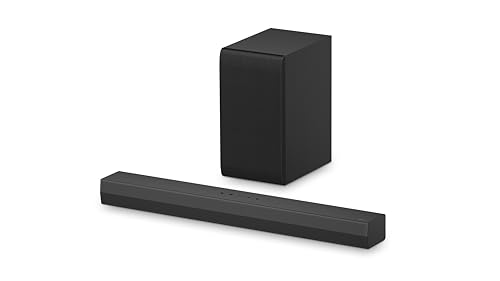
Compare the best 2.1 soundbar styles by room size, subwoofer, dialogue modes and connections so you choose right the first time.
Picture a family movie night where the action sounds full and exciting, yet everyone still leans forward to catch what the actors just said. That gap between thin TV speakers and clear, balanced sound is exactly what the best 2.1 soundbar is meant to close. A bar handles the left and right channels while a separate subwoofer takes care of the low notes, so voices, music, and effects each get room to breathe.
This guide helps you choose by space, by the people who share the TV, and by budget. Work through the checklist and use the product table to match the main specs to your room before you spend anything.
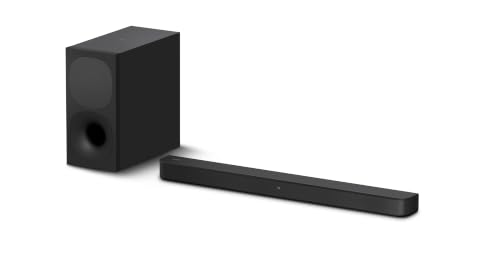

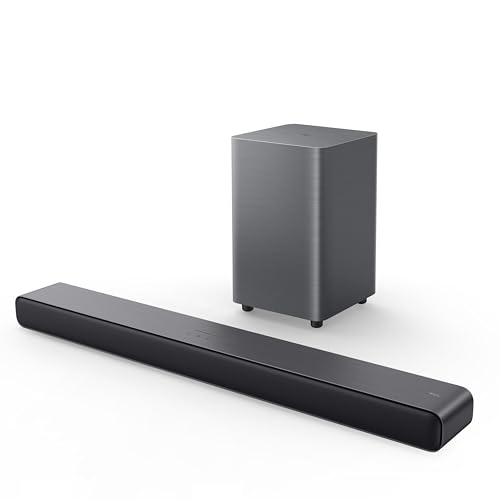

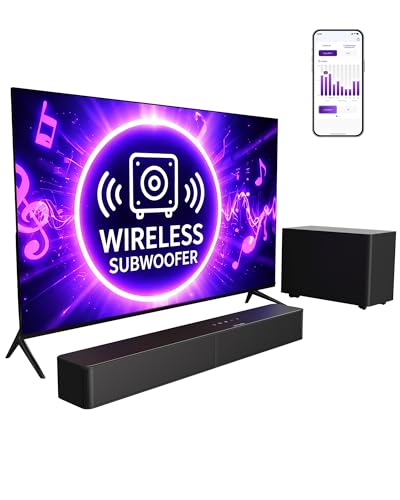


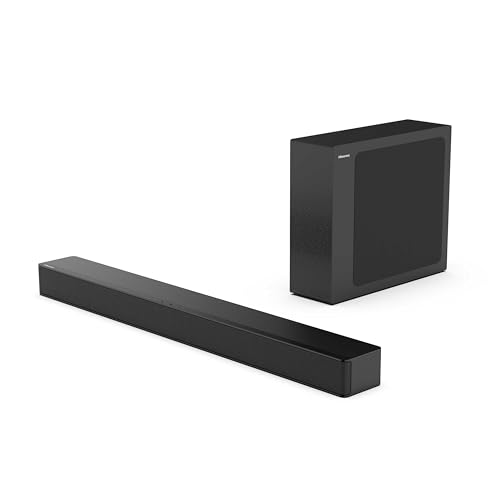
Quick Answer: What a Good 2.1 Setup Gives You
A 2.1 system is the simplest step up from TV speakers that still feels like a real upgrade. You get two channels of sound from the bar plus a subwoofer for bass, which means fuller voices, warmer music, and movie effects with actual weight. There are no rear speakers to wire and no receiver to configure. For most living rooms, bedrooms, and home offices, that balance is the whole appeal.
Before You Buy: A Quick Checklist for Choosing a Soundbar
Channel count is only one line on the box. The points below matter more in daily use, so check each one against your room and TV. Readers comparing formats may also want our overview of the best soundbar options to see how 2.1 sits beside larger systems.
Size: Match It to Your Space
Bar length should suit both your TV and the furniture under it. A short bar of about 24 to 30 inches fits a bedroom TV or a desk, while bars around 35 to 45 inches spread sound wider under a large living room screen. Wider is not automatically better, because a bar that overhangs your stand looks awkward and can block the TV remote sensor. Measure the stand and leave a little clearance on each side.
Which Type Fits Your Routine
Think about what plays through the bar most days. Households that mostly watch news, sports, and streaming shows need strong voice handling and a remote anyone can use without a manual. Music listeners should look for Bluetooth streaming and a music mode that keeps bass tidy rather than boomy. Gamers and movie fans may prefer a model that passes modern video formats through to the TV, while a simple bar suits a spare room just fine.
Features Worth Paying For, and Ones to Skip
Pay for clear dialogue controls, a wireless subwoofer if your room layout makes cables awkward, and HDMI eARC for simple control with your TV remote. A voice assistant can help if your household already uses one daily. Skip paying extra for rear speaker kits you will never install, elaborate surround processing on a two channel bar, or app features that duplicate what your TV already does. Money saved there is better spent on stronger drivers and a better subwoofer.
Room Size and Placement
In a small room, a compact bar and a modest subwoofer can sound full at low volume, and too much bass will rattle shelves and annoy neighbors. In an open plan living area, look for a wider bar and a subwoofer with enough output to fill the space without strain. Place the bar centered under the TV, close to the front edge of the stand. Corners boost bass, so start the subwoofer along the front wall and adjust from there.
Dialogue Clarity and Night Mode
Voices carry the story in most shows, so a dedicated dialogue or voice mode is worth more than extra bass for many families. It lifts the part of the sound where speech sits, which helps older viewers and anyone watching with the volume down. Night mode compresses loud peaks and keeps quiet speech audible after kids are asleep. If your household often rewinds to catch a line, put these two features near the top of your list.
Connections: HDMI eARC, Optical, and Bluetooth
HDMI eARC is the easiest route on a modern TV, because the bar turns on with the TV and the TV remote controls the volume. Optical works well on older sets and sounds just as good for most content, though you may need the bar remote for volume. Bluetooth covers music from phones and tablets. Our walkthrough of how to set up a soundbar explains the wiring order if you want to plan cable runs before the box arrives.
Subwoofer and Surround Options
The subwoofer does the heavy lifting for movie impact, so its placement flexibility matters. A wireless subwoofer can sit beside the sofa or near an outlet across the room, while a wired one must stay close to the bar. Some 2.1 bars can add rear speakers later, which suits buyers who want a simple start and a possible upgrade path. Others are closed systems, and that is fine if you will never expand.
Realistic Budget Ranges
Prices cluster into clear tiers, and each step buys something specific rather than just a nicer badge.
- Under $100: basic bars with a wired subwoofer or bass from the bar alone, suited to bedrooms and small TVs.
- About $100 to $250: the busiest tier, with wireless subwoofers, dialogue modes, and HDMI eARC on many models.
- About $250 to $500: stronger drivers, better built cabinets, and subwoofers with more output for larger rooms.
- Over $500: premium materials and refined tuning, worth it mainly when the bar anchors a main living room system.
Shoppers who want the strongest value inside the lower tiers will find useful context in our guide to the best budget soundbar choices, where the same trade offs are weighed at tighter prices.
Three Types Compared: Which 2.1 Style Fits Your Home
Instead of chasing a single winner, think of 2.1 bars as three styles. The first is the compact bar with a wired subwoofer, made for bedrooms, dorms, and desks where space is tight and volume stays modest. The second is the mainstream bar with a wireless subwoofer, the natural fit for most family rooms because placement is flexible and setup takes minutes. The third is the premium bar with a larger cabinet, stronger drivers, and a more powerful subwoofer, chosen when the TV is the center of the house and music matters as much as movies.
All three styles share the same basic promise, so the deciding factors are room size, subwoofer freedom, and control simplicity. A compact style in a big open room will sound thin no matter how good its tuning is. A premium style in a small bedroom will spend most of its life at a fraction of its volume. Match the style to the room first, then compare dialogue modes, connections, and remotes within that style.
Our Selection Process for Soundbars Like These
We judge 2.1 bars on sound quality, dialogue clarity, ease of setup, connectivity, and value for the money. The evidence comes from manufacturer specifications, published connection standards, and patterns in verified buyer feedback about reliability and daily use. Any model you shortlist can be checked against the same yardstick.
Is a 2.1 Soundbar the Right Size for You?
For most homes, yes. A 2.1 system covers the viewing distance and seating width of a typical sofa setup, and it does so without speaker wire crossing the room. It is also the natural partner for the way families actually watch, which is a mix of dialogue heavy shows, sports, and the odd film. If you are weighing the step up in general, our discussion of is a soundbar worth it lays out when any bar beats built in TV speakers.
Consider a larger channel count only when your room is wide, your seating spreads far off center, or you want sound behind you for films. A 3.1 bar adds a center channel that can help voices in very wide rooms, and 5.1 systems add rears for true surround. Brand ecosystems matter too, since TV owners may prefer matching controls, as covered in our guide to the best soundbar for samsung tv setups. For a single sofa facing the TV, 2.1 remains the sweet spot.
Common Buying Mistakes to Avoid
- Buying a bar far wider than the TV stand, so it overhangs the edges and blocks the remote sensor.
- Ignoring the subwoofer footprint, then finding no floor space or free outlet where it needs to live.
- Choosing optical only connections on a new TV and giving up single remote control for no reason.
- Paying for surround features and rear speaker kits that your room layout will never let you use.
- Judging by wattage numbers alone, which are measured differently by each brand and predict little about clarity.
Cost of Ownership and Care
Running costs for a 2.1 system are small. The bar and subwoofer draw modest power, and standby draw stays low on models with an auto sleep setting. Budget for small items over the years, such as replacement remote batteries, a longer cable if you rearrange furniture, and fresh felt pads under the subwoofer on hard floors. Keep vents clear of dust, leave space around the subwoofer port, and install firmware updates when the maker offers them, because updates often fix connection quirks with newer TVs. A surge protector is a cheap safeguard.
Your Questions, Answered
How do you clean a 2.1 soundbar without damaging it?
Unplug the bar first, then wipe the cabinet and grille with a dry or barely damp microfiber cloth. Dust builds up in grille fabric, so a soft brush attachment on a vacuum at low suction clears it without pressing dirt deeper. Keep sprays and solvents away from the grille and the subwoofer cone, and never push a cloth into the subwoofer port. Cleaning monthly keeps dust from muting the top end of the sound.
How long does a 2.1 soundbar usually last?
A well kept soundbar often serves for about five to ten years, and the electronics usually age faster than the speakers themselves. Connection standards change, remotes get lost, and capacitors wear, while the drivers keep working. You extend that span by keeping heat and dust away from the vents. Plan a replacement when your next TV uses connections your bar cannot support, not on a fixed calendar.
What size soundbar do I need for a 55 inch TV?
Measure the width of your TV rather than trusting the screen size on the box, because bezels vary. A 55 inch class TV is typically about 48 inches wide, so a bar between about 38 and 45 inches looks balanced beneath it and spreads sound across the picture. Leave at least two inches of height clearance below the screen so the bar does not cover the bottom edge or the remote receiver.
Can a 2.1 soundbar handle music well, or is it only for TV?
It handles music well, especially streamed over Bluetooth in a living room or kitchen. Use the music or stereo mode rather than a movie mode, because movie processing can push voices forward in a way that flatters dialogue but flattens songs. Lower the subwoofer level a notch for acoustic and vocal music. For a party in a large space, a dedicated speaker still wins on output.
What is the best 2.1 soundbar style for a small apartment?
The compact style with a modest subwoofer suits an apartment best, because you get full sound at the low volumes that thin walls demand. Look for a night mode, a subwoofer level control on the remote, and a sub that fits under a side table. Skip large premium bars, since their extra output goes unused and their bass travels further through floors and shared walls than smaller units do.
Final Thoughts
Start with your room, your TV connections, and how your household actually watches, and the right style of bar becomes obvious. The product table above pulls the key specs together so you can compare your shortlist in one place. Chosen well, the best 2.1 soundbar for your home is simply the one that makes dialogue effortless, bass satisfying, and the remote easy for everyone on the sofa. If TV viewing is your main use, our guide to the best soundbar for tv setups is a helpful next read.


