
Arlo Pro 5S Review: Honest Pros, Cons & Who It's For (2026)
Disclosure: We may earn a commission when you buy through links on this page, at no extra cost to you. As an Amazon Associate I earn from qualifying purchases. Learn more

Thinking about the Arlo Pro 5S? Our honest Arlo Pro 5S review covers everyday pros and cons, who it suits, and smarter alternatives if it's not a fit.
This arlo pro 5s review takes the home angle on a wire free security camera. Instead of chasing spec sheet bragging rights, it looks at how the camera fits a living room, a hallway, a home office, and a front porch shared by the whole family. You will find what the main specs mean in daily use, what the ongoing costs look like, and where the tradeoffs sit.
The comparison table below lines the camera up against the wider category, and our guide to the best security camera options covers the broader field if you want more context before deciding.


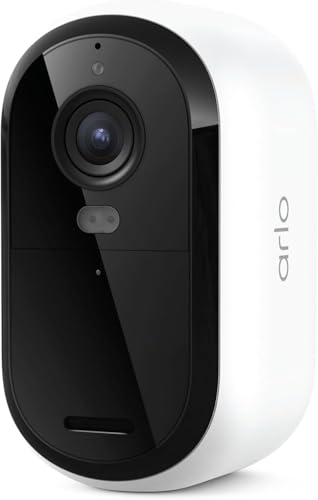

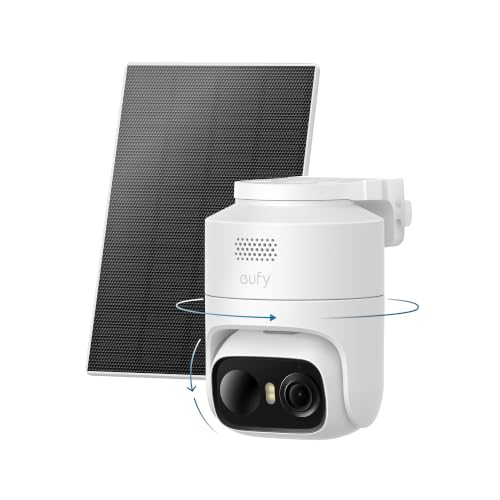
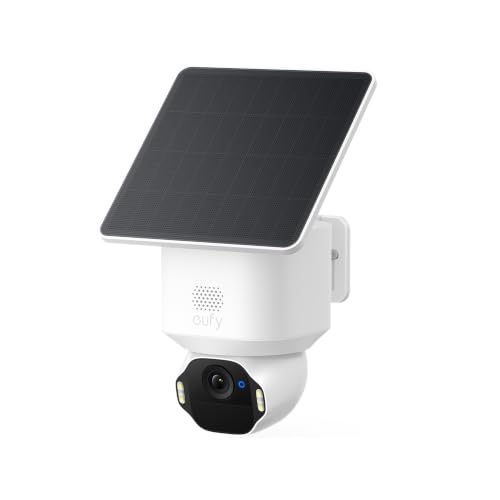

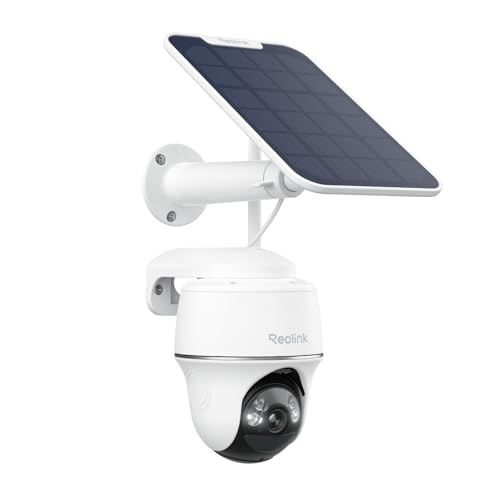
Quick Overview: What Stands Out
The Arlo Pro 5S is a battery powered camera that works indoors or outdoors and connects straight to your WiFi router, so most homes need no hub. Its headline points are 2K video, a very wide viewing angle, color footage after dark, and a spotlight built into the front face. The catch is that smart alerts and all cloud recording sit behind a paid plan, so the purchase price is only part of the story.
Arlo Pro 5S: Key Specs
The spec sheet matters most where it changes placement or picture clarity, so focus on these points.
- Video: 2K resolution with HDR and a 160 degree field of view
- Connection: dual band WiFi on 2.4 GHz and 5 GHz, no base station required
- Power: removable rechargeable battery with a magnetic charging cable
- Night footage: color night vision plus an integrated spotlight
- Audio: two way talk through the app, with a built in siren
- Use: weather resistant housing for indoor or outdoor mounting
Detection for people, packages, vehicles, and animals, along with recorded video history, comes through the Arlo Secure subscription rather than the camera alone.
First Impressions and Build
The camera is a compact rounded block in a matte white finish, small enough to sit on a bookshelf without drawing the eye. There is no visible antenna and no cable trailing to an outlet, which helps it blend into living spaces where a bulky housing would look out of place. The front face carries the lens, the spotlight, and the status light in one clean panel.
The magnetic mount makes aiming simple and lets you lift the camera down for charging, while a threaded mount point covers fixed outdoor installs. The housing feels sealed and solid for porch duty, though the smooth white finish shows dust and pollen outdoors.
How It Performs in Everyday Home Use
Specs only matter once the camera is watching a real room or driveway, so this section translates the headline numbers into daily use.
Image Quality
2K video carries more detail than standard 1080p, and that gap shows when you zoom into a face at the door or read a delivery label on the step. The 160 degree field of view covers a whole living room or most of a small yard from one corner, which can save you buying a second camera. The tradeoff is that subjects at the far edge look smaller, so placement near the area you care about still matters more than resolution alone.
Low Light Performance
After dark the camera can record in color when some ambient light is present, helped by the spotlight that switches on with motion. Color footage makes clothing and car colors easier to describe than gray infrared tones. In a fully dark side yard, the spotlight range becomes the limit, and anything beyond it falls back to softer black and white footage. Indoors at night the spotlight can feel bright, so many households rely on plain night vision in a hallway.
Ease of Use and Setup
Setup runs through the Arlo app. You create an account, scan a code, connect the camera to your WiFi, and pick a spot using the live view. Most people finish in well under half an hour, and the wire free design lets you test a position handheld before committing to screws. Family members get their own logins in the same app, so a partner can check the feed without sharing your password.
Software and Features
The app handles live viewing, motion zones, alert scheduling, and shared access, and it works with common smart home platforms. Activity zones let you ignore a busy street while still watching the porch, which cuts pointless alerts. The caveat is the subscription line. Without an Arlo Secure plan you get live view and basic motion alerts, but recorded clips and smarter detection are paid features, so judge the camera as a camera plus plan package.
Features You Will Actually Use
Some features earn their keep every week. Motion zones and alert schedules stop your phone buzzing each time the household crosses the kitchen in the morning. Two way talk is handy for telling a courier where to leave a parcel or checking on a pet from your desk. The built in siren is a porch deterrent you will rarely trigger.
Shared access is the quiet standout for a family home. Each person sees the same cameras in their own account, and you can limit a guest account to certain cameras, such as the driveway only. Geofencing can arm the system when the last phone leaves and relax it when someone returns.
Living With It: Setup, Cleaning and Upkeep
Day to day ownership is mostly about the battery. How long a charge lasts depends on how busy the spot is, so a camera over a front door facing a street needs charging far more often than one in a quiet back room. A second battery or the optional solar panel accessory cuts that chore for high mounts.
Upkeep is light. Keep the lens clear, check that the mount holds its angle after storms, and install firmware updates when the app offers them, since updates often carry security fixes. If the feed lags, the cause is usually WiFi strength at that wall.
What We Like and What We Don't About the Arlo Pro 5S
What works well:
- Sharp 2K footage and a wide view that covers a room from one spot
- Truly wire free install, so renting households can use it too
- Color night footage and a spotlight that help identification after dark
- Dual band WiFi, giving crowded home networks a second option
What to weigh:
- Cloud recording and smart detection need a paid plan
- No free local recording option on the camera itself
- Battery charging is a recurring chore in busy locations
- A premium price point next to simpler rivals
Is the Arlo Pro 5S Right for Your Household?
It suits households that want one camera type covering the porch, the living room, and the home office, with everyone able to check in from their own phone. It also fits homes already using smart speakers or displays, since it ties into the main platforms. It is a weaker match if you refuse subscriptions on principle, because so much of its value sits in the paid plan, or if your WiFi is weak at the exact wall where the camera must go.
How the Arlo Pro 5S Compares
The closest rivals split along one main line, which is where your recorded video lives and what it costs each month. If long battery life at a lower entry price matters more than detail, the blink outdoor 4 review covers a simpler camera with basic features and local storage options. It gives up the wide view, the spotlight, and the 2K detail, but asks far less up front.
If avoiding a subscription is your priority, the eufy solocam s340 review looks at a camera built around local storage and a moving lens that follows motion across a yard. That approach trades the Arlo app ecosystem and dual band WiFi for storage you control at home. The Arlo sits between the two, charging more over time for polished software and alert filtering.
Price, Deals and Warranty
The camera is sold singly and in multi camera packs, and the packs usually bring the cost per camera down if you need several spots covered. Holiday sale events are when the deepest discounts tend to appear, so timing can matter more than small weekly price moves. Arlo backs the hardware with a limited warranty. Budget for the subscription from day one.
Common Buying Mistakes to Avoid
- Ignoring the subscription cost: hardware price alone understates what you pay across the first two years.
- Mounting it too high: a camera under the eaves sees the tops of heads, so aim where faces pass through the frame.
- Skipping the WiFi check: a weak signal at the mounting wall causes dropouts no setting can fix.
- Skipping activity zones: constant alerts from a busy street drain the battery and train you to ignore the app.
- Buying a full pack first: one unit in your busiest spot tells you more about fit than several bought on day one.
Cost of Ownership and Care
Beyond the plan, running costs are modest. The battery recharges from a standard outlet and uses very little electricity across a year. Replacement batteries and extra mounts are the accessories most owners eventually buy, along with a solar panel for a camera out of easy reach. There are no filters or consumable parts to replace on a schedule.
Care habits protect that spend. Charge the battery before it sits empty for long stretches, keep spares indoors rather than in a hot garage, and store the camera dry if you take it down for a season. Handle the lens only with a soft cloth, because a scratched lens quietly undoes the benefit of the sharper sensor.
Your Questions, Answered
How do you clean the Arlo Pro 5S?
Remove the camera from its mount, then wipe the lens with a dry microfiber cloth using light circular strokes. For grime on the housing, use a cloth dampened with plain water and dry it fully before remounting. Skip window sprays and paper towels, since both can haze the lens coating over time. A soft dry brush on the speaker and microphone openings keeps two way talk clear, a detail most owners miss until audio sounds muffled.
What is a cheaper alternative to the Arlo Pro 5S?
Cameras from the Blink and Wyze lines cost less up front and cover basic live viewing and motion alerts for a single door or room. What you give up is picture detail, the wide field of view, and some smarter alert filtering. Pay less only when the camera watches a low stakes spot such as a side gate, and keep the sharper camera where identification matters, like the front door.
How long does the Arlo Pro 5S last?
The hardware should serve for several years, and the battery ages first. Rechargeable cells slowly hold less charge after hundreds of cycles, so a camera that once ran for months may need charging more often in later years. Because the battery is removable and replaceable, a tired cell does not end the life of the camera. Keeping the firmware current also matters, since app support for older models ends eventually.
What are common Arlo Pro 5S problems?
Most reports center on a few themes. Cameras at the edge of WiFi range drop offline or deliver a lagging feed, and busy locations drain the battery faster than owners expect. Alerts can also arrive a few seconds after motion starts, which matters if you hoped to speak to a visitor before they leave. Nearly all of these trace back to placement and network strength, so try one camera in its real spot during the return window.
Is the Arlo Pro 5S worth it?
It is worth it when you value sharp footage, tidy shared access for the whole household, and alert filtering that keeps notifications useful, and when you accept the plan as part of the price. It is harder to justify if you only need a simple live view of one door. The deciding question is whether you will use recorded history and smart alerts each week.
The Bottom Line
For a family home that wants flexible placement and footage clear enough to identify a face at the door, the arlo pro 5s review picture is a positive one, provided you go in clear eyed about the subscription. Compare it against the product table above, weigh the plan cost across two years, and start with one camera in your busiest spot. If it earns its place there, adding more keeps the whole system simple for everyone at home.


