
Arlo Essential 2 Review: Honest Pros, Cons & Who It's For (2026)
Disclosure: We may earn a commission when you buy through links on this page, at no extra cost to you. As an Amazon Associate I earn from qualifying purchases. Learn more

Thinking about the Arlo Essential 2? Our honest Arlo Essential 2 review covers everyday pros and cons, who it suits.
A camera over the front door has to suit everyone in the house, not just the person who installs it. This arlo essential 2 review looks at the Essential 2 as a shared family camera for a living room, a bedroom hallway, a home office, and the doors outside. It weighs picture quality, the app, and the ongoing cost of ownership, and the comparison table below sums up the headline points.
The Essential 2 is a battery powered camera that works indoors and outdoors, so one model can cover several rooms and entry points. If you are still comparing formats, our guide to the best security camera options for different homes is a useful starting point.




Quick Verdict
The short arlo essential 2 review verdict is this. The Essential 2 suits households that want one tidy camera design for indoor and outdoor spots, clear phone alerts, and no cable runs. Skip it if you refuse to pay for a subscription, because the richest alerts and the saved recordings sit behind a paid plan. It also falls short if you want continuous recording rather than motion triggered clips.
Arlo Essential 2: Key Specs to Check
Listings for this line come in more than one resolution, so read the exact version on the product page before you order.
- Resolution: HD and 2K versions exist, so confirm which one is in the box.
- Power: a built in rechargeable battery, charged with a cable.
- Connection: your home WiFi network and the Arlo app, with no base station needed for a basic setup.
- Night viewing: night vision plus a spotlight for color images after dark.
- Audio: a microphone and speaker for listening in and talking back.
- Weather: a sealed body made for outdoor mounting as well as indoor shelves.
- Recording: motion triggered clips, with cloud history tied to a plan.
First Impressions and Build
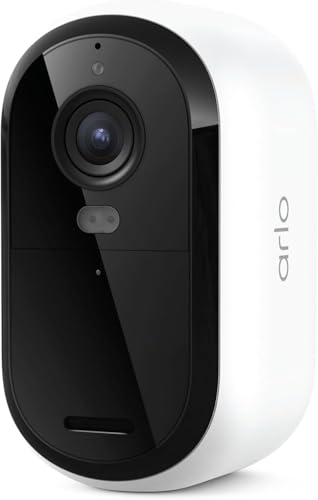
The camera is small, plain, and easy to ignore once it is up, which matters more indoors than many buyers expect. A white rounded body blends with most trim and shelving, so it looks at home in a living room rather than like shop security gear. No cables trail across the wall, and that clean look is part of its appeal for shared spaces.
The mount is simple. A bracket screws to a wall or post outdoors, and indoors many people just stand the camera on a shelf. The front face carries the lens, the spotlight, and the motion sensor in one neat panel. Because the battery is built in, the whole camera comes down for charging, so think about reach before you fix the mount high up.
How It Performs in Everyday Home Use
Performance here means ordinary moments. A parcel at the door, a child home from school, a pet wandering at night.
Image Quality
Daylight clips are clear enough to recognize faces at normal door and driveway distances, and the wide view covers a porch or a living room corner from one spot. The 2K version holds detail better when you zoom into a clip, for example to read a delivery label. Fine detail drops with distance, as on any small camera, so placement close to the action matters more than the resolution badge.
Low Light Performance
After dark the camera switches to night vision, and the built in spotlight can trigger with motion to record in color. Color clips make clothing and car colors easier to describe, which is the detail you want from a night alert. A porch light left on improves results further. Indoors at night the picture is softer, so expect to identify who moved rather than read small detail across a dark room.
Ease of Use and Setup
Setup runs through the app. You charge the camera, scan a code, connect it to your WiFi, and name the room or door it covers. Most homes will have it live within a short sitting, with no wiring and no tools beyond the mount screws. Daily use is just as simple. Open the app, tap the camera, and you get a live view.
Software and Features
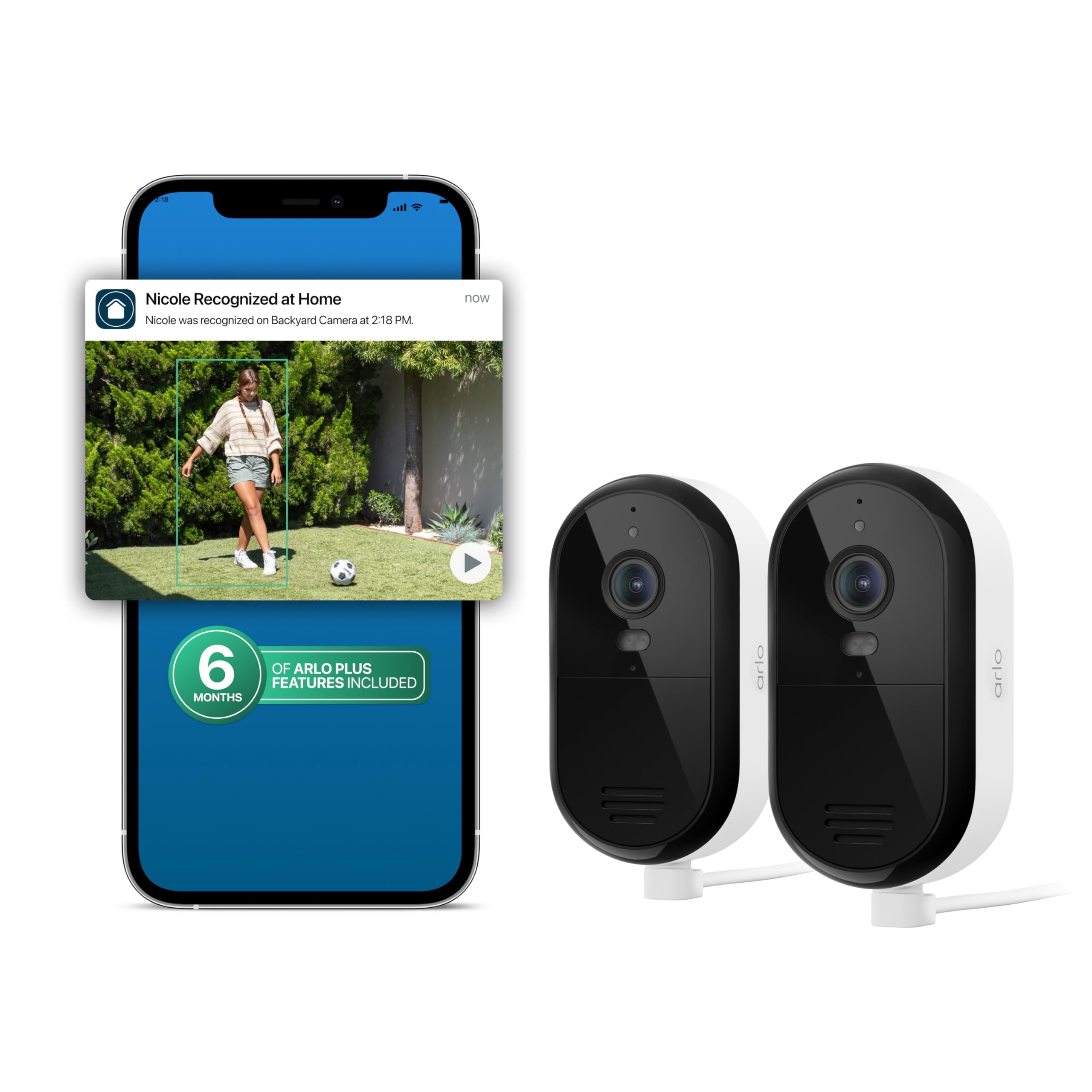
The app is the control room for this camera. It sends motion alerts, shows live views, and holds your clips in a library the whole household can check. You can share access so several phones receive the same alerts, which suits a shared home. Smarter alerts that tell a person apart from a pet or a parcel, and recording history, depend on the paid Arlo Secure plan.
Features You Will Actually Use
Some features earn their keep daily. Motion alerts to every family phone, two way talk for telling a courier where to leave a box, and the spotlight at the door all get used in the first week. Sharing access matters too, because a camera only one person can check becomes a chore. Scheduled arming is quietly valuable, so the camera can watch the doors at night and rest while the house is busy.
Other features sound bigger than they are. The built in siren may startle an intruder, but most households will trigger it rarely, if ever. Treat the headline feature list as a menu. The three or four items above are the meal.
Living With It Day to Day
The main routine is charging. A camera on a quiet hallway can go a long stretch between charges, while one over a busy front door needs the cable sooner. Build a simple habit, such as charging when the app warns you rather than after the camera goes dark. Ladder free placement makes this a five minute job instead of a project.
Upkeep is light beyond charging. Keep the mount firm, check the view after any knock or storm, and let the app install its software updates, since those updates carry fixes and security patches. Once a season, walk the view at night too, because shrubs grow and a spotlight that lit the path in spring may light a hedge by autumn.
What We Like and What We Do Not About the Arlo Essential 2
What we like:
- One camera style works indoors and outdoors, so rooms and doors match.
- No cables, which keeps living rooms and hallways tidy.
- Clear app with shared access for the whole household.
- Spotlight color recording at night at the door.
- Simple setup with no base station required.
What we do not:
- The best alerts and clip history need a paid plan.
- The whole camera comes down for every charge.
- No continuous recording, only motion triggered clips.
- A busy spot drains the battery fast and brings more alerts.
Is the Arlo Essential 2 Right for Your Household?
Families in a house with a porch, a driveway, and a living room to watch are the sweet spot. One camera type covers all three, everyone shares the same app, and the plain design does not fight the furniture. It also suits renters who cannot run cables or drill much, since a shelf indoors and one mount at the door may be all you need.
Think twice if your home office holds sensitive calls or your bedroom privacy matters to you, because any indoor camera needs clear house rules about when it is on. Think twice as well if you want recordings kept at home with no monthly bill, or if your WiFi is weak at the door where the camera must sit.
How the Arlo Essential 2 Compares
The closest contrast is with battery cameras built mainly for outdoors. Our blink outdoor 4 review covers a rival that leans on long battery life from replaceable cells and a lower cost route into door watching. The Essential 2 answers with its spotlight, its indoor friendly looks, and smart alerts.
At the other end, our eufy solocam s340 review looks at a solar powered model with a moving lens and recording kept on the device, which appeals if you want to avoid a subscription. Against both, the Essential 2 is the middle path, with a tidy camera and polished alerts for a shared home.
Price, Deals and Warranty
A single Essential 2 camera generally sells for about $40 to $110, depending on the resolution version and the season, and packs with more cameras lower the cost per camera. Sale events are common in this category, so a deal can change the value picture a lot. Add the plan cost before you judge the price, since camera and subscription together are the real purchase. The camera carries a limited warranty, so confirm the term and keep your receipt.
Common Buying Mistakes to Avoid
- Ordering the wrong resolution version: HD and 2K listings look alike, and you may pay for one while expecting the other.
- Mounting the camera too high: a steep angle sees the tops of heads and makes faces hard to recognize.
- Ignoring the plan cost: buyers who skip the subscription lose the smart alerts and the clip history they saw advertised.
- Placing it beyond strong WiFi: a camera at the far end of the garden may drop offline and miss the moments it was bought for.
- Expecting one camera to cover a whole home: blind spots behind the house stay blind, no matter how wide the lens is.
Cost of Ownership and Care
The camera itself uses very little power, so charging costs pennies across a year. The real running cost is the Arlo Secure plan, priced per month, which unlocks smarter alerts and a rolling library of clips. A household with several cameras should compare the single camera and whole home plan tiers, because the cheaper tier per camera can become the dearer one as you add doors.
Protect that spend by bringing the camera indoors to charge at room temperature rather than leaving it on a cold porch step. Batteries age faster when they sit empty, so a camera stored for a season should sit partly charged and be checked now and then.
Your Questions, Answered
How do you clean the Arlo Essential 2?
Wipe the lens and the front face with a soft, dry cloth, and use a cloth barely damp with water only if dust or pollen film will not shift. Never use household sprays or solvents, which can cloud the lens cover. Clean the charging contacts as well, and make sure the port area is dry before you plug the cable back in.
What is a cheaper alternative to the Arlo Essential 2?
A basic indoor camera that plugs into the wall is usually the cheapest alternative, and it skips battery charging as a bonus. The catch is placement, since it must live near an outlet and cannot watch a door outside. Compare total cost over a few years, because a cheap camera with free local recording can undercut a dearer one that needs a plan.
How long does the Arlo Essential 2 last?
The hardware should serve for several years of daily use, and the battery is the part that ages first. Over time it holds less charge, so a camera that once ran for months between charges asks for the cable more often. When charging becomes frequent and software updates end, replacement makes more sense than nursing it along.
What are common Arlo Essential 2 problems?
The problems owners report most are delayed alerts, the camera dropping offline, and faster than expected battery drain. Work through them in order. Check the app alert settings first, then the WiFi signal at the mount, then look for a busy detection area such as a road or a tree in wind. A camera that still misbehaves may need a software update or a new mount spot.
Is the Arlo Essential 2 worth it?
It is worth it if your household will use shared alerts and the clip library every week, because that weekly use is what the plan pays for. It is harder to justify as a camera you check once and forget. Homes that already run other Arlo cameras get extra value, since one more camera joins the same app and plan.
The Bottom Line
The Essential 2 is a neat, flexible camera for a shared home, strongest at doors and in living spaces, and weakest where a subscription or a charge gets in the way. Check the version, the WiFi at your mount, and the plan price, then weigh it against the product table above. The arlo essential 2 review conclusion is simple. For the right household, it is an easy camera to live with.


