
Best Robot Toys: Everything to Know Before Your First Purchase (2026)
Disclosure: We may earn a commission when you buy through links on this page, at no extra cost to you. As an Amazon Associate I earn from qualifying purchases. Learn more

Robot toys explained for first time buyers, from RC and interactive robots to coding robots and building kits.
Robot toys range from simple remote control figures that dance and sing to coding robots used in classrooms and building kits that teach real electronics. For a first time buyer, the labels, age ranges and app requirements can feel confusing. This guide to the best robot toys starts with the basics, explains the key specs in plain English and ends with setup tips and answers to common questions.
You do not need a tech background to choose well. By the end, you will know which type of robot fits a child's age, interests and attention span, and what to check before you buy.



Robot Toys 101: The Basics
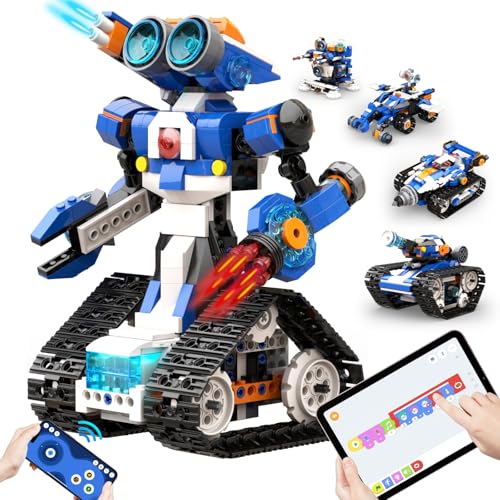
A robot toy is a toy that moves and reacts on its own or follows commands, using motors, sensors and a small built in computer. Some are ready to play out of the box, while others are kits that kids build first. Most fall into four broad groups.
Remote control and interactive robots respond to a remote, gestures, touch or voice.
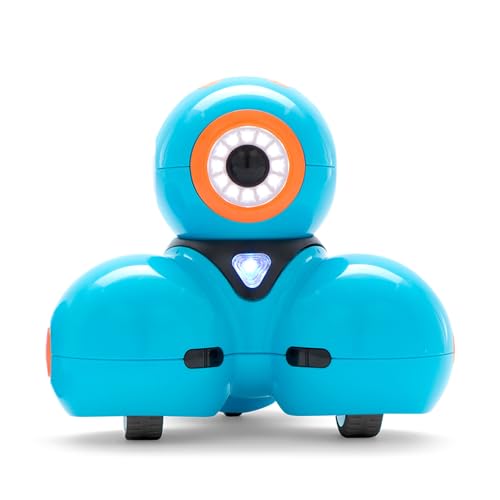
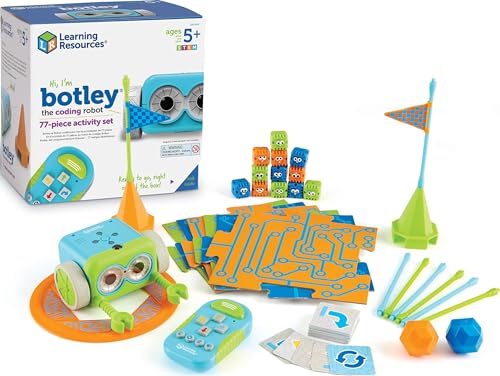
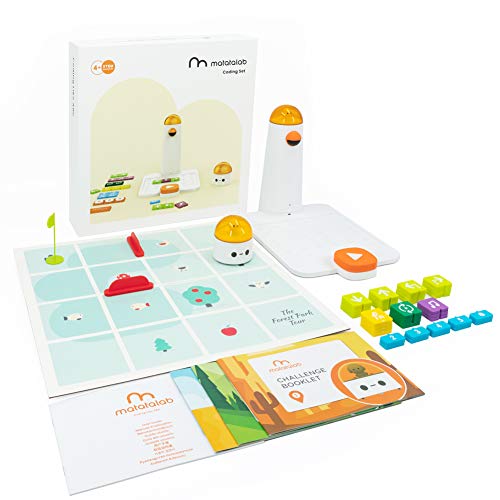
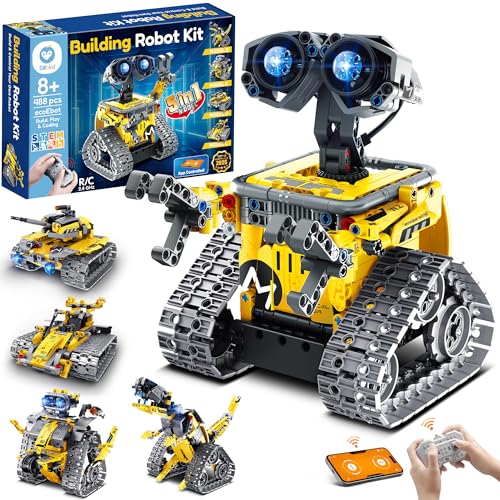
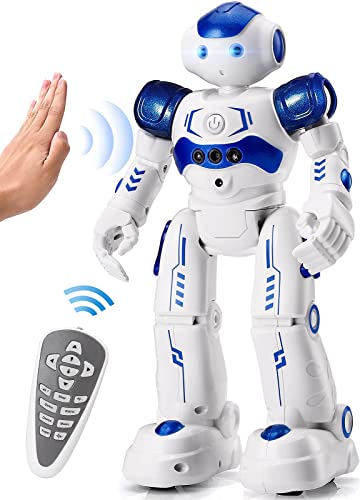
The KingsDragon RC robot, for example, responds to an infrared remote and hand gestures and can record and play back up to 50 actions. Screen free coding robots, like Learning Resources Botley and Matatalab, teach young kids programming logic with buttons, cards or physical coding blocks instead of a tablet. App based coding robots, like Wonder Workshop Dash, use apps with drag and drop blocks to program movement, sounds and lights. Robot building kits, like Makeblock mBot, LEGO Boost and Sillbird kits, combine construction with coding.
A few terms help. Sensors let a robot detect objects, lines, sound or touch. Block coding means snapping visual command blocks together, as in Scratch or Blockly. Screen free means no phone or tablet is required.
Key Specs of the Best Robot Toys, Explained in Plain English
Age Range and Skill Level
Age labels are the best starting point, since makers base them on skill level and safety. Screen free coding robots suit the youngest children: Botley is labeled for ages 5 and up and Matatalab for ages 4 and up.
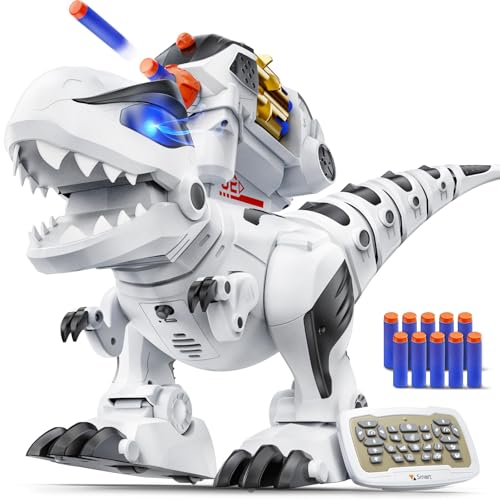
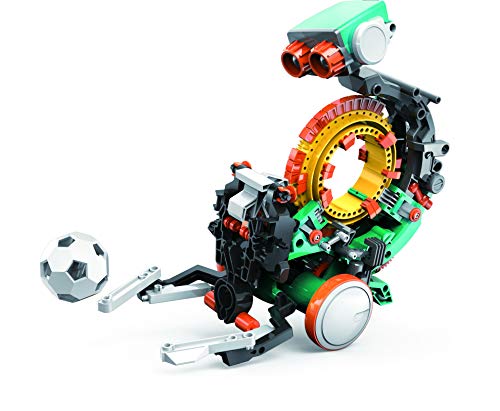
Interactive and RC robots like the Ruko 8809 dinosaur, labeled for ages 3 to 8, focus on play. App based robots like Dash suit ages 6 to 11, while building and coding kits like Makeblock mBot (ages 8 to 12) and Teach Tech Mech-5 (ages 10 and up) suit older kids. Toys sold in the US should meet the ASTM F963 toy safety standard, so buy from established sellers.
Educational Benefits
Many robot toys teach STEM skills through play. Coding robots introduce sequencing, loops and problem solving; Wonder Workshop says Dash teaches concepts like sequencing, loops, algorithms and variables and is used in more than 40,000 schools.
Building kits add engineering and fine motor skills, and mBot grows from Scratch style blocks to Arduino programming. Interactive robots focus more on imaginative play, though programmable features like the Ruko's 50 command memory still build planning skills. Choose a robot that stretches a child's skills a little without frustrating them.
Power, Apps and Setup
Check how the robot is powered and what it needs to run. Some use rechargeable batteries with USB charging, like Dash and the KingsDragon robot, while others need disposable batteries; Botley needs 5 AAA batteries and a Phillips screwdriver. App based robots need a compatible phone or tablet; Dash works with Apple iOS, Android and Fire OS apps. Screen free robots like Botley and Matatalab need no device at all, which many parents prefer for young kids.
Durability and Storage
Robots get dropped, bumped and driven into walls. Sturdy ABS plastic, like the KingsDragon's non toxic ABS body, and solid wheels handle rough play best. Building kits have many small parts, so storage matters; the LEGO Boost Creative Toolbox has 847 pieces, and Botley's activity set includes 77 pieces. Keep the box or a labeled bin for parts, and store robots dry and charged.
Sensors and Interaction
Sensors decide how lively a robot feels. Botley can detect objects in front of it, avoid them and follow black line paths, which makes obstacle courses part of the fun. Dash responds to voice commands and can navigate around obstacles. The Ruko dinosaur reacts to a tap on its forehead by shaking its head, wagging its tail and roaring. The KingsDragon robot follows hand gestures as well as its remote. Robots with more sensors offer more ways to play and more coding challenges, so they tend to hold a child's interest longer than robots that only follow a remote.
Room to Grow
The best robot purchases grow with a child. Makeblock mBot is compatible with add on packs and more than 100 electronic modules, and it moves from block coding to Arduino as skills develop. Dash works with building brick connectors and several apps with rising difficulty. The Sillbird and Apitor kits build several different robots from one box. If a child already enjoys building toys, a kit with multiple models or expansion options gives the most value over time.
Number of Pieces, Players and Play Time
Ready to play robots work within minutes, while kits take longer. Makeblock says mBot builds in about 15 minutes, while large kits like LEGO Boost take several sessions. Most robots suit one child at a time, but coding robots like Botley and Dash work well for siblings or classroom groups taking turns. Longer play value comes from robots with many activities, challenge cards, apps or add on packs.
Gift Worthiness and Price
Robot toys fall into rough price bands. Simple interactive and RC robots cost around $27 to $90, such as the KingsDragon around $27 and the Ruko dinosaur around $90.
Screen free coding robots cost around $76 to $170, including Botley and Matatalab. App based and premium kits cost around $70 to $270, from Makeblock mBot around $70 to Dash around $180 and LEGO Boost around $270. Big, interactive robots make strong wow gifts, while coding robots make lasting educational gifts.
Rookie Mistakes to Avoid
- Ignoring the age label. A kit made for 10 year olds can frustrate a 6 year old, and a preschool robot bores older kids quickly.
- Forgetting batteries or devices. Check whether batteries, a screwdriver or a tablet are needed so play can start on day one.
- Buying only for the wow factor. Flashy robots can lose appeal fast if they have few activities.
- Overlooking small parts. Building kits contain small pieces that are a choking hazard for younger siblings.
- Skipping the learning curve. Coding robots shine when an adult helps with the first few sessions.
Getting Started: Setup and First Use
- Check age labels and small part warnings. Keep kits with small pieces away from toddlers.
- Charge or install batteries first. Fully charge rechargeable robots before the first session.
- Download apps ahead of time. Install any required app and update the robot's firmware before gifting.
- Start with built in activities. Use included cards, challenges or tutorials before free play.
- Store pieces in labeled bins. This keeps kits complete and makes cleanup part of play.
FAQs
How long does it take to set up and play?
Ready to play robots like the KingsDragon RC robot work within minutes once charged. Screen free coding robots like Botley take a few minutes to install batteries and learn the buttons. Building kits take longer: mBot builds in about 15 minutes, while large kits like LEGO Boost can take several sessions. Most children play in 20 to 45 minute sessions, and robots with apps, challenge cards or add ons hold interest for months.
What age is it best for?
Robot toys suit children from about 3 years old through the teen years, depending on the type. Interactive and RC robots work for ages 3 and up.
Screen free coding robots fit ages 4 to 8. App based coding robots suit ages 6 to 11, and building and coding kits suit ages 8 and up. Always follow the maker's age label for both skill and safety.
Is it worth the price?
Coding robots and building kits are usually worth the price because they teach real skills and offer many activities that grow with a child. Simple RC robots cost less and deliver fun, but often less long term play. Look at what is included, such as activity cards, app lessons or expansion options, and whether the robot matches the child's age, which drives how long it stays in use.
Is it a good gift?
Yes, robot toys are popular gifts for birthdays and holidays. Large interactive robots like the Ruko dinosaur deliver excitement, while coding robots like Dash and Botley make lasting educational gifts. Check what extras are needed, such as batteries or a tablet, and include them so the gift works right away. For younger kids, see our toys for 1 year olds guide.
Are robot toys safe for young children?
Robot toys from established brands are generally safe when used within the labeled age range. Keep building kits with small parts away from children under 3, supervise charging of rechargeable robots and check that battery doors close securely. Soft dart features, like those on the Ruko dinosaur, should never be aimed at faces.
Do robot toys need WiFi or an account?
Most do not. Remote control and screen free coding robots work without any internet. App based robots connect to a tablet by Bluetooth, and some apps ask for an account. Dash does not contain a camera, according to Wonder Workshop, which some parents prefer for privacy.
Final Thoughts
Three things matter most when choosing a robot toy: an age range that matches the child, the right balance of play and learning and what is needed to start, such as batteries or a tablet. Young children do well with screen free coding robots like Botley or Matatalab, or fun interactive robots like the Ruko dinosaur. School age kids get great value from Wonder Workshop Dash or Makeblock mBot, and older builders will enjoy LEGO Boost or Teach Tech kits. Pair a robot with our building toys for kids and LEGO tables guides, then check the product table above to choose from the best robot toys for your child.


