Best Computer Speakers for 100 Dollars: The Buyer Checklist for 2026
Disclosure: We may earn a commission when you buy through links on this page, at no extra cost to you. As an Amazon Associate I earn from qualifying purchases. Learn more
Use this buyer checklist to find the best computer speakers for 100 dollars, covering sound, battery, durability, and connection checks before you spend.
Spec sheets at this price are full of big wattage claims and codec badges, yet two speakers with similar numbers can sound completely different at your desk. A checklist keeps you honest: judge sound first, then the features your routine needs, then build quality and warranty. That is how you find the best computer speakers for 100 dollars without paying for decoration.
Below, each evaluation area explains what good looks like and where the weak points hide. Use the comparison table below as you read, and score every candidate against the same list.

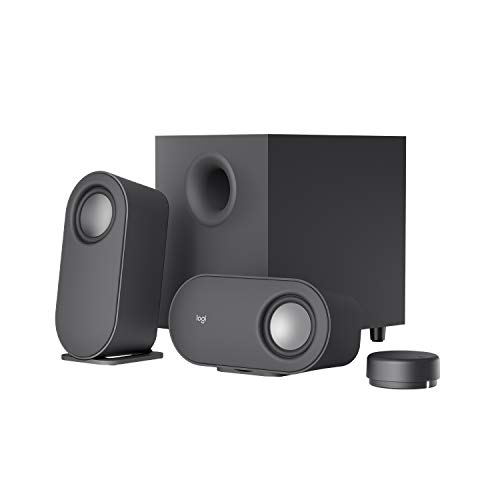

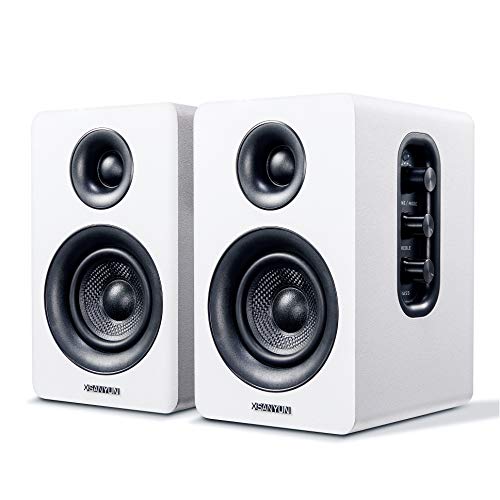
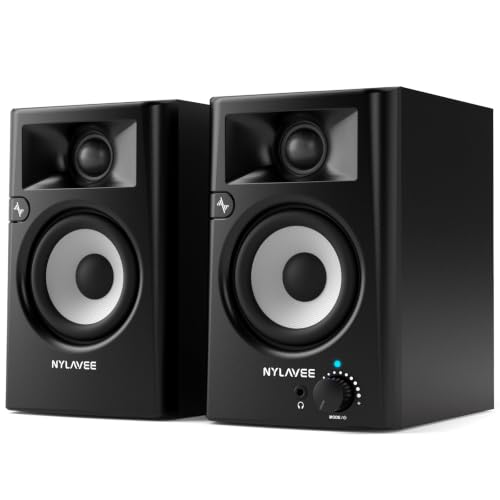
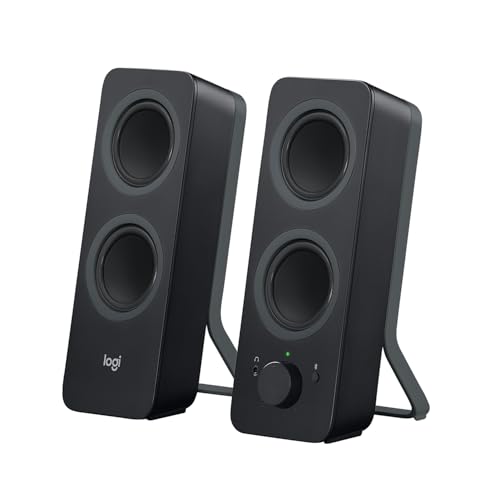
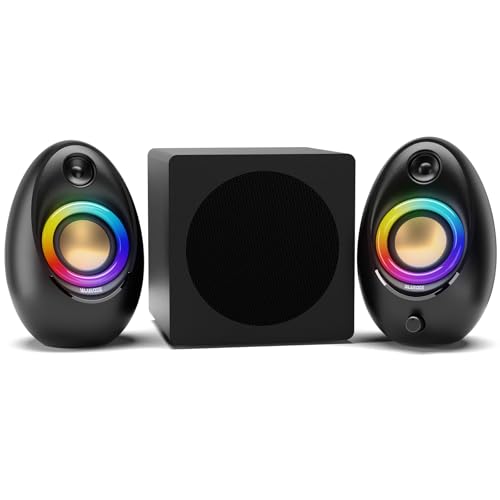
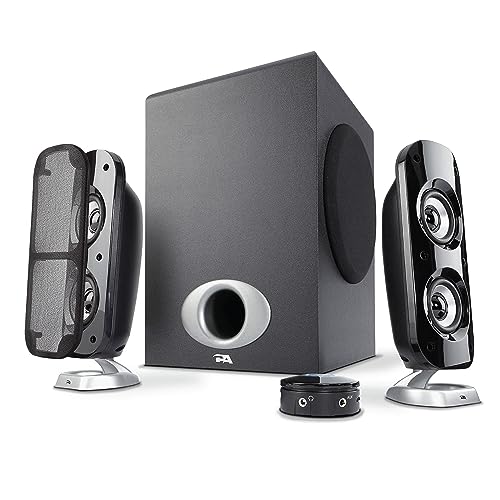
How We Evaluate Computer Speakers
Features That Matter for 100 Dollars
At exactly this budget, expect clear stereo sound, usable controls on the speaker itself, and at least two ways to connect. A strong candidate offers Bluetooth 5.3 or a USB audio input, plus an aux port for older gear. Points off for features that duplicate each other or exist only in an app. The checklist mindset matters because the tier is crowded; our guide to the best computer speakers under 100 dollars shows how slightly cheaper models trim these same features.
Sound Quality and Tuning
Good sound at this price means voices that stay clear at low volume and bass that supports music without swallowing dialogue. Look for drivers of about 2.5 to 3 inches and a stated frequency response reaching near 70 Hz at the low end. Tuning should stay balanced; heavy bass boost impresses in a shop demo and tires your ears at a desk. Deduct points for distortion at high volume, hiss at low volume, or a sound that changes sharply when you move your head.
Battery Life and Charging
Portable models should promise at least 12 hours of play and deliver most of that at real listening levels. USB C charging earns points because one cable can serve your phone, laptop, and speaker. Fast charging that returns several hours of play from a short plug in session is genuinely useful before a trip. Wired desktop models skip this category entirely, which is itself an advantage for a fixed desk: no battery to age and no charge to forget before a workday.
Durability and Water Resistance (IP Rating)
Judge durability by cabinet rigidity, grille protection, and button feel before you look at any IP number. For portable models, IP67 means dust tight construction and survival after a short immersion, while IPX4 handles splashes only. Desk only speakers rarely carry a rating, and that is acceptable if the build feels solid. Deduct points for thin plastic that flexes when pressed, exposed drivers with no grille, or port covers that hang loose, since those details predict how the speaker ages.
Microphone Quality
A built in microphone turns a speaker into a speakerphone for calls and voice chat, and quality varies widely. A good mic keeps your voice clear from about an arm length away and rejects keyboard clatter reasonably well. Check this early if you take calls daily, because a muffled mic cannot be fixed later. For gaming chat on Discord or team calls, note that a dedicated headset mic still wins; the speaker mic is a convenience feature, and it should be scored as one rather than a headline reason to buy.
Noise Cancellation and Isolation
Score this category carefully, because speakers do not perform active noise cancellation for listeners in a room. What some models offer is noise reduction on the microphone, which cleans up your voice for callers. That is worth a point if you present or teach online. For your own listening, isolation comes from placement near your chair and enough clean volume to rise above household noise without distortion. Any listing that promises ANC listening from a speaker deserves skepticism and loses checklist points for honesty.
Connectivity (Bluetooth Version, Codecs, Wired)
Connectivity decides daily frustration more than any other category. Bluetooth 5.3 with multipoint lets a laptop and phone stay paired together, ending the unpair and repair dance. Codec support for AAC or aptX helps on matching devices, though standard SBC is fine for video and casual listening. Wired options remain the gold standard for zero delay gaming and editing, so a speaker offering both wireless and a wired input scores highest. Check the Bluetooth range claim too; about 30 feet through walls is realistic and plenty for most rooms.
Three Profiles That Pass Our Checklist
The Balanced Profile
The strongest all around pattern at this price pairs a wired USB or aux input with Bluetooth 5.3, drivers near 3 inches, and front mounted controls. Expect to pay around $90 to $100 for this profile, and expect it to handle work calls, music, and films without a weak area. Its usual limitation is size: balanced performers are rarely the smallest on the desk. If one candidate matches this profile and carries a two year warranty, it is the safe benchmark against which cheaper options must justify their savings.
The Value Profile
Value at this tier means spending around $60 to $80 and giving up extras rather than sound. Typical cuts are multipoint pairing, app based EQ, and premium cabinet materials, while driver quality and honest power output stay close to the top tier. The limitation to accept is a shorter feature list and sometimes a one year warranty. Buyers comparing the wider field can cross check prices with our guide to the best speakers for 100 dollars beyond computer specific models. Value profiles suit students and second desks perfectly well.
The Compact Profile
Compact models trade bass depth for a small footprint, using drivers around 2 inches in a single bar or mini pair. Around $50 to $80 buys a tidy unit that lifts laptop audio dramatically for calls and video, with USB power keeping cables minimal. The honest limitation is low end: film scores and electronic music will sound thin, and volume for a large room is limited. Choose this profile when desk space is the binding constraint, and plan placement close to your seat so the small drivers work at comfortable levels.
Quick Buyer Checklist
- Does the speaker offer the connection your computer actually has: USB, aux, or Bluetooth?
- Is the frequency response stated with a tolerance, rather than a bare range?
- Can you reach the volume control without opening an app or system menu?
- Does the size fit your desk with room for the stereo pair to sit apart?
- Is the warranty at least one year, with a clear support contact?
- For portable models, does the battery rating exceed 12 hours with USB C charging?
- Would you still choose it if the light effects and extra badges were removed?
Red Flags to Watch For
Walk away from listings with vague power claims such as huge wattage with no measurement standard, since honest makers state RMS output. Treat missing frequency response data, absent warranty terms, and a flood of similar sounding glowing comments as warnings. Very short return windows and no named support channel suggest a seller who will vanish after checkout. Also be wary of speaker listings advertising headphone style features like ANC listening or ear tips; mismatched copy often means mismatched engineering. When in doubt, compare candidates in the product table above against each red flag.
Tips to Get the Most From Your Computer Speaker
Keep firmware updated on wireless models, because makers quietly fix pairing and battery issues through updates. Position the pair at ear level and angled toward you before judging the sound; placement fixes more complaints than any setting. Keep the grilles dust free with a soft brush, and store a portable speaker in its case so the drivers survive travel. Small care habits like these protect the clarity you paid for.
Best Computer Speakers for 100 Dollars: Your Questions Answered
What features matter most in computer speakers for 100 dollars?
Sound clarity, the right connections, and reachable controls matter most. At this budget you can also expect Bluetooth 5.3 or USB audio and a stated frequency response. One overlooked point is stereo width: two separate cabinets almost always image better than a single bar of the same price. Score features against your own routine rather than the longest list, because unused extras add cost and complexity without improving a single listening session.
What IP rating do I need for outdoor use?
Choose IPX4 at minimum for a covered patio and IP67 if the speaker may face rain, dust, or poolside splashes. The rating applies only to the speaker, so keep your computer indoors and stream over Bluetooth. Also remember that outdoor listening usually means higher volume, which cuts battery life noticeably. A model rated for long play at moderate volume may last half as long outdoors, so size your battery expectations with that discount in mind.
How long does the battery last?
Typical portable models at this price run about 12 to 20 hours at moderate volume, less with heavy bass music played loudly. Wired desk models have no battery at all, which many buyers count as a feature. Check whether the speaker works while charging; that detail rescues forgotten charge days. Battery capacity also fades slowly over years, so a model that starts with generous headroom will still serve well long after a marginal one feels tired.
Wired or wireless: which sounds better?
Wired holds a small edge at equal prices because the budget skips batteries and radios, and it adds zero delay for games and editing. Wireless has closed most of the quality gap for music and video, especially with Bluetooth 5.3 and a good codec match. Many buyers settle the question with a hybrid: our guide to the best computer speakers for 100 explains the type trade offs in more depth if you are still torn between the two.
Do I need a special codec?
No special codec is required for satisfying sound. SBC works everywhere, AAC suits Apple devices, and aptX can trim delay when both ends support it. The bigger wins are a stable Bluetooth 5.3 connection and good drivers. Spend attention on those first. If you edit video or play rhythm games, skip codec shopping entirely and use the wired input, because no wireless codec fully removes the delay that makes precise timing feel off.
Final Thoughts
Run every candidate through the same checklist: honest sound, connections that match your computer, solid build, and a real warranty. The best computer speakers for 100 dollars for your desk will score well on the points your routine touches daily, not on every line of a spec sheet. Compare your finalists in the product table above, and if your budget can flex slightly, our guide to the best computer speakers under 100 covers the near neighbors worth a look.