Best Computer Speakers for MacBook Pro 2026: Buying Guide
Disclosure: We may earn a commission when you buy through links on this page, at no extra cost to you. As an Amazon Associate I earn from qualifying purchases. Learn more

The best computer speakers for macbook pro add width and bass to a capable laptop; compare ports, placement and sound for desk or travel.
A MacBook Pro already has capable speakers for a laptop, so external ones need to offer something the built in pair cannot: wider stereo, deeper bass and enough clean volume for a room. The best computer speakers for macbook pro owners are the ones that add that quality and still pack away or plug in with a single cable when the laptop moves.
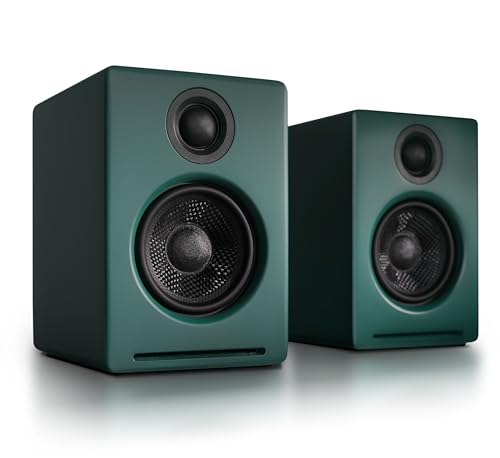
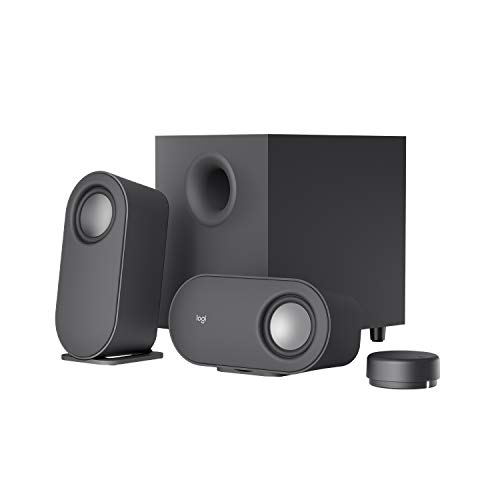
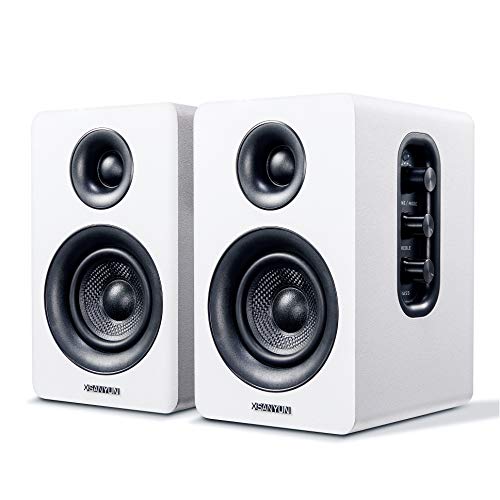
The product table below lines up desk speakers and soundbars that suit a laptop based desk. The sections after it cover ports, placement and the difference between a fixed desk and a bag you carry every day.


Fixed Desk or Carry Every Day
The first decision is whether the speakers live on one desk or travel with you. A fixed desk can take larger bookshelf cabinets with a stronger sound, while a traveling setup needs something small, light and powered from USB or a battery.
If you do both, consider a larger pair at home and a compact portable speaker in the bag, rather than asking one set to do two jobs. Each can be chosen for what it does best.
Choosing the Best Computer Speakers for MacBook Pro
Ports and Connections
A modern MacBook Pro offers a small number of ports, and a dock or hub often takes several of them. Think about how the speakers will connect once the display, storage and charger are in place. A USB cable that carries audio and power, or a Bluetooth link that reconnects automatically, keeps the desk simple.
Clamshell Use With an External Display
Many owners close the lid and work on a larger screen. In that case the laptop speakers go silent, and the external speakers become the only sound source. Set the output device in the sound settings and confirm that the speakers wake with the laptop, because a pair that needs a button press every morning becomes a daily annoyance.
Placement Beside a Laptop Stand
A laptop on a stand sits higher than one flat on the desk, which changes where the speakers should go. Aim for tweeters near ear level, with the cabinets level with or slightly outside the stand. Leave a few inches behind them if they have a rear port.
Sound Character
Because the built in speakers handle voices reasonably well, the gain from a pair is mainly in low end and width. Look for a balanced tuning with controlled bass rather than a loud boost that blurs voices. A tone control helps match the pair to a desk against a wall.
Types That Suit a MacBook Pro Desk
Compact Powered Pair
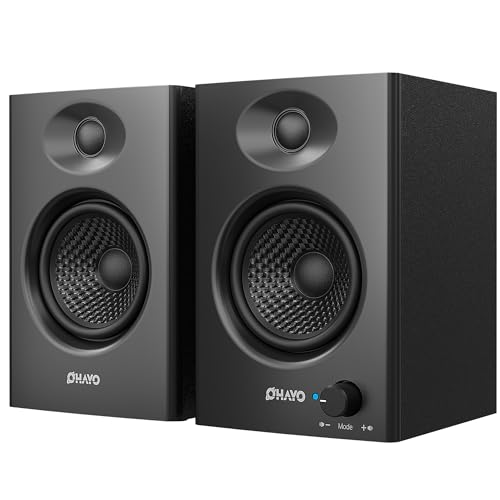
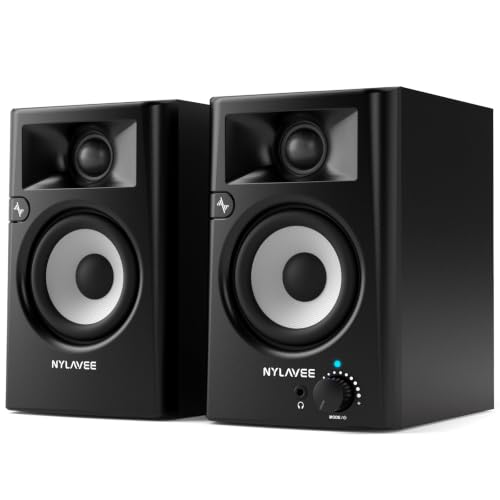
A small powered pair works for most laptop desks, giving a clear stereo image without crowding the stand. It runs from the wall or from USB, and it suits music, video and calls. Bass is limited, but it is a big step up from the laptop alone.
Larger Bookshelf Pair
A larger pair gives fuller bass, a wider soundstage and more headroom for films. It needs desk width and a power socket. It is the right choice if the laptop is mostly docked and sound quality matters.
Desk Soundbar
A soundbar tucks under or in front of the laptop stand and keeps cables minimal. It suits small desks and shared spaces, although the stereo image is narrower than with two cabinets.
Portable Bluetooth Speaker
A portable Bluetooth speaker travels easily and pairs without cables. It suits hotel rooms and shared tables, but a single small unit cannot match the stereo width of a desk pair.
Budget Guide
Around $50 to $100 buys a compact pair that clearly beats laptop sound for calls and casual music. Between about $100 and $250 you gain larger drivers, better tone control and more inputs. Above that, you are paying for refinement, larger cabinets and finer tuning that matter mainly in a quiet room.
Spend a little on the basics around the speakers as well: short stands or pads that lift the cabinets, and a good cable if the pair ships with a thin one. These small items change the sound more than a modest price step does.
Packing a Portable Setup
If the speakers travel, build a small kit around them: a short USB C cable, a padded sleeve and a charger that fits your laptop bag without crowding it. Keep the cable and the speaker together so nothing gets left in a hotel room, and charge battery models the night before.
At a new desk, set the output device first, then raise the speakers a little with whatever is nearby, a book or the laptop box, so the tweeters sit near ear level. Those two steps take a minute and make a small portable speaker sound larger than its size.
Everyday Use and Care
Place the speakers at ear height, keep cables tidy and avoid blocking the ports on the laptop or the dock. Follow the maker advice for cleaning and avoid harsh chemicals on the cabinets. Store a portable speaker in a padded sleeve so the drivers survive a bag.
Check the sound settings after every software update, because the output choice can reset when you change displays or docks. If you hear a hum, try a different USB port or a short cable before assuming the speakers are at fault.
Related Guides
For wider room options, see best speakers for macbook pro and the best external speakers for macbook pro. If you want to cut cables, compare the best wireless speakers for macbook pro, or browse best speakers for my macbook pro for a different angle.
Frequently Asked Questions
How do I choose the right size of speakers for a MacBook Pro desk?
Measure the space beside the laptop stand and decide whether the speakers stay put or travel. A compact pair suits most laptop desks, while larger cabinets need width and depth. Leave clearance behind rear ported cabinets.
How much should I spend on speakers for a MacBook Pro?
Many buyers find a good balance between about $100 and $250, with simple pairs for less and larger sets for more. Compare build quality, inputs and tone control inside your range rather than chasing the highest price.
Which connection works best with a MacBook Pro?
USB gives clean digital audio and can power small speakers, a 3.5 mm cable works with almost anything and Bluetooth removes the cable. Choose by how many ports a dock leaves free and whether you want one cable or none.
Do external speakers help when the lid is closed?
Yes, they become the only sound source, so pick a pair that wakes with the laptop and has a volume control you can reach. Set the output device once and check it after display changes.
Are these speakers suitable for first time buyers?
Yes, a simple powered pair with USB or Bluetooth is easy to set up and forgiving of placement. Start with the main use, whether music, calls or video, and add extras later if you need them.
Final Thoughts
Decide whether the speakers stay at a desk or travel, check the connection against your ports and choose a balanced sound over loud bass. That path leads to the best computer speakers for macbook pro use without wasted features. Compare the options in the product table above and pick the pair that suits your routine.