Best Computer Monitors for Gaming under 200: Every Type Explained Side by Side for 2026
Disclosure: We may earn a commission when you buy through links on this page, at no extra cost to you. As an Amazon Associate I earn from qualifying purchases. Learn more

Compare the best computer monitors for gaming under 200 by type, with clear guidance on panels, refresh rates, screen size, and sync features.
Shopping on a tight budget can feel confusing because listings all promise speed, color, and size at once. This guide sorts the best computer monitors for gaming under 200 by type first, so you can see what each style does well and where it cuts corners. The product table above gathers the options in one place for a quick scan.
Once you know which type fits your desk and your games, the details get easier to judge, from panel choices and refresh rates to the features worth protecting.




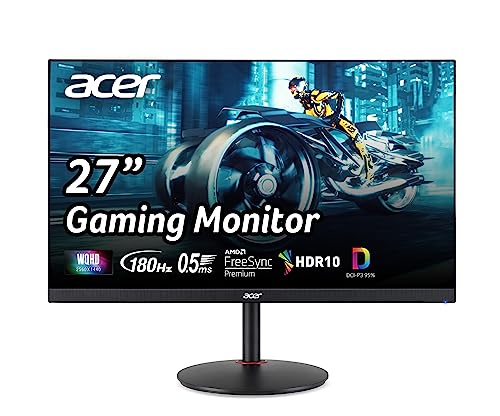
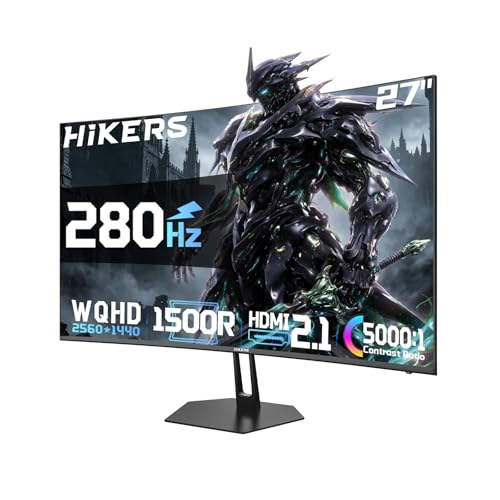
Types of Computer Monitors Compared
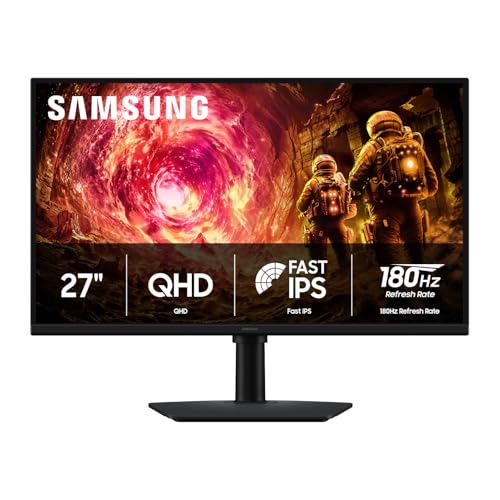
At this price, monitors fall into three broad types, and each trades something away. Large screen models give immersion and room for split windows but run at a modest refresh rate. Speed focused models stay smaller to push higher refresh rates for the same money. Budget displays cost the least and cover casual play well, though their stands and motion handling are basic.
Large Screen Options
Large screen options in this range usually mean 27 inch or 32 inch panels at 1080p or 1440p resolution. A bigger picture makes story driven games and open worlds feel more absorbing, and the extra space helps when you also work on the same desk. Sharpness is the trade off, since 1080p on 32 inches shows pixels up close.
Refresh rates on these larger models often sit at 75 Hz to 100 Hz, which is smooth enough for relaxed single player games. Choose this type if immersion and screen space matter more than split second reaction speed. Measure your desk depth first, since a large panel too close forces constant head turning.
Gaming Displays Built for Speed
Gaming displays built for speed are usually 24 inch or 25 inch screens with refresh rates of 144 Hz, 165 Hz, or 180 Hz at 1080p. The smaller canvas is what allows the higher speed at this price, and fast motion looks clearer with less blur. Competitive players in shooters and sports titles value that clarity over sheer size.
These monitors often use fast IPS or fast VA panels with response time ratings around 1 ms, though motion clarity varies by model. You give up screen space and some cinematic feel. Pick this type if you play ranked matches and sit at a normal desk distance.
Budget Displays for Casual Play
Budget displays are the entry point, often 22 inch to 24 inch screens at 1080p with refresh rates from 60 Hz to 100 Hz. They handle indie games, strategy games, and everyday computing without strain. Colors and viewing angles depend on the panel, so an IPS version is the safer buy.
Expect simple stands with tilt only, one or two video inputs, and basic or absent speakers. That suits a first setup or a second screen, and the product table above shows which budget models still include adaptive sync.
Large Screen Options vs Gaming Displays: Which Should You Choose?
Start with the games you play most. Fast competitive titles reward the high refresh rate of the smaller speed focused type, while slower cinematic games reward the scale of a large screen. A 144 Hz panel also makes scrolling and mouse movement feel smoother.
Next, consider your graphics card. A high refresh monitor only helps when your system can produce high frame rates, so a modest card pairs better with a larger 75 Hz or 100 Hz screen.
Desk space settles many ties, since a deep desk suits 27 or 32 inches while a shallow desk favors 24 inches. A 27 inch model around 144 Hz, when found under $200 on sale, is the middle path, and our guide to the best computer monitors for gaming explains how that balance changes at higher budgets.
How to Choose the Right Computer Monitor
Type tells you the shape of the purchase, but the specifications decide whether a specific model is a good one. Work through them in order to judge any listing for the best computer monitors for gaming under 200 without relying on marketing labels.
Panel Technology: IPS, VA, OLED, and Mini LED
IPS panels offer accurate color and wide viewing angles, so the picture stays consistent when you share the screen. VA panels deliver deeper contrast, making dark scenes look richer, though some VA models smear dark moving objects. Under this budget you will shop almost entirely among IPS and VA models.
OLED and Mini LED sit above this price range, so treat any listing that implies them under $200 with caution. OLED gives perfect blacks but costs far more, while Mini LED improves backlight control on premium LCD screens.
Ports, Sound, and Stand Features
Most monitors here offer HDMI and DisplayPort, and DisplayPort often unlocks the full refresh rate on a PC. A VESA mount pattern, usually 75 mm or 100 mm, lets you add a monitor arm later, which is the easiest way to fix a wobbly or low stock stand.
Built in speakers on budget monitors are typically weak and best treated as a backup for calls or system sounds. If audio matters, plan on headphones or speakers instead. Height adjustment matters more, since it protects your neck, and readers comparing general use models can also see our guide to the best computer monitors under 200 for how stand quality varies at this price.
What You Can Realistically Get for under $200
Around $150 to $200 buys a genuinely capable gaming monitor in spec terms: 1080p resolution, 144 Hz or higher on smaller screens, adaptive sync, and a decent IPS or VA panel. Extras get cut, such as USB hubs, height adjustable stands, and wide color coverage. HDR labels here rarely mean true HDR performance, so do not pay a premium for that badge.
Spend on the panel, the refresh rate, and sync support first, because those shape every minute of play. A sharp and fast 24 inch screen feels better in games than a dull 32 inch one. A sale can also move a 27 inch 1440p model into range.
Features That Matter for Gaming
Refresh rate is how many times the screen redraws each second, and moving from 60 Hz to 144 Hz is the most felt upgrade for most players. Response time affects how cleanly pixels change color, and slow transitions cause ghosting behind moving objects. Input lag is low on most modern gaming monitors and rarely decides the choice.
Resolution and size should be matched as a pair. At 24 inches, 1080p looks sharp, at 27 inches 1440p is the target, and 4K here means giving up high refresh rates entirely. For more on these trade offs across price tiers, see our guide to the best gaming monitors after you finish the budget focused advice here.
Adaptive Sync and Gaming Features
Adaptive sync lets the monitor match its refresh rate to your frame rate, which removes screen tearing and smooths stutter. FreeSync works with most modern cards over HDMI or DisplayPort, and G Sync compatibility covers many of the same monitors for NVIDIA cards. Treat some form of adaptive sync as required, since frame rates in demanding games rarely hold steady.
HDMI 2.1 is rare under this price and mainly matters for console players chasing 120 Hz at 4K, which these monitors do not target. PC players get full speed through DisplayPort instead. Extras like a crosshair overlay and dark area brightening are nice, but none should outweigh panel quality and sync support.
Choosing Computer Monitors for Your Situation
The two situations below cover the questions shoppers ask most here, stretching slightly upward and considering a curved screen.
Best Computer Monitors for Gaming under 300: Which Type Works Best
If you can stretch toward the best computer monitors for gaming under 300 dollars as a category, the extra money usually buys 1440p at 27 inches with 165 Hz or higher, better stands, and stronger color coverage. That suits players who found 24 inch 1080p cramped but still want speed. Compare against the best gaming monitors under 200 before stretching, because a discounted model here sometimes matches the panel specs of a pricier one.
Best Curved Monitors for Gaming under 200
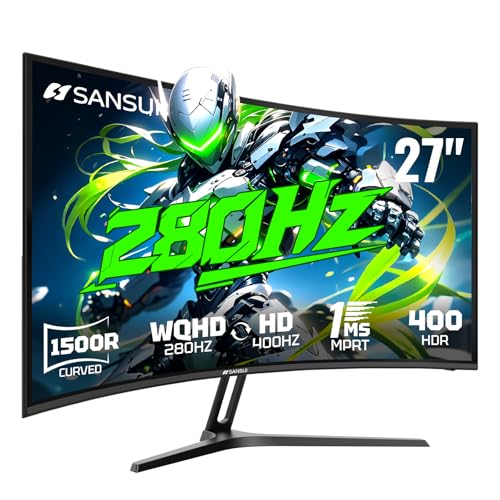
The best curved monitors for gaming under 200 are almost always VA panels, most often 24 inch or 27 inch screens with a gentle curve that wraps the edges slightly into your peripheral view. The curve helps immersion in racing and simulation games. Check contrast and dark motion handling closely, since those are the usual weak points.
Setup and Care Tips
When your monitor arrives, set the refresh rate in your display settings, because many screens default to 60 Hz out of the box. Turn on adaptive sync in both the monitor menu and your graphics card control panel. In the picture menu, choose the standard or sRGB mode rather than the vivid mode, and match brightness to your room lighting.
Position the top of the screen near eye level and about an arm length away. Clean it with a dry or slightly damp microfiber cloth only, never paper towels or sprays, which can damage the coating. Check cables every few months, since a loose DisplayPort cable can cause flicker that looks like a failing panel.
Computer Monitors: Your Questions Answered
Can you get a good gaming computer monitor for under $200?
Yes, you can get a good gaming computer monitor for under $200 if you focus on 1080p, a refresh rate of 144 Hz or more, and adaptive sync. That covers competitive and casual play on a 24 inch or 25 inch screen. You give up extras like USB ports and premium stands, not core performance.
What features matter most in a computer monitor for gaming?
Refresh rate, adaptive sync, and panel type matter most in a computer monitor for gaming, in that order for most players. Together they decide how smooth motion looks and whether dips cause tearing. One overlooked point is the overdrive setting, since the middle setting usually gives the cleanest motion while the fastest can add bright halos around moving objects.
How long does a gaming computer monitor usually last?
A gaming computer monitor usually lasts about five to seven years of regular use before brightness fades or newer connections make it feel dated. Backlights dim gradually, so an aging screen often looks washed out first. Keeping brightness below maximum slows that fade, and a working old monitor makes a fine second screen.
Is IPS or OLED better for a gaming computer monitor?
IPS is the realistic choice for a gaming computer monitor at this budget, while OLED is better on pure picture quality at several times the price. Between the IPS and VA models you can afford, pick IPS for color and viewing angles or VA for deeper blacks in dark games.
Is 4K worth it on a gaming monitor in this price range?
No, 4K is not worth it on a gaming monitor in this price range, because the models that offer it drop to 60 Hz and demand a powerful graphics card. Games look sharper in still scenes but feel far less smooth in motion. A 1440p screen at 27 inches is the smarter upgrade, balancing detail with frame rates mid range cards can reach.
What gaming monitor size works best for a small desk?
A 24 inch gaming monitor works best for a small desk, since it fits shallow surfaces and keeps the whole screen in view at close range. At that size 1080p stays sharp and high refresh models are plentiful. If your desk is deeper, 27 inches adds immersion, but measure the stand footprint too, since wide feet can crowd a keyboard.
Final Thoughts
Choosing well comes down to type first, then panel, refresh rate, and adaptive sync. Large screens favor immersion, speed focused models favor competitive play, and budget displays cover casual gaming for less. Use the product table above to compare models that match your type.
The best computer monitors for gaming under 200 are not the ones with the longest feature list, but the ones whose strengths match your games and your space. Pick the type that fits how you play and protect the core specs.