
Best Computer Headsets for Work: Which One Fits the Way You Use It for 2026
Disclosure: We may earn a commission when you buy through links on this page, at no extra cost to you. As an Amazon Associate I earn from qualifying purchases. Learn more

Microphones, comfort, battery life, ANC, and connections for the best computer headsets for work, sorted by how you use them.
There is no single headset that suits every job, because a day full of client calls asks for different strengths than a day of focused writing with music in the background. The best computer headsets for work are the ones that match your call load, your workspace, and how many hours the headset stays on your head. This guide sorts the choices by use case first, so you can ignore features you will never use and spend on the ones you will notice daily.
Start with how you actually work, then check the comparison table below for models that fit that pattern. Pay close attention to microphone clarity, wearing style, and connection type, since those three points decide most of your daily satisfaction long after sound tuning fades into the background.

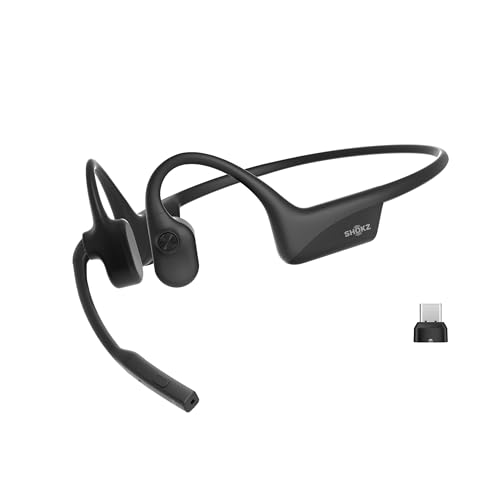


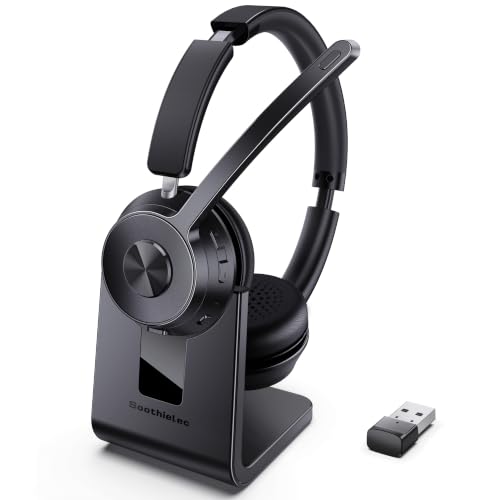
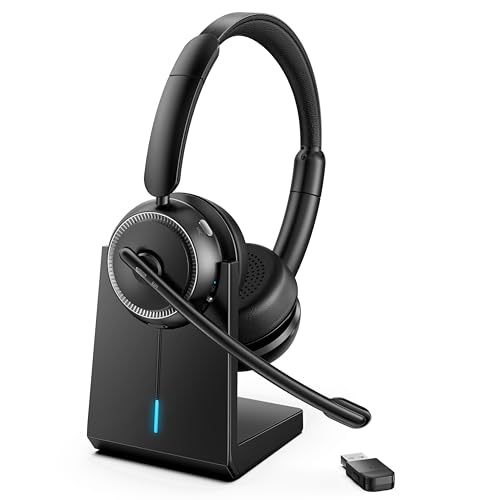
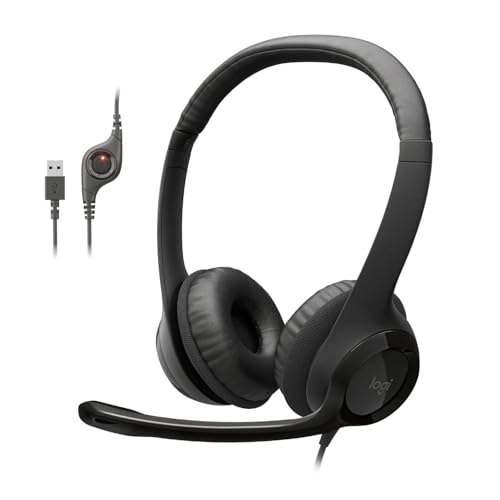

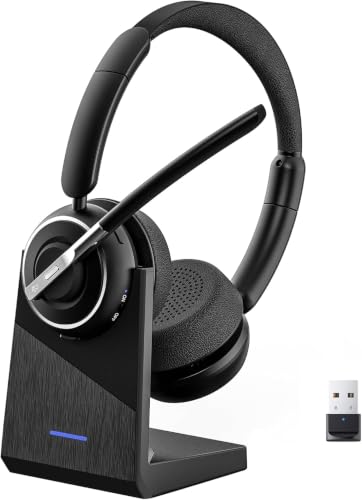
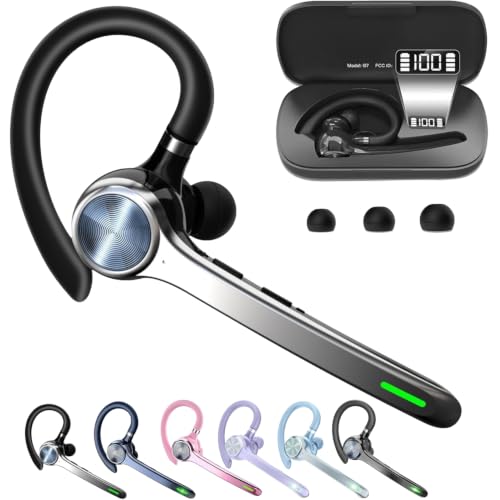
Who Should Buy Which Computer Headsets?
Your role shapes the right shortlist more than any single specification does. A headset that feels perfect for short internal check ins can become tiring across a full shift, and a model built for travel may lack the steady desk comfort a home office worker needs. Use the groups below to find your closest match, then confirm the details in the feature sections that follow. If you want a broader view of styles and formats before narrowing down, see our guide to the best computer headsets for an overview of the main categories.
For Remote Workers and Creators
You need your voice to sound clear and steady on calls, recordings, and live sessions, even when a room has hard floors or a fan running nearby. Prioritize a boom microphone with strong pickup from the front, a comfortable headband for long meetings, and a wired USB option as a backup when wireless links act up. Creators should also value a sidetone setting, which lets you hear your own voice and judge volume without shouting. A tidy desk helps too, and pairing your audio with the right screen matters, so see our guide to the best computer monitors for work if your display is also due for an upgrade.
For Gamers and Power Users
You split time between demanding work sessions and games or media after hours, so you need low audio delay, clear positional sound, and a microphone your team can understand. Look for a wireless dongle connection for lower latency than standard Bluetooth, game and chat balance controls, and ear cups large enough for extended sessions. Power users who run several apps at once should also value multipoint pairing, which is covered in detail later, and physical controls that work without opening software. Avoid models that rely only on an app for basic volume and mute, since a call rarely waits for you to find a menu.
For Travelers and Commuters
You need a headset that is light, folds flat or swivels into a case, and survives being packed and unpacked every day. Battery life matters more to you than to desk based workers, and a fast top up before a trip can save a long quiet journey. Active noise cancellation helps most on trains, planes, and buses where engine and cabin noise stays steady for hours. Choose ear pads and hinges that feel sturdy rather than delicate, and keep the included case in your bag, since most travel damage happens when a headset rides loose among keys, bottles, and chargers.
For Students and Everyday Users
You need reliable audio for classes, study sessions, part time work, and casual calls, without paying for extras aimed at heavy call center use. A simple wired model or a basic wireless model with long battery life covers most needs, and clear controls matter more than advanced tuning options. Comfort still counts during long study blocks, so look for light clamping force and soft pads. Students sharing a room should also consider a microphone that can flip up or detach, which makes the headset less awkward for music and video between classes and helps it double as everyday headphones.
Key Features to Compare
Once you know your group, compare the features that change daily use rather than the longest specification list. The four areas below explain what each factor does, how it feels in practice, and which buyers should weight it most heavily. Readers whose days center on voice meetings may also want to see our guide to the best headsets for work for a wider look at meeting focused features.
Microphone Quality
The microphone is the part your coworkers and clients judge, even though you never hear it yourself. A boom arm placed near the corner of your mouth usually captures voice more clearly than microphones hidden in an ear cup, because the shorter distance lets your voice stay louder than room noise. Look for noise reduction that targets keyboards, fans, and nearby speech, and check whether the mute control is a physical button or a boom you raise, since a control you can find by touch prevents awkward moments. If calls are the core of your job, see our guide to the best headsets for work calls for advice focused only on voice clarity.
Battery Life and Charging
Battery ratings tell you how long a wireless headset runs between charges, often quoted as 20 to 40 hours for full size models and less for compact earbud styles. Your real result drops when you raise volume, turn on active noise cancellation, or spend many hours on calls with the microphone active. Charging speed matters almost as much as total life, because a short top up during lunch can carry you through an afternoon. Check the charging port as well, since USB C cables are now the easiest to share with a laptop and phone. If battery freedom is your top priority, see our guide to the best wireless headsets for work for models and tradeoffs in that category.
Sound Quality and Tuning
Sound quality for work starts with clear speech, then adds music enjoyment once calls sound right. Drivers convert the audio signal into sound, and larger drivers in full size headsets often give fuller low notes, though size alone does not guarantee clarity. Frequency response describes the range of tones a headset can reproduce, from deep bass to high treble, but the tuning matters more than the raw range. A neutral tuning keeps voices natural and suits mixed use, while a bass heavy tuning can make music feel rich yet blur speech in noisy rooms. If you take calls in quiet spaces, a balanced tuning will usually serve you best across the whole day.
Features That Matter for Work
The best computer headsets for work handle demands that music listening never creates. Multipoint lets a headset stay connected to two devices at once, such as a laptop and a phone, and switch when a call arrives without a trip into settings. ANC, short for active noise cancellation, uses microphones and opposing sound waves to reduce steady background noise, which helps focus but adds cost and battery drain. A codec is the method used to compress and send audio over Bluetooth, and matching codec support between headset and computer keeps delay lower and quality higher. Other work specific details include a visible busy light for people nearby, a dedicated mute button, and certification for common meeting platforms, all of which reduce friction across a busy schedule.
Common Mistakes to Avoid When Buying Computer Headsets
Most disappointing purchases come from a handful of avoidable errors rather than from bad products. Run through this list before you order, and check each point against the way you plan to use the headset.
- Choosing by price alone, because the lowest cost model often leads to a second purchase once its microphone or pads disappoint on daily calls.
- Ignoring microphone quality, because coworkers hear a weak microphone on every call even when the speakers sound great to you.
- Picking a wearing style that fights your glasses or hairstyle, because pressure points that feel minor in a store become painful across a full workday.
- Forgetting to check connection types on your computer, because a headset that needs a dongle or a specific port may not pair smoothly with an older laptop.
- Skipping warranty terms and replacement pad availability, because worn pads and a failed hinge are hard to fix when parts were never sold separately.
How to Make Your Computer Headset Last Longer
A work headset faces daily handling, so small habits decide whether it stays comfortable and clear sounding for years. Keep firmware updated through the maker app or support page, since updates often fix pairing faults, microphone bugs, and battery reporting errors. Store the headset in its case or on a stand instead of tossing it into a bag or leaving it under books, which protects the drivers, hinges, and boom arm from pressure damage.
Clean ear tips and pads regularly with a dry or slightly damp cloth, and let them dry fully before use, since sweat and skin oils slowly break down soft materials. Charge the battery before it sits empty for long stretches, and unplug wired cables by the plug rather than the cord to protect the connection point. When pads flatten or crack, replace them promptly, because fresh pads restore both comfort and the seal that your bass and noise isolation depend on.
Frequently Asked Questions
What features matter most in computer headsets for work?
Microphone clarity, comfort, and a stable connection matter most in computer headsets for work. Rank them by your call share: if more than half your day is meetings, put microphone quality first, while writers and analysts in quiet rooms can put comfort and sound first. One factor many buyers overlook is control layout, because a mute button you can reach without looking prevents more daily frustration than a small gain in music quality ever will.
Should you choose a wired or wireless computer headset for work?
A wired computer headset for work is the simpler and more consistent choice, while wireless suits desks where you move around during calls. Wired models never need charging and avoid wireless interference, which can appear as brief dropouts in offices packed with routers and other headsets. Wireless models free you to stand, stretch, or fetch a document mid call. If you go wireless, a model with an optional cable gives you a fallback for travel days when the battery runs low at the worst moment.
What IP rating do computer headsets for work need for outdoor use?
Most computer headsets for work need only light splash protection for outdoor use, such as a rating around IPX4 for rain and sweat. The IP code rates protection against dust and water, and IP67 means a device is dust tight and can survive brief immersion in shallow water, a level more common in rugged earbuds than in office headsets. If you work on job sites or exercise with your headset, that higher sealing matters. For indoor desk use, spend the money on microphone quality instead of waterproofing you will never test.
Is active noise cancellation worth the extra cost on a computer headset for work?
Active noise cancellation is worth the extra cost on a computer headset for work if your space has steady low noise from traffic, aircraft, or air handling systems. It reduces constant hum very well, but it does far less against nearby voices, doorbells, or dogs, because those sounds change too quickly to cancel cleanly. Some listeners also notice a faint pressure feeling with strong cancellation. If your main problem is a loud coworker or family member in the next seat, a headset with a good passive seal and a clear microphone will help more for the money.
How long does the battery last on a wireless computer headset for work?
The battery on a wireless computer headset for work typically lasts about 20 to 40 hours for full size models, depending on volume and features in use. Those figures are usually measured at moderate volume with cancellation off, so heavy call days at high volume can cut real life by a third or more. A useful habit is charging on a set day each week rather than waiting for a low battery warning during a call. Compact earbud styles trade some of that life for size, with the case holding extra charges between uses.
Do computer headsets for work need a special audio codec?
Computer headsets for work do not need a special audio codec for clear calls and everyday listening. Standard Bluetooth audio works well, and advanced codecs only help when both the headset and the computer support the same one, because the connection falls back to the shared basic option otherwise. Gamers and video editors gain the most from low delay codecs, since even a small lag between picture and sound is easy to notice. For voice meetings, microphone design and connection stability affect what others hear far more than the codec badge on the box.
Final Thoughts
Match the headset to your day first, then let the details follow. Call heavy workers should put microphone clarity and a dependable connection at the top of the list, travelers should weight weight, battery life, and cancellation, and everyone should treat comfort as a requirement rather than a bonus. Use the product table above to compare the models that fit your group, and you will land on the best computer headsets for work for your own routine without paying for features that sit unused.


