
Best Competitive Gaming Headsets: Every Type Explained Side by Side for 2026
Disclosure: We may earn a commission when you buy through links on this page, at no extra cost to you. As an Amazon Associate I earn from qualifying purchases. Learn more

Compare the best competitive gaming headsets by type, tuning, fit, and connection, with clear pros, cons, and price guidance for ranked play.
Ranked matches are often won on small sounds. A footstep behind a wall, a reload around a corner, or a quiet callout from a teammate can decide a round before anyone fires a shot. That is why the best competitive gaming headsets are tuned and built differently from ordinary headsets made for music, movies, or casual play. This guide compares each type side by side so you can see what each style does well, where it falls short, and what it usually costs.
You will not find product reviews here. Instead, the sections below explain how competitive models differ from home and bookshelf models, noise canceling models, and rugged outdoor models, then walk through fit, tuning, software, and connections. Use the product table at the top of the page to scan the options, then read about the type that matches how you play.
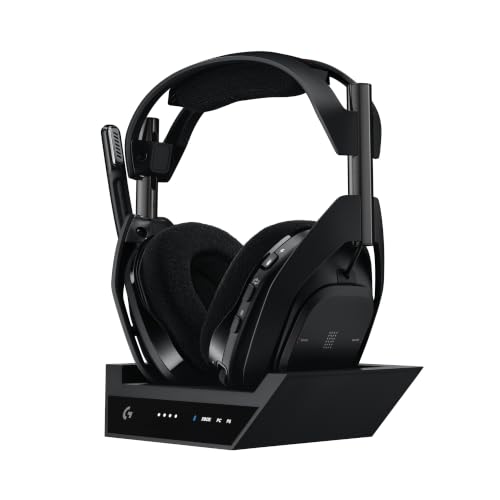


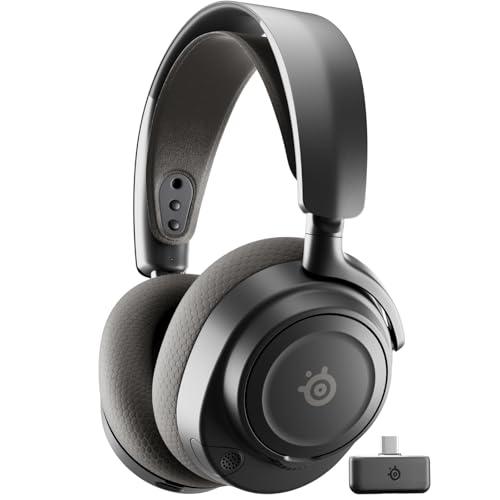

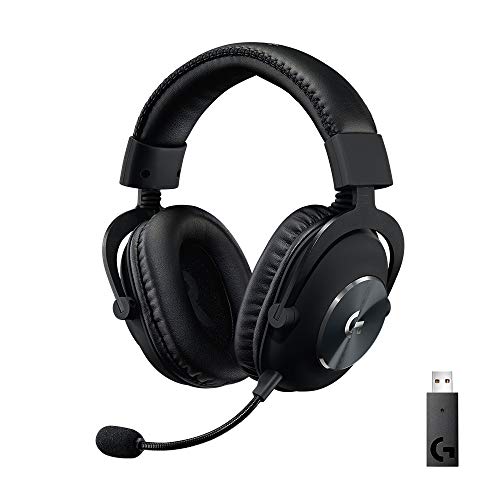
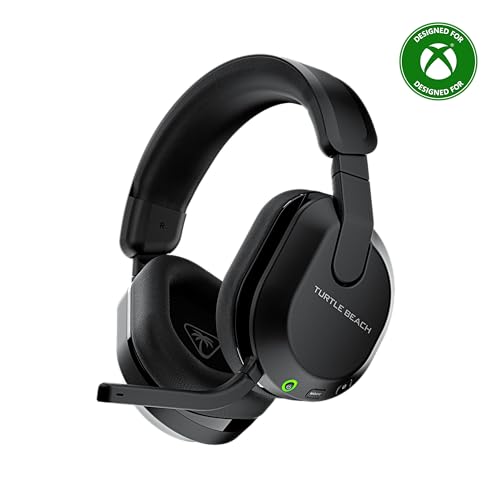


How Competitive Gaming Headsets Compare to Other Options
Every headset type makes a trade. Competitive models spend their budget on clear positional audio, a clean microphone, and low delay, while other types spend on deep bass, silence, or weather protection. Use the product table at the top of the page to compare prices and connections, then use the three comparisons below to decide which trade fits your games. Most competitive models cost about $150 on average, simpler home models often cost under $100, and rugged or noise canceling models often cost about $300.
Competitive Headsets Versus Home Listening Headsets
Home listening headsets are built for relaxed sessions with films, music, and story driven games. They favor warm bass and a soft sound, and many have a basic microphone that picks up room noise. That tuning can bury footsteps under explosions and leave your callouts muddy for teammates. Open designs also leak sound into the room, which can bother other people during late sessions.
A competitive headset keeps the sound at your ears and places each cue in a clear direction, so a step to your left sounds like it came from your left. Choose a home listening headset for films and story games at modest volume. Choose the competitive route if you play ranked shooters, share a room, or need callouts that stay private and precise.
Competitive Headsets Versus Noise Canceling Models
Noise canceling models use ANC to reduce steady sounds such as fans, traffic, and air conditioning. That quiet helps you focus in a busy office, and many travel models fold flat and sound pleasant for music. The trade is that heavy processing can soften small details, add a slight delay on some wireless models, and raise the price.
A competitive headset may include ANC, but its tuning still puts voice clarity and footstep detail first. Pick a noise canceling model if your room is loud and you play mostly casual games. Pick a competitive model if you play in a fairly quiet room and would rather spend the same money on a better microphone, lighter weight, and a faster wireless link.
Competitive Headsets Versus Outdoor and Rugged Models
Outdoor and rugged models are built to survive weather, drops, and travel bags. Sealed earbuds with an IP67 rating shrug off rain and sweat, and tough headsets use thick shells that handle rough treatment. That protection adds weight, and sealed designs often sound closed in, which makes distant cues harder to place.
Competitive headsets live at a desk, so they trade armor for large ear cups, soft pads, and a wide sound that helps you judge distance. Choose a rugged model if you train, travel, or play outdoors often. Choose a competitive model if nearly all of your matches happen at one desk and comfort over long sessions matters more than weather sealing.
Who Should Choose a Competitive Gaming Headset?
Ranked shooter players gain the most from this type. If you play tactical or arena shooters where one missed cue loses a round, precise imaging and a clear boom microphone pay off in every match. Shoppers comparing the best competitive gaming headsets for this style of play should value tuning and microphone quality over deep bass or decorative lights.
Console league and team based players also fit this type well. You need one headset that works with your controller or console, stays comfortable through long practice blocks, and keeps your voice clear for callouts. If you split time between console and PC, look for broad platform support so one headset covers both systems without extra adapters on your desk.
Some players should choose another type instead. If you mostly enjoy story games and films, a home model will sound warmer for less money, and readers on a tight budget can start with our guide to the best inexpensive gaming headsets and upgrade later. If your room is loud or you travel every week, a noise canceling or rugged model will serve you better than a desk focused competitive design.
How to Choose the Right Competitive Gaming Headset
Once you know the type fits your games, compare the details that change how a headset feels and sounds. Start with fit, then look at software, tuning, and connections. Players who want premium materials and careful build quality can also read our guide to the best quality gaming headsets alongside the points below.
Fit, Weight and Clamp Force
Fit decides whether you notice the headset at all during a long session. Look for large ear cups that fully surround your ears, pads that spread pressure evenly, and a headband that adjusts without sore spots on the top of your head. Lighter headsets, often around 250 to 350 grams, usually feel easier over three or four hours of play.
Clamp force is the gentle squeeze that keeps the cups sealed. Too much squeeze causes jaw and temple ache, while too little lets the headset slide when you turn your head quickly. Glasses wearers should look for softer pads or channels in the foam, since firm pads pressing on glasses arms are a common source of pain in long matches.
Software, EQ and Platform Support
Companion software lets you adjust EQ, microphone levels, and sidetone, which is the sound of your own voice so you do not end up shouting. Useful EQ control means you can raise the range where footsteps sit and lower boomy bass that covers them. Check that the software works on your system, since some features only run on PC while consoles get basic volume and mute controls.
Platform support matters just as much as software. Xbox uses its own wireless system, so confirm a headset is made for it before you buy, and see our guide to the best gaming headsets for xbox for models that connect without extra adapters. Firmware updates through the app can fix bugs and improve microphone processing, so supported models tend to age better than ones that never receive updates.
Sound Quality and Tuning
Sound quality for competition means clarity and placement, not sheer bass power. Drivers turn the signal into sound, and common sizes around 40 to 50 mm can deliver fine detail when tuned well. A wide and even frequency response helps quiet sounds stay audible without harsh peaks, so look for balanced tuning rather than the biggest driver number on the box.
Imaging is how precisely you can point to a sound, and soundstage is how wide and deep the game world feels around you. Open back designs often feel wider but leak sound and let room noise in, while closed back designs isolate better and keep cues private. For shared rooms and late play, closed back is usually safer, while a quiet private room can suit either style.
Connectivity, Codecs and Low Delay
Delay decides whether audio matches the action on screen. A dedicated USB dongle with a 2.4 GHz link usually gives the lowest delay for wireless play, while Bluetooth adds convenience for phones and handheld consoles. Bluetooth 5.3 with multipoint lets a headset stay paired to a PC or console and a phone at once, so you can take a call without removing the headset.
Codecs shape Bluetooth sound quality and delay. Standard codecs are fine for chat and casual listening, while low delay codecs suit fast games when both devices support them. A wired connection removes delay and battery worries entirely, and many players keep a cable ready for tournaments, so see our guide to the best wired gaming headsets if you prefer a cable full time. Check cable length and connector type against your controller and PC before you order.
Common Mistakes to Avoid
A few buying habits cause most returns and regrets with this type of headset.
- Choosing deep bass tuning for ranked play buries quiet footsteps under explosions and costs you close fights.
- Skipping platform checks can leave Xbox players with a wireless headset that only works through a cable.
- Paying extra for ANC in a quiet room spends money on silence you already have instead of a better microphone.
- Forgetting to charge before a long session can leave you with a dead battery in the middle of a match.
Setup and Care Tips
Set up your headset before your first ranked session, not during it. Charge it fully, update the firmware, and set your game output to headphones so the game sends the right mix. Place the microphone about two fingers away from the corner of your mouth, then run a voice test with a friend to set the level before you queue.
Your screen completes the setup, because sharp visuals help you confirm what your ears report. If your display feels like the weak point of your desk, see our guide to the best gaming monitors for sizes and refresh rates that suit fast shooters. Keep the wireless receiver near your seat if a metal desk weakens the signal.
Care for this product is simple. Wipe the ear pads with a slightly damp cloth after long sessions and let them dry fully before you store the headset. Keep it on a stand or in a case to protect the drivers from dust and knocks, and avoid wrapping the cable tightly around the cups, since sharp bends weaken the wire over time.
Frequently Asked Questions
Do competitive gaming headsets sound better wired or wireless?
A wired connection still gives the most consistent sound, with no delay and no compression. Modern wireless headsets using a USB dongle sound very close in real matches, and most players cannot hear a quality gap during play. The practical difference is freedom of movement versus total certainty. Choose wireless for a clean desk and easy movement, and keep a cable ready for days when the battery runs low or a venue requires wired play.
Open back or closed back for competitive play?
Closed back headsets keep your game sound private and block room noise, which suits shared rooms and late sessions. Open back headsets often give a wider, more natural soundstage that helps some players judge distance, but they leak sound and pick up room noise. Most ranked players choose closed back for isolation and clean microphone pickup, and choose open back only in a quiet private room.
Do competitive gaming headsets need a special audio codec?
No, a special codec is not required for competitive play. Standard Bluetooth codecs carry game audio and voice chat clearly, and connection type matters more than the codec for delay. If you play fast shooters over Bluetooth, a low delay codec supported by both your headset and your device can tighten the gap between action and sound. Players using a USB dongle or a cable can ignore codecs entirely.
Is ANC worth the extra cost on a competitive gaming headset?
ANC is worth the extra cost only when your play space has steady noise such as fans, traffic, or nearby conversation. In a quiet room it adds price, weight, and battery drain while giving little back during matches. One point buyers often miss is that strong noise canceling can change how your own voice sounds through sidetone, which takes a few sessions to feel normal. Test your room noise honestly before you pay for the feature.
How long does the battery last on a wireless competitive gaming headset?
Most wireless competitive headsets run about 30 to 70 hours on one charge, depending on volume, lighting, and microphone use. Battery life drops when bright lights stay on or ANC runs for the whole session, so turning the lights off is the easiest way to stretch a charge. Expect the battery to hold less charge after a few years of heavy use, and store the headset partly charged if you will not play for several weeks.
Final Thoughts
The right choice depends on your games, your room, and your platform. Competitive tuning, a clear microphone, and a fit you can wear for hours matter more than deep bass or heavy armor. Use the product table at the top of the page to compare the types once more and match one to how you actually play. For most ranked players, the best competitive gaming headsets are simply the ones that keep cues clear, voices clean, and long sessions comfortable.


