
Best Computer Chairs under 150: A Buyer Checklist for 2026
Disclosure: We may earn a commission when you buy through links on this page, at no extra cost to you. As an Amazon Associate I earn from qualifying purchases. Learn more

Pick the best computer chairs under 150 with a clear buying checklist covering ergonomics, lumbar support, cushioning, sizing, and warranty basics.
Finding best computer chairs under 150 is less about chasing long feature lists and more about checking a short list of basics that decide daily comfort. At this price, some chairs support posture and movement well, while others look impressive in photos but feel flat or wobbly within months. This guide walks through a practical checklist you can apply to any listing in minutes.
Start with fit, then check support, cushioning, materials, size, and warranty coverage. Use the product table below to line up the models you are considering, then work through each section here before you order. A careful ten minutes now can save you a return, a sore back, and a second purchase later.

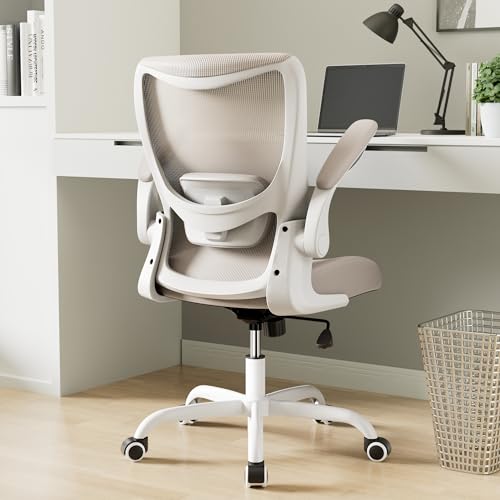
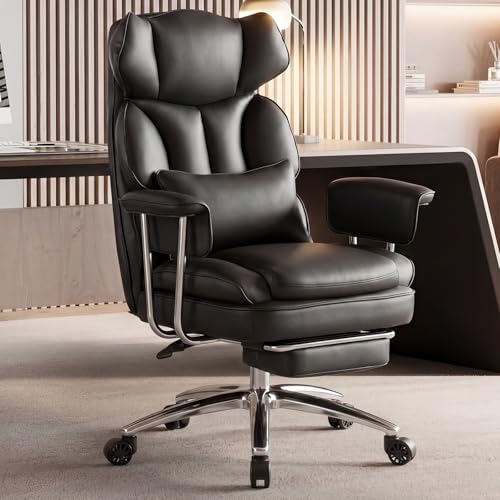
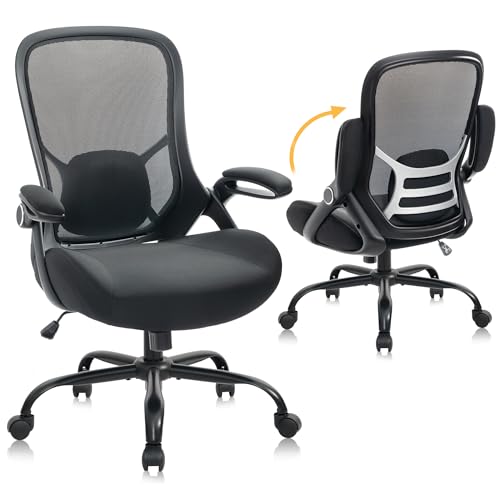

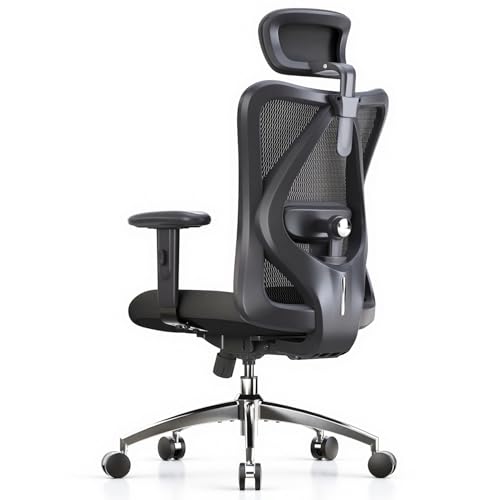
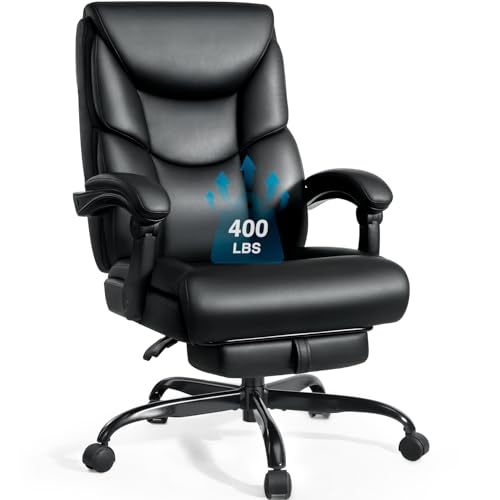

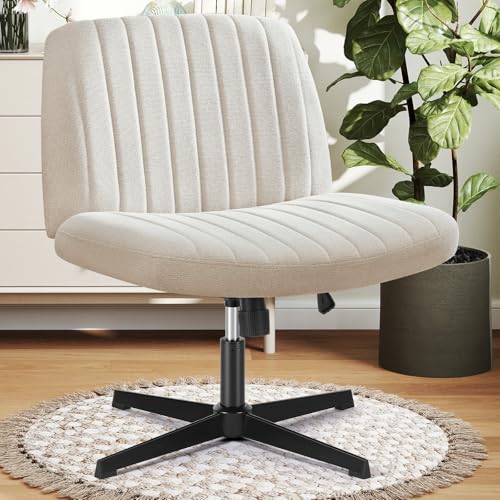
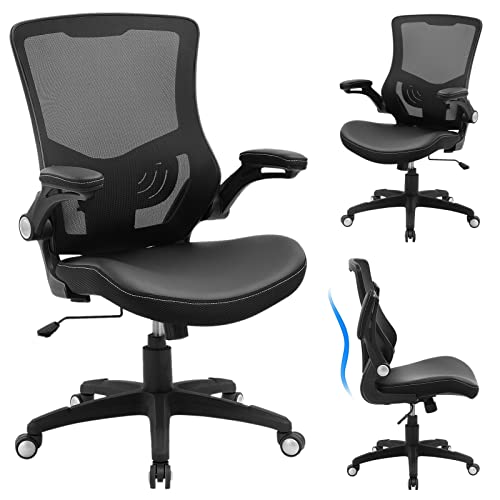
Key Features of the Best Computer Chairs under 150
The checklist below follows the order most buyers should use. Fit and support come first, because a chair that does not match your body cannot be fixed by extra padding or a nicer finish. Materials, assembly, and warranty matter next, since they decide how the chair holds up.
What You Can Realistically Get at This Price
Under $150, expect a solid steel or reinforced nylon base, a Class 3 or Class 4 gas lift, basic lumbar support, and one or two useful adjustments. You will usually give up advanced armrest movement, premium fabrics, and very long warranties found on premium and executive models costing far more. Do not cut corners on the lift, the base, or seat foam, because those parts carry your weight every day and are costly to replace.
Ergonomics and Adjustability
An ergonomic chair at this price should at least adjust seat height so your feet rest flat and your knees sit near a right angle. Look for lumbar support that meets the curve of your lower back, either as a built in contour, an adjustable pad, or a separate cushion that stays in place. Adjustable armrests help your shoulders relax, and a tilt lock lets you lean back at a set angle instead of fighting spring tension all day.
Fit still matters more than adjustment count. If you develop persistent back pain, numbness in your legs, or tingling that does not fade after you stand and move, stop experimenting with settings and talk with your clinician about your posture, your workstation, and whether the chair suits your personal needs.
Comfort and Cushioning
Seat foam decides whether a chair feels good for twenty minutes or for a full workday. High density foam holds its shape and supports your weight without letting you sink straight to the hard seat pan beneath it. Thin, soft foam feels plush at first but often flattens within a few months, which leaves pressure on your tailbone. A slightly contoured seat edge also helps, because a sharp front edge can press into the back of your thighs and slow circulation.
Materials and Upholstery
A mesh back breathes well and suits warm rooms, since air moves through it while you sit. Fabric seats feel soft and grip clothing lightly, which helps you stay centered, while bonded leather and PU finishes wipe clean easily but can peel or crack sooner in heat and sunlight.
Size, Dimensions, and Weight Capacity
Measure before you order. Compare the seat width and depth with your body, check that the chair fits under your desk with the armrests at your working height, and leave room behind it to recline. Weight capacity should exceed your weight with a comfortable margin, not match it exactly, because sitting down adds brief extra force. Taller buyers should also check back height and the top of the seat height range, while shorter buyers need a low minimum height.
Warranty and Return Policy
Warranty length at this price often runs from one to three years, and the details matter more than the headline number. Read which parts are covered, especially the gas lift, base, and casters, and whether the seller pays return shipping for defects. A generous return window has real value with chairs, because true comfort only shows after several full days of sitting.
Assembly and Delivery
Most chairs in this range arrive in one large box and assemble in about 20 to 40 minutes with an included hex key. Clear instructions, labeled hardware, and spare bolts are small signs of a careful seller. Count the parts before you start, tighten bolts in stages rather than fully one by one, and ask a second person to help lift the back into place.
Buying Guidance for Different Needs and Setups
The product table above gives you the raw specs, but the right choice depends on how you actually sit each day. The four situations below cover most buyers at this budget, and each one shifts which checklist items deserve the most weight.
For Long Workdays at a Desk
If you sit for six or more hours daily, put lumbar support, foam quality, and tilt function at the top of your list. A mesh back helps during long sessions in warm rooms, and armrests that adjust in height keep your shoulders down while you type.
For Small Home Offices and Shared Spaces
In a tight room, overall footprint and armrest design matter as much as comfort. Chairs with armrests that flip up slide closer to the desk and free floor space when the workday ends. Check the full width including the base, and confirm the chair can roll through your doorway once assembled. If you are comparing broader seating for the same room, see our guide to the best chairs under 150 to weigh other styles against a dedicated computer chair.
For Gaming Sessions and Mixed Use
Some buyers split time between work and play and wonder whether a racing style seat fits both. Gaming models often add a taller back and firmer side bolsters, which can feel snug for larger frames during long keyboard sessions. If that style appeals to you, see our guide to the best gaming chairs under 150 and compare its tradeoffs with the ergonomic models covered here before you decide.
For Taller or Heavier Users
Buyers near the top of the size range should be strict about weight capacity, seat depth, and base construction. Choose a steel base over basic nylon when listings offer both, and favor a wider seat so the side edges do not press into your thighs. A higher back with a headrest that reaches your head, rather than your shoulders, also matters. Shoppers who mostly need a chair for shorter desk sessions can also see our guide to the best desk chairs under 150 for lighter duty alternatives.
Quick Buyer Checklist
Run through these questions for any chair you are considering. A string of yes answers means the chair passes the basics, while a no on fit or support is a reason to keep looking.
- Does the seat height range let your feet rest flat on the floor?
- Does the lumbar support meet your lower back without pushing you forward?
- Is the seat foam described as high density or molded foam?
- Does the weight capacity exceed your weight with room to spare?
- Will the chair, including armrests, fit at and under your desk?
- Do the armrests adjust, flip up, or at least sit at a comfortable height?
- Is the gas lift class stated, and is the base material named?
- Does the warranty cover the lift and base for at least one year?
Red Flags to Watch For
Weak listings usually share the same warning signs. Spotting even two of them should make you pause, no matter how attractive the photos or the discount look.
- The listing hides the weight capacity or gas lift class, so you cannot judge the parts that carry you.
- The warranty lasts only a few months, which suggests the seller expects early failures.
- Photos show the chair only at flattering angles and never show the base, lift, or underside of the seat.
- Descriptions promise medical benefits or pain cures, which no chair at any price can honestly guarantee.
- Reviews repeat the same short phrases many times, a pattern that makes the rating hard to trust.
Care and Maintenance Tips for Your Computer Chair
A few small habits keep a budget chair feeling firm and quiet for longer. Tighten the base and armrest bolts every few months, because normal rocking slowly works them loose and a loose bolt lets parts flex and wear faster. Vacuum fabric and mesh weekly with a soft brush, and wipe smooth finishes with a damp cloth so dust and skin oils do not build up in the surface.
Treat the casters as part of the chair, not an afterthought. Hair and grit collect around the wheels and make rolling rough, which strains the base when you drag the chair instead of rolling it. Pull debris out monthly, and use a chair mat on thick carpet or rough floors.
Frequently Asked Questions
Can you get a good computer chair for under $150?
Yes, you can get a good computer chair for under $150 if you focus on fit, foam, and the gas lift rather than extra styling. Expect to give up some adjustment range and finish quality compared with pricier chairs. One useful test is the return policy, since a seller confident in a budget chair usually allows enough time for you to judge it over several real workdays at home.
What features matter most in a computer chair for long hours?
Lumbar support, seat height adjustment, and firm foam matter most in a computer chair used for long hours. Together they keep your spine supported and your feet grounded through the day. A practical point many buyers miss is break timing, since even the best setup cannot offset sitting still for hours. Stand, stretch, and walk briefly every half hour or so to keep stiffness from building up.
How do you choose the right computer chair size for your body?
Choose a computer chair size by matching seat depth to your thigh length first, leaving a small gap behind your knees when you sit fully back. Then check seat width, back height, and the height range against your desk. Buyers between sizes should favor the deeper seat only if their feet still rest flat, because a deep seat that lifts your heels will strain your lower back within an hour.
Is a more expensive computer chair worth it over a budget model?
A more expensive computer chair is worth it mainly when you sit all day, every day, and need finer adjustments or a much longer warranty. Higher prices usually buy stronger frames, better foam, and smoother mechanisms rather than a completely different sitting experience. If your budget is fixed, a well chosen budget chair used with regular movement breaks serves most home office workers perfectly well.
How long should a computer chair under $150 last?
A computer chair under $150 should last about three to five years with daily use and basic care. The gas lift and seat foam usually wear first, showing up as slow sinking or a seat that feels flat by afternoon. Replacing casters is cheap and easy, so worn wheels alone are not a reason to replace the whole chair if the frame and foam still feel sound.
Final Thoughts
The chairs that satisfy buyers at this price all pass the same basics: honest sizing, real lumbar support, firm foam, and a warranty that covers the moving parts. Use the product table above to compare your shortlist against the checklist, and be willing to return a chair that does not fit during the first week. Chosen that way, best computer chairs under 150 can support comfortable, focused work without stretching your budget.


