Best Computer Chairs for Gamers: Buying Guide for 2026
Disclosure: We may earn a commission when you buy through links on this page, at no extra cost to you. As an Amazon Associate I earn from qualifying purchases. Learn more

Compare the best computer chairs for gamers by session length, seat size, adjustability, materials and price band, with setup tips for your desk and room.
Gaming sessions have a way of stretching, and a chair that feels fine for twenty minutes can feel very different in the third hour. Finding the best computer chairs for gamers starts with how you actually sit: how long your sessions run, how big your body is, and how your desk is arranged. This guide works through those three facts first, then the features, types and price bands that follow from them.
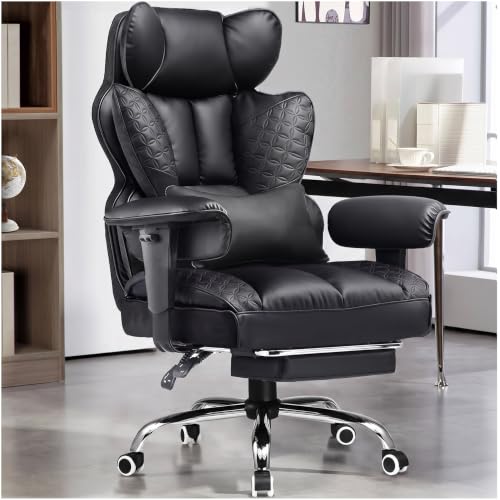
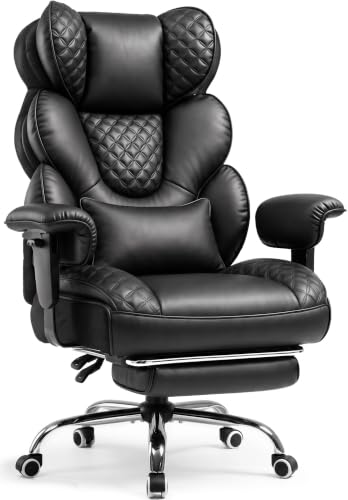
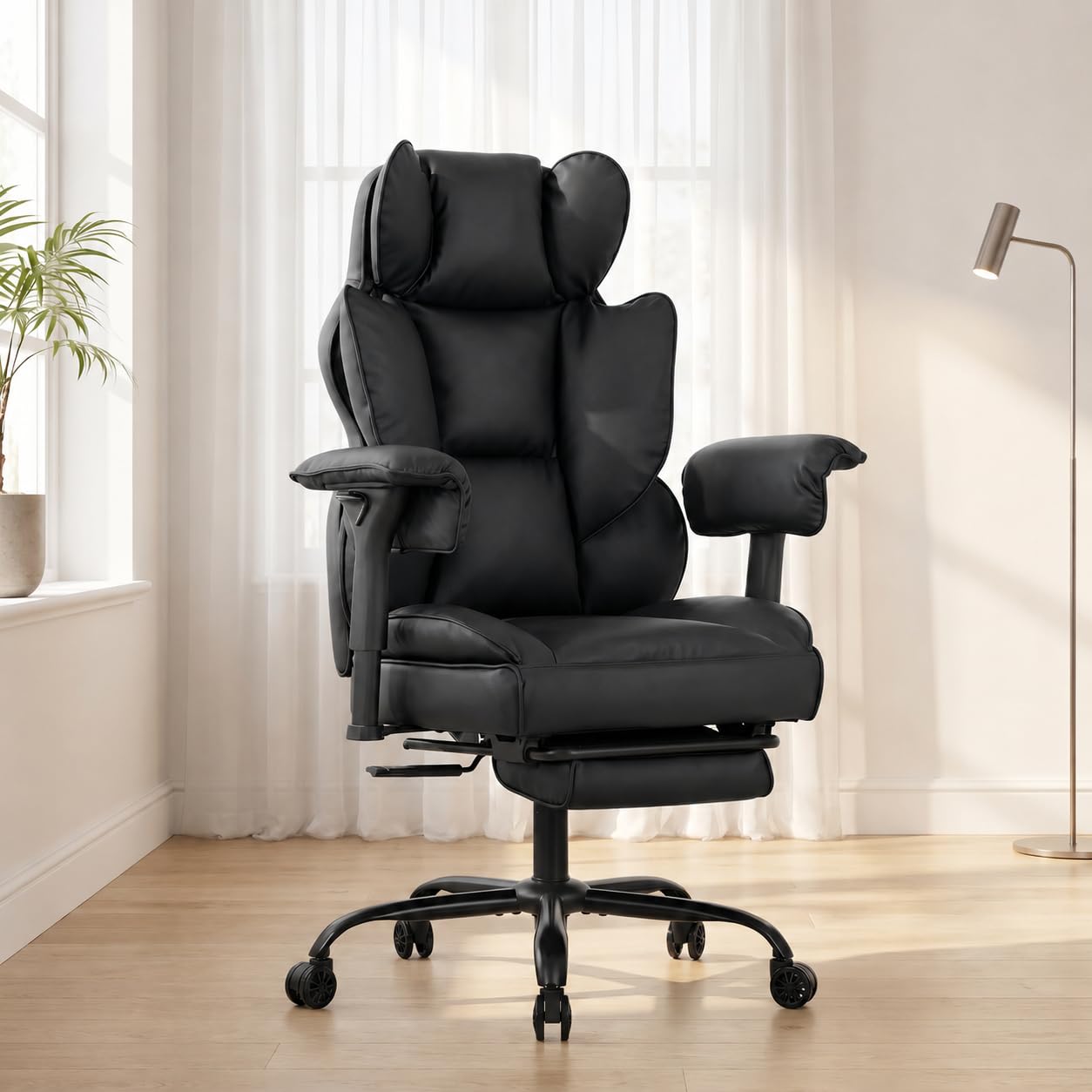
A gaming chair is furniture, and it is only one part of the setup. The machine itself is a separate purchase with its own decisions, covered in our guide to the best computer for gamers. Everything here is about sitting comfort and fit, and the product table below sets out the chair classes this guide covers.



Start With the Session: How Long and How Often You Sit
Short Sessions and Casual Play
If you play for an hour or two at a time, a simpler chair class usually covers the job. Look for a cushion that feels supportive rather than soft in the shop, a backrest tall enough for your shoulders, and armrests that stay out of the way of your mouse arm. Expensive adjustment systems earn their keep over long hours, and casual players rarely touch them after the first week. Spend the savings on the seat itself, because that is the part you feel in every short session.
Long Sessions and Daily Desk Hours
Players who work at the same desk all day and game in the evening place the heaviest demand on a chair. Adjustment range matters most here: seat height, armrest position and tilt tension that you can fine tune as the day changes. Cushion density matters too, because thin foam compresses over months of daily use and leaves you sitting closer to the seat board. A chair in this class is a daily tool, so judge it by fit and build rather than by styling.
Shared Desks and More Than One User
A chair shared between two people of different sizes lives or dies by its adjustment range and by how quickly the settings change. Wide ranges for seat height and armrest width let each user find a workable position in seconds. Controls that need tools or sit in awkward places will simply never be used, and the chair will end up set for one person only. If the desk is shared, put adjustment range at the top of the list and styling at the bottom.
How to Choose: Checks Before You Compare Prices
When you compare the best computer chairs for gamers side by side, run these checks in order. Fit comes first, materials second, and looks last, because a handsome chair in the wrong size is still the wrong chair.
What Gamers Should Look For
Start with your own measurements: your height, your weight, and the width you need between the armrests. Gaming chairs come in racing style shells with side bolsters and in flatter office style seats, and the bolsters that look supportive in photos can crowd broader shoulders and legs. Check the stated weight capacity and stay comfortably under it. Measure your desk height too, because a chair whose armrests cannot slide under the desktop will force you to sit further away than you want.
Ergonomics and Adjustability
Ergonomics on a listing is a label for the adjustments fitted, not a promise about your body. The useful ones are seat height, a backrest that reclines with a tilt lock, tilt tension you can set for your weight, and armrests that move in more than one direction, often sold as 4D armrests. A lumbar support pad or built in curve should meet your lower back without pushing you forward. Every adjustment should hold its position under load rather than creeping during a session.
Setup Geometry: Seat Height, Feet, and Screen
Set the seat height so your feet rest flat on the floor and your knees sit about level with your hips. Leave a small gap of two or three fingers between the seat edge and the back of your knees, so the cushion does not press into your legs. Your screen top should sit about eye level, with the monitor roughly an arm length away, and your elbows should rest near desk height. These are setup facts you control with the chair, the desk and the monitor together.
Materials and Upholstery
Mesh backs breathe well in warm rooms and give a firmer, more flexible feel. PU leather wipes clean and shrugs off spills, but it can crack and peel after some years, especially in sunlight. Fabric sits between the two, soft and breathable, though it holds stains more than the other options. Under the cover, look at the frame: a steel frame and a metal base feel steadier than plastic parts, and the difference shows most when you lean back or shift your weight.
Comfort and Cushioning
High density foam holds its shape through long sessions, while very soft foam feels plush for ten minutes and then bottoms out against the seat board. A cushion around 3 to 4 inches thick is a reasonable middle ground for daily use. Cold cured foam, where the listing states it, tends to keep its density more evenly than loose cut foam. Judge comfort over time rather than first impressions, because the first sit in a shop tells you little about the third hour at home.
Warranty and Return Policy
Read the warranty in parts: the frame, the gas lift and the upholstery rarely carry the same coverage, and the gas lift is the part most likely to tire first. Longer written coverage on the frame is a fair signal of how the maker rates its own build. Just as important is the return window, because comfort is personal and only sitting in the chair at your own desk settles the question. Keep the box and packaging until you are sure the chair fits you and your room.
Types of Computer Chairs
Most gaming chairs fall into four broad classes, and the neighbouring category covered in our guide to the best office chairs for gamers shares many of the same frames and parts under work desk styling. Knowing the classes keeps you from paying for the wrong strengths.
Ergonomic Models
Ergonomic models lead with adjustment: mesh or padded backs, movable lumbar support, and armrests that shift in several directions. They suit players who share a desk with work and want one chair tuned to them. The styling is plainer than racing shells, and the price sits in the middle bands. Fit and adjustment range, not the label, are what you are buying.
Premium and Executive Models
Premium and executive models run larger, with wider seats, thicker padding and heavier frames built for bigger users and longer days. Expect the highest prices here, paid for size, materials and finish more than for extra adjustments.
Budget Models
Budget models trim the adjustment list: fixed or basic armrests, thinner foam and shorter warranty coverage are the usual savings. They suit lighter users, shorter sessions and spare rooms. The risk is a cushion that flattens within the year, so density matters more at this level than any single feature. A simple chair that fits you beats a feature heavy chair that does not.
Compact and Space Saving Models
Compact models shrink the footprint with narrower seats, lower backs and armrests that flip up or come off, so the chair tucks under the desk when the room has other jobs. They suit small bedrooms and shared living spaces. Buyers furnishing a small desk should also see our guide to the best computer desk chairs, where narrower frames are the starting point. Check that the smaller seat still clears your hips and shoulders before ordering.
What Each Price Band Buys
At about $100 to $200 you get the budget class: basic padding, limited adjustment and short warranty coverage, suitable for lighter use. At about $200 to $400 the foam grows denser, armrests gain movement, and written coverage lengthens, which is where most daily players land. At about $400 to $700 you pay for stronger frames, wider size ranges and better upholstery materials. No band buys a health outcome; each step buys build, fit range and finish, so let your session length and body size decide the band.
Movement Breaks Matter More Than the Chair
A chair supports sitting comfort only. It does not correct posture, and it does not relieve or prevent pain, whatever a listing implies. Shoppers often search for best computer chairs for posture, but posture is a habit of position and movement, not a feature built into a seat. Standing up, walking a little and changing position regularly across a long session do more for how you feel than any single chair feature, and that habit is the larger half of comfort. If sitting brings you pain that persists or keeps getting worse, talk with a clinician about it rather than shopping for a different chair.
Setup and Care Tips
- Assemble the chair on a carpet or blanket, and leave every bolt finger tight until the frame sits square, then tighten them in turn.
- Check and tighten the base and backrest bolts every few months, because daily movement works them loose slowly.
- Vacuum fabric and mesh upholstery regularly, and wipe PU leather with a damp cloth rather than strong cleaners.
- Keep PU leather out of direct sunlight, which dries the surface and speeds up cracking.
- Match the casters to your floor, or add a chair mat on carpet so the chair rolls instead of dragging.
- Keep the return packaging until the return window closes and you are certain about the fit.
Frequently Asked Questions
What makes a computer chair for gamers different from a regular office chair?
A computer chair for gamers differs from a regular office chair mostly in shell shape and styling: taller backs, side bolsters, headrest and lumbar pillows, and brighter trim. Underneath, many gaming and office chairs share the same bases, gas lifts and tilt mechanisms. That means the label alone tells you little about comfort. Judge the seat size, the adjustment range and the foam against your own body, and treat the racing look as decoration rather than support.
Is an expensive computer chair for gamers worth the money?
An expensive computer chair for gamers is worth it only when the extra money buys fit and build you will actually use. Longer daily hours and a larger body justify stronger frames and denser foam, while short sessions rarely repay premium trim. Spend first on an adjustment range that matches your measurements, and only then on materials and finish. A mid priced chair that fits you well serves better than a costly chair in the wrong size.
How long should a computer chair for gamers last?
A computer chair for gamers in daily use should last several years before the foam tires and the gas lift starts to sink. The lift and the casters are wear parts, and on many frames both are standard sizes that can be replaced without replacing the whole chair. Upholstery usually shows age before the frame does. Tightening bolts on schedule and keeping the chair out of harsh sunlight stretch the life of every part.
How do I choose the right size computer chair for my body and my desk?
Choose the right size computer chair by matching three measurements: the seat width between the armrests against your hips, the seat height range against your lower leg, and the armrest height against your desktop. Measure the space under the desk as well, because a chair that cannot roll in close changes how you sit all evening. Doorways and stairs on the delivery route are worth a thought too, since gaming chairs ship in large boxes.
Which chair features matter most for long gaming sessions?
For long gaming sessions, the features that matter most are a cushion that keeps its density, armrests that meet your elbows without lifting your shoulders, and a backrest you can set and lock at your preferred angle. One feature outside the chair matters as much: the return window, because only your own sessions tell you whether the fit works. Use the first weeks to test the chair honestly rather than assuming the first evening settles it.
Final Thoughts
Let the session decide the class, let the geometry checks settle the fit, and let materials and warranty guide the final choice between similar chairs. No chair replaces standing up and moving around, so build that habit alongside any purchase. Compare your shortlist against the product table above, and the best computer chairs for gamers for your desk will be the ones whose size, adjustments and price band match the way you really play.