Best Company for Motherboards: ASUS, MSI, Gigabyte and ASRock for 2026
Disclosure: We may earn a commission when you buy through links on this page, at no extra cost to you. As an Amazon Associate I earn from qualifying purchases. Learn more

Compare the best company for motherboards on build quality, firmware support, warranty, and range so you can pick a board maker that suits your PC build.
A motherboard decides which processors, memory, and expansion cards your PC can use, and the company that makes it decides how stable the board is and how long it keeps getting updates. Four makers dominate the market, and their strengths differ more than their marketing suggests. This guide compares the best company for motherboards by reliability, firmware support, warranty, and range, so you can pick a maker that suits your build.
The product table at the top of the page lists current boards from several makers. The sections below explain what each company does well and where it falls short, which makes those listings easier to read.




What Makes the Best Company for Motherboards?
Four traits separate a good board maker from a frustrating one. First, build quality, shown in power delivery, cooling for the voltage regulators, and solid slots. Second, firmware updates, which add support for new processors and fix bugs for years after launch. Third, warranty and support, including a clear return process and manuals that explain the connectors. Fourth, a board range that covers budget, mid range, and enthusiast needs on both major processor platforms.
Socket, Chipset, and Board Size
Every board is built for a specific processor socket and chipset, so choose the processor first. Chipsets decide features such as the number of fast storage slots, USB ports, and memory overclocking. Board size matters too: ATX boards have the most slots, micro ATX boards save space, and mini ITX boards fit small cases but have fewer ports and slots. Check that your case supports the size before ordering.
Power Delivery and Cooling
The voltage regulators feed the processor, and boards with heavier regulators and heat sinks run cooler under load. Budget boards pair well with mainstream processors, while high core count chips benefit from stronger power stages. A maker that publishes the regulator design makes it easier to match the board to your processor.
Firmware and Software
The BIOS, which is the board's setup firmware, controls everything from fan curves to memory settings. Look for a clean interface, a safe update method that works from a USB drive, and a record of regular updates for older boards. Bundled software should be optional, and you should be able to update without installing it.
Top Motherboard Companies at a Glance
Prices in the table span from budget micro ATX boards to enthusiast models. The profiles below cover the main makers, with each one's strength, weakness, and best fit. For a wider look at what separates a solid board from a weak one, see our guide to the best computer motherboards.
ASUS
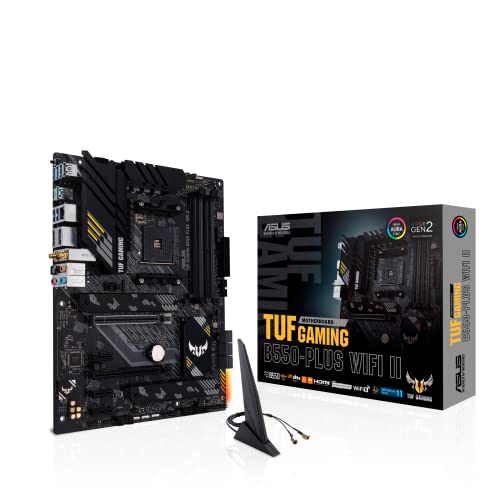
ASUS has the broadest range, from value minded TUF boards to ROG Strix and Crosshair enthusiast models and ProArt creator boards. Firmware is polished, power delivery is strong, and extras such as wireless networking are common. Prices sit above rivals at each tier. ASUS suits builders who want a feature rich board and regular firmware updates.
MSI
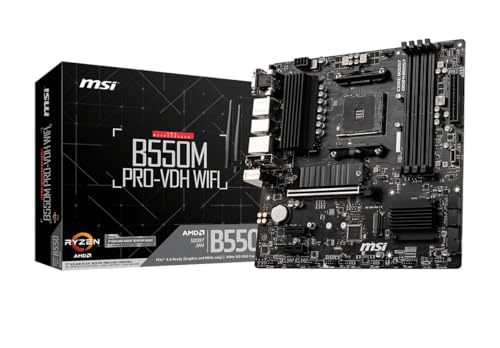
MSI covers every price level with its Pro, MAG, MPG, and MEG families. Boards often offer strong cooling and good value at the middle of the range, and its recent AM5 and Intel boards are well regarded. Firmware menus can feel busy. MSI suits gamers and mainstream builders who want solid specifications at a fair price.
Gigabyte
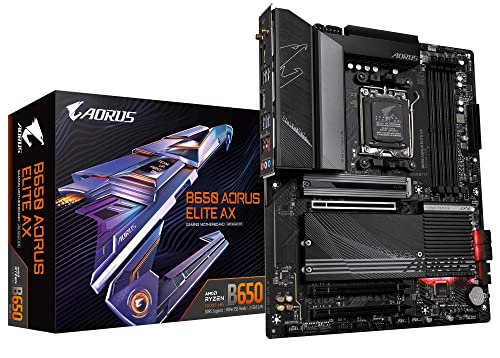
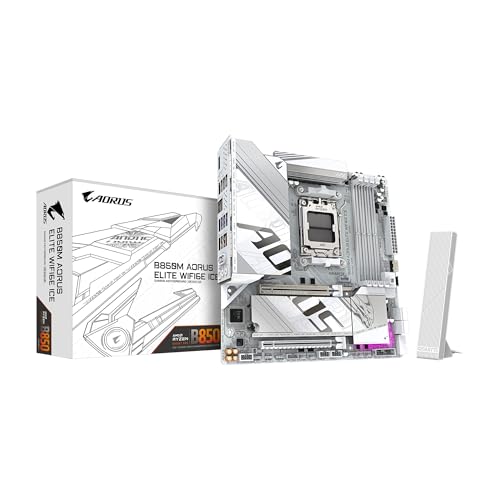
Gigabyte's AORUS line is popular for steady performance and sturdy design, and its entry boards often include useful features for the money. Firmware has improved, and the range is broad. Some users report fussy memory settings on certain boards. Gigabyte suits builders who want dependable boards in the mid range and a simple setup.
ASRock
ASRock is known for value, offering boards with many ports and solid features at lower prices than rivals. Its Steel Legend and Pro lines suit budget builds, and it often supports older processors for longer. Premium lines are smaller and accessories are fewer. ASRock suits cost conscious builders who still want a modern feature set. If you are building around the older AM4 platform, our guide to the best motherboards am4 covers what to look for.
How to Choose Between Brands
List your processor, memory, case size, and storage needs first, then find boards from two or three makers that fit all four. A budget board that matches your processor beats an expensive board with features you will not use. If your case is small, check our guides to the best itx motherboards and best matx motherboards before settling on a size.
Read the manual and the compatibility list for the exact board, check the warranty length, and look at owner comments about firmware stability. Make sure the board supports the memory speed and the number of storage drives you want. If looks matter for a windowed case, our guide to the best looking motherboards shows which styles stand out.
Common Mistakes to Avoid
- Buying a board before choosing the processor, then finding the socket does not match.
- Choosing the wrong size for the case, or forgetting that a micro ATX board has fewer slots.
- Ignoring memory compatibility, which can limit speed or prevent some kits from working.
- Paying for features such as extra wireless modules or a large number of fast ports that you will never use.
- Skipping the first firmware update, which often fixes early bugs and adds processor support.
Care and Everyday Use
Update the BIOS only when you need a fix or new hardware support, and follow the maker's method exactly, never interrupting power during the update. Keep dust off the board and heat sinks with a gentle blast of air from a can, and check that every fan header cable is secure. Keep a note of your BIOS settings and a copy of the manual, and register the warranty with the serial number from the box.
Frequently Asked Questions
Which motherboard maker is most reliable?
ASUS, MSI, Gigabyte, and ASRock all make dependable boards, and the model matters more than the maker. Look at owner feedback on the exact board, check how often firmware is updated, and favor boards with strong power delivery for your processor.
Does brand matter more than the specific board?
The specific board matters more. Each maker sells strong and weak models in the same month. Brand helps with support habits and firmware history, but compare the regulators, cooling, ports, and slots on the exact listing.
How important are firmware updates?
Very important. Updates add support for newer processors, improve memory compatibility, and fix bugs. A maker that keeps updating older boards extends your upgrade path. Update only when needed and never turn off the PC during the process.
What warranty should I expect on a motherboard?
Warranty length varies by maker and region, so check the listing for the exact board. Keep the receipt and serial number, and keep the box if possible, since returns often go more smoothly with original packaging.
Should beginners choose a maker with better support?
Yes. A first build is easier with clear manuals, labeled connectors, and a maker that publishes guides and responds to support requests. Boards with a simple BIOS interface and a USB flash update feature also lower the stress of a first build.
Final Thoughts
Pick the maker whose boards, firmware habits, and warranty fit your build. ASUS offers range and polish, MSI offers balanced value, Gigabyte offers steady mid range boards, and ASRock offers budget friendly features. The best company for motherboards is the one that makes the exact board your processor and case need, so compare the options in the product table at the top of the page and double check compatibility before you order.