Best Compact PC Speakers: What Each Price Tier Delivers 2026
Disclosure: We may earn a commission when you buy through links on this page, at no extra cost to you. As an Amazon Associate I earn from qualifying purchases. Learn more
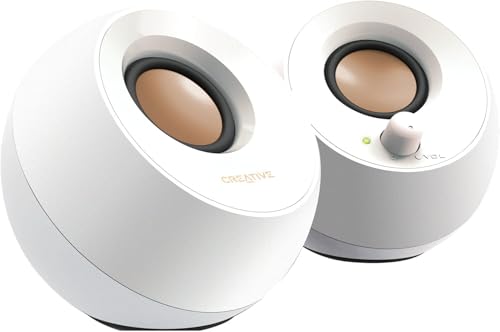
Best compact PC speakers by price tier: what budget, mid-priced and studio-style desktop pairs add in clarity, bass and controls.
Desktop speakers are one of the cheapest ways to improve a computer, and the best compact pc speakers do it without taking over your desk. The product table above lists current pairs and 2.1 systems with a small subwoofer. This guide shows what each price level delivers, which features are worth paying for and which setups avoid the usual problems like desk buzz and boomy bass.
Compact usually means a pair of small satellites that sit beside a monitor, sometimes with a subwoofer under the desk. They are powered by USB, a wall adapter or both, and they connect to the computer by a 3.5 mm cable, USB or Bluetooth.



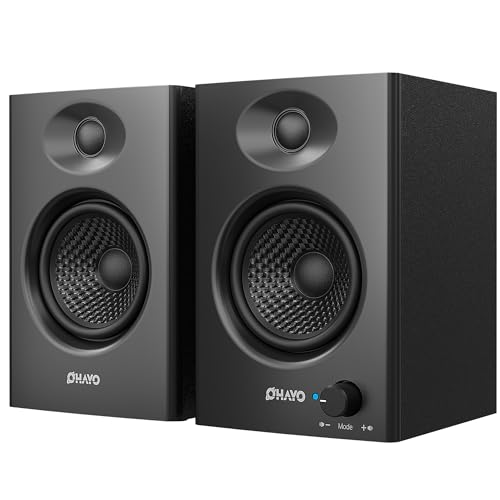


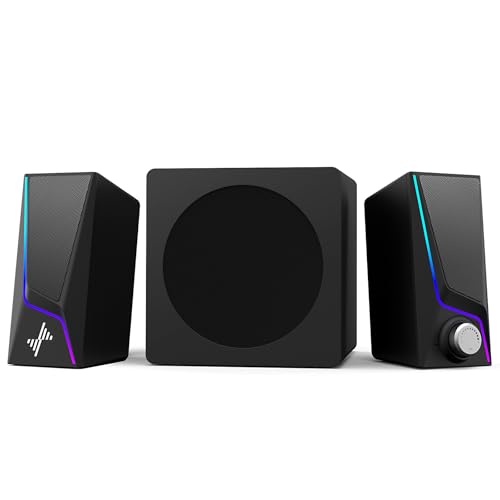
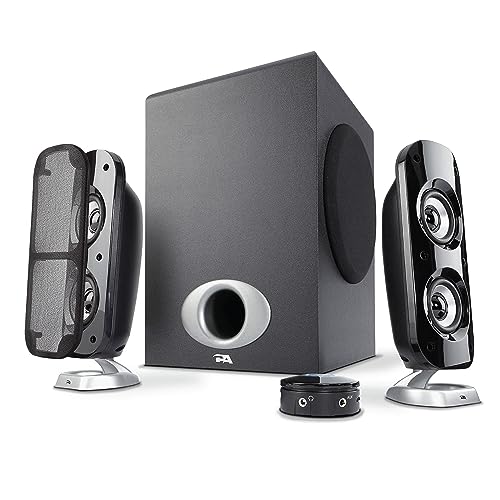
What Each Price Level Delivers
Budget pairs
Simple USB or wall-powered stereo pairs make speech, video calls and casual music clear enough for everyday use. Expect plastic cabinets and modest bass. Look for a front volume dial and a headphone jack, which matter more day to day than a list of lighting effects.
Mid-priced pairs and 2.1 systems
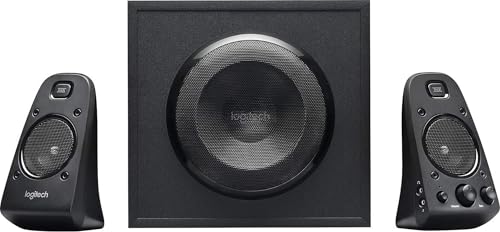
This tier adds better drivers, more bass, wooden or denser cabinets and often Bluetooth and a remote. A 2.1 system adds a small subwoofer, which gives films and games more weight. It needs floor space and a power socket.
Higher-priced studio-style pairs
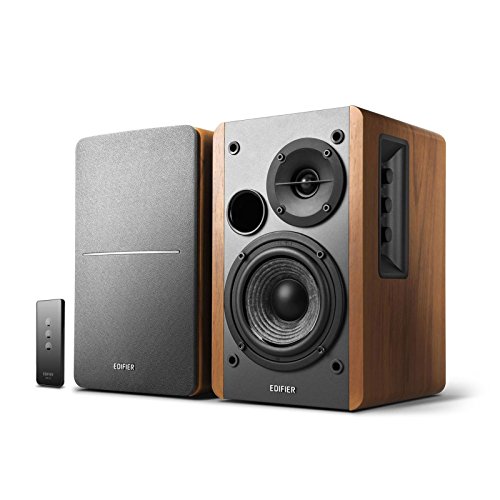
Powered near-field monitors and premium desktop pairs offer a wider soundstage, finer tone control and cleaner sound at low volume. They suit people who listen to music for hours at the desk. Check the inputs, since some use RCA or optical connections.
Types Of Compact PC Speakers
Wired stereo pairs
A wired pair connected by a 3.5 mm cable or USB is the most stable and simplest choice. It suits a work computer or a second desk.
Bluetooth-capable pairs
Bluetooth lets you play from a phone or tablet without cables. A wired connection still gives the most stable sound from the computer, so look for a pair that offers both.
Pairs with a compact subwoofer
A small subwoofer adds depth for games and films. Place it on the floor away from walls and lower the bass level if the sound becomes boomy.
Gaming speakers
Gaming pairs often add lighting, a headphone hook and a wired control pod. Treat the lights as optional and judge them on sound first.
Features That Matter At A Desk For The Best Compact PC Speakers
Clarity at low volume
At a desk you sit close, so a pair that sounds clear at low volume is better than one that is loud but harsh. Voices, such as in calls and podcasts, should be easy to follow.
Controls within reach
A front volume dial or a wired pod saves you from reaching behind the monitor. A headphone output on the front is useful for late nights and shared rooms.
Cables and power
Check the cable lengths, the port positions and whether the speakers use a USB plug or a separate power brick. A brick needs a spare socket and can be a nuisance on a crowded power strip.
Size and fit
Measure the space beside your monitor. Small satellites can sit on a desk, on a shelf, or on small stands. Keep them clear of the screen and keyboard.
Placement For Better Sound
Place the speakers about as far apart as you sit from them, with the tweeters at ear height and angled slightly toward you. Put foam pads under the cabinets if the desk vibrates. If the speakers have a rear port, leave a few inches behind them. Keep power and audio cables separated to reduce hum.
Using Speakers With A Laptop Or A Console
Many compact pairs work with more than a desktop computer. A laptop connects over a 3.5 mm cable, USB or Bluetooth, and a game console can feed the same pair through the audio output of a monitor or a controller. Check that the speakers have the input you need, because a few USB-only models cannot accept an analog source. If you move between a laptop and a phone, a model with Bluetooth and a wired port saves cable swapping.
Think about where the power plug will go. USB-powered pairs draw current from the computer and keep the desk tidy, but they may be quieter than wall-powered models. Wall-powered pairs often give more volume and bass, and they need a spare socket and a path for the cable that does not cross walkways or chair wheels.
Working From Home And Video Calls
If the desk doubles as a work station, voices matter as much as music. Pick a pair that keeps speech clear at low volume, and avoid heavy bass boosts that make people on calls sound muddy. Switch to headphones for sensitive calls, and mute the speakers before you unplug the microphone to avoid feedback. Place the speakers to the sides of the screen rather than behind it, so the sound is directed at you and not at the wall.
Common Mistakes
Common mistakes include paying for surround modes that a desk pair does not need, choosing a speaker that is too big for the desk, and placing a subwoofer in a corner where it booms. Another is leaving the computer volume low and turning the speaker knob up to the maximum, which adds noise. Set the computer volume near its upper range and use the speaker dial for everyday control.
Looking After Desktop Speakers
Dust the cabinets with a dry cloth, keep cables tidy and out of the path of chair wheels, and switch the speakers off at the wall if you will be away for days. Keep drinks away from the controls.
Related Guides
For more options, see best sounding pc speakers, best compact speakers, best pc speakers for gaming and best compact bluetooth speakers.
Frequently Asked Questions
Are budget compact PC speakers good enough?
Yes, for calls, video and casual music at desk distance. Spend more for fuller bass and cleaner treble.
Should I pay extra for Bluetooth?
Only if you will stream from a phone or tablet. A wired link already covers computer sound well.
Do I need a subwoofer for games?
It is optional. A subwoofer adds weight to explosions and music, but many compact pairs have enough low end for casual play.
How do I avoid boomy bass?
Keep speakers away from corners, lower the bass control slightly, and place a subwoofer on the floor away from walls.
How do I stop my desk from buzzing?
Use foam pads or small stands under the speakers and keep them away from the desk edge.
Final Thoughts
Choose by desk space, connections and how loud you listen. Compare the pairs in the product table on size, inputs and controls. The best compact pc speakers are the ones that sound clear at low volume and are easy to control without reaching behind the monitor.