
Best Compact Laptops for Students: Buying Guide for 2026
Disclosure: We may earn a commission when you buy through links on this page, at no extra cost to you. As an Amazon Associate I earn from qualifying purchases. Learn more

Compare the best compact laptops for students with this buying guide on size, weight, battery life, RAM, storage, and ports to choose with confidence.
A laptop that feels fine on a desk at home can feel very different after a full day of lectures, library sessions, and a bus ride across campus. Choosing the best compact laptops for students means balancing a small footprint and light weight against enough performance for essays, research, coding, and video calls. This guide walks you through the sizes, processors, and features that matter most, and the product table gathers current models in one place so you can compare options side by side.
You will also find plain guidance on what you can safely skip. Many students pay extra for power they never use, while cutting corners on the keyboard, screen, or battery that they rely on every single day.

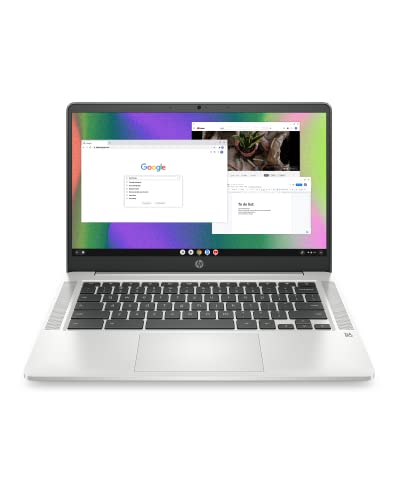


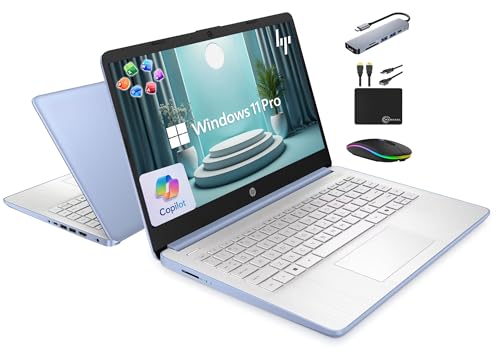

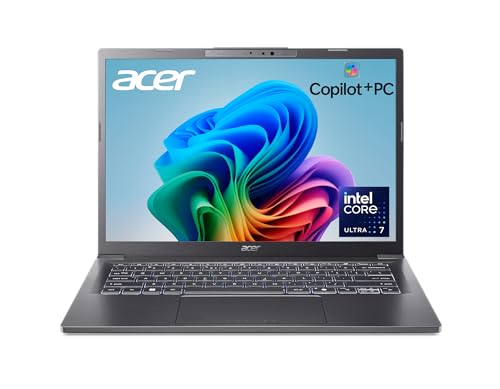
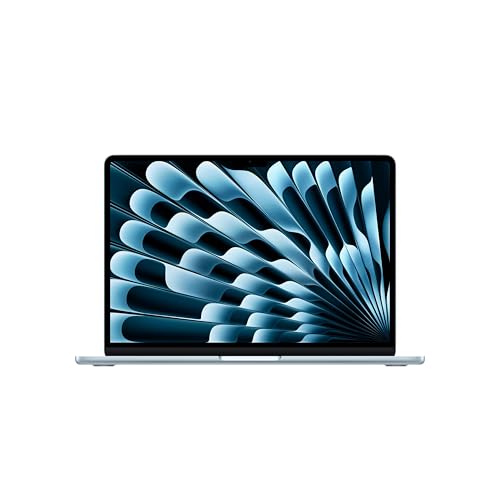
Three Price Levels at a Glance
Instead of chasing a single model, think in price levels. Each level below describes what that budget usually delivers for student work, who it suits, and the compromise you accept. Match the level to your course load first, then compare individual models within it using the product table above.
The Balanced All Round Tier
This middle tier suits most students because it pairs a modern mid range processor with 16 GB of RAM and a fast SSD in a body that still weighs around 3 lb or less. You get smooth multitasking across a browser, documents, and video calls, plus a screen that is comfortable for long reading sessions. The main limitation is gaming and heavy media work, where integrated graphics set a clear ceiling. For a general degree, this tier is usually the safest place to spend.
The Value Tier
Value models keep the price down by using older or entry level processors, 8 GB of RAM, and smaller storage, often 256 GB. They handle note taking, web research, streaming lectures, and office documents without trouble, and many are Chromebooks or simple Windows machines. The trade off shows up when you open dozens of tabs, edit large spreadsheets, or keep the laptop for a full four year degree. If your work is mostly browser based, this tier leaves money for a good bag, a mouse, and cloud storage.
The Premium Tier
Premium compact laptops add aluminum bodies, brighter and sharper displays, larger batteries, and faster processors, and they often include better webcams and speakers for online classes. They suit students in design, engineering, or media courses who also want a machine that still feels quick in the final year of study. You pay noticeably more, and repairs can cost more too. Buy this tier for the screen, build quality, and longevity, not for basic tasks that a cheaper model already handles well.
How to Choose the Best Compact Laptops: Buying Guide
The sections below break the decision into parts you can check on any specification sheet. Read them in order and you will know exactly which numbers matter for your course, and which ones are marketing decoration. This is also where the phrase best compact laptops for students earns its meaning: the right choice is the one that fits your timetable, your subjects, and your bag.
What Students Should Look For
Start with your actual week. If you move between lectures all day, weight and battery life matter more than raw speed. If you study mostly in one room, a slightly larger screen may help your posture and focus.
List the software your course requires, check whether it runs on Windows, macOS, or ChromeOS, and confirm the minimum RAM and storage it needs. That short list prevents the most common mistake, buying a lovely machine that cannot run a required program.
Measuring for Size and Portability
Measure the laptop pocket in your bag before you shop, and leave a little room for a charger and a sleeve. A 13 inch or 14 inch screen is the sweet spot for most students, small enough for a lecture hall desk yet large enough for split screen reading and writing. Weight matters just as much as size: under 3 lb feels easy all day, while a machine near 4 lb plus its charger becomes a burden by the afternoon. Check the charger weight too, since some power bricks are surprisingly heavy.
Processor and Performance Tier
For essays, browsing, and office work, a current entry level processor from the Intel Core, AMD Ryzen, or Apple M families is plenty, especially with 16 GB of RAM. Students in computer science, data, or engineering courses should step up to a stronger mid range chip and confirm that course software supports it. If you want a broader sense of how thin and light designs differ from traditional clamshells, our guide to the best notebook laptops explains the main form factors. Avoid paying for a top tier processor while settling for only 8 GB of RAM, because memory limits multitasking first.
Battery Life in Real World Use
Manufacturer battery claims assume dim screens and light tasks, so expect less in real lectures with WiFi on and video playing. Aim for a model rated well above your longest day away from a socket, ideally 10 hours or more on paper. Fast charging over USB C is genuinely useful, since a short break between classes can restore several hours of use. Also check whether the charger is a standard USB C type, because sharing a charger with a friend or replacing a lost one becomes far easier.
Operating System: Windows, macOS, ChromeOS, and More
Windows offers the widest software support and suits most degrees, including business and engineering tools. macOS pairs smoothly with an iPhone and is popular for media and design work, though the hardware costs more. ChromeOS is simple, secure, and fast on modest hardware, and it shines when your school lives in Google Workspace. The deciding factor is your course software list, not fashion. If a required exam or course program runs on one system only, that settles the question before price even enters the discussion.
Graphics: Integrated vs Dedicated GPU
Integrated graphics handle documents, streaming, light photo editing, and casual games comfortably, and they keep weight and cost down while extending battery life. A dedicated GPU matters for 3D modeling, serious video editing, engineering simulation, and demanding games, but it usually means a heavier, pricier machine. Most students never need one.
If your course mentions GPU requirements, take them seriously and ask the department for its current guidance. Otherwise, spend the same money on more RAM, a better screen, or a larger SSD instead.
Keyboard, Trackpad, and Build
You will type thousands of words on this keyboard, so look for firm keys with decent travel, a layout without cramped arrow keys, and backlighting for dim lecture halls. A large, smooth trackpad reduces the need to carry a mouse. Build quality matters because student laptops get knocked in bags and on crowded desks; a metal lid and a hinge that opens smoothly without wobbling are good signs. If your priority is durability over slimness, the guidance in our article on best quality laptops for students covers what separates sturdy machines from flimsy ones.
Types of Compact Laptops
Compact laptops come in several forms, and the right form depends on how you take notes and where you study. The four types below cover nearly every student budget and course.
Chromebooks
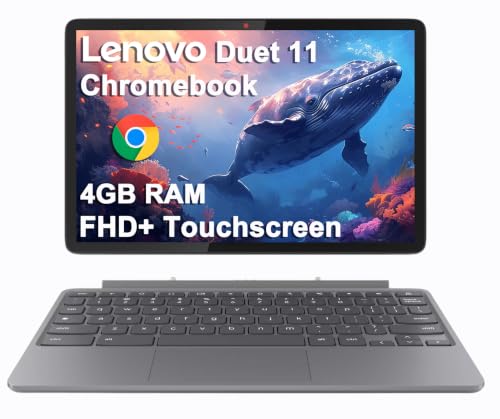
Chromebooks run ChromeOS, start quickly, and need very little maintenance, which makes them popular for school managed programs. They are ideal when your work lives in a browser: documents, slides, research, and video calls. Their weakness is specialist software that needs Windows or macOS. Check your course list carefully, and a Chromebook can be the simplest and cheapest route through your degree.
2 in 1 Convertibles
A 2 in 1 convertible folds its keyboard behind the screen, so it works as a laptop and as a tablet for reading or handwritten notes with a stylus. That flexibility suits students who annotate slides and diagrams. The hinges and touchscreens add cost and a little weight, and tablet mode is less comfortable for long typing. If you rarely picture yourself writing by hand on screen, a standard laptop gives you more performance for the same money.
Gaming Laptops
Compact gaming laptops pack dedicated graphics and strong cooling into smaller bodies, but even the lightest are heavier than ordinary student machines and their batteries fade quickly under load. They make sense if gaming or GPU based coursework is a real priority and you accept the weight every day. For everyone else, they are an expensive way to carry power you will not use. Students focused on technical degrees may also want to read our guide to the best laptops for it students, which covers the specifications that labs and coding courses demand.
Tablets
A tablet with a keyboard cover is the lightest option of all and excels at reading, annotation, and media. It struggles with complex multitasking, some exam software, and file management, and a good keyboard and stylus can push the total price close to a laptop. Tablets work best as a companion device or for courses that are fully browser based. If it will be your only computer for three or four years, a true laptop is the safer choice.
How to Make Your Compact Laptop Last Longer
A student laptop should ideally survive the whole degree. These habits cost nothing and prevent most early failures:
- Keep the operating system and firmware updated, since updates fix security flaws and battery bugs.
- Avoid running at 100 percent charge all the time; unplug once charged when you work at a desk for days.
- Use a padded sleeve when commuting, because most student damage happens inside bags.
- Clean the vents with compressed air every few months so cooling stays effective.
- Back up essays and notes to cloud storage weekly, so a lost or broken machine never means lost coursework.
If you are still torn between a compact model and a standard size, our overview of the best compact laptops explains how the category differs from full size machines, and our guide to the best notebook laptops for students looks at the same decision from a general student angle.
Compact Laptops: Your Questions Answered
What makes compact laptops for students different?
Size and weight come first, because students carry their machines all day and work on small desks. Beyond that, the differences are battery life tuned for a full day of classes, durable builds that survive bags and commuting, and prices that respect a student budget. A useful extra check is port selection: a compact model with only two ports may need a hub for a monitor, a drive, and a charger at the same time.
Is a Chromebook enough for school?
Yes, if your school work lives in a browser and your course requires no Windows or macOS only software. Chromebooks handle documents, research, and video calls well and need little upkeep. Before buying, search your course handbook for required programs and exam tools. One practical check is to list everything you installed on a computer last term; if every item has a web version you already use, a Chromebook will very likely cover your needs.
Is a dedicated GPU worth it?
Only if your course or hobbies genuinely need it, such as 3D design, engineering simulation, or serious gaming. For essays, browsing, and streaming, integrated graphics are enough and give you a lighter machine with longer battery life. A dedicated GPU also raises the price and the fan noise in quiet libraries. Spend the difference on RAM and storage first, because those upgrades improve the tasks you do every day rather than rare peak loads.
Should I buy a laptop or a tablet?
Choose a laptop if it will be your main computer, because a real keyboard, full software support, and easy multitasking matter across a whole degree. Choose a tablet if reading and handwritten annotation dominate your study and you already have access to a desktop for heavy work. Remember to price the tablet with its keyboard and stylus included. That full total often surprises buyers who compared only the bare tablet price against a complete laptop.
How long should a compact laptop last?
Plan on four to five years for a mid range model with 16 GB of RAM and an SSD, which covers most degrees. Budget models may feel slow after three years as software grows heavier. You can extend life by keeping storage below about 85 percent full and replacing the battery if runtime drops sharply. Buying a little more memory and storage at the start is usually cheaper than replacing the whole machine a year early.
The Bottom Line
Focus on three things: a weight you can carry all day, at least 16 GB of RAM with an SSD, and an operating system that runs your course software. Get those right and the best compact laptops for students decision becomes simple. Compare the models in the product table above against your bag size and your longest day on campus, and choose the tier that fits your subjects rather than the most powerful machine on the page.


