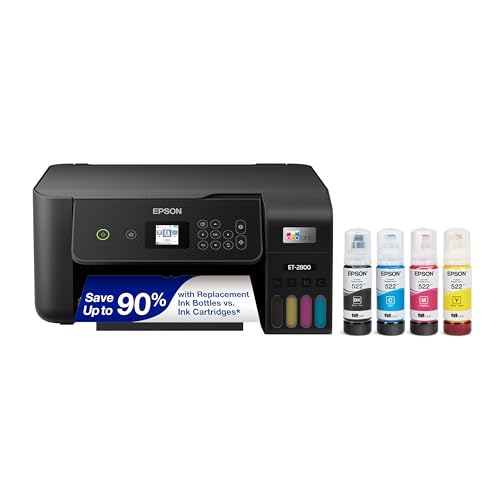
Best Colour Photo Laser Printers 2026 for Home Guide
Disclosure: We may earn a commission when you buy through links on this page, at no extra cost to you. As an Amazon Associate I earn from qualifying purchases. Learn more
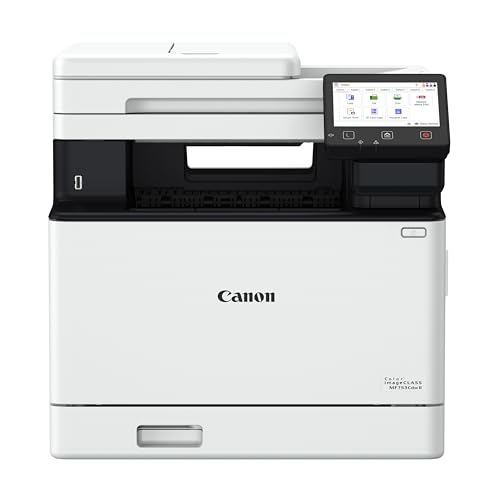
Learn how colour photo laser printers handle images, including colour depth, paper types, resolution, and when a dedicated photo printer is better.
Choosing best colour photo laser printers means understanding what laser technology does well for images and where it reaches its limits. Laser printers deliver sharp, fast, and consistent colour for documents with photos, marketing material, and everyday prints. They are less suited to fine art portraits where smooth gradients and subtle skin tones matter most.
The comparison table below outlines the main colour laser styles for photo use, and the sections that follow explain how to judge them. You will learn how colour depth, paper choice, and driver settings affect photo results, and how to decide whether a laser printer meets your photo needs.
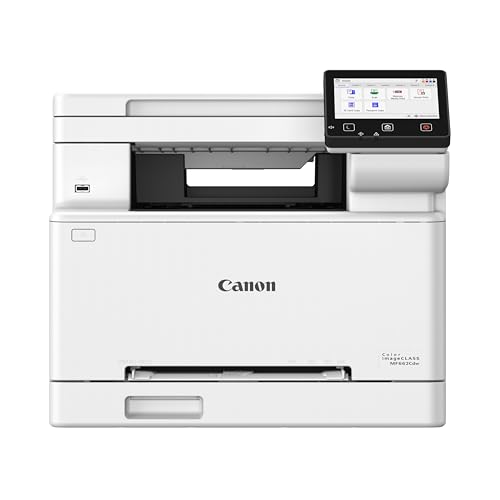
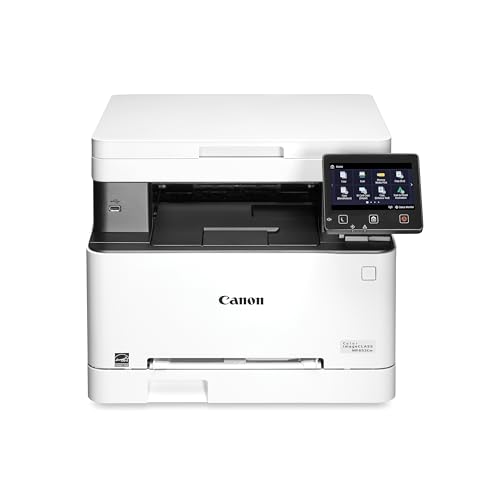


How Laser Colour Works for Photos
Laser printers build colour from toner particles fused onto paper, which gives sharp edges and strong, consistent colour. This method suits bold graphics, text over images, and photos used in reports or flyers. Prints dry quickly and resist smudging, which helps when you handle or file them soon after printing.
Laser colour can struggle with very smooth gradients, such as skies or soft skin tones, where toner steps may show as subtle banding. This limit is more noticeable in large, lightly coloured areas than in detailed or colourful images. Test with a portrait and a landscape photo to see how your printer handles both.
Colour depth depends on toner, calibration, and paper. A well calibrated printer on suitable laser paper can produce rich, pleasing photos, while a poorly calibrated printer may oversaturate or dull colours. Regular calibration and correct paper settings improve results noticeably.
Paper, Settings, and Test Prints
Paper choice is critical for laser photo prints. Use paper made for laser printers, because inkjet coatings can be damaged by laser heat. Coated laser paper gives smoother colour, while matte laser paper reduces glare and suits display prints. Check the maximum paper weight your printer supports.
Driver settings should match your paper and photo type. A photo or vivid mode may boost saturation for graphics, but it can oversaturate skin tones. A standard or natural mode often gives more accurate portraits. Test both modes with the same photo to compare results fairly.
Print a test set before a large job, including a portrait, a landscape, and a graphic with text. Check skin tones, sky gradients, shadow detail, and text sharpness. Keep a reference print from your best settings, so you can spot calibration drift after toner changes.
Cost, Volume, and Hybrid Photo Workflows
Photo printing cost depends on toner coverage, paper price, and print volume. Full colour photos use more toner than documents, so calculate photo cost separately. High yield toner helps for frequent printing, but it does not make laser printing as cheap as a print service for occasional large photos.
Volume should guide your choice. If you print photos daily, a laser printer offers speed and consistency. If you print photos rarely, a print service or a dedicated photo printer may give better quality for special images without the cost of a laser machine.
For laser photo options, compare best colour laser printers for UK spelling variants and best laser printers for photos for photo focused models. Paper handling is covered in best photo paper laser printers, while a related colour laser photo guide appears in best color laser printers for photos. General laser choices are in best laser printers.
Care, Storage, and When to Choose Another Printer
Store laser photo prints away from direct sunlight, heat, and moisture to preserve colour. Use sleeves or albums for keepsake prints, and avoid stacking prints while still warm. Laser prints handle moisture better than many inkjet prints, but careful storage still extends their life.
Maintain the printer with regular cleaning and firmware updates, and replace toner before quality drops noticeably. A printer that sits unused for months may need a test print and calibration check before an important job, because toner and paper conditions change over time.
Choose a dedicated photo printer if your main goal is fine art, large portraits, or gallery quality gradients. A hybrid workflow, with laser for documents and everyday photos and a photo printer or service for special prints, often gives the best balance of speed, cost, and quality.
Getting More From Your Choice
Think about image editing before printing, because small adjustments to brightness, contrast, and colour can improve laser output noticeably. Brighten shadow areas slightly, check skin tones on a calibrated screen, and avoid over sharpening, which can create harsh edges in laser prints. A well edited file prints better on any printer, while a poorly edited file will expose laser limits more clearly.
Consider test strips for large prints, because printing a small crop of a photo saves toner and paper while revealing colour and detail problems. Print a crop that includes skin, sky, and shadow, then adjust settings based on that crop before committing to a full print. Test strips are especially useful for important photos where a full reprint would waste time and supplies.
Think about printer placement and ventilation, because laser printers produce heat and occasional odour during heavy photo printing. Place the printer in a ventilated area, away from direct sunlight and dust, and allow space around it for airflow. A well placed printer runs more consistently and lasts longer than one crammed into a hot, dusty corner.
Plan for toner and drum management during photo work, because photo printing uses toner unevenly across colours. Monitor individual colour levels, not just overall toner, because one colour running low can shift photo colour subtly. Keep a spare set of high use colours if you print photos often, so a low toner warning does not interrupt an important batch.
Consider archiving digital files alongside prints, because a printed photo is not a backup of the original image. Keep original files organised with dates and names, and store them in at least two places. That habit protects your photos even if prints fade, get damaged, or are lost, and it lets you reprint a favourite image later with updated settings.
Finally, compare laser prints with print service samples for your most important photos, so you understand the quality gap honestly. A print service may offer smoother gradients and wider colour for special images, while laser remains faster and cheaper for everyday work. Knowing that gap helps you choose the right output method for each photo, rather than expecting one machine to do everything perfectly.
Frequently Asked Questions
Are colour laser printers good for photos?
They are good for everyday photos, marketing images, and documents with photos, offering sharp and consistent colour. For fine art portraits with smooth gradients, a dedicated photo printer usually performs better. Test with your own photos, especially skin tones and skies.
What paper should I use for laser photo prints?
Use paper made for laser printers, such as coated laser photo paper for smoother colour or matte laser paper for glare free display. Avoid inkjet photo paper, because laser heat can damage coatings not designed for it. Check paper weight limits in the manual.
Why do laser photos differ from screen images?
Screens use light while printers use toner on paper, so brightness and colour naturally differ. Calibration, paper type, and driver settings all affect the result. Print a test image and adjust settings rather than expecting an exact screen match.
How much does laser photo printing cost?
Cost depends on toner coverage and paper price, with full colour photos costing more than documents. High yield toner helps for frequent printing, but occasional large photos may cost less through a print service. Estimate photo volume separately from document volume.
Should I buy a laser printer mainly for photos?
Only if you also print documents often and value speed. If photos are your main goal, a dedicated photo printer or a print service may give better quality. A hybrid setup often serves mixed needs best.
Final Thoughts
Use a colour laser printer for sharp everyday photos and mixed documents, choose laser rated paper, and test portraits and landscapes before a large job. For fine art keepsakes, add a dedicated photo printer or a print service to your workflow.
With realistic expectations, best colour photo laser printers can cover most daily photo needs quickly and consistently. The product table above can help you compare laser styles before you decide.