
Best Cleaner for Laptops for 2026: What Each Spending Level Buys
Disclosure: We may earn a commission when you buy through links on this page, at no extra cost to you. As an Amazon Associate I earn from qualifying purchases. Learn more

Compare the best cleaner for laptops by spending level, from a single spray bottle to full kits, with coating safety, port care, and value notes for each tier.
Laptop cleaners sell for anything from a few dollars to the price of a nice dinner out, and the labels rarely explain what the extra money buys. A basic spray and cloth handles fingerprints and light dust on most machines, while bigger kits add brushes, blowers, and refill concentrate. Use the comparison table below to see where spending more genuinely helps, so you can choose the best cleaner for laptops you own without paying for extras you will never touch.
Start by naming the mess, because each surface needs a different approach. Screens collect fingerprints and dust, keyboards trap crumbs and skin oil between the keys, and the lid and palm rest pick up grime from bags and desks. One gentle cleaner chosen well can cover all three areas, as long as it respects the coating on the display and stays out of the ports.

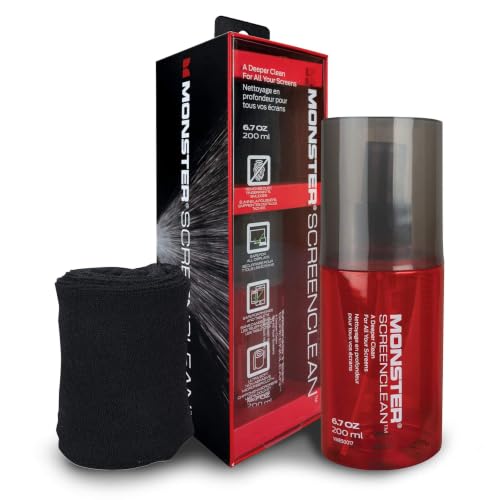
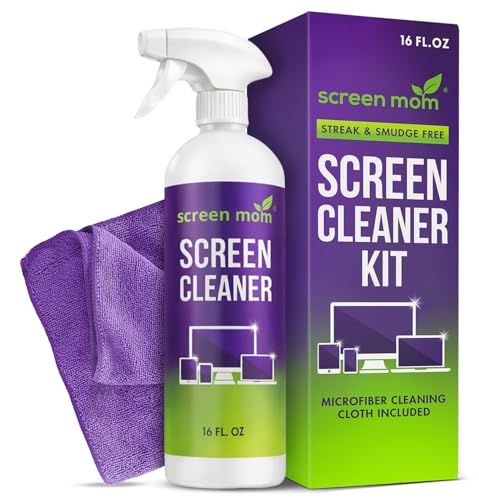


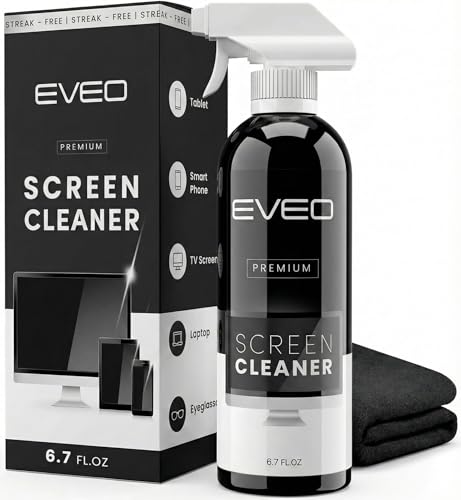


What Your Money Gets You at Each Spending Level
Price bands for laptop cleaners are wide because the products solve different problems. The tiers below describe what typically shows up at each level, what gets left out, and who each level suits. Match the tier to your mess first, then worry about brand names and bottle sizes.
The Small Spend: One Bottle and One Cloth
For about $5 to $10 you usually get a single spray bottle of screen safe cleaner and one microfiber cloth. That pairing is enough for fingerprints, dust, and the light film that builds up on a lid and palm rest. Nothing here helps with crumbs packed under keys or sticky residue on a trackpad. Choose this level if your laptop lives on one desk and you clean it weekly, before grime has time to harden.
The Middle Spend: Kits That Add Simple Tools
Spending about $10 to $20 usually brings a kit with two or three cloths, a soft brush, and often a small air blower. The second cloth matters more than it sounds, because a fresh cloth polishes while a loaded one just moves grease around. The brush reaches the gaps around keys and hinge vents that a cloth cannot. This is the right level for shared family laptops and anyone who eats at the desk.
The Larger Spend: Refills and Bigger Bottles
At about $20 to $35 the cleaner itself rarely gets stronger, and the value shifts to volume and refills. Concentrate that you dilute at home, or a large bottle with a small travel spray, lowers the cost of every cleaning over a year or two. Buy here if you maintain several laptops, or if you want one purchase to last through many cleanings.
Features That Decide a Laptop Cleaner
Five features separate the best cleaner for laptops, one that is safe for every surface on the machine, from one that belongs under the kitchen sink.
Screen Coating Safety Comes First
Modern laptop displays carry thin coatings that reduce glare and resist fingerprints, and harsh chemicals strip those coatings in patches. Avoid anything with ammonia, acetone, or strong solvents, whatever the label promises about glass. A cleaner made for screens uses mild ingredients and leaves no film behind. Shoppers whose only problem is a grubby display can compare the best screen cleaner for laptops in our separate guide.
Liquid Control Around Ports and Keys
Liquid belongs on the cloth, never sprayed straight onto the machine. Spraying a screen lets fluid run down into the bezel, and spraying a keyboard sends it under the keys toward the board. Always power the laptop off and unplug it before cleaning, then apply two or three sprays to the cloth and wipe with light pressure. Keep every port, vent, and speaker grille dry, and let the machine sit for a minute before you close the lid.
Tools for Keyboards and Hinges
Crumbs and dust under keys need dry tools, not more liquid. A soft brush with long bristles flicks debris out of the gaps, and a hand blower puffs dust from hinge vents without the moisture and propellant that canned air can spit. Sticky key tops respond to a cloth barely dampened with cleaner, worked one row at a time. If a key still sticks after that, the problem is mechanical, and no cleaner will fix it.
Scent, Residue, and Drying Time
A cleaner you use inches from your face should not smell like a perfume counter. Fragrance free formulas suit shared offices and anyone sensitive to scent, and they tend to leave less residue on matte screens. Residue shows up as streaks that appear only under bright light, which usually means too much product rather than a bad formula.
Ingredients and Safety Labels
Look for plain ingredient lists and recognized safety marks such as EPA Safer Choice, which signals a formula reviewed for lower toxicity. Keep every cleaning product stored away from children and pets, and never mix one cleaner with another in the same bottle or on the same cloth. Mixing bleach based products with ammonia or acids creates dangerous fumes, and mixing screen sprays with household glass cleaner can produce a blend that damages coatings.
Who Should Buy Which Cleaner
The right purchase depends on how the laptop is used day to day. These three routines cover most buyers, and each one points to a different tier above.
One Desk, One Laptop, Light Mess
If your laptop stays on a desk and the worst it sees is dust and fingerprints, the small spend tier is honestly enough. A weekly wipe with a single bottle and cloth keeps the screen clear and the lid presentable. Spend the savings on a second cloth instead, and wash both cloths often so grit does not scratch the display.
Families Sharing a Single Machine
Shared laptops collect sticky fingerprints, snack crumbs, and mystery smudges at a pace a solo machine never sees. A mid level kit with a brush and spare cloths handles the variety without drama. Store the kit where children cannot reach it, and make the power off step a habit for younger users. Cleaning after homework sessions, rather than on a fixed day, keeps the mess from setting.
Commuters and Frequent Flyers
Laptops that ride in bags pick up lint, dust, and grime from zips and pockets, and they get cleaned in odd places. A compact spray bottle under the travel size limit, plus a cloth that lives in the laptop sleeve, beats a big home kit you never carry. Wipe the screen before flights, because cabin light shows every smudge.
Mistakes That Damage Screens and Keyboards
Most laptop cleaning damage comes from habits, not from weak products. Avoid these five and almost any gentle cleaner will serve you well.
- Spraying liquid directly onto the screen or keyboard, which lets it seep into the bezel and under the keys.
- Scrubbing with paper towels or tissues, whose fibers can scratch coatings and leave lint across the display.
- Cleaning while the laptop is on or plugged in, which risks both short circuits and smeared power warnings mid wipe.
- Pressing hard on the screen to shift a stubborn mark, which can damage the panel long before the mark moves.
- Using the same grimy cloth for weeks, which drags grit across the screen on every pass.
Care Habits That Keep a Laptop Clean Longer
A new machine is the easiest to keep clean, because a light weekly wipe stops grime from bonding to surfaces. Readers still choosing a machine can start with our best notebook laptops guide and add a basic cleaner to the same order. Wash microfiber cloths in plain water, skip fabric softener, and let them air dry so the fibers keep lifting dust. Keep food and open drinks a forearm away from the keyboard, and close the lid when the laptop sits unused, since a closed lid collects almost no dust.
Frequently Asked Questions
How often should a laptop be cleaned with a screen cleaner?
Most laptops need a screen wipe about once a week and a keyboard clean once or twice a month. Heavy users who travel or eat at the desk should wipe the screen whenever fingerprints start to catch the light. Cleaning little and often takes two minutes and prevents the baked on film that tempts people to scrub hard. A calendar reminder tied to your charger routine makes the habit stick.
Can household glass cleaner be used on a laptop screen?
No, household glass cleaner is a poor match for laptop screens. Many formulas contain ammonia, which can cloud anti glare coatings and leave pale patches that never come off. Glass cleaners are made for plain window glass, a far tougher surface than a coated display. If nothing else is available, a cloth dampened with plain water is safer than any household spray.
Is isopropyl alcohol safe on laptop keyboards?
Isopropyl alcohol at about 70 percent is generally safe on key tops when it is applied with a cloth and used sparingly. It evaporates fast, which limits how much liquid can reach the parts underneath. Keep it off the screen, because alcohol can dull some display coatings over time. Never pour it between the keys, and let the keyboard dry fully before powering the laptop back on.
What should never be mixed when cleaning a laptop?
Bleach based cleaners should never be mixed with ammonia or with acidic products such as vinegar sprays. Those combinations release fumes that can injure lungs and eyes in seconds. Mixing matters even in small amounts on the same cloth, so rinse a cloth thoroughly if you switch products. One product at a time, in a ventilated room, is the safe rule for every surface.
Do fragrance free laptop cleaners clean as well as scented ones?
Yes, fragrance free cleaners clean just as well, because scent adds nothing to cleaning power. The fragrance in scented sprays is a perfume ingredient, and it can leave a faint film that shows on matte screens under bright light. Fragrance free formulas are the better pick for shared offices, classrooms, and anyone who reacts to strong smells. Any cleaning difference you notice comes from the cloth, not the scent.
Final Thoughts
Match the tier to the mess, keep liquid on the cloth and out of the ports, and let coating safety guide every choice. The product table above collects the options in one place, so compare it against the tier descriptions before you order. For most readers, the best cleaner for laptops is a gentle screen safe spray, two clean cloths, and the habit of using them weekly.


