
Best Chips For Laptops: A Practical Buying Guide for 2026
Disclosure: We may earn a commission when you buy through links on this page, at no extra cost to you. As an Amazon Associate I earn from qualifying purchases. Learn more
Learn how to choose best chips for laptops with confidence, covering fit, features, costs, and care for a sound daily choice. Read the checks before you order.
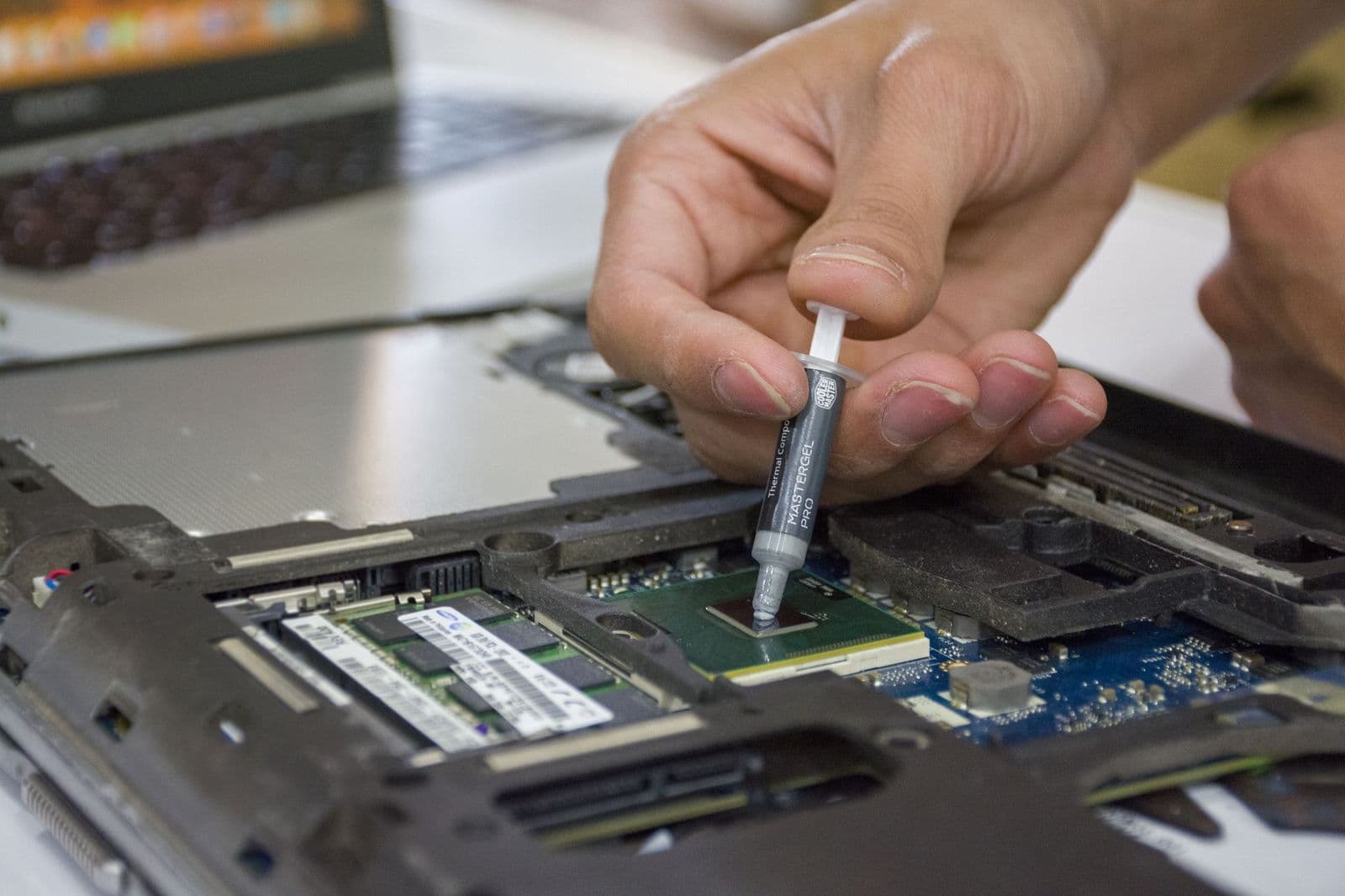
Most laptop processors are soldered to the motherboard, so the best chips for laptops are chosen at the moment you pick the laptop, not afterward. That makes the processor family, its power class, and the cooling around it the three details worth understanding before you spend money. This guide explains what separates the major laptop chip families, how to match one to your work, and which marketing numbers you can safely ignore.
A chip name on a spec sheet tells only part of the story. Two laptops with the same processor can feel very different if one has thin cooling and the other has a roomy fan setup, so the chip and the chassis have to be judged together.
The Main Families of Laptop Chips
Four families cover nearly every laptop on sale. Intel makes the Core and Core Ultra lines, AMD makes the Ryzen line, Apple builds its own M series chips for Mac laptops, and Qualcomm makes Snapdragon chips for Windows laptops built around low power use. Each family has entry, mainstream, and high performance versions, and the higher versions add cores, graphics strength, and heat output.
Intel and AMD chips run Windows and Linux laptops across every price range, and they are the safest choice if you rely on older desktop software or specialist programs. Apple chips only appear in Mac laptops and are known for strong battery life and quiet running. Qualcomm chips target long battery life and always connected use, but check that the programs you need run natively on them before you commit.
Cores, Speed, and What They Mean for Your Work
Cores handle separate tasks at the same time, while clock speed describes how fast each core can work. More cores help with video exports, code compiling, and heavy multitasking. A higher speed helps single jobs such as opening a large spreadsheet or loading a web page. Many modern chips mix fast cores with efficient cores, so the laptop can stay cool and quiet during light work and speed up when you ask for more.
For documents, browsing, streaming, and video calls, a mainstream chip from any family is plenty. Photo editing and light video work reward more cores and more memory. Gaming and 3D work lean on the graphics side of the system, which brings us to the next point.
Graphics and AI Features
Every laptop chip includes integrated graphics. Recent integrated graphics handle office work, streaming, and casual games well, and the stronger versions manage modest creative work. Serious gaming and 3D rendering usually need a separate graphics chip, which adds weight, heat, and cost but is the right answer for demanding users.
Many new chips also include an AI engine, often called an NPU, that runs features such as background blur, voice cleanup, and on device assistants while using little power. It is a useful extra for video calls and for Windows features that rely on it, but it should not outweigh battery life, cooling, and memory when you compare laptops. The best chips for laptops are the ones that balance all of these, not the ones with the longest feature list.
Power Class and Cooling
Chip makers sell the same family in different power classes. Low power versions suit thin laptops and long battery life. Mainstream versions balance speed and runtime. High power versions deliver the most speed but need large fans and a big battery, which makes the laptop heavier and louder. A powerful chip in a thin body will slow itself down when it gets hot, so a mid power chip in a well cooled laptop often feels faster in long tasks than a high power chip in a thin one.
Read reviews that measure sustained speed and fan noise for the exact laptop model, not just the chip, since that is where the real differences appear.
Memory and Storage Matter as Much as the Chip
A fast processor held back by too little memory will stall as soon as you open many tabs and apps. Sixteen gigabytes is a comfortable starting point for most people today, and creative users benefit from more. Fast solid state storage makes startup, app launches, and file copying feel quick, so treat memory and storage as part of the chip decision. Many thin laptops solder memory to the board, so you cannot add more later and should buy enough on day one.
How to Choose Step by Step
- List your heaviest regular tasks: office work, photo or video editing, programming, or gaming.
- Pick the chip family that runs your software well, checking compatibility for Apple and Qualcomm laptops if you use specialist programs.
- Choose a power class that matches how you carry the laptop: low power for travel, mainstream for most, high power for desk based heavy work.
- Confirm memory, storage, cooling, and battery reviews for the exact laptop, not only the chip name.
Common Mistakes to Avoid
- Choosing by generation number alone, without checking cores, power class, and cooling.
- Pairing a fast chip with too little memory, which limits the whole system.
- Buying a gaming grade chip for simple office work and paying for heat, weight, and battery drain you never use.
- Assuming you can upgrade the chip later, when it is almost always soldered in place.
Keeping Chip Performance Steady
Keep vents clear and avoid using the laptop on a bed or blanket, which blocks airflow and forces the chip to slow down. Install system and driver updates, since they often improve efficiency and battery life. Use a flat, hard surface for heavy tasks, and back up your files before long exports or major updates. If the laptop overheats, shuts down unexpectedly, or the battery swells, stop using it and seek professional service.
Related Guides
If wireless performance matters as much as processing speed, read our guide to the best wifi chip for laptops for a closer look at network cards and what they add to a laptop.
Frequently Asked Questions
What laptop chip do I need for office work?
A current mainstream or low power chip from any major family, paired with 16 GB of memory, handles documents, browsing, and video calls smoothly. You do not need a high performance chip for office work unless you also edit video or run heavy software.
Do more cores always mean a faster laptop?
No. More cores speed up tasks that split across them, such as video exports, but single tasks depend more on speed and efficiency. Match the core count to your work rather than assuming more is always better.
Is built in graphics enough?
For office work, streaming, and light photo editing, yes. Games and 3D work usually need a separate graphics chip for smooth performance, so check that part of the specification if those matter to you.
Why does a fast laptop slow down?
Heat is the common cause. A hot chip reduces its own speed to protect itself, which is why cooling design, clean vents, and sensible power settings help a laptop hold its speed longer.
Can I upgrade the chip in my laptop later?
In almost every modern laptop the processor is soldered to the board and cannot be replaced. Choose the chip you need for the next several years when you buy, and pair it with enough memory and storage.
Final Thoughts
Pick the chip family that runs your software, match the power class to how you use the laptop, and treat memory, storage, and cooling as part of the same decision. A balanced chip in a well built laptop beats the biggest processor in a poorly cooled one, which is the simplest way to choose among the best chips for laptops without chasing the highest number on the box.


