Best Childrens Cameras: Budget, Midrange, and Premium Buying Guide for 2026
Disclosure: We may earn a commission when you buy through links on this page, at no extra cost to you. As an Amazon Associate I earn from qualifying purchases. Learn more

Learn how to choose the best childrens cameras at budget, midrange, and premium prices, plus tips on durability, batteries, storage, and photo quality.
Cameras made for children span a wide price range, from simple toys that snap grainy pictures to sturdy models that take genuinely good photos. The best childrens cameras share a few traits at every price: they survive drops, they are simple enough for a child to run alone, and they store plenty of photos. The comparison table below lines up current options so you can match features to your budget.
This guide walks through what each price tier really offers, which features deserve your money, and which ones you can safely skip.





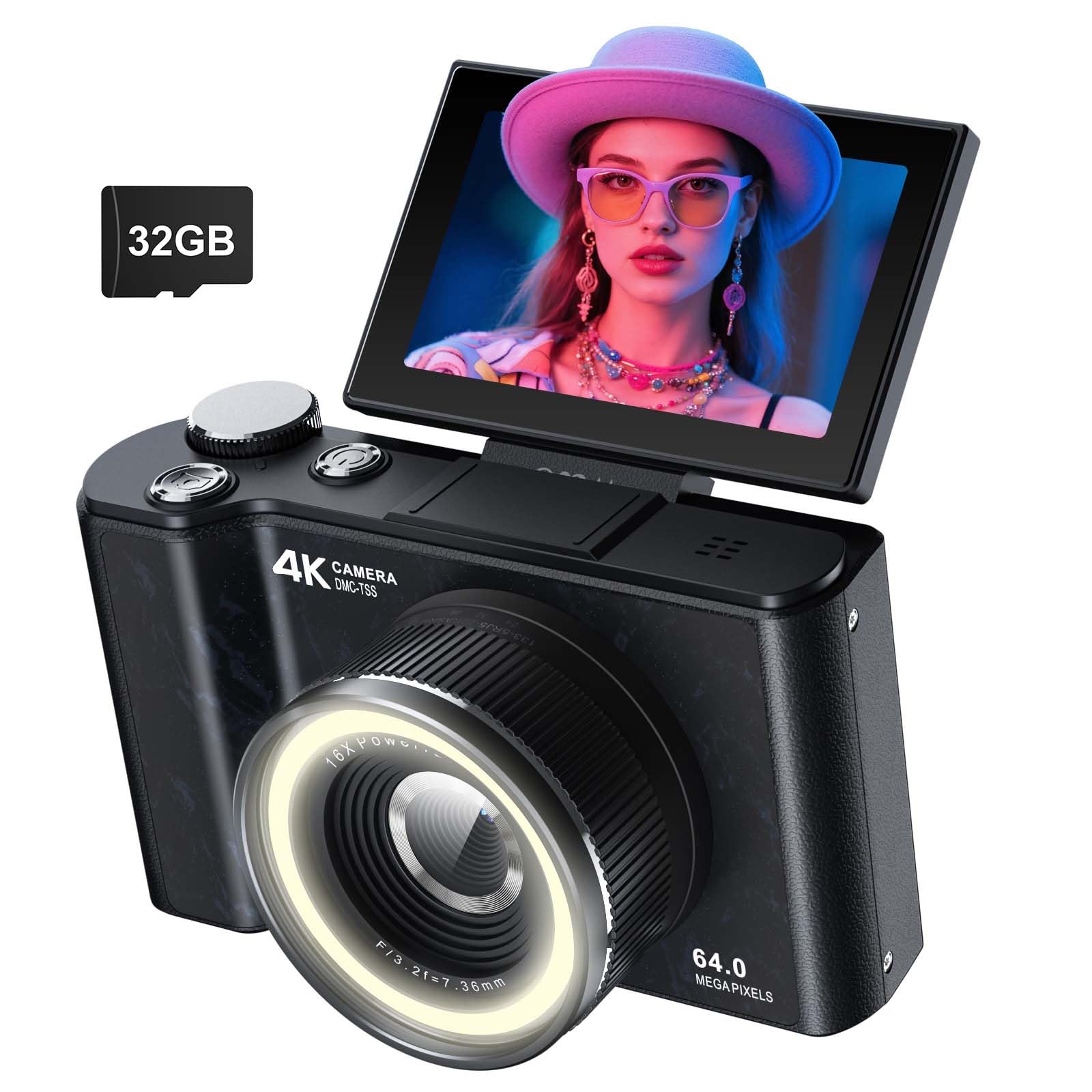

Who Should Buy Which Children's Camera?
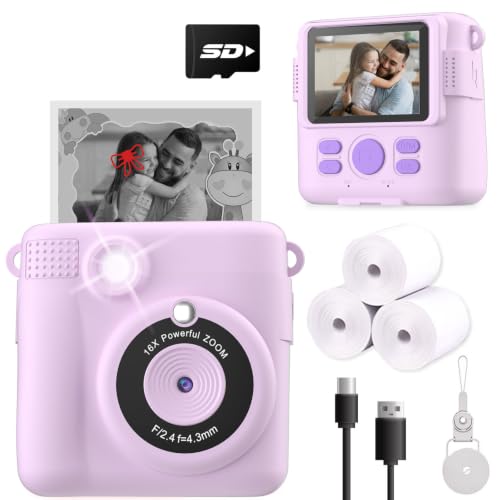
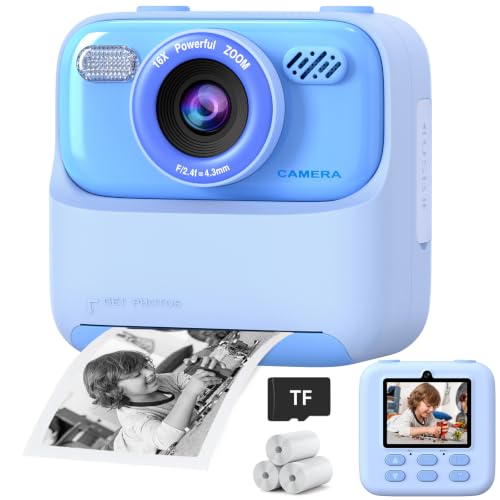
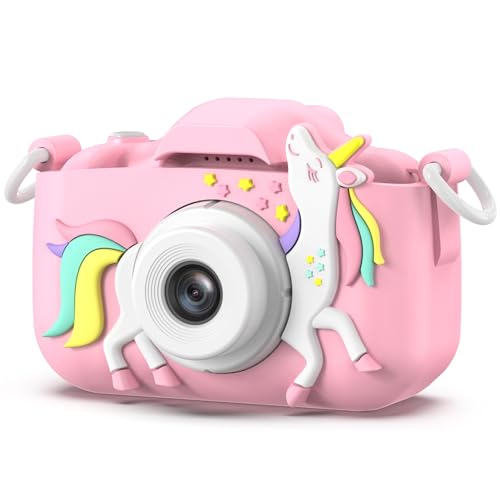
Age and temperament matter more than brand here. A camera that delights a careful ten year old will frustrate a toddler, and a toddler proof model will bore an older child within a week. Use the product table above to compare models built for each stage.
Toddlers and Preschoolers Who Drop Everything
For children under five, the camera is mostly a toy that happens to take pictures. Look for thick rubber bumpers, a body with no small detachable parts, and one or two big buttons that do everything. Photo quality barely matters at this age, since the fun is in pointing, clicking, and seeing a picture appear, so a built in screen for instant viewing matters more than resolution. Skip models with a pop up flash or removable lens cap, which get lost or broken first.
School Age Kids Who Want Real Photos
Children from about six to nine usually want pictures that actually look like the things they photographed, from pets to school projects. This group benefits from reliable autofocus, a screen bright enough to use outdoors, and storage for hundreds of shots. A wrist strap or neck strap is essential, since this age carries the camera everywhere. Simple photo effects are fine, but the core camera should still work well with them turned off. Slimmer designs become acceptable once a child uses the strap reliably.
Tweens Ready for a Step Up
Older children who show real interest in photography outgrow toy cameras quickly. They are ready for optical zoom, better low light results, and controls they can grow into over time. This stage is a bridge toward the wider world of best starter cameras made for beginners of any age. Choose one that saves photos in standard formats, connects to a family computer easily, and feels solid without being so costly that a loss ruins a trip.
What Your Money Gets You at Each Price Tier
Prices for children's cameras cluster into three rough bands, and the jump between bands buys specific things. Knowing what each band includes helps you spot a fair deal here or in the broader best digital cameras category for an older child.
Budget Tier: Simple, Tough, and Easy to Replace
Budget models usually cost around $40, and nearly all stay under $60. They focus on survival rather than image quality, with chunky bumpers, small screens, basic video, and photos that look fine on the camera screen but soft when printed. Storage is often a small memory card or modest built in memory, an acceptable trade off for a first camera you expect to lose. What you give up is low light ability, zoom range, and battery life, so set expectations before a birthday party in a dim room.
Midrange Tier: Better Photos Without a Fragile Build
Midrange models cost about $100 on average, with nicer ones reaching about $150. This is where photos start to look genuinely good on a tablet or in small prints. You typically get a larger sensor, faster autofocus, a brighter screen, and a rechargeable battery that lasts a full day, with cases and straps often included. The build stays child friendly, with sealed buttons and shock absorbing corners. For most families buying for a child between six and eleven, this band offers the strongest balance of quality, toughness, and price.
Premium Tier: Real Camera Features for Serious Young Photographers
Premium children's cameras start around $150 and climb to about $400. They borrow from point and shoot compacts made for adults, then add tougher shells and simpler menus. Expect 4K video on some models, real optical zoom, better lenses, and sensors that handle indoor light well. This tier suits tweens who shoot often and families who want one camera a child can keep for years. Shoppers at this level often compare against guides to the best cameras for photography to see what the next step up looks like.
Features Worth Paying For (and Ones to Skip)
Spec sheets mix meaningful numbers with marketing padding. Extreme digital zoom claims and long lists of games and filters rarely improve a child's photos, so learn to skim past them. The five factors below are what separate the best childrens cameras from disappointing ones, and each section explains what the factor does and where it shows up by price.
Battery Life and Charging
A camera that dies by lunch teaches a child to leave it at home. Look for a rechargeable battery rated for several hours of shooting, and prefer USB charging so a standard cable or power bank can rescue a forgotten charge before a field trip. Cameras that run on AA batteries cost more over time but are easy to revive anywhere, and some midrange and premium models allow a spare battery swap for long travel days.
Low Light Performance
Many of a child's best photo moments happen indoors, at parties, school plays, and family dinners where light is poor. A larger sensor and a lens that lets in more light produce cleaner indoor shots, while a small sensor gives blurry, grainy results that children find disappointing. A gentle built in flash helps at close range. This ability is rare in the budget tier and improves as price rises, so families who shoot indoors should weight it heavily.
Controls and Menus Kids Can Handle
The best specification on paper means little if a child cannot find the shutter button or gets lost in menus. Favor large, clearly marked buttons, a simple mode dial or none at all, and icons a child can read without words. Touch screens help older children but confuse younger ones who trigger settings by gripping the camera. Ask yourself whether your child could turn it on, take a photo, and view it within ten seconds. If not, the design will slow them down.
Sensor Size and Image Quality
Sensor size affects photo quality more than the megapixel number printed on the box. A bigger sensor gathers more light, which means sharper detail and cleaner colors, especially indoors. Budget children's cameras use very small sensors, midrange models step up modestly, and premium models may use sensors similar to adult compacts. Megapixels only decide how large a photo can print, and modest counts handle small prints well. Readers comparing across camera types can see how sensor choices shape results in guides to the best quality cameras as well.
Size, Weight, and Ergonomics
Small hands need a camera they can grip with both hands without covering the lens or flash. Very light models feel like toys to older kids, while heavy models get left behind on walks. A textured grip, a lens placed away from the natural finger position, and an included strap all help. For travel, check the total weight with batteries and card installed, since a camera that fits a backpack pocket gets used far more than one that needs its own bag.
Long Term Costs to Factor In
The purchase price is only part of what a children's camera costs over a few years. Memory cards are the most common extra, since built in storage fills quickly once a child discovers video. Rechargeable batteries eventually wear out, and replacement straps and cases add small amounts over time. If your child loves printing, budget for photo paper or a printing setup, which can exceed the camera price across a year. Finally, weigh replacement risk: a budget model you can replace twice may cost less overall than one premium repair.
How to Make a Children's Camera Last Longer
Care for these cameras is simple and specific. Teach your child to wipe the lens with a soft, dry cloth rather than a shirt sleeve, since gritty fabric scratches the coating. Keep the camera in its case or a padded pocket between uses so the screen does not rub against keys or toys. Unless a model is rated weatherproof or waterproof, keep it away from rain, sand, and pool splashes. Charge the battery before it sits empty for months, and check strap knots every few months.
Common Mistakes to Avoid
- Buying on megapixel count alone leaves you with big files that still look grainy indoors.
- Choosing a fragile adult style camera for a young child usually ends with a cracked screen within weeks.
- Skipping the strap and case invites the drops and scratches that shorten a camera's life.
- Forgetting to check storage means the camera fills up during the first big outing and stops recording.
- Paying extra for 4K video wastes money when your child mostly shoots still photos.
- Picking a model with deep, text heavy menus frustrates kids who cannot yet read fluently.
Frequently Asked Questions
What makes a children's camera different from a regular camera?
A children's camera differs mainly in toughness, simplicity, and size rather than in how it records light. Thick bumpers, sealed buttons, and simple menus let a child shoot without adult help, and the body fits small hands. One point parents miss is the screen: most models use it as the only way to frame a shot, since a viewfinder is hard for kids to use, so outdoor screen brightness is worth checking.
How much optical zoom does a children's camera need for everyday photos?
Most children do fine with the fixed lens on budget models or a modest optical zoom of about 3x to 5x on midrange and premium ones. Optical zoom uses the lens to get closer, so detail stays sharp, while digital zoom only crops the picture and quickly looks soft. For school plays and sports days, a seat a few rows closer beats any zoom these cameras offer, which is why big digital zoom numbers deserve skepticism.
What camera specs matter most for a child who is just starting out?
For a first camera, prioritize durability, a responsive shutter with little delay, and enough storage for a full day of shooting. That delay matters more than spec sheets suggest, because young children move on quickly and miss moments when the camera lags. Ignore long feature lists about filters and frames here. If the camera starts fast, focuses on its own, and survives the playground, a beginner will actually learn with it.
Is a smartphone enough, or should a child have a children's camera instead?
A smartphone takes better photos, but handing one to a young child brings risks a dedicated camera avoids: accidental purchases, internet access, and an expensive device dropped on concrete. A children's camera gives the child ownership of the hobby and keeps the family phone in a parent's pocket. An old phone with accounts removed can work for a careful tween, though its weak battery and lack of a strap argue for a purpose built camera on trips.
How much should you spend on a child's first camera?
Match the spend to the child's age and track record with belongings rather than to a fixed rule. Spending around $40 suits a first camera for a young child who may lose it, while about $100 makes sense once a child has cared for other gear responsibly. If losing the camera would cause real stress, step down a tier. You can always upgrade when the first camera gets daily use.
Can a children's camera print photos, and does that feature matter?
Some children's cameras print instantly on special paper, while others only store digital files you print later at home or at a shop. Instant printing delights younger kids and turns photos into gifts, but the paper is an ongoing cost and the prints are small. If your child mainly wants to share pictures on a screen, skip printing and put the money toward a better sensor instead.
Final Thoughts
Choosing well comes down to three things: a build tough enough for your child's age, controls simple enough for them to run alone, and a sensor and battery that keep up with real family days. Match the tier to how carefully your child treats their things, and use the product table above to compare details side by side. When those basics line up, the best childrens cameras stop being a gamble and become a tool your child reaches for on every trip, party, and ordinary afternoon.