Best Check Printing Printers: Buying Guide for 2026
Disclosure: We may earn a commission when you buy through links on this page, at no extra cost to you. As an Amazon Associate I earn from qualifying purchases. Learn more

Compare the best check printing printers by MICR support, print clarity, check stock handling and running cost for a home office or small business.
Printing your own checks only works when the printer can lay down the magnetic ink line your bank expects along the bottom edge. This guide helps you choose the best check printing printers for a home office or a small business by comparing what they print with, how they feed check stock, and what it costs to keep them running.
Use the comparison table below to see the main models, then read the sections that follow to match print method, software fit and security habits to the way you pay bills or run payroll.




What Makes a Printer Suitable for Printing Checks
A check carries a line of characters in magnetic ink along the bottom, called the MICR line, which holds the routing number, account number and check number. Bank equipment reads that line magnetically, so ordinary toner or ink is not enough. A printer used for checks needs either MICR toner in a laser unit or MICR ink in a compatible inkjet, and many people buy a printer sold as a MICR model or as a bundle with check software.
You also need check stock, which is blank paper with security features, and software that places payee, amount and the MICR line in the right positions. Reading the maker listing for MICR support is the single most important check, because a standard office printer will not print a line your bank can process. If your needs are broader, our guide to the best printers for checks covers more models.
Laser, Inkjet or Portable: Which Type Fits
MICR Laser Printers
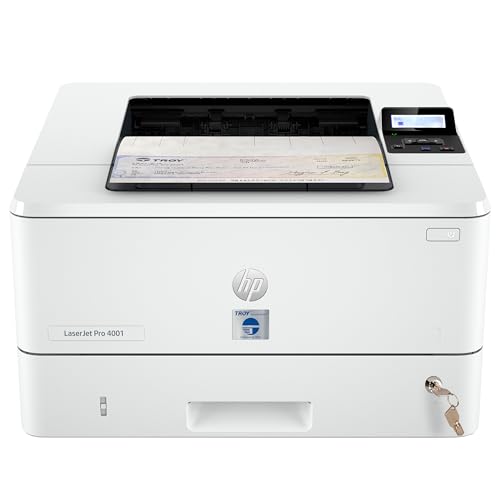
Laser models fit offices that print checks every week. MICR toner is dry and smudge resistant, the paper path handles a stack of check stock well, and the cost per page is low at volume. They are larger and cost more to buy, so they suit small businesses with payroll or vendor runs rather than someone who writes two checks a month.
Inkjet Printers With MICR Ink
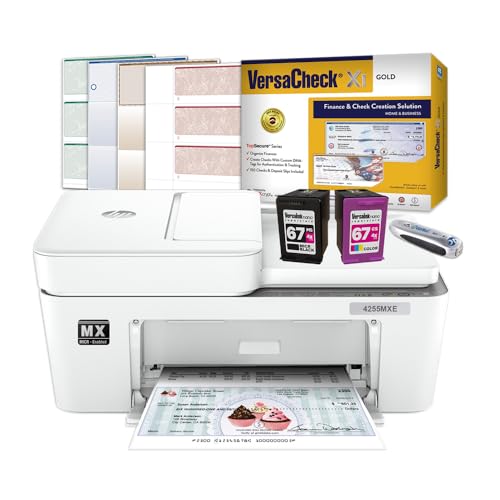
Inkjet models in MICR bundles cost less up front and print checks along with ordinary documents. The trade off is ink cost and maintenance, since inkjets that sit idle can clog, and the MICR ink cartridge is a special item you need to keep in stock. They fit home offices and small landlords who print checks occasionally.
Portable Wireless Models
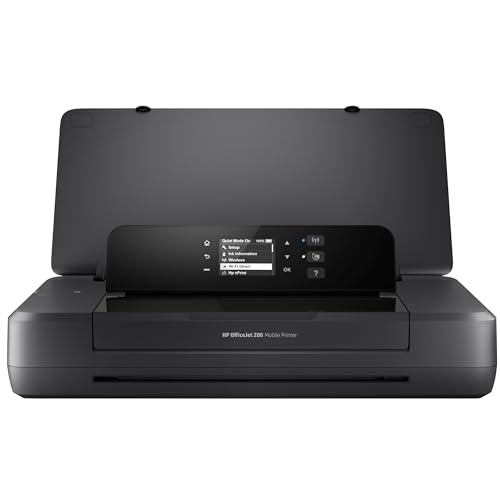
A portable MICR printer prints checks from a laptop or phone and slips into a bag, which suits people who write checks away from the office. Capacity and speed are modest, and you still need check stock and software. If your check use is steady at one desk, a desktop model is usually better value.
Key Features to Compare
- MICR support. Confirm the printer or bundle is designed for magnetic ink, and which cartridge or toner it uses.
- Print clarity. Small text and the MICR line must print sharp, since a faint line can lead to a rejected check.
- Paper handling. A tray that grips check stock and resists jams avoids wasted blank checks.
- Software fit. Look for software compatible with your accounting program and your operating system.
- Connection type. USB, network and wireless options decide how many people can print to it.
- Running cost. Add MICR toner or ink, check stock and any software subscription to the purchase price.
For general print quality questions, see our guide to the best printing quality printers, and for color documents, the best printers for color printing guide.
Security and Handling Habits
Blank check stock is valuable, so keep it locked away and count it regularly. Shred misprints rather than throwing them in the trash, and limit who can print checks from the software. Keep the printer software updated and protect it with a password. If you are unsure whether a print or security question affects your bank agreement, ask your bank or a financial professional before you start printing.
Setting Up Check Printing Step by Step
- Confirm with your bank that printed checks with MICR lines are acceptable for your account.
- Choose check stock that matches the layout your software supports.
- Install the printer and MICR toner or ink, then run a test print on plain paper.
- Align the print position on plain paper held against a real check before using check stock.
- Print one low value check and ask your bank to confirm it processes correctly.
Common Mistakes to Avoid
- Buying a standard printer and expecting it to print a bank readable MICR line.
- Using regular toner or ink in a printer that needs MICR supplies.
- Leaving an inkjet unused for weeks, which can clog the print head and ruin a run of check stock.
- Skipping the alignment step, which wastes blank checks.
- Storing blank check stock where anyone can reach it.
Cost of Ownership and Care
The purchase price is only part of the cost. Count MICR toner or ink, check stock, software and, for inkjets, the cost of keeping cartridges fresh. Clean rollers when feeding starts to slip, update drivers when the maker releases them, and print a short test page weekly if an inkjet sits idle. Over a year, the best check printing printers for a busy office are laser models, since a laser that prints many checks usually costs less per check than an inkjet that prints a few.
Frequently Asked Questions
Can any printer print checks?
Any printer can print the visible parts of a check, but the MICR line needs magnetic ink or toner. Without it, bank equipment may not read the check, so use a printer designed for MICR or a bundle sold for check printing.
Do I need special paper to print checks?
Yes. Check stock has security features and a layout that fits check software. Plain paper is for alignment tests only.
Is laser or inkjet better for checks?
Laser suits steady weekly use because MICR toner resists smudging and costs less at volume. Inkjet bundles suit occasional use and a lower purchase price, but ink and maintenance cost more per check.
How do I keep printed checks secure?
Lock blank stock away, shred misprints, limit who can print and keep software updated. Ask your bank if a security question affects your account terms.
Can I print checks from my phone?
Some portable and wireless MICR models and software support it. Confirm that the app works with your phone and your check stock before ordering.
Final Thoughts
Start by deciding how many checks you print and where, then choose laser for steady volume, inkjet for occasional use and portable for work on the move. Confirm MICR support, count running costs and keep stock secure. Compare your shortlist in the product table above, and the best check printing printers for your office will be the one that prints a clean MICR line every time without costing more than it saves.