
The Best Chairs for Posture: Buying Guide for 2026
Disclosure: We may earn a commission when you buy through links on this page, at no extra cost to you. As an Amazon Associate I earn from qualifying purchases. Learn more

Compare the best chairs for posture by support type, adjustability, materials and price, with plain setup guidance, movement break advice and care tips.
Posture trouble at a desk rarely comes from one dramatic slouch. It builds up over months of small mismatches: a seat a touch too high, a backrest that meets the spine in the wrong place, a screen pulling your head forward hour after hour. Shoppers comparing the best chairs for posture are really comparing how well a chair can be shaped around one body and one desk. This guide sorts the chairs by support type first, then walks through the features, setup, and care that decide how a chair feels across a working week, and the comparison table below collects the current options in one place.
One honest limit belongs at the front. A chair supports comfortable sitting; it does not correct your posture, retrain your muscles, or treat back pain. Some guides are titled around best chairs to improve posture, but that phrase names a shopping category, not a result any chair can promise. What a well chosen chair can do is remove the daily friction of a poor fit, so an upright, relaxed position feels like the easy option instead of a chore you can only hold for ten minutes at a time.
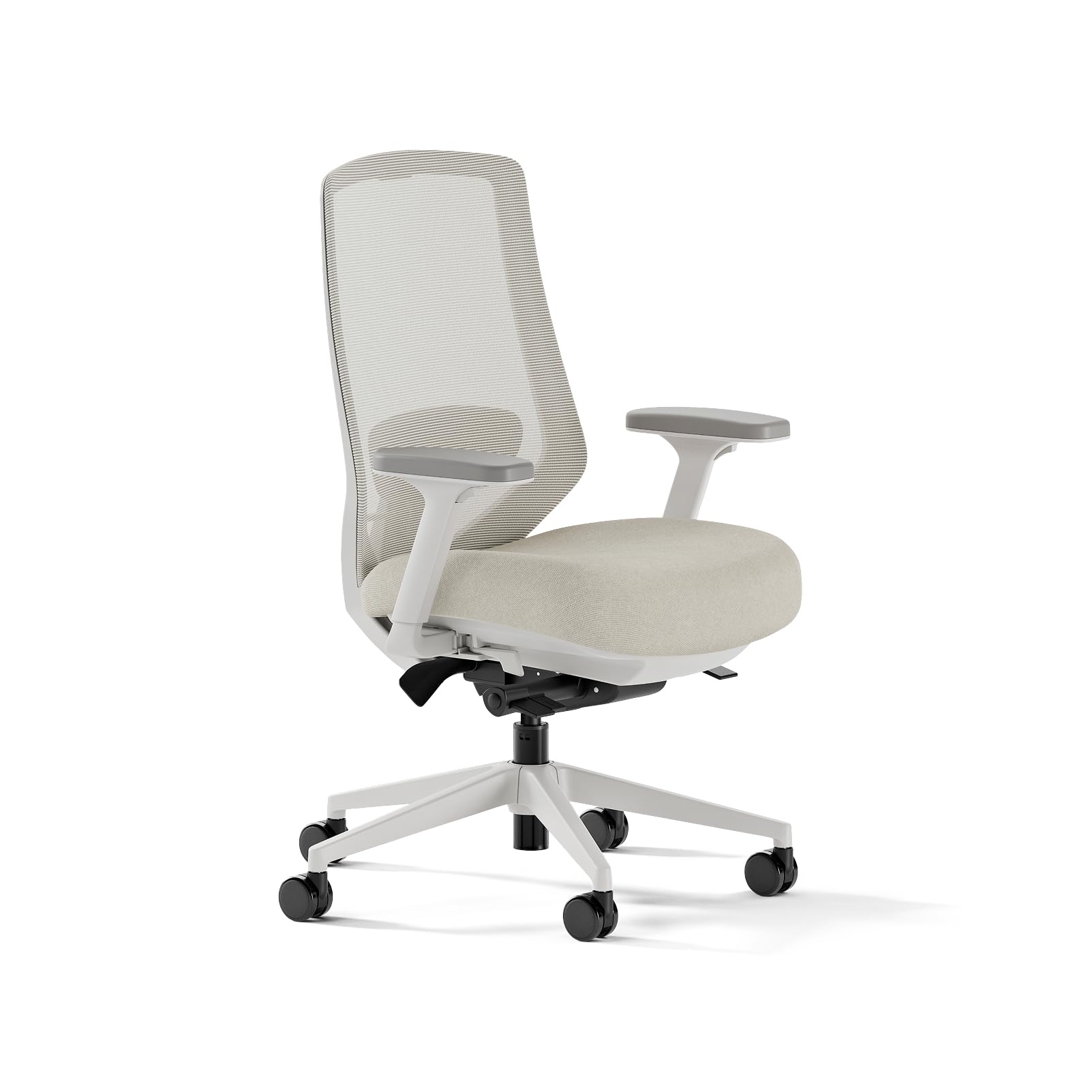

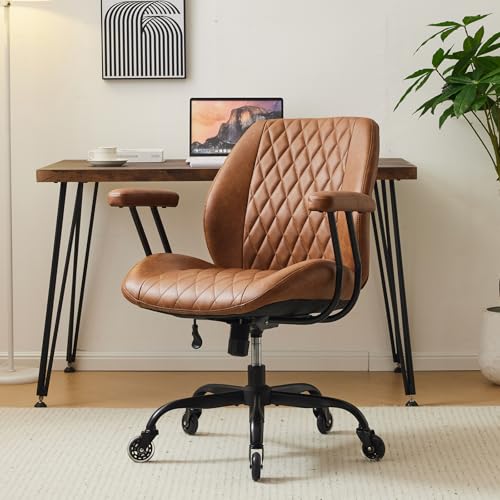


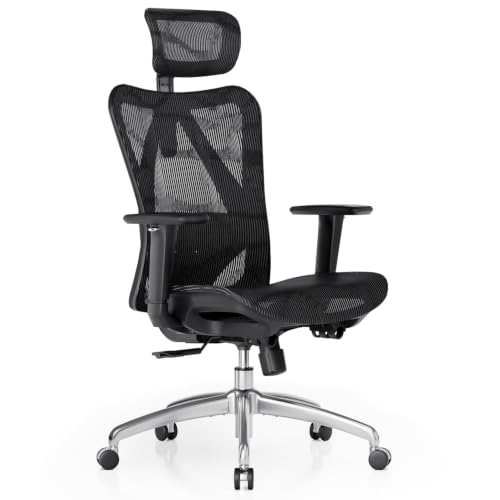
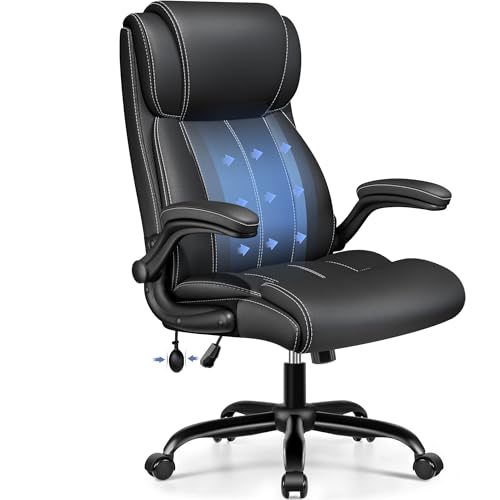
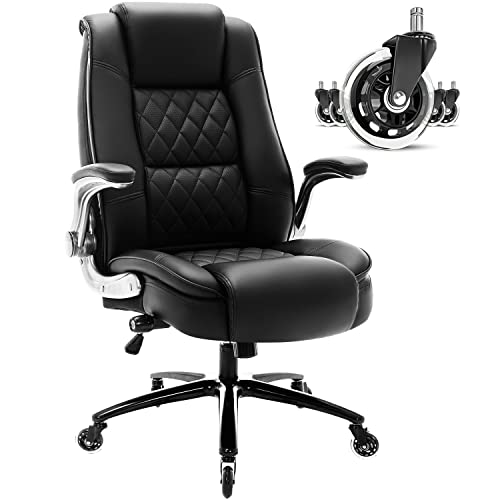
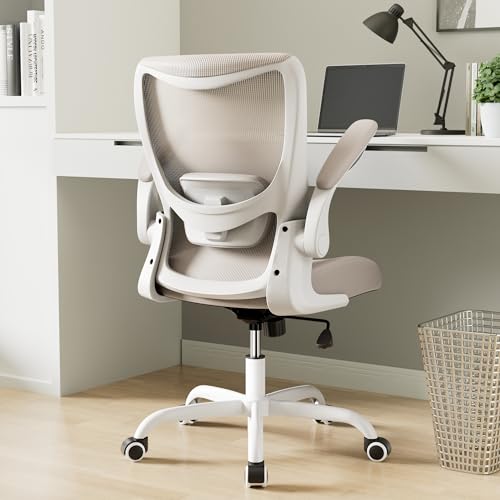
Types of Chairs for Posture
Posture led chairs divide most cleanly by how they support the back, and the three classes below cover the market. The setting matters too, because the same support class can feel right at an office desk and wrong at a kitchen table.
Shaped Back Chairs
Shaped back chairs carry a fixed curve moulded into the backrest to meet the natural inward curve of the lower back, with nothing to adjust, which makes them simple and often cheaper, and the shape either suits your spine or it does not. Readers whose back matches the moulding get steady contact all day with zero fuss. Everyone else feels the curve pressing in the wrong place, so this class rewards a generous return window more than most. Prices commonly run about $120 to $350.
Adjustable Support Chairs
Adjustable support chairs use a separate lumbar pad or a flexible back that can move up, down, and sometimes in depth. That freedom is the point: two readers of different heights can set the contact where their own belt line sits. This is the mainstream class for full time desk work, and it suits shared chairs best, since each user can reset the fit in seconds. The cost of the freedom is a setup session on day one, covered later in this guide, and well built examples run about $250 to $700.
Active Sitting Chairs
Active sitting chairs change the sitting position itself: kneeling chairs tilt the pelvis forward and share weight with the shins, saddle seats open the hip angle like a riding position, and perching stools support a half standing lean. None of them holds you upright by force; each makes a balanced position easier to keep. They take days or weeks to get used to, and most readers use one for part of the day alongside a standard chair rather than as a full replacement. Prices run about $100 to $400.
| Class | How it supports | Suits best | Watch out for |
|---|---|---|---|
| Shaped back | Fixed moulded curve | One user, simple needs | The curve may not match your back |
| Adjustable support | Moving lumbar pad or flexing back | Full time desks, shared chairs | Needs a careful first setup |
| Active sitting | Changed sitting position | Part of the day, position variety | Adjustment period, shin or hip pressure |
Desk and Home Settings
Setting decides which class earns its keep. At a fixed office desk with a monitor arm and a full workday, the adjustable class is the safe default, and office focused ranges such as best work chairs for posture and best desk chairs for posture sort that end of the market. At home, where the same chair may serve a laptop at a dining table and a desk in a spare room, compact adjustable chairs and the ranges gathered under best computer chairs for posture fit the mixed use better.
Know the Limits: When Comfort Is Not the Question
No chair, at any price, corrects posture or treats pain, and any listing that promises either is selling words rather than furniture. A chair can remove obstacles to comfortable sitting, and that is the whole of its job. Book a medical appointment promptly if back or neck pain keeps returning, if pain travels into an arm or a leg, if you notice numbness or weakness in a limb, if pain arrives together with a fever, or if bladder or bowel habits change. Those signs belong to a clinician, not to a furniture upgrade.
It also helps to be clear about what does change posture over time: regular movement, varied positions, and general daily activity, with the chair in a supporting role. Readers whose main worry is a habit that has already set in may also find the related guide to best chairs for bad posture useful background, since it approaches the same furniture from the habits side. Either way, treat shopping as the smaller half of the answer.
How to Choose: Key Features to Compare
With the types sorted, the product table above is easier to read: match each row against the checks below. The best chairs for posture share a pattern, since each one adjusts in the places where bodies differ most, and the sections below take those places one at a time.
Features That Matter for Posture
Three features do most of the work. Back height decides whether the support reaches the part of the spine that needs it, and tall readers should look for backs that rise at least to the shoulder blades. Lumbar contact position decides where the pressure lands, and fixed contact that misses your belt line is worse than a plainer back that meets it. Seat depth decides whether you can use the backrest at all, because a seat that is too deep pulls you into a slump before the day has started.
Ergonomics and Adjustability
Judge the ranges, not the number of levers. Seat height needs to cover your leg length with your feet supported, lumbar pads should travel several inches vertically, and armrests that adjust in height, width, and depth keep elbows supported without lifting your shoulders. Tilt tension is the quiet feature of the group: set well, it lets the backrest move with you as you shift, rather than locking you into one angle or dropping you backward. A chair with fewer, wider ranges beats a chair with many narrow ones.
Comfort and Cushioning
Cushioning should spread pressure without letting you sink to the frame. High density foam holds its shape across long sessions and across years, while soft foam feels kind for ten minutes and then bottoms out. Mesh backs and seats trade that cushioned feel for airflow and an even, suspended support, which warm rooms reward. Remember that cushion comfort also depends on time: the right question is how the seat feels in hour three, and that is what a return window is for.
Materials and Upholstery
Mesh breathes and keeps its tension for years, though its texture shows through thin clothing. Fabric grips better, feels warmer, and hides wear well, but it holds spills and needs more cleaning. PU leather wipes clean and looks formal, yet it can crack and peel as it ages, especially in sunlit rooms. Frames tell a similar story, since solid wood and metal bases age slowly while thin MDF panels and plastic shells flex sooner, so match the material to the room and the cleaning effort you will honestly give it.
Warranty and Return Policy
Posture fit is personal enough that the return policy is a feature, not paperwork. Look for a trial window of several weeks, since a chair that suits a showroom sit often tells a different story across five full workdays. Warranty length on the frame and gas lift shows how long the maker expects the structure to serve, and foam and fabric usually carry shorter cover. Keep the packaging until the trial ends, and check who pays the return shipping before the box is opened.
Assembly and Delivery
Most chairs in this category arrive in one heavy box and assemble in about 20 to 40 minutes with the supplied tool. The backrest is the awkward lift, and a second person makes it simple. Active sitting models assemble fastest of all, often with only a handful of bolts. Measure the doorway and the space under the desk before ordering, since tall backs and wide bases surprise more buyers than weight does, and keep the small spare bolts most makers include for later tightening.
Set the Chair Up, Then Move Often
Work from the floor upward. Plant both feet fully on the ground or on a footrest, set the seat so your thighs rest level, then bring the desk and the screen to you instead of leaning toward them. The backrest should meet your lower back without pushing your shoulders forward, and the armrests should sit just under your elbows with your shoulders relaxed and dropped. Spend ten minutes on this once, and the chair you bought is the chair you actually get.
After setup, movement does the heavy lifting. Change position every half hour or so: stand for phone calls, walk to the printer instead of rolling to it, and sit back down in a slightly different position each time. Readers with an active sitting chair can swap chairs at lunch for an easy position change. The pattern that matters is variety across the day, because even a perfect position turns tiring when it is held for hours without a break.
- Check and tighten the main bolts every few months, since slow loosening changes how the backrest meets your back.
- Pull hair and thread out of the casters with tweezers, because wrapped wheels drag and tilt the chair.
- Vacuum mesh and fabric weekly so dust does not grind into the weave.
- Keep leather and PU leather out of direct sunlight, which fades and cracks the surface.
- Run the height lift and tilt through their ranges now and then so the mechanisms stay free moving.
Frequently Asked Questions
What back height works best in chairs for posture for tall readers?
Tall readers should look for a backrest that reaches at least the shoulder blades, with the lumbar contact still landing at belt height. The common failure is a tall back whose support sits too high, which pushes the mid back and leaves the lower back empty. If your height falls between sizes, choose the chair with the wider lumbar travel rather than the taller shell. A separate headrest is optional and matters mostly for leaning back, not for upright work.
Can a chair for posture help with slumping at a computer?
A well fitted chair can remove the obstacles that invite slumping, but it cannot hold you upright by itself. In practice, the screen is the usual driver: a display set too low or too far away pulls the head forward, and the shoulders follow. Raise the screen to eye level, bring it closer, and set the chair so your back is in contact with the backrest. If slumping still arrives by mid afternoon, tiredness is the cause and breaks are the answer.
Are kneeling chairs a good choice for all day sitting?
Kneeling chairs suit part of the day for most people rather than the whole of it. They open the hip angle and make a balanced position feel natural, but they load the shins, and that pressure builds across hours. A sensible pattern is to trial one in sessions of about 30 minutes and lengthen them over two weeks. Keep a standard chair in the room during the trial, and stop if knee or shin discomfort keeps growing instead of fading.
How do I know if the lumbar support sits in the right place?
The support is in the right place when it fills the hollow of your lower back at belt height without pushing you forward. Test it with a simple check: sit fully back, then slide one hand behind you. Your hand should meet gentle, even pressure across the lower back, not a hard ridge and not an empty gap. Adjust the pad one step at a time and sit for ten minutes between changes, because first impressions of support are unreliable.
How often should the settings on a posture chair be readjusted?
Settings deserve a quick review whenever something around the chair changes. A new desk height, a different monitor, thicker winter clothing, or a change in your own weight can each move the ideal fit by a small but real amount. Many readers settle into a twice a year habit, once in spring and once in autumn. Between reviews, leave the levers alone for at least a week after any change, since the body needs a few days to judge a new position fairly.
The Bottom Line
The pattern across this guide is simple: pick the support class that matches how you sit, confirm the adjustments cover your measurements, then set the chair up carefully and move often. Compare your shortlist against the product table above, and judge any chair across several full days rather than a short showroom sit. Chosen that way, the best chairs for posture for your desk are the ones that make a neutral, relaxed position feel easy to return to. Prices and availability can change, so check the product page before ordering.
