
Best Chairs for Home Office Back Pain in 2026: Budget, Midrange, and Premium Picks
Disclosure: We may earn a commission when you buy through links on this page, at no extra cost to you. As an Amazon Associate I earn from qualifying purchases. Learn more

A tier by tier look at the best chairs for home office back pain: what each price band changes, plus fit and setup checks for your desk.
Prices for desk chairs run from under $100 to well over $800, and a higher price does not always buy better back support. The best chairs for home office back pain match your body, your desk, and your room first. Use the comparison table below to sort options by tier before you judge any single feature.
This guide is organized by budget, because each tier changes what you can expect for lumbar support, seat cushioning, and adjustment range. It also covers home office details that photos hide, such as floor space.



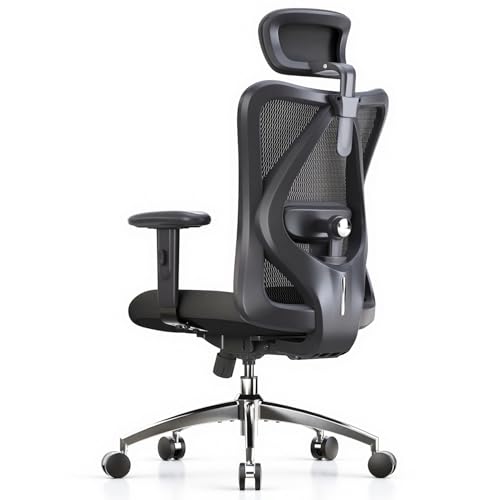
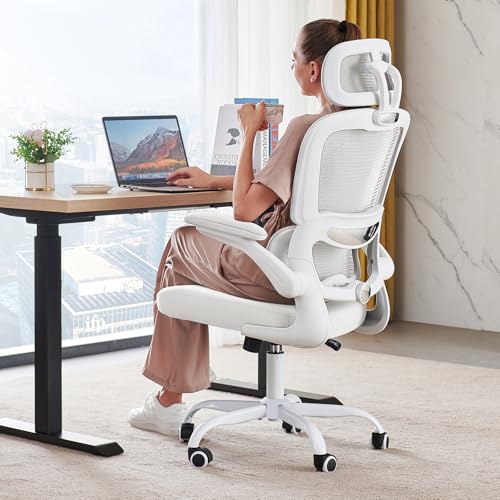

Who Should Buy Which Home Office Chair for Back Pain?
Start with how many hours you sit and where the chair will live. Those two facts narrow the tier and size faster than style.
Full Time Remote Workers With Daily Low Back Ache
You sit six to eight hours on most workdays, so small fit errors repeat all week. Prioritize lumbar support you can move up, down, in, and out, plus a seat set so your feet rest flat. A midrange or premium model usually serves you best. If your desk shares a living area, see our guide to the best chairs for back pain at home.
Hybrid Workers in a Small Spare Room or Corner
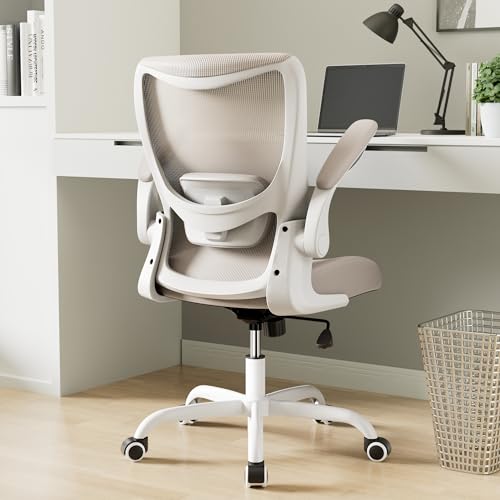
You may sit only three or four days a week, and the chair shares space with a guest bed or storage. Look at compact and space saving models with arms that flip up, so the chair pushes fully under the desk. A budget or value tier chair can be enough here, as long as the lumbar pad sits at your belt line and the seat depth leaves a small gap behind your knees.
Taller or Heavier Home Workers Who Need Stronger Support
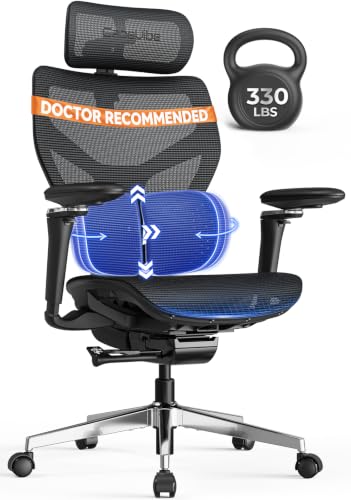
You need a chair rated well above your weight, not one at its limit. Look for a weight capacity of about 300 to 400 pounds, a wider and deeper seat, and a metal base. Taller users also need extra seat height range and a taller backrest, because a short back puts support in the middle of the back instead of the low back curve.
Pick a Price Group, Then Check the Fit
A budget first view helps you sort best chairs for home office back pain into groups you can afford, then check fit inside that group. For a broader view of adjustment ranges, see our guide to the best ergonomic office chairs for back pain.
Budget Tier for Shorter Desk Days
Budget chairs cost about $100 to $200. You usually get a fixed or lightly padded lumbar area, basic seat height adjustment, and a simple tilt with one lock position. The cushion is often thinner, so it can soften within a year. This tier suits shorter desk days and users who can confirm the fixed lumbar pad matches their back.
Value Tier for Most Full Time Workers
Value chairs cost about $200 to $400, and this is where adjustable lumbar support, better foam, and more tilt lock positions become common. Armrests often move in two or three directions, and bases feel steadier. Most full time home workers should start here, because the fit range covers more body sizes without paying for rare extras.
Premium Tier for Precise Fit and Durability
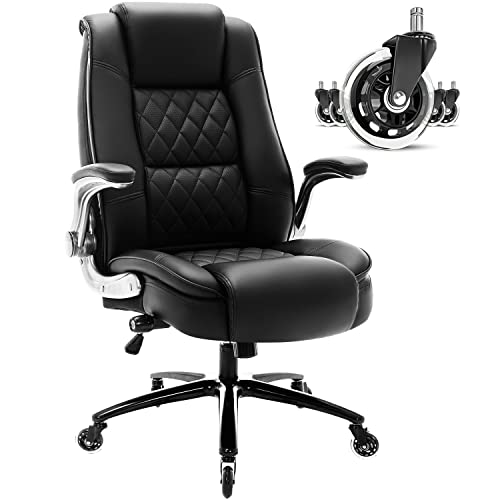
Premium chairs cost about $400 to $800. You pay for finer lumbar depth control, a seat depth slider, four way armrests, and stronger frames with longer warranty cover. Executive models add padding and a larger seat, which suits taller users but can overwhelm a small room.
Key Features to Compare
Compare these features in order, because the first two decide comfort for most shoppers.
Lumbar Support That Adjusts in Height and Depth
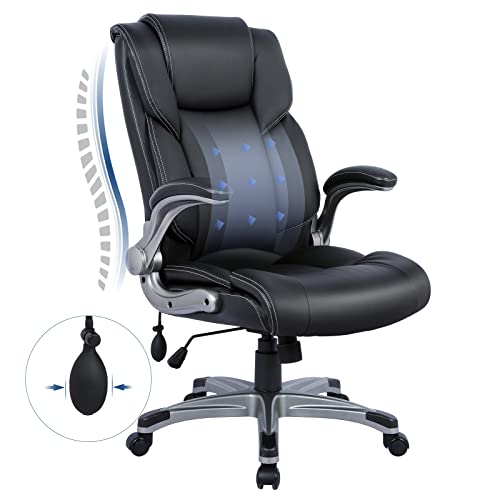
Lumbar support should fill the curve above your belt line without pushing you forward. Height adjustment lets you place the pad on that curve, while depth adjustment controls how strong the pressure feels. A fixed pad only works when its position happens to match your torso length. Dynamic supports move slightly as you shift. You should feel contact across your low back rather than one hard point.
Seat Size, Front Edge, and Cushion Feel
Seat depth matters as much as softness. Sit with your back against the backrest and check for about two to three fingers of space behind your knees. A front edge that slopes down, often called a waterfall edge, reduces pressure under your thighs. High density foam holds its shape longer than soft foam, while a mesh seat feels cooler. If hip pressure is part of your discomfort, see our guide to the best office chairs for hip and back pain.
Backrest Height, Recline, and Tilt Lock
A backrest should support your shoulder blades without forcing your head forward. Recline of about 100 to 130 degrees lets you shift load during calls, and tilt lock holds the angle you choose. Tilt tension controls how hard you must push to lean back, so check that the range suits your weight. If your ache reaches your shoulders and neck, see our guide to the best office chairs for back and neck pain.
Adjustable Armrests and Shoulder Position
Adjustable armrests should meet your forearms while your shoulders stay relaxed and your elbows bend at about a right angle. Height adjustment is the minimum worth paying for. Width and pivot adjustment help if you are narrow or broad. Pads that sit too high lift your shoulders all day, and pads set too far apart make you lean.
Materials: Mesh Back, Fabric, and Faux Leather
A mesh back breathes well in a warm room and flexes as you move, though the feel is firmer than padding. Woven fabric over foam feels softer and grips clothing. Faux leather wipes clean fast and looks formal on video calls, but it can feel warm and may crack sooner in dry heat. Choose by room temperature first, then by looks.
How to Check Chair Fit at Your Home Desk
Measure your desk height and the open space under it before you order. Set the seat so your feet rest flat, your knees sit near a right angle, and the lumbar pad meets your low back. Use a footrest if raising the chair to desk height lifts your feet.
Trial the chair across several workdays, changing one setting at a time. Seek medical care promptly if you notice new leg weakness, numbness or tingling that spreads, pain that travels below the knee and keeps worsening, loss of bladder or bowel control, or pain after a fall. A chair can support posture and comfort, but it cannot diagnose or treat a back condition, so talk with your clinician about personal needs.
Common Mistakes to Avoid
- Choosing from photos alone leaves you with a lumbar pad fixed in the wrong place for your torso.
- Setting the seat so high that your feet dangle increases pressure under your thighs and strains your low back.
- Locking the backrest upright all day keeps one posture for hours and makes stiffness worse by afternoon.
- Ignoring seat depth gives you a seat that presses behind your knees or leaves your back unsupported.
- Buying a large executive chair for a small room leaves no space to recline or move around the desk.
- Skipping return terms leaves you stuck with a chair that felt fine for ten minutes and poor for a week.
Care and Maintenance for a Home Office Chair
Vacuum a mesh back and fabric seat each week, because dust and grit wear fibers over time. Wipe faux leather with a damp cloth and mild soap, then dry it fully. Tighten arm and back bolts every few months, and clear hair from casters. Hard floor casters roll quieter and mark wood less.
Plan for long term costs as part of the price. Cushions compress with daily use, gas lift cylinders can sink after years, and replacement casters cost extra. A longer warranty on the frame and lift lowers that risk.
FAQ
What features matter most in a chair for home office back pain during full time work?
Adjustable lumbar support and correct seat depth matter most for full time work. After those two, look at tilt tension you can set for your weight, because a backrest you cannot lean against stays unused. Also plan short standing and walking breaks, since no chair setting replaces regular movement across a long shift.
How do I choose the right chair size for a home office desk?
Choose chair size from your body first, then confirm the chair fits the desk. Measure the desk underside height and width, and leave room for armrests to slide under or stop before the edge. Many buyers miss doorway width, since an assembled chair with a wide base may not pass into a small spare room.
How long should a home office chair for back support last?
A home office chair for back support should last about five to eight years with daily use. The first signs of age are a seat that stays compressed after you stand and a lift that sinks slowly during the day. Lighter weekly use can extend that span, while shared use wears it faster.
Is an expensive home office chair worth it for back pain?
An expensive home office chair is worth it only when its extra adjustment solves a fit problem a cheaper chair could not. Do the cost per year math first, since a chair at about $600 that serves six years costs about $100 per year. If a value tier chair fits well, the premium price buys durability more than comfort.
What should I check during the first week with a new home office chair?
During the first week, keep a short daily note on where you feel pressure and which setting you changed. Keep the box until the return window closes, because a chair that goes back must travel safely. End the week by trying your longest normal workday, since short sessions can hide cushion problems.
Final Thoughts
Match the tier to your sitting hours, place lumbar support on your low back curve, and confirm seat depth and room fit before you spend on extras. Use the product table above to compare price, size, and adjustment. When you judge best chairs for home office back pain by fit first and price second, the right tier becomes clear.


