
Best Car Stereo for Android Phones 2026: A Buying Guide
Disclosure: We may earn a commission when you buy through links on this page, at no extra cost to you. As an Amazon Associate I earn from qualifying purchases. Learn more
Compare Android Auto support, screen size, fit and sound to choose the best car stereo for android phones, from budget receivers to premium units.
If you are shopping for best car stereo for android phones, start with the receiver in your dashboard that plays phone audio, shows directions, and handles calls through the car speakers. This guide explains how to match a receiver to your phone, your car, and your budget. The comparison table below can help you line up the options side by side.
The right receiver makes the phone feel like part of the car rather than an add on. Music starts cleanly, maps appear on a screen you can read at a glance, and calls come through clearly. The wrong receiver fights your phone at every step, with dropped connections, tiny buttons, and a display that washes out in sunlight.




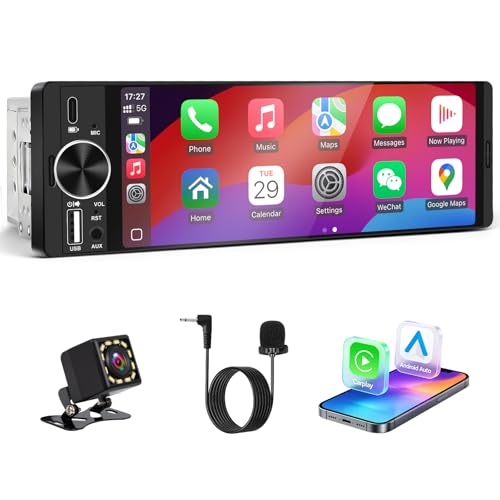
What Your Money Gets You at Each Spending Level
Budget receivers, at about $100 to $200, cover the essentials well. You get Bluetooth for calls and music, a USB port for charging and wired Android Auto on many units, and a simple display. Sound quality is decent, but screens are smaller and wireless Android Auto is less common. This level suits drivers who mainly want reliable audio and hands free calls.
Mid range receivers, at about $200 to $400, add the features most drivers notice daily. Expect a larger touchscreen, wireless Android Auto on many models, better screen brightness, and more sound tuning options. Installation stays similar to budget units, but the daily experience feels smoother and faster. This level is the best value for drivers who use maps and streaming every day.
Premium receivers, at about $400 to $700, add polish rather than essentials. You get larger high resolution screens, faster response, more audio outputs for amplifiers and subwoofers, and finer sound controls. Some add a floating screen that fits cars with limited dash space. Spend at this level only if you value screen size, sound tuning, or a future amplifier upgrade enough to pay for them.
How to Choose a Car Stereo for Android Phones
Android Phone Compatibility
Compatibility starts with Android Auto, the driving mode that mirrors a simplified phone interface on the receiver screen. Wired Android Auto needs a USB cable and works on most receivers that support the feature. Wireless Android Auto removes the cable but needs both a compatible phone and a receiver that supports wireless mode, so check both sides before you buy. Bluetooth matters even without Android Auto, since it handles calls and music streaming on nearly every modern receiver.
Confirm that your phone Android version meets the receiver requirements, and test the connection while parked before a long trip.
Display Size and Quality
Screen size shapes how easily you read maps and tap controls at a glance. A screen around 6.8 to 7 inches fits most double DIN openings and shows enough of the map without crowding the dash. Larger floating screens, around 9 to 10 inches, suit drivers who want a bigger map view, but they can block vents or controls in small cars. Brightness matters as much as size, because a dim screen washes out in sunlight and forces extra glances away from the road.
Touch response should feel immediate, since a laggy screen tempts you to tap repeatedly while driving. Choose the largest screen your dash allows without blocking anything important.
Sound and Power
Sound quality depends on power, tuning, and outputs more than on any single wattage claim. Built in amplifier power, often listed as watts per channel, drives standard door speakers well at moderate volume. If you plan to add an amplifier or a subwoofer later, look for preamp outputs and a subwoofer control, since these make upgrades far easier. An equalizer lets you shape bass, midrange, and treble to your car acoustics and your taste.
Test the sound at highway volume, because a receiver that sounds clean parked can distort when road noise rises.
Installation Fit and Wiring
Fit is the least glamorous factor and the one most likely to cause a return. Receivers come in single DIN and double DIN sizes, and your car dash accepts one of them, sometimes with a dash kit that fills gaps and matches the trim. Measure your opening and check whether your car needs a special harness, an antenna adapter, or a steering wheel control adapter. Wiring is straightforward for many cars with a matching harness, but cars with factory amplifiers or complex steering controls may need extra parts.
If the wiring looks unclear or your car has a factory amplified system, a qualified installer is worth the cost. Never rush an install, and never test wiring while driving.
Controls and Driving Safety
Controls decide whether the receiver helps you drive safely or distracts you. Large on screen buttons, a physical volume knob, and clear voice control all reduce the time your eyes leave the road. Steering wheel control support keeps common actions on the wheel, which is safer than reaching for the screen. Voice commands handle calls, messages, and destinations without touch, but they work best when the microphone placement is clear of road noise.
Set up favorites, presets, and your most used apps while parked, so daily driving needs only a tap or a voice command. Never adjust the receiver, the phone mount, or the cable while driving. Pull over safely first, because even a quick adjustment can take your attention away at the wrong moment.
Types of Car Stereos
Single DIN Receivers
Single DIN receivers are the short, compact units that fit older and smaller dashes. They usually have a small display or none at all, and they focus on Bluetooth, USB, and solid sound. They suit drivers who want better audio and phone calls without replacing the whole dash look. Their limits are screen size and Android Auto display, since a small screen cannot show a full map view.
Choose single DIN when your dash has no room for a larger unit.
Double DIN Receivers
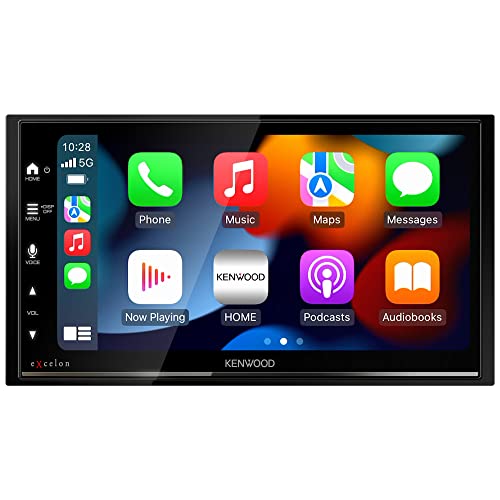
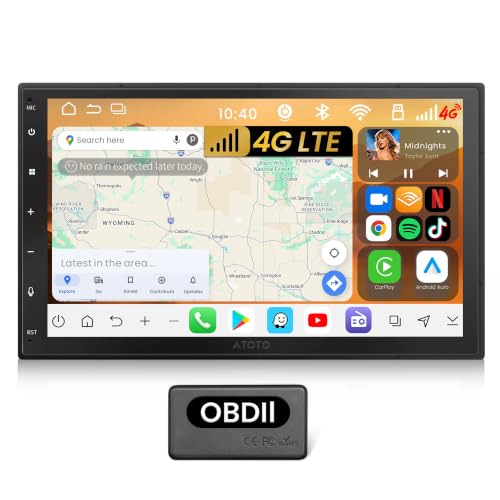
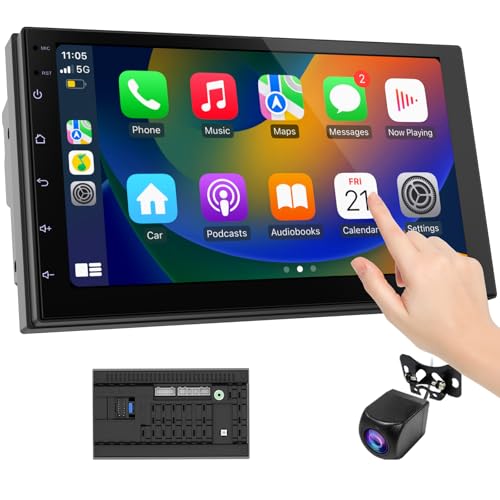
Double DIN receivers are twice as tall and carry the touchscreen most drivers picture when they think of a modern stereo. They show Android Auto maps clearly, offer larger buttons, and include more sound tuning than single DIN units. They need a double DIN opening or a dash kit that creates one, so check your car before falling for a big screen. This type suits most drivers who want a full driving display and daily map use.
Floating Screen Receivers
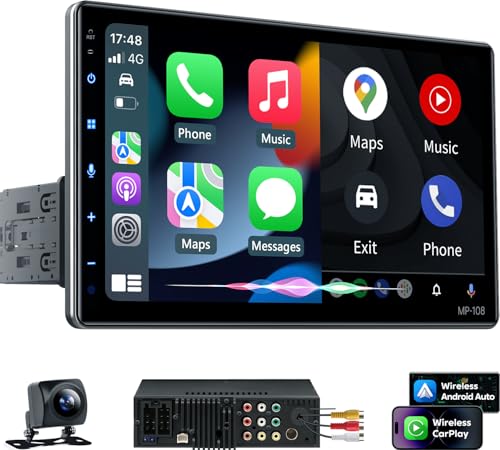
Floating screen receivers mount a large screen in front of a single DIN chassis, giving a big display to cars that lack a double DIN opening. Screen sizes often reach 9 to 10 inches, and the screen position can sometimes adjust for angle. The tradeoff is dash space, since the floating panel can cover vents or controls in tight cabins. Measure carefully and check photos of the screen in a similar dash before buying.
This type suits drivers who want a large map view in a car with a small opening.
Mechless Media Receivers
Mechless receivers drop the CD player to save space and cost, focusing entirely on digital sources such as Bluetooth, USB, and phone mirroring. They suit drivers whose music lives on a phone or a USB drive and who never use discs. The savings often go toward a better screen or better sound tuning at the same price. If you still own a large CD collection, this type is the wrong choice, but for most phone first drivers it is a sensible way to spend less on unused hardware.
How to Make Your Car Stereo Last Longer
- Keep software updated, since updates fix phone pairing bugs and keep Android Auto working with new phone versions.
- Use a quality USB cable, because cheap cables cause Android Auto dropouts and slow charging that look like receiver faults.
- Avoid extreme heat by parking in shade when possible, since long hours on a sun baked dashboard age screens and batteries.
- Back up your settings and presets after setup, so a battery change or a reset does not erase your tuned sound and favorites.
- Clean the screen with a soft cloth and keep drinks away from the dash, since spills and grit damage touchscreens over time.
- Check connections once a year, tightening loose cables and cleaning dust from ports before small faults become dropouts.
Charging gear belongs in the same plan as the receiver, since the phone still needs power on long drives. A good car charger keeps the phone topped up without competing with the Android Auto connection. See our guide to best car charger for android phones for that piece.
FAQs
What features matter most in car stereos for android phones?
Android Auto support, Bluetooth reliability and screen readability matter most, because they shape every drive. A receiver that pairs quickly, shows maps clearly and handles calls without fuss beats one with extra features you rarely touch. Sound tuning and preamp outputs matter next, and fit matters throughout.
Do I need wireless Android Auto?
It is a convenience, not a requirement. Wireless removes the cable and suits short trips, but it needs both a compatible phone and a receiver that supports it. A wired link charges the phone at the same time and is often steadier on long drives.
Will an older Android phone work with a new stereo?
Bluetooth calls and music usually work with older phones. For the driving screen, check the minimum Android version listed for the receiver and compare it with your phone. If the phone is too old, update it or choose a unit that supports your version.
What size screen should I choose?
Measure the dash opening first. A screen around 7 inches fits most double DIN openings and shows enough of the map, while floating screens of 9 to 10 inches suit drivers who want a larger view and have space for it.
Can I keep my steering wheel controls?
Often yes, with the correct steering wheel control adapter for your car. Check that the receiver supports one before you order, and ask an installer if your car uses a factory amplifier or an unusual data network.
Final Thoughts
The best choice starts with fit and compatibility, then moves to screen readability and sound. Match the receiver size to your dash, confirm wired or wireless Android Auto with your phone, and pick a spending level that reflects how much you use maps and music daily. Use the product table above to compare screen size, connection type, and outputs side by side. Set everything up while parked, test a call and a route, and leave adjustments for the next safe stop.
That patient setup is what turns best car stereo for android phones from a long search into a receiver you barely have to think about on the road. Compare the best car stereo for android phones in the table above one last time before you order.

