
Best Cameras with Clean HDMI Output in 2026: What Actually Matters Before You Buy
Disclosure: We may earn a commission when you buy through links on this page, at no extra cost to you. As an Amazon Associate I earn from qualifying purchases. Learn more

Learn how to choose cameras with clean HDMI output for streaming and recording, with checks on feed purity, resolution, audio, power and heat.
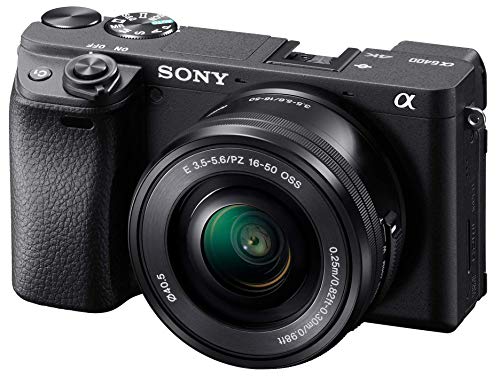
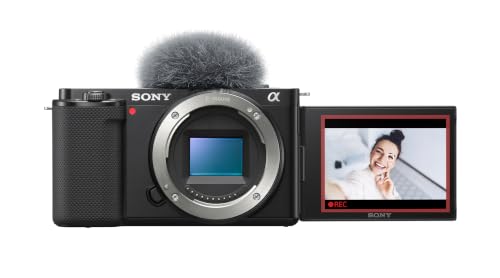
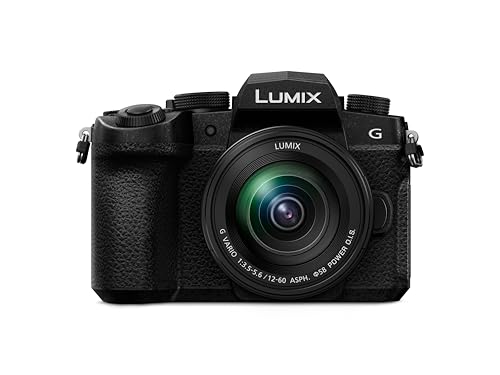
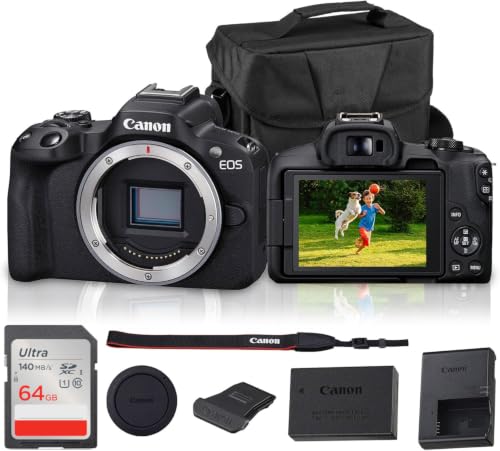
A clean HDMI feed sends your picture to a recorder, monitor or streaming computer with no menus, icons or focus boxes laid over the image. The best cameras with clean hdmi output give you that pure feed at a useful resolution and keep it running for a full session. Use the comparison table below to compare output specs beside sensor, lens and price.
Start with your main job. A live streamer needs an unbroken feed and simple power, a teacher needs clear speech and easy framing, and a filmmaker needs rich color for editing. The checklist in this guide follows that order, so a strong stills spec never hides a weak video output.




Who Should Buy a Camera With a Clean HDMI Feed?
Clean output matters only when another device receives your picture. If you record to a card and upload later, it adds little. If a recorder or computer sits in your chain, it shapes every session.
Live Streamers and Video Podcasters
You sit in one place for an hour or more and speak to a computer or switcher the whole time. Choose a camera that holds its feed without a time cutoff, runs on wall power, and keeps autofocus locked on your face. A flip screen helps you check framing, and a microphone input matters more than extra stills features.
Online Teachers and Presenters
You share slides or a product on your desk while your face stays in a corner window. Choose a feed that stays sharp at 1080p, a lens that frames both you and your desk, and controls you can reach without leaving your seat. A headphone socket helps you catch echo before students hear it.
Filmmakers Recording to an External Recorder
You send the feed to a recorder or monitor to capture richer files and judge focus on a larger screen. Choose output with higher color depth where your recorder supports it, a full size HDMI port that holds a cable firmly, and strong manual focus tools. Feed quality and cable security matter more than simple auto modes for this work.
Key Features to Compare
Work through these six checks in order. The first two decide whether the feed suits your chain, and the rest decide how good and reliable it feels in daily use.
Feed Purity and Display Info Control
A clean feed means the camera sends only the scene, with no battery icon, recording dot, menu text or focus frame baked into the picture. Check that display info can be turned off for the HDMI output itself, since some cameras clear the rear screen yet still send overlays to the port. Also check for a crop or a black border around the feed, because either one shrinks your framing.
Output Resolution, Frame Rate and Color Depth
Most streaming chains work at 1080p, which looks sharp for talking head video and places modest demands on your computer. A 4K video output adds detail for cropping in editing, but it also raises heat and file sizes. Match frame rate to your lighting, usually 30 frames per second for desk video. If you edit heavily, richer color depth helps grading, while casual streamers can use standard color.
Sensor Size and Low Light Image Quality
A larger sensor gathers more light, so faces look cleaner in a normal room without harsh lamps. One inch sensors suit compact bodies, APS C sensors balance size and quality, and full frame sensors give the cleanest low light picture at the highest cost. Megapixels matter less for a video feed. If stills matter as much as video, see our guide to the best quality cameras.
Autofocus, Stabilization and Lens Range
Face and eye autofocus keeps you sharp when you lean in or hold up a product, so value calm focus holding over fast focus snaps. Image stabilization smooths small movements at a desk and helps more on handheld shots. A moderate optical zoom range lets you frame wide desk shots and tighter head shots from one position. Vlogging cameras often suit this role well in small rooms.
Audio Inputs and Monitoring
Good picture with poor sound still loses viewers, so treat audio as part of the output decision. A microphone input lets you place a mic close to your mouth, which improves clarity more than any camera setting. A headphone socket lets you hear hum during setup instead of after the session. Check whether audio travels over HDMI in sync with the picture, and look for manual level control so loud passages do not clip.
Power, Heat and Long Session Reliability
A camera that stops mid stream fails its main job, so check power and heat. USB C power or a dummy battery that plugs into the wall lets you run for hours, while a standard battery may last only about one to two hours of video. Ask whether the maker states a recording time limit and whether long 4K sessions carry a heat warning. Bodies with vents or a fan suit marathon sessions best.
Set Up Your Clean HDMI Chain and Check It
Connect the camera to your capture device with the shortest cable that reaches without strain, then set the output resolution before you open any software. Turn off display info for the HDMI output, set focus and exposure, and watch the receiving screen for a full minute. Look for overlays, borders or flicker.
Your receiving device matters as much as the camera. If a computer runs your streaming software, see our guide to the best laptops with hdmi output to think through ports and processing power. Some creators also use a tablet as a second screen for chat or notes, and our guide to the best tablets with hdmi output covers that side of the setup.
As you compare best cameras with clean hdmi output, answer each question below with yes before you buy. Any no points to a spec worth checking again in the manual or on the maker page.
- Can display info be turned off for the HDMI output itself?
- Does the output resolution match what your recorder or software accepts?
- Can the camera record or stream without a short time limit?
- Can it run on wall power for a full session?
- Does it have a microphone input and a headphone socket?
- Does the port size match a cable you can secure without strain?
- Does the lens range frame your room from your fixed camera position?
Common Mistakes to Avoid
- Assuming every HDMI port sends a clean feed leaves menu icons burned into your stream or recording.
- Choosing 4K output for a chain that only accepts 1080p forces extra conversion and can add delay.
- Running a long session on a standard battery invites a shutdown in the middle of your best segment.
- Letting a heavy cable hang from a small port loosens the connection and can drop the feed when the desk moves.
- Skipping a sound check before you go live hides hum and echo until viewers point it out.
- Judging a camera by megapixels alone ignores the output, power and heat limits that decide streaming use.
Care and Maintenance for HDMI Streaming Cameras
Clean the lens with a soft lens cloth, never your shirt, because grit on fabric can scratch the coating. Keep port covers closed when the camera travels, and support every HDMI cable with a clip or loop so its weight never pulls on the socket. Blow dust from the port gently.
Store the camera in a dry, padded bag with a spare battery and a spare cable, since cables fail more often than ports do. After a long session, let a warm body cool before packing it away. Check cable ends each month and replace a damaged cable early.
FAQ
Can a camera send a clean HDMI feed and record to its card at the same time?
Some cameras can record internally while sending a clean feed, but many cannot do both at full quality. A few drop the output resolution during dual use, and others stop card recording after a set time. If backup recording matters, confirm this point for your model and test both running before an important event.
Does a clean HDMI feed look better than USB webcam mode on the same camera?
Yes, an HDMI feed usually looks better than USB webcam mode on the same camera. USB modes often cap resolution lower and compress the picture more, while HDMI can carry a fuller feed to a capture device. The trade off is extra hardware and cables. Casual calls may suit USB, but regular streaming rewards the HDMI route.
What HDMI cable does a camera with a small port need for streaming?
A camera with a small port needs a cable or adapter that matches that port on one end and your capture device on the other. Small ports grip less firmly than full size ports, so choose a short, light cable and secure it to the tripod. Keep a spare, because a bent small connector often causes a feed that cuts in and out.
How long can a camera stream over HDMI before heat becomes a problem?
Heat limits vary widely, from under an hour in a warm room to many hours for bodies built for video. Sunlight on the body and 4K output shorten the safe run time. Raise airflow around the camera and run a full length test at your settings before you rely on it live.
How much should a first time buyer spend on a camera for clean HDMI streaming?
A first time buyer should plan on about $400 to $900 for a camera that streams well, plus a capture device, cable and microphone. Spending less often means giving up wall power options, a microphone input or a truly clean feed. Spending more mainly buys a larger sensor and richer color.
Our Verdict
Put feed purity first, then match output resolution to your chain, then confirm power and heat for your longest session. Streamers can favor simple power and autofocus, while filmmakers should favor color depth and a firm port. Use the product table above to confirm those points.
Judged by those tests, the best cameras with clean hdmi output stay clean, stay on and stay in focus for your whole session. Choose the simplest model that passes every check, and spend the savings on light and sound.


