
Best Cameras to Record HD Video Made Simple: A Clear Buying Guide for 2026
Disclosure: We may earn a commission when you buy through links on this page, at no extra cost to you. As an Amazon Associate I earn from qualifying purchases. Learn more

Shopping for the best cameras to record hd video for the first time? Learn the terms, compare options, and avoid rookie mistakes with this easy guide.
Buying a camera for video feels confusing when every listing leads with numbers you have never used. This guide starts with plain terms, so the best cameras to record hd video become easier to judge. You will learn what HD means, which specs change your footage, and which extras you can skip. Keep your main use in mind as you read the comparison table below.
Most first time buyers record family events, travel, school projects, lessons or short clips for sharing online. Those uses reward steady footage, clear sound and simple controls more than advanced settings. The sections below match each need to sensor size, autofocus, lenses, audio and price.

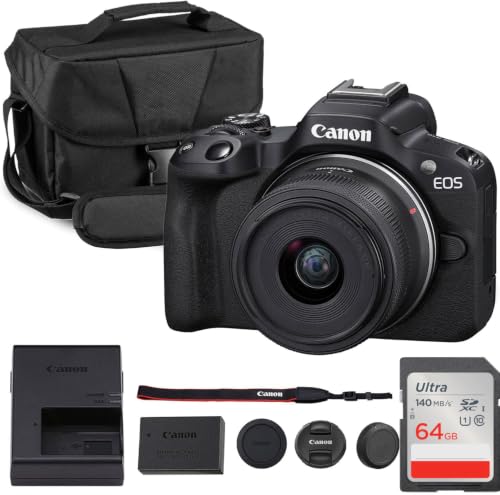
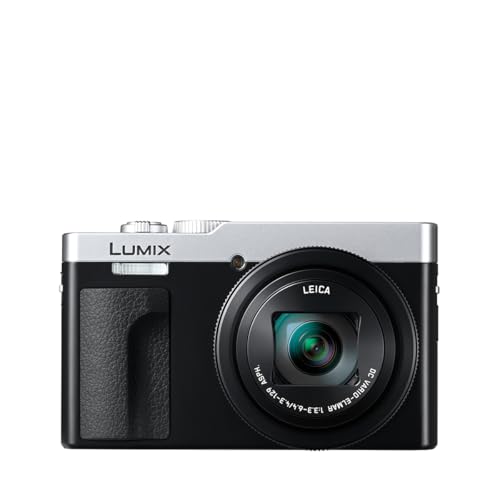


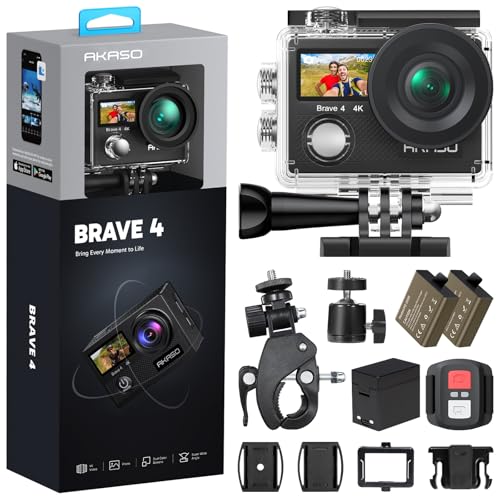

HD Video Basics for First Time Camera Buyers
HD video usually means a frame of 1920 by 1080 pixels, often called 1080p. That frame holds enough detail for TVs, laptops and phones, and the files stay smaller than 4K video files. A camera records moving frames many times each second, captures sound through a microphone, and saves the result to a memory card. Higher frame rates, such as 60 frames per second, make fast motion look smoother on playback.
Three camera families cover most beginners. Mirrorless cameras use changeable lenses and give you room to grow. Point and shoot compacts keep the lens fixed and stay small for a jacket pocket. Dedicated video models add long record times and built in cooling. For a broad view of the category first, see our guide to the best hd video cameras.
Who Should Buy Which Camera for HD Video?
Families Recording Events and Travel
You need a camera that starts fast, focuses on faces without help, and fits in a day bag. Choose a compact or a small mirrorless body with a general purpose zoom lens, a tilting screen, and simple auto exposure. Strong image stabilization matters because you will often record while standing in a crowd or walking.
New Creators Recording Lessons and Vlogs
You record yourself, often alone, so you must see the screen while you talk and trust the camera to keep your face sharp. Choose a flip screen, reliable eye autofocus, and a microphone input for clearer voice recording. A wide lens helps in small rooms, because it shows you and some of your surroundings at once.
Students and Teams Recording Sports and Performances
You record subjects far from your seat, so reach and steady handling matter most. Choose a longer zoom range and a grip that feels secure during long clips. Battery life also counts here, because a school concert or a full game can outlast a single small battery.
The Specs That Shape HD Footage, in Plain Terms
Sensor Size and Clean Picture Detail
The sensor captures light, and its size shapes detail, depth and low light results. Small sensors in basic compacts work well in daylight and keep the camera light and affordable. A 1 inch sensor gives cleaner footage indoors, while APS C and full frame sensors gather more light and blur backgrounds more easily. Megapixels matter less than sensor size, because an HD frame uses only about two megapixels. Choose the largest sensor you can carry if you record indoors often.
Autofocus and Image Stabilization for HD Video
Autofocus decides what stays sharp while you or your subject moves. Face and eye detection help with people, while subject tracking helps with children, pets and players. Slow and smooth focus shifts look natural on video, so avoid settings that snap sharply unless you record fast action. Image stabilization steadies small hand movements through the lens, the body or both. Body based stabilization, often called IBIS, helps with many lenses and reduces the need for a tripod.
Lens and Zoom Range for HD Video Cameras
The lens controls how much of a scene fits in the frame and how close distant subjects appear. Zoom range uses numbers such as 24 to 70 mm, where lower numbers give a wider view for rooms and groups, and higher numbers bring far subjects closer. The f number shows how much light the lens can gather, and lower numbers help indoors. Optical zoom keeps detail, while digital zoom crops and softens the image, so judge a camera by its optical range.
Video Capabilities, Sound and Screens
Check that HD recording runs at the frame rate you need, and treat 4K video as a useful extra rather than a must. A log profile can help skilled editors adjust color later, but it makes footage look flat straight from the camera. A microphone input improves voices more than most picture settings do, because viewers forgive soft footage sooner than unclear sound. A flip screen helps solo creators frame themselves. For more on these features, see our guide to the best cameras for shooting hd video.
Size, Weight and Handling for Long Recording
A camera you leave at home records nothing, so match the body to how you travel and how long you hold it. Small bodies suit pockets and light bags, and our guide to the best small hd video cameras covers that end of the range. Larger bodies offer bigger grips, more dials and often better heat handling during long clips. Weatherproof sealing helps in light rain and dust, though it never makes a camera safe to soak. Hold your shortlist if you can, because grip comfort is hard to judge from photos.
Controls That Match How You Learn
Good beginner controls let you record well on day one and still learn more later. Look for a clear auto mode, a dedicated video button, and menus that explain settings in plain words. Scene guides and touch focus help while you learn, and manual controls should be easy to reach once you want them. A phone app that transfers clips over WiFi saves time when you share quickly. Avoid bodies that bury basic settings deep in menus, because slow setup makes you miss moments.
Your First Recording: Setup Steps That Matter
Charge the battery fully, insert a fast memory card, and format that card inside the camera before your first real recording. Set the date, choose 1080p at 30 frames per second to start, and turn on face detection and stabilization. Record a short test clip indoors and outdoors, then play it back on a TV or laptop to check focus and sound. Clean the lens with a lens cloth, not your shirt, because shirt fabric can hold grit. Carry a spare battery for events, and keep the camera in a padded case.
Common Mistakes to Avoid
- Judging a camera by megapixels alone leaves you with weak low light footage, because sensor size matters more for HD video.
- Ignoring sound quality produces clips that look fine but frustrate viewers who cannot follow voices over room noise.
- Buying the longest zoom range without stabilization gives you shaky footage that grows worse as you zoom in.
- Skipping a spare battery and a fast card means the camera stops during the one moment you bought it to record.
- Paying for advanced color profiles before you edit video adds cost and leaves your early footage looking flat and dull.
Care and Maintenance for HD Video Cameras
Wipe the body with a soft dry cloth after outdoor use, and use a blower to clear dust from the lens before you wipe it. Keep caps on lenses and ports in storage, and remove the battery if you will not record for several weeks. Store everything in a cool dry place away from direct sun, because heat ages batteries. Update the camera software when the maker releases a fix, and back up clips in two places, since cards can fail without warning.
FAQ
Is a smartphone enough instead of a camera for HD video?
Yes, a recent smartphone is enough for casual HD clips in good light. A dedicated camera earns its cost when you need optical zoom, longer recording, a flip screen or a microphone input. Cameras also keep your phone free and save its battery during long events. Upgrade when one clear limit keeps getting in your way.
Which sensor size is better for HD video in low light?
A larger sensor is better for HD video in low light. Bigger sensors gather more light at each pixel, so indoor footage shows less grain and keeps colors cleaner at weddings and evening games. Pair that sensor with a lens that has a low f number for the strongest result. With a small sensor, move closer to lamps or windows and keep the camera steady.
How much should I spend on a first camera for HD video?
Most first time buyers do well at about $300 to $700 for the camera and a starter lens. Spending less often means a small sensor and weak sound options, while spending more mainly buys larger sensors and advanced color tools. Reserve part of your budget for a memory card, a spare battery and a basic microphone, because those extras improve clips more than a small step up in body price.
What specs matter most for beginners recording HD video?
Reliable autofocus, image stabilization and clear sound matter most for beginners recording HD video. Together they decide whether faces stay sharp, handheld clips stay watchable and voices stay easy to follow. Sensor size comes next if you record indoors often. Learn these basics on the best cameras to record hd video for your use, and ignore advanced profiles until your clips look and sound consistent.
Do HD video cameras need a separate microphone for clear sound?
Not always, but a separate microphone helps whenever you record voices from more than a few feet away. Built in microphones pick up handling noise, wind and room echo along with speech. A small microphone that clips to a shirt or sits on the camera brings the voice forward. Test your room first, because soft furniture and curtains already improve sound a lot.
Final Thoughts
Start with your main use, then rank sensor size, autofocus, stabilization and sound. A simple camera that you carry often will beat an advanced body that stays at home. Use the product table above to confirm record options, screen type, microphone input and total cost with extras included.
When you compare the best cameras to record hd video with those checks in mind, the right first camera usually feels easy on day one and still leaves room to learn.


