
Best Cameras for Virtual Tours: Types Compared and How to Choose for 2026
Disclosure: We may earn a commission when you buy through links on this page, at no extra cost to you. As an Amazon Associate I earn from qualifying purchases. Learn more
Compare the best cameras for virtual tours by type, resolution, stabilization and field of view to choose the right setup for property and travel tours.
Choosing a camera for a virtual tour feels confusing because tours look so different. One listing needs a viewer to spin around a room in every direction, while another needs a host walking and talking through a space. The best cameras for virtual tours solve different jobs, so start with the kind of tour you plan to publish, not the longest spec list.
This guide compares the main camera types by what each captures well, where each struggles, and who should choose it, then covers features that shape image quality and workflow. Start with the comparison table below.





Types of Cameras Compared for Virtual Tours
Virtual tours fall into two formats. A navigable tour links panoramic scenes so viewers move at their own pace. A guided tour is a video that leads viewers through in a fixed order. The four types below cover both.
360 Cameras for Complete Room Coverage
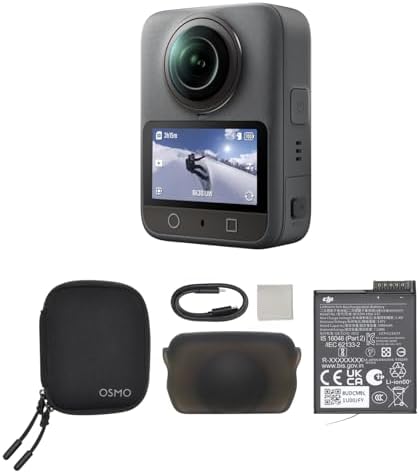
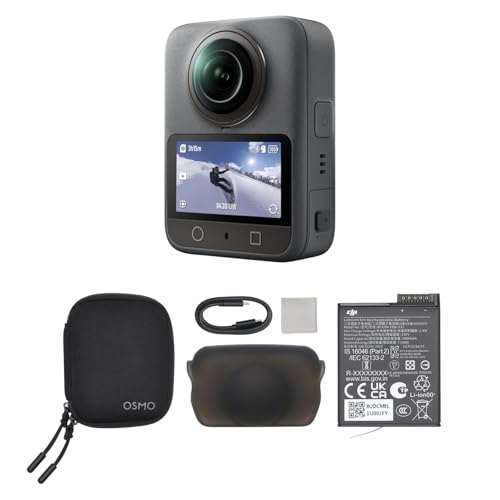
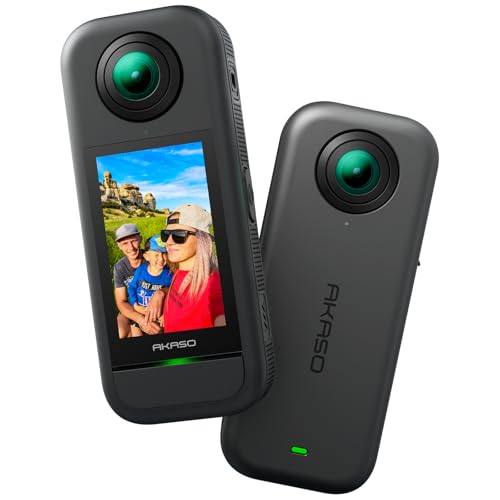
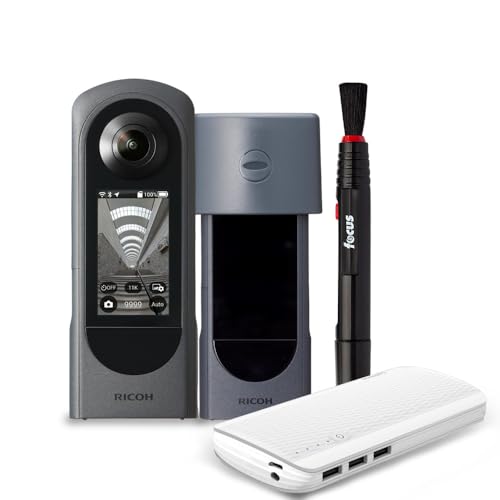
A 360 camera uses two or more lenses to capture the whole room at once, then stitches the views into one spherical scene viewers can drag around. It is the fastest route to a navigable tour, since one placement per room often covers the space, and a typical model costs about $300 to $800. Weak points are fine detail, because resolution spreads across the full sphere, and stitch lines when furniture sits close to a lens. Choose this type where full coverage matters more than close detail. If viewers will also step inside the scene with a headset, see our guide to the best virtual reality cameras.
Mirrorless Cameras for the Highest Still Quality
A mirrorless camera with a wide angle or fisheye lens captures frames you join into panoramas in software, or records guided video with the strongest image quality here. Large sensors handle dim interiors well and keep windows from washing out as quickly. The trade offs are cost, at about $700 to $2,500 with a suitable lens, and time, since shooting separate frames per scene is slower. Choose this type for architecture and high value listings where clients expect crisp detail. For a broader look at this family, see our guide to the best cameras for photography.
Action Cameras for Tight and Rugged Spaces
An action camera is a small, tough camera with a very wide view, strong stabilization and simple controls, usually costing about $200 to $500. Its size helps in cramped bathrooms, stairwells and vehicles where a larger camera on a tripod will not fit, and most bodies shrug off splashes and bumps. The limits are a fixed lens, modest still detail and distortion near the frame edges. Choose this type for tours of boats, workshops and trails, or as a second camera for awkward angles.
Vlogging Cameras for Guided Walk Through Tours
A vlogging camera is a compact or mirrorless model built around video, with a flip screen you can watch while presenting, reliable subject tracking and a microphone input for clear narration. Prices run about $400 to $1,200. It suits guided tours where a host explains features on camera, because viewers judge narration and smooth movement as much as the rooms. It cannot capture a full sphere in one shot, so it does not replace a 360 camera for navigable tours. Choose it for agent presented listings and school tours.
Action Cameras vs Vlogging Cameras: Which Should You Choose?
These two types overlap in price and size, so compare them on the work itself. For field of view, the action camera wins, capturing more of a tight room in one frame. For image quality and low light results, the vlogging camera wins, thanks to a larger sensor and brighter lens. For audio, the vlogging camera wins clearly, since a built in microphone sounds thin next to a proper microphone input. For durability, the action camera wins. Pick by format: silent coverage points to the action camera, a talking host to the vlogging camera.
How to Choose the Right Camera for Virtual Tours
The features below decide how your tour looks and how long each property takes to shoot. Remember that the best cameras for virtual tours on paper can still be the wrong fit if they slow your workflow. For the wider market, see our guide to the best digital cameras.
Resolution and Stitching Quality for Virtual Tours
Resolution works differently on a 360 camera, because its pixels spread around a full sphere instead of one flat frame. A tour that looks sharp on a phone can look soft on a large monitor, so look for 4K video or higher and the highest still resolution you can afford. Stitching quality matters just as much. Good stitching keeps door frames continuous where the lens views meet, while poor stitching leaves bends and ghost edges that make a space feel distorted.
Sensor Size and Image Quality in Indoor Light
Sensor size shapes how a camera handles mixed indoor light, where a dim hallway and a bright window often share one scene. A 1 inch sensor is a practical step up for compact and 360 models, while APS C and full frame sensors give the cleanest shadows and the most room to recover window detail later. Megapixel counts alone tell you little, since a larger sensor with fewer pixels often produces a cleaner interior image than a small crowded sensor.
Stabilization and Autofocus During Movement
Stabilization keeps guided footage calm while you walk, and panoramic shots level when a floor slopes or a tripod leg settles. Electronic stabilization in action and 360 cameras smooths a walking shot well, while in body stabilization helps at slower shutter speeds for stills. Autofocus matters most for guided tours, where tracking should hold your face in focus between rooms. For still panoramas, you will often focus once and lock it, so every frame in the set matches.
Battery Life, Storage and Tour Workflow
A full property can mean thirty or more scenes, so battery life and storage decide whether you finish in one visit. Look for batteries that last a few hours and storage for a full day of scenes. Workflow matters too. Some 360 cameras hand you ready to upload files, while mirrorless panoramas need stitching time at a desk. A camera that saves ten minutes per property repays a higher price quickly. If this is your first dedicated camera, see our guide to the best starter cameras.
Common Mistakes to Avoid When Buying a Camera for Virtual Tours
Most disappointing tours come from buying decisions, not shooting skill.
- Buying a 360 camera for guided host led videos, so your narration sounds distant and your face sits at a distorted frame edge.
- Judging a camera by megapixels alone, so you end up with noisy interiors from a small sensor.
- Ignoring stitching quality, so door frames bend at the seams and viewers distrust the shape of the rooms.
- Skipping a microphone input for guided tours, so clear pictures pair with echoing audio that drives viewers away.
- Forgetting tripod, battery and software costs, so the camera alone uses the whole budget.
How to Make Your Virtual Tour Camera Last Longer
Clean every lens with a soft lens cloth rather than a shirt, since gritty fabric can scratch coatings close to the front element on 360 and action cameras. Carry a spare battery and rotate your batteries instead of running one down completely each shoot. Store the camera in a dry, padded bag with lens caps on, and keep 360 models in their pouch, because both lenses bulge outward and pick up scuffs. Wipe the body after outdoor shoots, even if you chose a weatherproof model. Update the camera software when the maker releases a fix, since stitching improvements often arrive that way.
Cameras for Virtual Tours: Your Questions Answered
What features matter most in a camera for virtual tours?
The features that matter most are full scene coverage, stitching accuracy and reliable exposure across bright windows and shaded corners. Also check how the camera handles its own tripod. Good 360 models hide the stand base in the finished scene, while weaker ones leave a blurred patch you must cover with a logo or extra editing.
Is a smartphone enough for a virtual tour?
A smartphone is enough for a simple tour of a small, bright space, and many tour apps are built around phone capture. Its limits appear in dim interiors, where noise builds up, and in long sessions, where battery and storage fill quickly. Shoot your smallest, darkest room and view the result on a computer before deciding the phone can handle paid work.
Which camera type is better for virtual tours in dim interiors?
A mirrorless camera is better in dim interiors because its larger sensor gathers more light and keeps shadows clean. You can help any type by shooting at the brightest time of day and turning on every fixed light first. Avoid mixing light sources with very different colors in one scene, since a warm lamp beside daylight leaves a split tone editing struggles to correct.
How much should you spend on a first camera for virtual tours?
Plan on about $300 to $800 for a first dedicated setup for navigable tours, covering a capable 360 camera plus a stand and spare battery. Spending less usually drops detail on larger screens, while spending more buys quality you may not need yet. Keep part of the budget for tour hosting or software, since a camera with nowhere to publish the tour helps no one.
Do you need a tripod for virtual tours?
Yes, you need a tripod or a slim stand for virtual tours, because each scene must stay level and still while the camera captures it. A monopod style stand with small fold out feet is popular for 360 work, since its narrow base is easy to hide. Set the camera at about chest height, which gives viewers a natural standing viewpoint.
The Bottom Line
Match the camera type to the tour format first, then compare resolution, sensor size and workflow speed within that type. A 360 camera suits navigable listings, a mirrorless camera leads on still quality, and action and vlogging models cover rugged spaces and host led video. Chosen that way, the best cameras for virtual tours feel like a tool that fits your properties, not a spec contest. Review the product table above before you decide.


