
Best Cameras for Recording Videos at Every Price in 2026: What Your Money Really Gets You
Disclosure: We may earn a commission when you buy through links on this page, at no extra cost to you. As an Amazon Associate I earn from qualifying purchases. Learn more

See how the best cameras for recording videos differ by price tier, from heat limits and card speeds to mic inputs, and match one to your projects.
Video cameras range from pocket compacts at about $200 to full production bodies costing several thousand dollars, and the price ladder between them is steep. Buyers comparing the best cameras for recording videos often find that the headline on the spec sheet, usually a resolution figure, is the least useful number on the page. Recording time, clean audio and card speed decide far more sessions than one extra resolution step ever will.
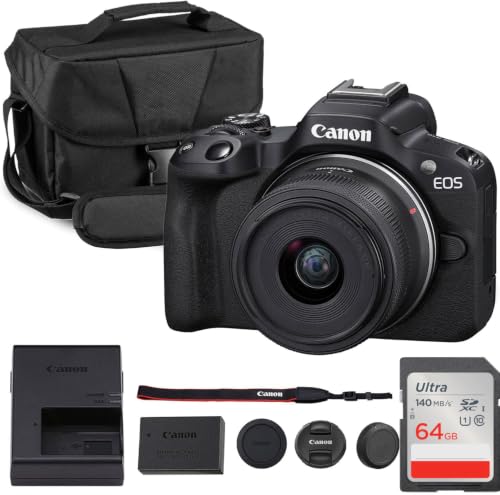
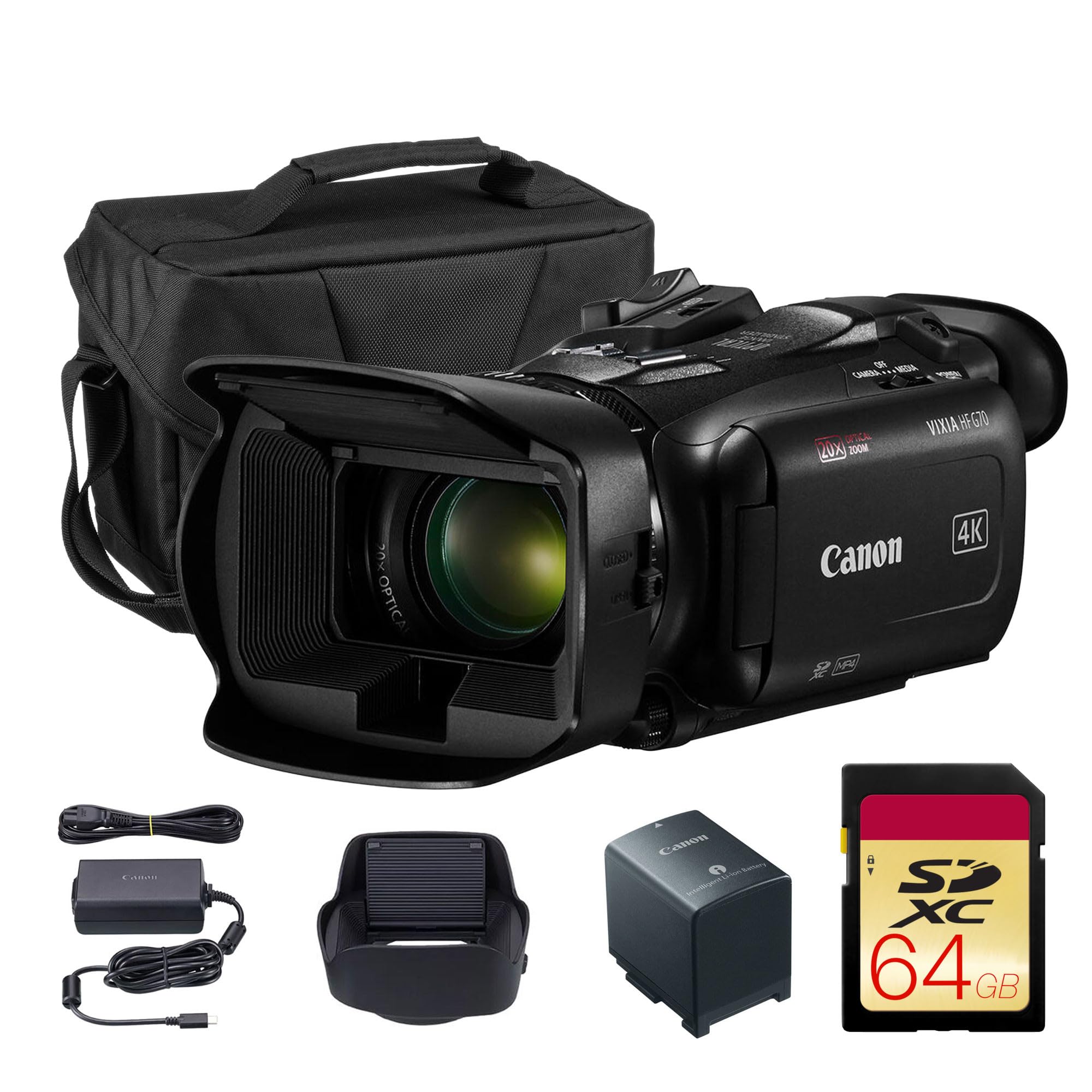
Shoppers reading about the best quality cameras for recording videos meet a second trap: a body shaped for stills can heat up and stop mid take, which no stills focused guide ever mentions. This article walks through the price tiers in order and shows what each one actually records, for how long and with what limits. The comparison table below groups the main classes by budget so the tiers are easy to scan before you read on.




Three Price Bands, Three Kinds of Video Work
The bands below describe the kind of video work each price level handles comfortably, from casual clips to paid projects. They describe classes of cameras rather than single products, and the product table above shows current examples at each level. Match your longest typical take and your sound needs to a band first; the feature details later in this guide matter only inside the right band.
Budget Band: Short Clips and Simple Setups
The budget band, about $200 to $400, holds compacts and the simplest mirrorless bodies. These cameras record clean clips in good light, with basic stabilization and automatic exposure that handles family events and product clips for small shops. Limits appear fast: takes may stop after a short stretch, the built in microphone hears the room more than the speaker, and low light footage turns grainy. For learners and occasional recording, this band teaches the craft cheaply, as long as every project is planned around short takes and quiet rooms.
Midrange Band: Where Longer Sessions Start Working
The midrange band, about $400 to $900, is where video stops being a side feature. Microphone inputs appear, screens flip for self recording, and heat handling improves enough for interviews, lessons and event coverage. Autofocus that tracks a face while it moves is normal here, which changes how confidently one person can run a shoot alone. Creators recording weekly content usually settle in this band and stay for years, since the jump from budget is the largest quality step on the whole ladder.
Premium Band: Headroom for Serious Projects
The premium band, about $900 to $2,500, buys headroom: larger sensors, longer takes, cleaner low light footage and audio sections with both microphone inputs and headphone monitoring. Log profiles and higher bitrate modes give editors far more room to shape color and contrast. Wedding shooters, small production teams and advanced hobbyists feel the difference in paid or once only moments. The costs continue past the body, because premium lenses, media and rigs are priced to match, so buy here when a failed take costs more than the upgrade.
What Your Money Gets You at Each Price Tier
Budget Tier: What to Expect
At the budget tier you are paying for a sensor and a lens, and very little around them, so expect fixed recording limits, one card slot, no microphone input and a screen that may not tilt. Clips look good outdoors and under bright indoor light, which covers school plays, listings and family milestones. Treat the tier as a learning stage: the habits you build, framing, light placement and steady handling, transfer fully when you upgrade. What does not transfer is patience for limits you outgrow within a year.
Midrange Tier: Where Sessions Get Longer
The midrange tier buys session length as much as picture quality. Bodies shed heat better, batteries last longer and card options widen, so a thirty minute interview becomes routine instead of a gamble. This is also where the used market for the best dslr cameras for video recording competes with new mirrorless bodies, and either route can serve a careful buyer. Sound improves most of all, because an external microphone changes weak audio into usable audio in one purchase.
Premium Tier: What the Extra Money Buys
Premium money buys reliability under pressure. Dual card slots record a backup copy as you shoot, weather sealing shrugs off outdoor work and internal recording modes reach bitrates that hold up on large screens. Color tools deepen too, with profiles that match footage across several cameras on one project. None of this makes a casual clip look dramatically better on a phone, which is why the tier only pays for itself on demanding work, and if your recordings carry deadlines or clients, this is your floor, not your ceiling.
Features Worth Paying For (and Ones to Skip)
Heat and Recording Limits
Heat is the limit nobody sees on a spec sheet, because a body shaped for stills packs its sensor and processor into a sealed shell, and long video sessions push the temperature up until the camera warns, then stops. Limits are real classes, not fine print: some models cap every take at a set length, while better cooled classes record until the card fills. If your work involves ceremonies, lectures or long interviews, rank cooling and take limits above resolution. A lower resolution camera that finishes the event beats a sharper one that quits.
Working around heat is partly technique. Opening the screen away from the body, keeping the camera out of direct sun and splitting a long session into planned segments all delay the warning. A small fan helps fixed setups in warm rooms, though it adds noise near the microphone. None of these habits rescues a class that was never built for long takes, which is why the limit belongs at the top of your checklist rather than in the fine print you read afterward.
Sensor Size and Image Quality
Larger sensors gather more light, which shows in video as cleaner shadows and gentler background blur. The step from a small compact sensor to a crop sensor is obvious in indoor footage; the step to full frame is subtler and costs far more. Remember that lenses decide much of the look, and premium bodies demand premium glass to earn their keep. For most creators, a crop sensor with a bright lens is the value point of the whole market.
Video Capabilities
Resolution steps matter less than frame rate choices and bitrate, which decide how smooth motion looks and how much detail survives editing. High frame rates enable slow motion for action, and readers comparing the best video cameras for recording sports should start with those modes and the autofocus that tracks players. Log profiles flatten contrast for later grading, which helps skilled editors and hurts beginners who skip that step. Pay for the modes your projects use weekly, and skip menu depth you will never open.
Audio: The Weak Half of Most Cameras
The built in microphone is the weak half of nearly every camera, because it sits far from the speaker and hears handling noise, wind and room echo. A microphone input is therefore a recording fact, not a luxury: it lets a small external microphone sit near the voice, which transforms how professional a clip feels. Anyone pricing the best cameras for recording music videos should treat the audio path as half the purchase, since music punishes weak sound instantly. Headphone monitoring, common from the midrange up, completes the chain.
Cards and Storage Speed
Video fills cards at a pace stills shooters never expect, and card speed classes are the gate that decides which recording modes even switch on. A slow card can force lower bitrates or stop a take outright, so the card belongs in the purchase budget from the start. Buy capacity for your longest session plus a spare, and match the speed class to the highest mode you actually use. Premium bitrates also fill computer drives quickly, so storage at home is part of the same bill.
Card habits protect footage as much as card speed does. Format each card in the camera before a session rather than deleting files on a computer, which keeps the file system clean. Rotate two cards instead of trusting one, and copy the footage before you format anything. A card that has survived one unexplained error should retire to stills duty, because video writes punish weak media without warning.
Ease of Use for Your Skill Level
Automatic modes that hold exposure and focus steady let beginners record usable footage on day one. Flip screens matter for anyone filming themselves, and app transfer matters for anyone publishing the same day. Deep menus and custom buttons reward experienced shooters and slow down everyone else. Be honest about your level: the camera you understand fully outperforms the advanced body you leave on automatic everything, and growth room is worth some money while confusion is worth none.
Best Cameras for Specific Needs
Best Digital Cameras for Recording Video
Most buyers in this market choose a stills shaped digital body and record video with it, so the money question is which video traits the body carries. Guides to the best digital cameras for video recording rank microphone inputs, take limits and flip screens above stills specifications, and that order is correct. Spend first on the body class whose limits fit your longest take. Spend second on one bright lens, which improves every clip more than a body step would.
Best Cameras for Recording Video Compact
Compact video cameras trade control for size: a fixed lens, a small body and setup measured in seconds. They suit travel, family documentation and creators who film in public without drawing attention. The limits are heat and flexibility, since small shells shed warmth slowly and the lens you start with is the lens you keep. Within this class, pay for stabilization and the best microphone arrangement offered, because those two traits decide daily footage more than resolution does.
Long Term Costs to Factor In
The body is the start of the bill, not the whole of it, since fast cards in useful sizes, spare batteries and a microphone typically add about a fifth to the first year cost at any tier. Premium shooters should also budget for larger computer storage and backup drives, because high bitrate footage multiplies fast. Lenses remain the largest long term line for system cameras, and one bright lens usually outlasts two bodies. A realistic plan prices the full kit you will own in twelve months, not the box you open this week.
Video Camera Questions Answered
What features matter most in cameras for recording videos?
Recording limits, audio options and card speed matter most, because they decide whether a session finishes and sounds right. Sensor class and lens brightness come next, shaping low light quality and background blur. One feature buyers overlook is a headphone socket, which lets you hear problems while there is still time to fix them. Resolution headlines rank last: every current class records sharp footage in good light, so the differences that cost people projects live elsewhere.
Which camera class records better video in low light?
Larger sensor classes record cleaner low light video, since each pixel gathers more light and noise stays lower at high sensitivity settings. A bright aperture lens helps nearly as much and often costs less than a body upgrade. Before spending on either, remember that one small video light improves a dim room more than a full tier jump. Low light is a lighting problem first and a camera problem second, at every budget.
How much should I spend on my first camera for recording videos?
Most beginners should land in the midrange band, about $400 to $900, where microphone inputs and workable take limits appear. Budget bodies teach the basics but impose limits that frustrate regular practice within months. Keep about a fifth of the budget aside for a microphone, cards and a spare battery, since those extras shape results immediately. If recording is a rare side need, the budget band plus a borrowed microphone is a sensible start instead.
Is a smartphone enough instead of a camera for recording videos?
For short clips in good light, a recent smartphone records video most viewers cannot distinguish from a budget camera. Articles comparing the best camera phones for video recording make the same point: phones win on convenience and lose on zoom, long takes and audio control. A dedicated camera earns its place when sessions run long, sound matters or light is poor. If your projects are spontaneous and brief, the phone you own is already the right tool.
What specs matter most for beginners recording videos?
Beginners should look for a flip screen, reliable autofocus that follows a face and a microphone input, in that order. Those three traits remove the common beginner failures: unseen framing, drifting focus and hollow sound. Weight matters too, because a heavy body stays home while a light one gets used daily. Ignore deep color profiles and extreme slow motion for now; the modes that forgive mistakes teach faster than the modes that reward experts.
Why does a camera stop recording after a short time?
Most stops come from heat or from a maker set take limit, and the two feel identical from behind the camera. The sensor and processor warm the body as they work, and the camera protects itself by ending the take. A slow memory card can cause the same symptom when the buffer cannot empty fast enough. Longer sessions need a class built for them: better cooling, the right card speed and, for fixed setups, power from an adapter instead of a battery.
The Bottom Line
Choose the tier by your longest take and your sound needs, then let sensor class and one good lens fill the rest of the budget. The tiers in the product table above show how those pieces combine at each price, and the best cameras for recording videos for any creator are the ones whose limits never interrupt the work. Spend on finishing sessions cleanly, and the footage takes care of itself.

