Best Cameras for Parents: A Buyer Checklist for 2026
Disclosure: We may earn a commission when you buy through links on this page, at no extra cost to you. As an Amazon Associate I earn from qualifying purchases. Learn more

A practical buying guide to the best cameras for parents, covering autofocus, sensor size, video, battery life, and simple controls for family photos.
Children rarely pause and wait for you to get ready, so the best cameras for parents are the ones that start fast, focus fast, and still give you a clear photo when the light is poor and the moment lasts two seconds. This guide turns that idea into a simple checklist for any model.
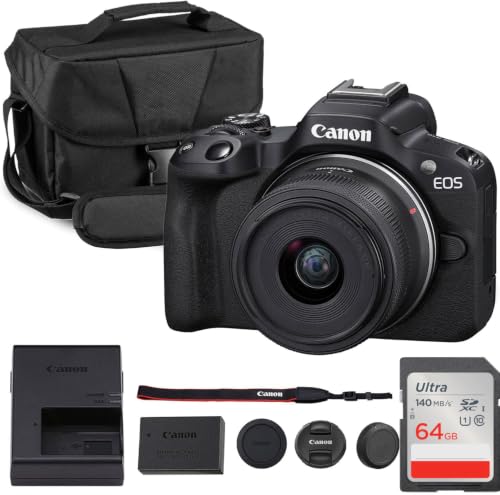
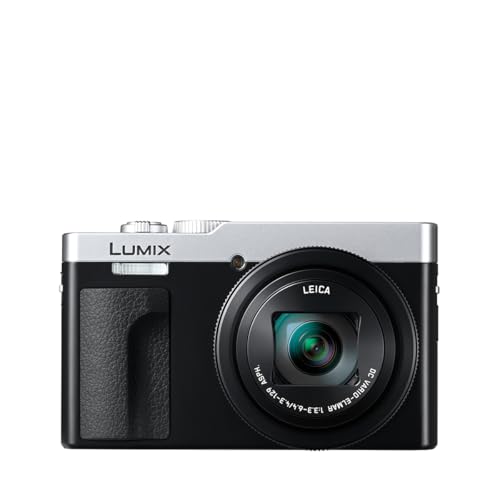
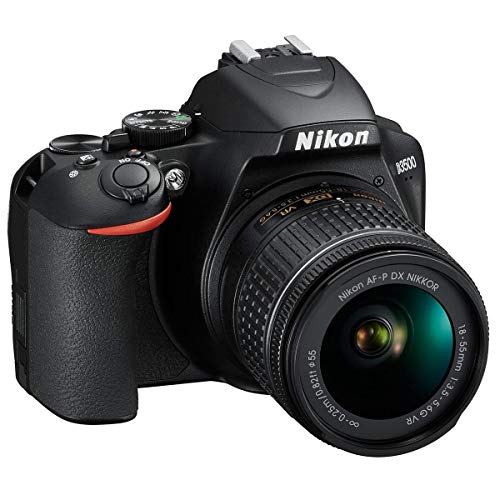
Use the checklist to compare sensor size, autofocus, video, battery life, and controls before you look at prices. The comparison table below gathers the current options in one place, so you can match each model against the points that matter most for your family.


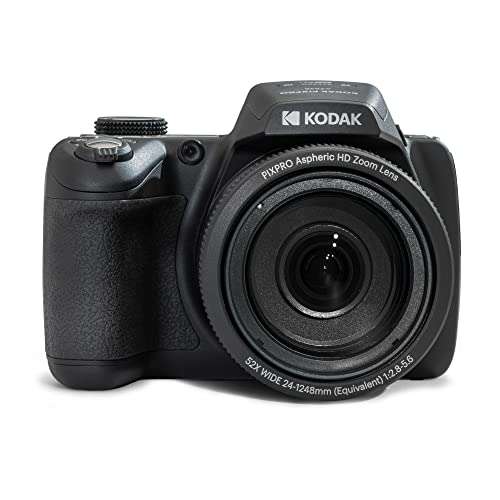

Who Should Buy a Camera for Family Life
Parents Who Want Better Photos Than a Phone Gives
Your phone is always with you, but it can struggle indoors, at school concerts, and when your child is across a field. A dedicated camera gives you real optical zoom, a larger sensor, and controls you can set in advance. If you often print or crop photos, that step up in detail is the main reason to buy. If your baby is still tiny and most photos happen at home, see our guide to the best cameras for new parents for needs specific to the newborn stage.
Parents of Toddlers Who Need Speed and Toughness
Toddlers move without warning, grab at anything shiny, and drop what they hold. You need quick autofocus that tracks a moving face, a grip you can hold with one hand, and a body that tolerates bumps. A tilting screen helps you shoot at child height without kneeling flat on the floor. Fast burst shooting also matters, because a short burst raises your odds of one sharp frame with open eyes and a real smile.
Parents Who Shoot Video and Share It With Family
If relatives live far away, video may matter as much as stills. Look for clear sound, a turning screen, and simple sharing to your phone. Families who record school events also need steady handling at longer zoom ranges, because small shakes grow more visible as magnification increases. If you want room to grow into manual settings and interchangeable lenses later, see our guide to the best cameras for photography for the broader creative path.
Key Features to Compare
Features That Matter Most for Parents
Start with the jobs the camera must do well. It should lock focus on moving children, work in normal indoor light, and be simple enough that another caregiver can pick it up and shoot. Image stabilization helps when you hold the camera with one hand while your other hand holds a child or a bag. Size counts too, because a camera that feels too large stays home, and a camera that stays home takes no photos.
Sensor Size and Image Quality
Sensor size shapes how much light the camera collects, and light is what makes clean detail possible. Small sensors in basic point and shoot compacts do well outdoors, while a 1 inch sensor is a clear step up indoors. APS C sensors gather still more light for dim rooms, and full frame sensors gather the most, but they bring larger lenses and higher cost. Megapixels matter less than many shoppers expect. If image quality is your top priority, see our guide to the best quality cameras.
Autofocus That Can Track Moving Children
Autofocus decides whether a fast moment is sharp or blurred. Look for face and eye detection, plus a tracking mode that follows your child across the frame. Touch focus on the rear screen helps when you compose low or overhead, and quick start up time matters because a camera that wakes slowly misses the first steps and the first goal.
Video Capabilities and Sound
4K video gives you crisp clips and room to crop a little while editing, while good 1080p video is still fine for sharing with family. A rate of 60 frames per second makes motion look smoother and lets you slow a clip of a jump or a swing. Check clip length limits for recitals or games. Sound deserves equal attention, so look for a microphone input for events and a turning screen if you film yourself with your children, as many vlogging cameras offer.
Battery Life and Charging
Battery ratings are given in shots per charge, but video, screen use, and burst shooting drain power faster than the rating suggests. For a full day at a zoo, a tournament, or a family trip, plan on a spare battery even when the rating looks generous. USB C charging is a real convenience, because you can top up from a car adapter or a power bank between events.
Ease of Use for Your Skill Level
The best controls are the ones you will actually use under pressure. A clear auto mode and guided displays that explain a setting in plain words lower the learning curve. App transfer matters for sharing, so check that the camera connects to your phone without a long setup each time. If this is your first dedicated camera, see our guide to the best starter cameras.
Low Light Performance
Most family life happens away from bright sun, in living rooms, gyms, restaurants, and evening yards. A lens with a wide maximum aperture lets in more light, which lets the camera use a faster shutter speed and a lower ISO for cleaner files. High ISO numbers mean little if images turn soft and blotchy at those settings. A built in flash helps for close snapshots, but a lens and sensor that cope without flash will serve you more often.
How Camera Types Differ for Parents
Point and shoot compacts are the simplest route, with a fixed lens, small size, and prices that often start around $200. Mirrorless cameras use interchangeable lenses and larger sensors, and many good family bodies cost about $500 to $1,500 before lenses. The wider family of best digital cameras also includes rugged models and bridge cameras with long zoom for sports. Rugged and weatherproof models suit beach days and pool decks, but check the depth rating before trusting any seal. Choose the type that fits your carry habits first, then compare features inside that type using the product table above.
Quick Buyer Checklist
Run through these questions before you order, and let a no answer point you to a different model.
- Does the autofocus track faces and eyes as a child moves toward you and away from you?
- Is the sensor large enough for the indoor light where you shoot most often?
- Can you hold the camera and reach the main controls with one hand?
- Does the zoom range cover both group photos indoors and subjects across a field?
- Will the battery last your longest normal day, or is a spare affordable and easy to find?
- Can another caregiver pick it up and take a good photo in auto mode?
- Does the total cost, with card, case, and spare battery, still fit your budget?
Red Flags to Watch For
Treat these warning signs as reasons to pause and compare against the product table above before you spend anything.
- The listing leads with a huge digital zoom number but says little about optical zoom, which is the zoom that keeps detail.
- Sensor size is hidden or vague while the megapixel count is shouted, which usually means the sensor is small.
- Video is described as 4K but the frame rate and sound options are never stated clearly.
- The warranty is very short, the seller is unclear, or support runs only through a generic contact form.
Picking the Right Camera for Different Uses
Best 4K Cameras for Parents
When best 4k cameras for parents are your focus, check three things beyond the resolution label. Confirm the frame rates at 4K, because 60 frames per second handles sports and play better than lower rates. Ask how long it can record before heat limits stop a clip, and check stabilization, since handheld family video shakes more than staged clips.
Best Mirrorless Cameras for Parents: What to Check
Shoppers comparing best mirrorless cameras for parents should weigh lens choice as heavily as the body. A kit lens covers birthdays and holidays, while a bright prime lens helps indoors without flash. Check the size of the full kit you would carry and the cost of the next lens you want.
Best Cameras for Parents of Newborns and Babies
Parents of newborns shoot most photos at home in dim rooms, often one handed. Prioritize a quiet shutter that will not wake a sleeping baby, strong low light results without flash, and a screen that tilts for overhead shots of the crib. A lightweight body matters more than extra zoom at this stage. For a nursery view while you are in another room, an openly placed baby monitor suits that job better than a photo camera.
Best Cameras for Parents of Toddlers
Families shopping for best cameras for parents of toddlers should put durability and speed at the top of the list. A solid grip, simple dials, and a screen that folds flat against the body survive daily use better. Fast burst shooting and quick wake from sleep matter more than extra scene modes at this stage.
Common Mistakes to Avoid
- Buying on megapixels alone, so you end up with a tiny sensor that struggles in the indoor light where your family actually lives.
- Choosing digital zoom over optical zoom, so distant photos of games and concerts come out soft and pixelated.
- Skipping the spare battery, so the camera dies during the second half of a trip or a tournament day.
- Paying for advanced video modes you will never open, while giving up the fast autofocus you needed every day.
- Forgetting the cost of a memory card, a case, and a lens, so the real total lands well past your budget.
- Picking a camera that is too large to carry, so it stays in a closet while your phone takes every photo anyway.
Care and Tips to Get the Most From Your Camera
Clean the lens with a lens cloth, not your shirt, because grit in fabric can scratch the coating over time. Blow loose dust off first, then wipe in a small circle from the center outward. Carry a spare battery, and store the camera in a dry, padded bag away from direct heat.
After a beach or pool day, wipe the body with a lightly damp cloth to remove salt and sunscreen, and let everything dry fully before you close the bag. Format your memory card in the camera after you have safely copied your photos. Check the maker support page a few times a year for firmware updates, since updates often improve autofocus and app connections.
Frequently Asked Questions
What features matter most in a camera for parents?
Fast and reliable autofocus matters most, followed by a sensor that handles indoor light and controls a tired parent can use without thinking. One point many buyers miss is shutter lag, the delay between pressing the button and the photo being taken, so favor models described as responsive.
How much should parents spend on a first family camera?
A sensible first budget is about $300 to $800 for the camera and kit lens, which covers capable compacts and entry mirrorless models. Keep part of the budget back for a fast memory card and a spare battery rather than spending every dollar on the body.
Is a smartphone enough instead of a camera for parents?
A current smartphone is enough for well lit, close, everyday snapshots, and it wins on sharing speed. A dedicated camera pulls ahead when you need real zoom, cleaner indoor photos, or prints larger than a small frame. If most of your missed shots involve distance or dim light, a camera solves the problem your phone cannot.
What camera specs matter most for beginner parents?
Beginners should weigh autofocus type, sensor size, and screen design before chasing long spec lists. A tilting screen that flips for selfies and low angle shots gets used daily, while exotic video modes may never be opened. Also check the weight with its kit lens fitted, because body weight alone understates what you will carry.
Which camera type is better for low light photos of children?
A mirrorless camera with an APS C or full frame sensor is usually better for low light photos of children, because the larger sensor and bright lens options keep shutter speeds fast enough to freeze motion. Compacts with a 1 inch sensor are the next best step and stay far easier to carry. Look at lens aperture numbers rather than digital brightening claims.
Final Thoughts
The right choice comes down to three checks you can repeat for any model. Confirm that focus keeps up with your children, that the sensor and lens suit your normal light, and that the size and controls fit your real day. Use the product table above to compare your shortlist against those checks one last time.
When a model passes all three, it earns its place as one of the best cameras for parents for your household, whatever your budget. Start with the scenes you shoot most, buy the simplest kit that covers them well, and spend the time you saved on taking the photos.