
Best Cameras for Computers: Which One Fits the Way You Use It? 2026
Disclosure: We may earn a commission when you buy through links on this page, at no extra cost to you. As an Amazon Associate I earn from qualifying purchases. Learn more

Compare the best cameras for computers for calls, classes, streaming and desk work by focus, field of view, audio and privacy.
There is no single camera that suits every desk, because a video call, a recorded lesson, and a live stream ask for different things. The best cameras for computers match your daily routine first, and only then do resolution numbers and extra features start to matter. The comparison table below can help you compare camera types side by side.
This guide starts with how you actually use a computer camera, then moves to the features that change the result on screen. It does not review individual models. Instead, it explains which camera style fits each use case, what to prioritize, and what you can safely skip.

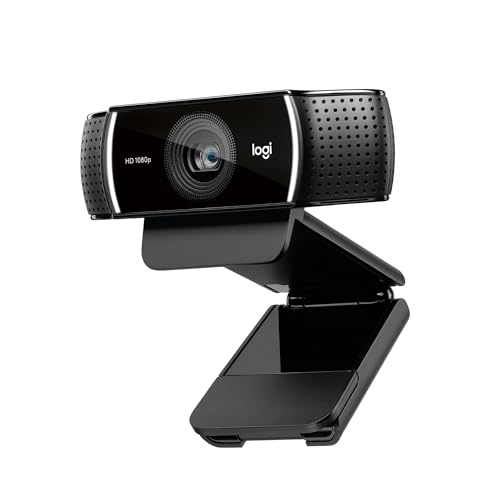
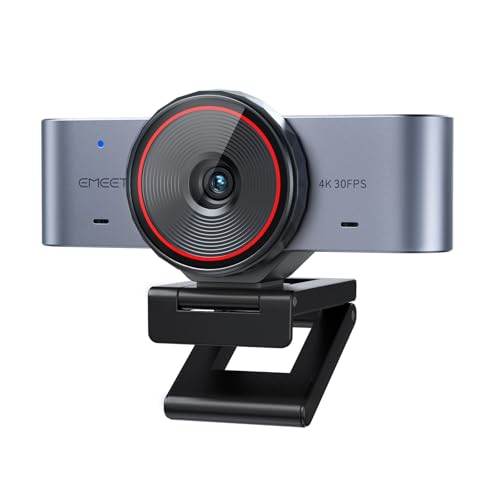

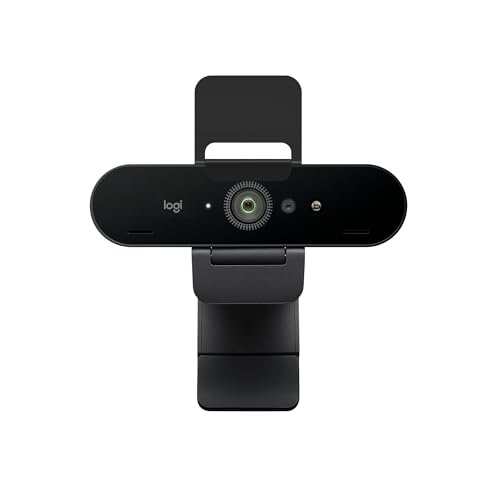

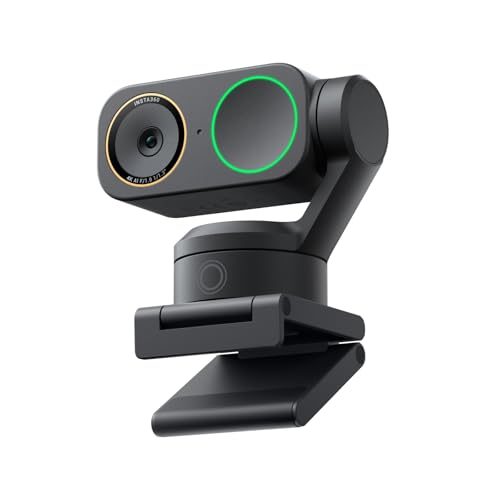

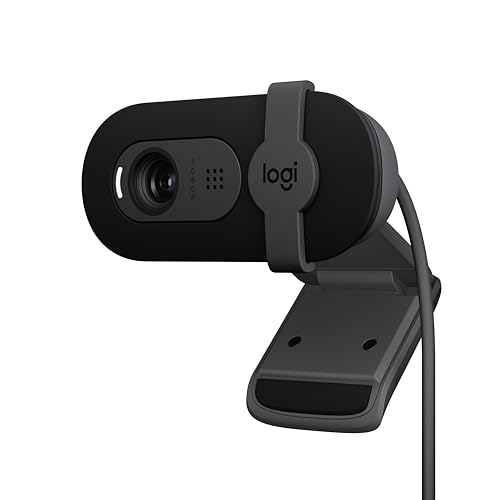

Who Should Buy Which Cameras?
Think about your most common camera moment before you compare specs. A remote worker needs a reliable image and clear voice for back to back calls. A student needs a camera that works quickly for classes without constant adjustment.
A streamer needs smoother motion and better control over framing. A traveler needs something small, light, and easy to set up in a new room.
For Remote Workers and Creators
Remote workers and creators benefit from a camera with dependable autofocus, natural color, and a microphone that keeps speech clear without picking up every keyboard tap. A stable mount matters too, because a camera that slips or points at the ceiling during a call undermines an otherwise good setup. Look for simple exposure controls and a privacy shutter, so you can close the lens between meetings without unplugging anything.
For Students and Everyday Users
Students and everyday users usually need a camera that starts quickly, stays in focus at desk distance, and works well in a bedroom or a shared study space. A wide enough field of view helps when two people share a screen, while a narrow view suits a single user in a small room. Keep the setup simple: a clip on camera, a short cable, and software that does not demand constant tweaking will serve most classes and calls well.
For Gamers and Power Users
Gamers and power users often care about smooth motion, low delay, and a clean image while other programs run at the same time. A higher frame rate keeps fast movement natural, and a camera that handles changing room light without flicker helps during long sessions. Check that the camera works well with your streaming or chat software, and that it does not need a separate power supply that crowds an already busy desk.
For Travelers and Commuters
Travelers and commuters need a camera that packs flat, weighs little, and survives repeated trips in a bag. A foldable clip, a short detachable cable, and a protective cover for the lens make daily packing easier. Battery powered options can help when outlets are scarce, but most travelers will prefer a USB camera that draws power from the laptop and avoids another charger.
Choosing Cameras for Your Situation
Two common situations deserve special attention, because they change which features matter most. A camera mounted on a monitor faces different light and distance problems than a camera used for home security through a computer, and buying for the wrong situation leads to avoidable frustration.
Best Camera for Computer Monitors: What to Prioritize
When you choose the best camera for computer monitors, prioritize a mount that grips the top of your screen without wobbling, a field of view that frames your head and shoulders at arm length, and autofocus tuned for close desk distance. Tilt adjustment matters more than a very wide view, because you want to aim slightly down or up without moving the whole monitor. A privacy shutter and a clear indicator light are also useful in a shared office or a home workspace.
Best Surveillance Cameras for Computer: What to Prioritize
When you choose the best surveillance cameras for computer, prioritize a stable connection to your computer, clear motion alerts, and storage you understand, whether that storage is local, in the cloud, or both. Placement matters as much as resolution: a camera aimed at a doorway gives more useful footage than a high resolution camera aimed at a blank wall. Follow local rules on recording and placement, and keep cameras out of bedrooms and bathrooms.
Key Features to Compare
Once you know your use case, compare features in the order they affect your daily result. Resolution gets the most attention, but focus, field of view, low light handling, and audio often decide whether people can see and hear you clearly. A camera that nails those basics will beat a higher resolution camera that hunts for focus or washes out in a bright window.
Durability and Build Quality
Durability for a computer camera means a hinge that holds its angle, a clip that does not crack after repeated use, and a cable that survives bending at the desk edge. Weather sealing matters mainly if the camera travels or sits near an open window. For everyday use, judge build by the mount, the cable strain relief, and whether the lens cover stays attached.
Low Light Performance
Low light performance matters when you call in the evening or work in a room with a single lamp. A larger sensor and a wider aperture gather more light, while good noise control keeps the image from turning grainy or blotchy. Judge low light ability by sensor size, aperture, and sample behavior in dim rooms. A small desk lamp aimed at your face often improves the result more than a more expensive camera.
Features That Matter for Computers
Computer use brings its own feature list. A plug and play USB connection avoids driver hunts, while a standard mount fits most monitors and tripods. Autofocus should lock quickly at desk distance and stay locked when you lean forward or back.
A built in microphone with noise reduction helps in a quiet room, but a separate headset microphone usually sounds better in a noisy household. Check software support too, because exposure, white balance, and framing controls vary widely.
Sensor Size and Image Quality
Sensor size affects how clean the image looks, especially in dim light, but a one inch sensor, an APS C sensor, and a full frame sensor belong to very different camera classes and are not all practical as desk cameras. For most computer cameras, a well tuned smaller sensor with good processing beats a larger sensor paired with weak software. Megapixels matter less than focus accuracy, color balance, and stable frame rate, so compare real world desk shots rather than chasing the highest number on the box.
Common Mistakes to Avoid When Buying Cameras
- Choosing by resolution alone while ignoring focus speed and audio quality.
- Ignoring field of view, then framing too much room or cutting off your head.
- Buying a camera that is too large for your monitor or too heavy for a travel bag.
- Skipping a check of software support for your operating system and meeting apps.
- Forgetting privacy features such as a shutter or a clear on air indicator.
Setup and Care Tips
Use a lens cloth, not your shirt, to clean the lens, because shirt fabric can trap dust and smear fingerprints across the glass. Carry a spare cable if you travel, and store the camera in a dry, padded bag rather than loose at the bottom of a backpack. Position the camera at eye level when you can, face a light source rather than sitting with a bright window behind you, and test a call before an important meeting so framing and audio are already settled.
For video calls, a related guide to best computer cameras for zoom covers meeting specific settings, while best computer video cameras helps compare broader video styles. If your monitor has room for a built in option, see best computer monitors with camera, and for streaming, see best computer cameras for streaming.
FAQs
What features matter most in cameras for computers?
Focus accuracy at desk distance, a sensible field of view, clean audio, and reliable software support matter most for computer cameras. Resolution helps, but a sharp and stable 1080p image with good color often looks better than a higher resolution image that hunts for focus or flickers in room light. Privacy controls, a stable mount, and a simple setup complete the short list for most users.
What specs matter most for beginners?
Beginners should prioritize plug and play setup, dependable autofocus, a natural field of view, and a microphone that sounds clear in a quiet room. A camera that works without deep menu diving will serve classes and calls better than a complex camera with features you never adjust. Add a desk lamp and a stable mount before you upgrade the camera itself, since light and position improve most calls quickly.
How much should I spend on my first one?
Plan around about $50 to $150 for a first computer camera that handles calls and classes well, with the final amount depending on frame rate, low light needs, and audio quality. A lower amount suits everyday calls in a well lit room, while a higher amount suits streaming or frequent evening meetings. Reserve a little of the budget for a lamp or a mount if your desk setup needs either one.
Is a smartphone enough instead?
A smartphone can work well as a computer camera for occasional calls, especially when mounted at eye level and connected over a stable link. It becomes awkward for daily use, because it ties up your phone, drains its battery, and may overheat during long meetings. A dedicated computer camera earns its place when you call often, share your screen, or want a setup that is ready without rearranging your desk each time.
Which is better for low light?
A camera with a larger sensor, a wider aperture, and good noise control usually performs better in dim rooms, because it gathers more light before the image turns grainy. A desk lamp aimed at your face helps even more, since it raises light on the subject rather than forcing the camera to guess. Avoid judging low light ability by megapixels alone, and test the camera in the room and at the distance you actually use.
Wrapping Up
Start with your routine, then match the camera to it. Remote workers need reliability and clear audio, students need simplicity, streamers need smooth motion, and travelers need a compact and durable design. Use the product table above to compare those priorities against camera types, and choose the option that fits your desk rather than the one with the longest spec list. With that approach, the best cameras for computers are the ones that make your next call easier, not harder.