
Best Cables for Keyboards in 2026: Budget, Midrange, and Premium Picks
Disclosure: We may earn a commission when you buy through links on this page, at no extra cost to you. As an Amazon Associate I earn from qualifying purchases. Learn more

Compare the best cables for keyboards by price and type. Learn connectors, coil, length and shielding so you spend only where it improves daily use.
Keyboard cables range from a few dollars to the cost of a budget board, and price alone tells you little about fit. The best cables for keyboards match your port, reach your computer without strain, and hold up to daily bends. This guide shows where money helps and where it does not, so you can use the comparison table below with clear priorities.
Start with the job the cable must do. A fixed desk needs reach and a tidy run, a shared setup needs easy swapping, and a travel kit needs a cable that packs small. Connector, length, coil and jacket decide which option fits.

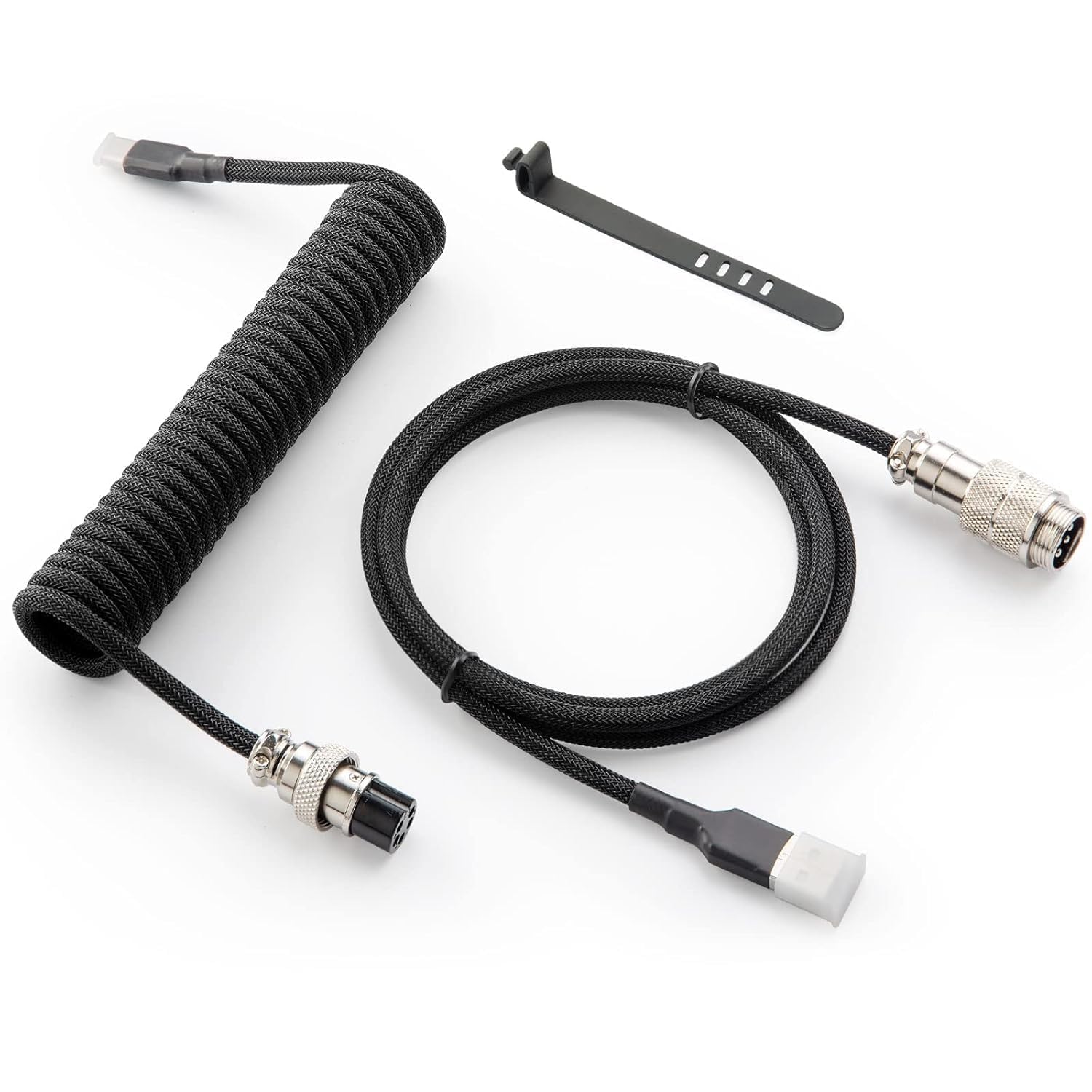
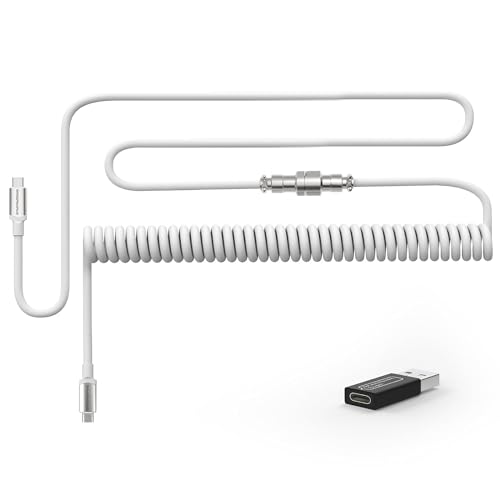
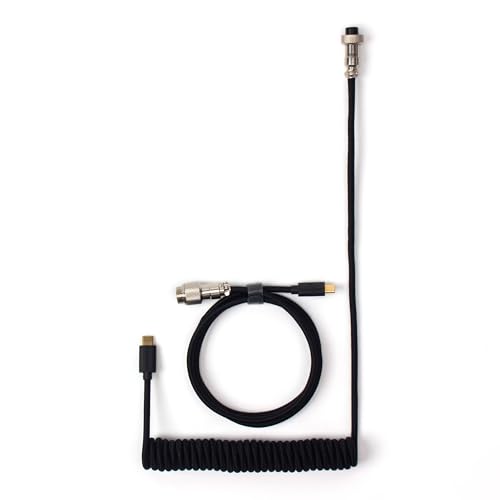

Who Should Buy Which Keyboard Cable?
Your board, desk layout and how often you move decide the right cable shape and ends.
Competitive Gamers Who Want a Stable Wired Link
You want a cable that stays seated during fast play and supports the polling rate your board offers. Choose a straight cable with firm USB C ends, good strain relief and enough slack to reach without pulling. A detachable end helps if you swap boards, and our guide to the best gaming keyboard explains the boards these cables serve.
Desk Workers Who Want a Tidy and Quiet Setup
You keep one board in place all week and care about a clean desk. A coiled section near the board can keep the run neat, while a braided jacket slides less and looks tidy. Choose length for your computer placement first, and see our guide to the best pc keyboards if your board itself is due for a change.
Travelers and Tablet Users Who Swap Devices Often
You move a compact board between a laptop, a tablet and a spare desk, so the cable must pack small and plug in fast. Choose a shorter straight cable or a compact coil with ends that match every device you carry. If your board also pairs with a phone, our guide to the best keyboards for iphone covers that side.
Key Features to Compare
When you shop for best cables for keyboards listings, compare these factors in order. Port match comes first, because a fine cable is useless if one end is wrong.
Connector Ends and Port Match
Most modern boards use a USB C port, while older boards may use micro USB or mini USB, and the computer end is usually USB C or USB A. List both ports before you order, and check the board port housing, because some recessed ports reject wide plug shells. A detachable aviator style connector midway along the cable lets you swap the board end while the desk run stays in place.
Coiled or Straight Shape and Usable Length
A straight cable gives you its full stated length, while a coiled cable stretches and then pulls back, so its relaxed length is much shorter than its maximum reach. Measure from the board port to your computer along the real path, then add slack for moving the board. Most desks suit about 3 to 6 feet of usable reach. Choose a coil if your computer sits close and you like a neat loop, and choose straight cable for longer runs where coil tension would tug the board.
Wire, Shielding and Outer Jacket
Inside the jacket, copper conductors carry data and power, and a foil or braided shield helps block electrical noise from nearby monitors and chargers. That shielding matters most on busy desks, where a poor cable can drop a connection when other gear switches on. Outside, plain PVC costs least and bends easily, TPE feels soft and resists tangles, and braided nylon resists abrasion for longer.
Data Support, Polling Rate and Power Handling
A keyboard needs very little data speed, but the cable must still carry data, not power alone, or the board will charge and never type. Look for wording that states data transfer, and match the cable to boards that offer high polling rates if you game. Power handling matters for boards with bright lighting or a battery to charge. Thin and very long cables can drop voltage, so shorter and thicker conductors serve power hungry boards better.
Detachable Connectors and Strain Relief
The ends fail first on most cables, because that is where bending concentrates each time you plug in or pack up. Look for molded strain relief that tapers gradually, firm shells that resist crushing, and plugs that seat snugly rather than wobble. A detachable connector near the board also lets you leave the main run in place and carry only the board.
What Your Money Gets You at Each Cable Price Tier
Price tiers buy materials and finish more than raw function. A correct budget cable types just as well as a costly one.
Plain and Functional Cables at About $10 to $20
At this level you get a straight PVC or TPE cable with standard ends, basic strain relief and full data support. That is enough for a spare or a single desk board that rarely moves. Trade offs are plain looks, a thinner jacket and fewer length choices. Spend here if you do not need a coil or a detachable break.
The Middle Range at About $20 to $40: Braiding, Coils and Better Ends
This range adds braided jackets, coiled sections, metal plug shells and detachable connectors, plus wider length choices. For most desk users extra money still buys daily benefits here, because the cable looks tidy and swaps more easily. Check coil tension with care, because a tight coil that pulls your board is worse than a plain straight cable.
Premium Cables at About $40 to $70: Finish and Custom Details
Premium cables sell finish, custom colors, wrapped coils and polished metal connectors rather than better typing. They suit a styled desk or a gift. They do not make keys respond faster, and the same port and length checks still apply. Spend here only after the basics are right, and keep the receipt in case the coil size differs from the listing photos.
Choosing a Cable for Power and Daily Swapping
Best Power Cable for Keyboards: Where Your Money Goes
The phrase best power cable for keyboards points to a narrower job, charging a wireless board or feeding a board with bright lighting. For that job, conductor thickness, short length and a firm USB C seat matter more than coil style, because voltage drop grows with length and thin wire. A power focused cable still needs data lines if you want to type while charging, so check the listing for data support.
Musical players should keep one distinction clear. A computer keyboard cable carries data and power, while stage gear uses audio leads, and our guide to the best instrument cables for keyboards covers those separate leads.
Common Mistakes to Avoid
- Ordering by board brand alone without checking both port shapes leaves you with a cable that cannot plug in.
- Buying a long coil for a distant computer lets coil tension drag a light board across the desk.
- Choosing a power only cable for a wired board gives you charging with no typing at all.
- Ignoring recessed port housings means a wide premium plug may never seat fully on your board.
- Forcing a loose plug in and out each day wears the board port until the connection drops at a touch.
- Paying for custom colors before checking length and data support spends the budget on looks over function.
Care and Maintenance for Keyboard Cables
Coil a loose cable in wide loops and avoid tight wraps, because sharp bends break conductors inside the jacket over time. Keep cables away from chair wheels and desk edges that pinch, and unplug by gripping the shell rather than pulling the wire. Wipe a braided jacket with a damp cloth and let it dry fully.
Inspect the ends each month for fraying, bent shells or a plug that wobbles. Test a suspect cable on a second board to learn whether the cable or the board is at fault. Replace a cable that runs warm, drops connection when touched or shows bare wire.
FAQ
What features matter most in cables for keyboards used at a desk?
Port match, usable length and data support matter most for desk cables for keyboards. One fresh check helps: route the cable before a long session and confirm the board still sits flat with the cable plugged in. A cable that lifts one corner of a light board will annoy you long before its jacket wears out.
Does a keyboard cable work with Mac and console setups?
Yes, a standard USB keyboard cable works with Mac and console setups when the ends match the ports. Some consoles accept wired boards only in certain games, so test your main title early. On a Mac, an adapter can change the computer end, but each adapter adds a joint that can loosen during play.
Can a coiled keyboard cable affect polling rate or typing response?
No, a sound coiled keyboard cable does not lower polling rate or slow typing response. Problems usually come from a damaged conductor or a loose plug breaking contact. If inputs drop, press each plug fully home and try a straight spare cable. That swap tells you whether the coil itself is faulty.
How long should a keyboard cable be for a desk setup?
A keyboard cable for a desk setup should reach the computer with a small loop of slack, often about 3 to 6 feet. Measure with string along the real route, around monitor feet and desk edges, rather than in a straight line. Extra length only adds clutter and more cable to catch on other items.
Can a keyboard cable charge a wireless keyboard while you type?
Yes, many wireless boards type over the same cable that charges them, if the cable carries data as well as power. Check the manual for wired mode, because some boards charge only and keep using the wireless link. A short cable near your computer makes this dual use easier.
The Bottom Line
Match both ends first, then choose length and shape for your desk, then spend on jacket and finish only if you will feel that gain daily. The product table above lets you check those points by tier.
Chosen in that order, the best cables for keyboards disappear into your routine, and that quiet reliability is what a good cable should give you.


