
The Best Built Gaming Laptops for 2026: A Buying Guide
Disclosure: We may earn a commission when you buy through links on this page, at no extra cost to you. As an Amazon Associate I earn from qualifying purchases. Learn more
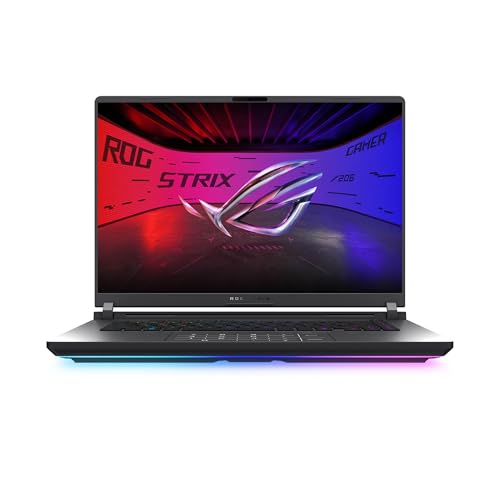
A guide to judging the best built gaming laptops by frame, hinge, keyboard, cooling, and ports, with budget tiers and care tips.
A gaming laptop takes heat, travel, and daily opening and closing that a desktop never faces. When the hinge loosens or the chassis flexes, every other spec stops mattering. This guide shows how to judge the best built gaming laptops by the parts you can feel: frame, hinge, keyboard, cooling, and ports. Use the comparison table below to shortlist, then check each candidate against the criteria here.
Strong construction is about a machine that still feels solid after two years of classes, commutes, and late sessions. The sections below turn that idea into specific checks you can use in a store or on a product page.
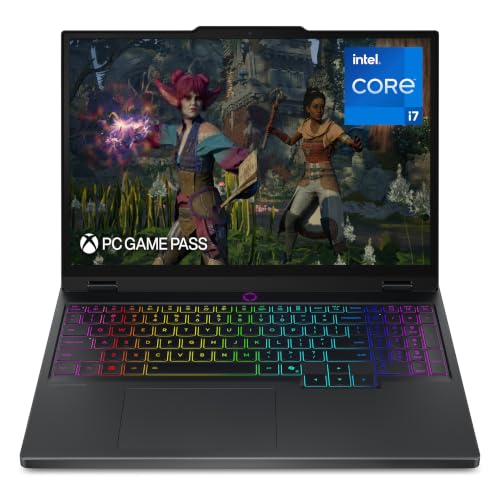

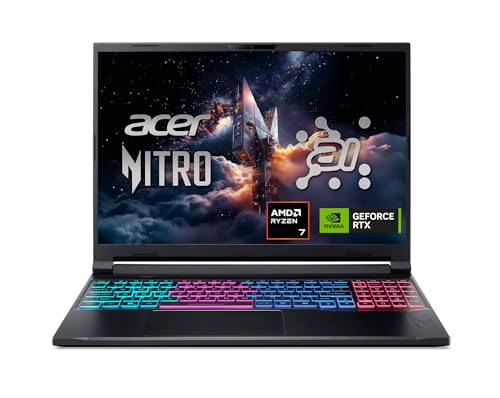
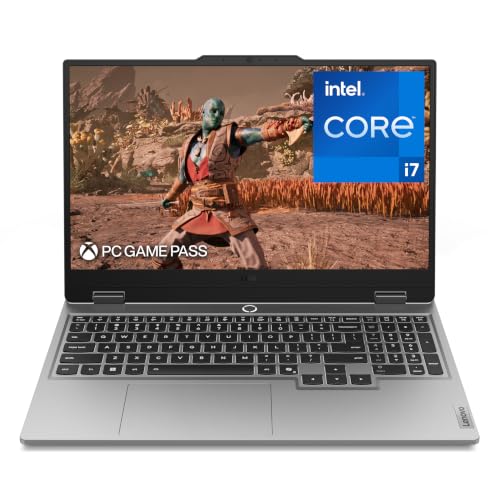
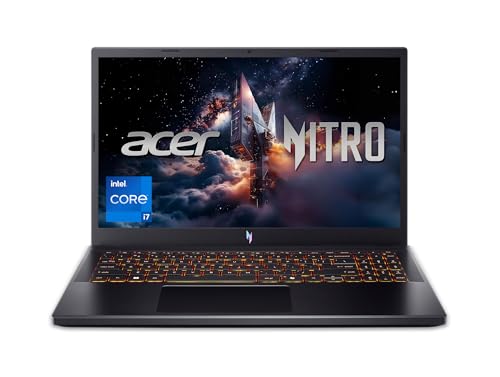

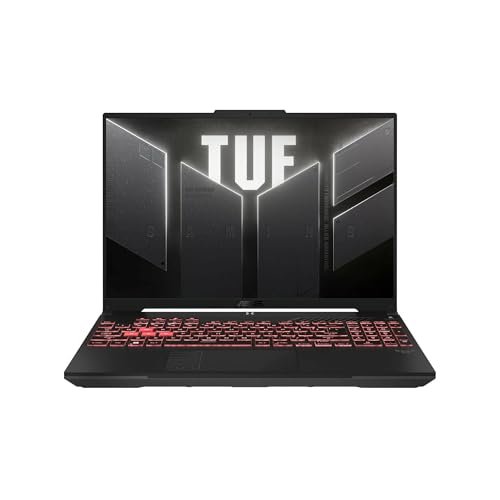

Three Build Profiles at a Glance
The Balanced Choice
A balanced machine pairs a metal lid and a firm frame with a current mid tier graphics card and a fast screen. It suits most buyers because it survives daily travel while still running modern games well at 1080p or 1440p. Expect prices around $1,200 to $1,800 in this profile, depending on sales and storage.
The strength is the lack of weak points. Nothing feels cheap, though mid tier graphics age faster than top tier ones. For a buyer who replaces a laptop every four to five years, this profile usually gives the calmest ownership experience.
The Value Choice
A value focused machine spends on the frame and cooling first, then accepts a step down in graphics or screen extras. Look for a sturdy plastic or part metal chassis with no sharp flex, a proven cooling layout, and 16 GB of memory. Prices often land around $800 to $1,200 in this profile during sale periods.
The trade off is brightness, color range, and top frame rates. For esports titles and slightly older games, that trade is painless. Money saved can cover a good mouse, a headset, or an extended warranty. Value buyers should check upgrade access, because a machine you can open for memory and storage upgrades lasts longer.
The Starter Choice
A starter machine suits a first gaming laptop for a student or a casual player. Prioritize a solid hinge, a comfortable keyboard, and graphics that handle popular titles at medium to high settings. Weight under about 5 lb keeps it realistic for a backpack. Prices in this profile often start around $750 to $1,000.
The risk is buying so low that the screen or cooling disappoints within a year. Avoid the very cheapest tier if you can, and favor last season higher tier models on sale over new bottom tier ones. A starter machine with a good frame can later serve as a school or family laptop, which softens the cost.
How to Choose the Best Built Gaming Laptops: Buying Guide
Processor and Performance Tier
The processor sets the ceiling for frame rates in strategy and simulation games and for tasks such as editing and streaming. Current Intel Core Ultra and AMD Ryzen families both offer strong gaming chips. For most buyers, a recent six or eight core processor is plenty. Spend first on the graphics card, because it limits gaming performance more often.
Match the tier to your games. Esports and indie titles run well on mid tier hardware. Large open world games at high settings want a stronger graphics card and a processor that can keep up. If you also do classwork or office tasks, any gaming tier processor handles them easily, so do not pay extra for power you will never use.
Ports and Connectivity
A well built laptop keeps the ports you use daily. Look for at least one USB C port, ideally with Thunderbolt or full function support for docks and fast drives, plus two or more USB A ports, HDMI for an external screen, and a headphone jack. WiFi 6E or WiFi 7 support keeps wireless speeds current for years.
Port placement matters more than it sounds. Ports on the back keep cables clear of your mouse hand, while a mix of sides suits docks and desks. Check that the charging port feels firm, since a loose power socket is a common wear point. An SD card reader is a bonus for students who shoot photos or video.
RAM and Storage
Sixteen gigabytes of memory is the practical standard for gaming now. Eight gigabytes limits modern games and forces constant closing of background apps. Thirty two gigabytes helps if you stream, edit video, or keep many tabs open while you play. Ask whether memory can be upgraded later, because soldered memory locks your choice for the life of the machine.
Storage should be a solid state drive of at least 512 GB, and 1 TB is more comfortable because modern games are large. A second drive slot is a strong sign of a builder friendly design. Fast storage also cuts loading times and makes the whole system feel quick, from boot to file copies, far beyond games alone.
Operating System
Most gaming laptops run Windows, which supports the widest range of games and launchers. That is the safe default for this category. macOS and ChromeOS do not suit dedicated gaming, and Linux gaming has improved but still needs patience with compatibility. Choose the system your games and school or work software actually require.
Ecosystem fit matters at the edges. If your phone, tablet, and classes lean on one platform for notes and files, a gaming laptop can still fit in through cloud storage and web apps. Do not let ecosystem loyalty push you into a machine that cannot run your games. For general school use without gaming, lighter options appear later in this guide.
Display Size, Resolution, and Brightness
Most gaming laptops use 15 or 16 inch screens, which balance immersion and portability. A 14 inch model travels easier, and a 17 or 18 inch model suits a mostly desk bound life. Resolution of 1080p suits mid tier graphics, while 1440p looks sharper and needs a stronger graphics card to stay smooth.
Refresh rate shapes how fluid motion feels. A 144 Hz or higher screen is standard in this class and worth insisting on. Brightness around 300 nits or more keeps the screen readable near windows. OLED screens offer superb contrast but can cost more and need care with static images. Matte finishes cut glare for classrooms and offices.
Keyboard, Trackpad, and Build
This is the heart of a well built machine. Press the center of the keyboard deck. It should barely flex. Type a few sentences if you can, checking key travel, spacing, and whether the deck stays quiet. A glass or smooth plastic trackpad with a firm click adds to the solid feel you notice every single day.
Materials tell the story. Aluminum or magnesium lids resist flex and protect the screen. A full metal body feels best but adds cost and sometimes weight. Good plastic can still be durable if the internal frame is strong. Check hinge action too. The screen should open smoothly, hold any angle, and show almost no wobble when the desk bumps.
Weight and Portability
Weight decides whether the laptop leaves the house. Under about 4.5 lb, a gaming laptop is realistic for daily commuting with its charger. Between 5 and 6 lb, it suits occasional travel. Above that, treat it as a desktop that can move when needed. Remember the power brick, which can add a full pound or more.
Battery life needs honest expectations. Gaming on battery drains even large batteries in about one to two hours and often lowers performance. For classes or writing, a well built model may last five to eight hours with the screen dimmed and game launchers closed. If portability matters most, compare with the lighter machines in our guide to the best notebook laptops.
Built Gaming Laptops vs Other Options
Chromebooks
Chromebooks are light, cheap, and simple for web based schoolwork. They cannot run most installed PC games, though cloud gaming works on good connections. Choose one only if gaming means browser or cloud titles and your budget is very tight. For local gaming power and a strong frame, a gaming laptop is the right tool.
Budget Laptops
Budget laptops handle documents and streaming at low prices, and our guide to the best inexpensive gaming laptops shows where the gaming capable end of that market begins. The gap is graphics power and cooling. A true gaming model costs more because dedicated graphics and dual fan cooling are not cheap, but they are what make sustained game performance possible.
Ultraportables
Ultraportables prize thin bodies and long battery life. They are lovely for travel and writing but usually lack dedicated graphics and strong cooling. Some offer entry level gaming at low settings. If you prize build feel above all, note that our guide to the best built laptops covers premium construction without the gaming focus, which may suit work first buyers.
2 in 1 Convertibles
Convertibles fold into tablet mode and often support pen input, which helps for notes and drawing. Their hinges and thin bodies limit cooling, so sustained gaming is rare in this class. Choose a convertible for flexibility in class, not for frame rates. A standard clamshell gaming laptop gives stronger hinges, better cooling, and lower prices for the same performance.
Choosing Built Gaming Laptops for Your Situation
Your situation should set the final call. A commuter needs weight control and a tough lid. A dorm player needs good cooling and a keyboard that survives daily use. A home based player can trade portability for a bigger screen and stronger graphics. If you are weighing factory machines against assembling your own route, our guide to the best custom built gaming laptops explains that path in detail.
Best Pre Built Gaming Laptops
Shoppers comparing best pre built gaming laptops want a machine that works on day one with warranty cover for the whole system. Prioritize a proven cooling design, a single warranty that covers parts and labor, and easy access to support. Factory built machines also hold resale value better than home assembled alternatives in most cases. Check return terms, because hinge feel and fan noise are easiest to judge in your own home during the first two weeks.
Tips to Get the Most From Your Built Gaming Laptop
- Keep the OS and firmware updated, since updates often improve fan curves, battery care, and security.
- Avoid running at 100 percent charge all the time if your settings allow a charge limit for desk use.
- Use a padded sleeve when commuting, and never stack heavy books on the lid.
- Clean vents with compressed air every few months, holding fans still while you blow out dust.
- Play on a hard, flat surface so the intake vents underneath can breathe freely.
- Lift the screen from the center of the lid to keep hinge stress even on both sides.
If build quality is your top concern across brands, our guide to the best quality gaming laptops adds more checks on materials and finish.
Built Gaming Laptops: Your Questions Answered
Is a Chromebook enough for school instead of a gaming laptop?
For web based classes, documents, and streaming, yes, a Chromebook is enough for school. It is not enough for installed PC games, local editing software, or many science and engineering apps. If your schoolwork is fully online and your gaming is cloud based, save the money. If you need local power, a gaming laptop covers both jobs in one machine.
Is a dedicated GPU worth it in a gaming laptop?
Yes, a dedicated graphics card is worth it if you play modern 3D games, because integrated graphics cannot hold smooth frame rates at higher settings. It also helps with video editing and 3D work. If you only play light or older titles, integrated graphics on a newer processor may suffice, and you can spend the savings on a better screen or more storage.
How long should a built gaming laptop last?
A well built gaming laptop should last about four to six years, with the graphics card aging out before the body does. The frame, hinge, and keyboard on a solid model often feel fine at year five, even as new games demand lower settings. Battery capacity fades sooner, typically after three to four years of daily cycles, and replacement cost varies by model.
Should I buy a laptop or a tablet for gaming and school?
Buy a laptop if gaming and typed schoolwork are the main jobs, because a real keyboard, full software, and dedicated graphics matter daily. A tablet wins for reading, drawing, and media in bed or on a couch. Some students pair a modest laptop with no tablet at all and lose nothing. Choose based on the software you must run, not the device that looks lighter in the store.
How much RAM do I need in a gaming laptop?
Sixteen gigabytes is the right amount for most players today, covering modern games plus a browser and chat apps in the background. Choose 32 GB if you stream, edit video, or plan to keep the laptop for five years or more. Avoid 8 GB for gaming, since it already limits current titles and will age the fastest of any spec on the page.
The Bottom Line
Judge the frame first, then cooling, then the balance of graphics, screen, and memory for your games. A solid hinge and a firm deck will make you happy every day, long after benchmark numbers fade. Compare your shortlist in the product table above, and choose the best built gaming laptops option that fits your travel, your desk, and your budget without a weak point you will feel daily.


