Best Bookshelf Speakers for Desktop: Gaming, Creating and Everyday Listening for 2026
Disclosure: We may earn a commission when you buy through links on this page, at no extra cost to you. As an Amazon Associate I earn from qualifying purchases. Learn more

The best bookshelf speakers for desktop setups balance size, clarity and inputs. See what suits gaming, editing and daily music on a real desk.
A desk is a demanding place for speakers. You sit two or three feet away, the surface reflects sound, and a monitor often blocks the direct path. The best bookshelf speakers for desktop use are therefore chosen by what you do at the desk, whether that is gaming, editing audio or video, or simply working with music on in the background.
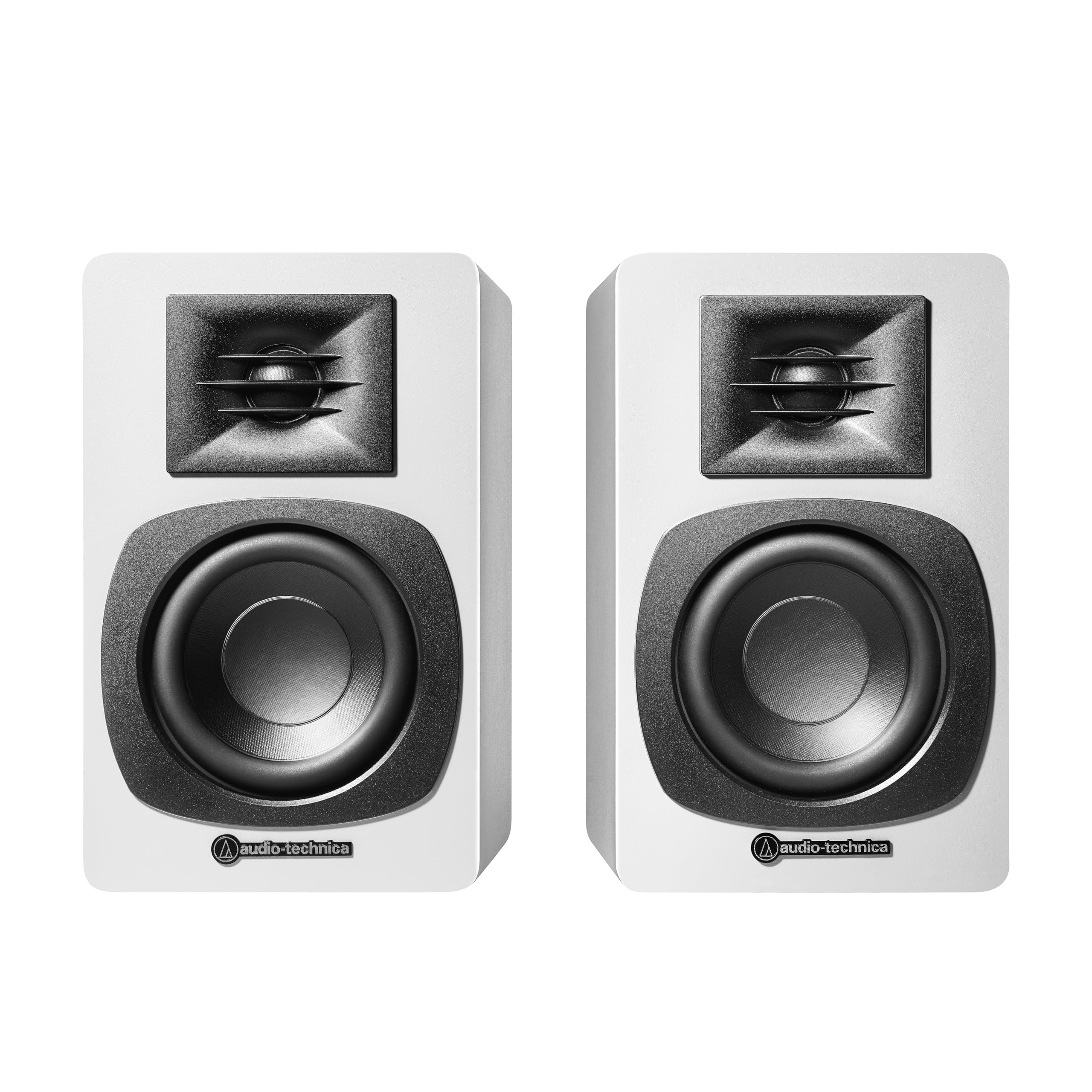
The product table shows compact powered pairs that fit this job. Below, we sort them by use so you can find the type that suits your workday, then cover the setup details that make a small pair sound big.





Start With What You Do at the Desk
Gaming and entertainment
Gamers value a clear midrange for footsteps and voices, plus enough bass to give explosions weight without drowning dialogue. A pair with Bluetooth is handy for switching between your PC and a phone or console.
Creating and editing
If you cut video or mix audio, favor a balanced, not flattering sound. Studio style monitors with a flat response show you flaws in a recording so you can fix them. They may sound plainer than consumer pairs, and that is exactly the point.
Working with background music
For long work sessions, comfort beats excitement. A smooth, slightly warm pair at modest volume is easier on the ears than a bright one, and a front volume knob saves reaching behind the desk.
Measure the Desk Before You Choose
Check three measurements. Depth decides whether a speaker fits beside your monitor without hanging over the edge. Width between the speakers sets stereo spread. Height decides whether the tweeter reaches ear level when you sit upright.
If the tweeters sit below ear height, tilt the speakers up with small foam wedges or stands. Most desk pairs sound noticeably clearer after this one change.
Inputs Your Computer Actually Uses
Look at the back of your computer and monitor before shopping. Most desk pairs accept a 3.5 mm line cable, RCA connections, Bluetooth or USB. Optical input gives clean digital audio from a PC with a suitable port and avoids the electrical hum some analog cables pick up.
- USB is the simplest, since it carries audio and power over one cable on some models.
- Bluetooth adds wireless convenience but can add a small delay, which matters for games and video.
- RCA or line in is dependable and works with nearly any source.
Powered Pairs: Why Most Desk Setups Choose Them
Desk speakers usually have the amplifiers built in, so there is no separate box to find space for. One speaker holds the amplifier and connects to the other with a short cable. Check that the cable is long enough for your desk width and that the controls sit on the front or side.
Getting the Best Bookshelf Speakers for Desktop Use to Sound Large
Placement does most of the work. Keep the speakers a few inches from the rear wall, angle them gently toward your ears and use isolation pads or stands so the desk does not buzz along with the bass. Keep cables away from power adapters to avoid hum.
If bass still feels thin, a small subwoofer under or beside the desk adds low notes without forcing you to turn the pair up. Many pairs include a subwoofer output for exactly this step.
Budget and Value on a Desk
A desk rewards near field clarity, so you do not need a large amplifier. Spending more usually buys better drivers, cleaner inputs and a more even tone, not louder volume. Choose a pair at a price that leaves room for stands or a subwoofer if you want them later.
Prefer a different shape of setup? Our guide to the best bookshelf speakers for computer use looks at connections and listening distance from another side.
Common Mistakes
- Placing speakers flat on the desk with tweeters below your ears.
- Pushing them against the wall or into a corner, which makes bass boomy.
- Ignoring the monitor, which can reflect and blur the center image.
- Buying more power than a near field seat can ever use.
Desk Layouts That Work
A single monitor desk is the easy case: place one speaker on each side of the screen, angled toward your head. With a wide ultrawide monitor, the speakers sit farther apart, which can leave a hole in the middle. Bring them slightly closer to the center, even if that means placing them in front of the monitor edges on short stands.
Dual monitor desks add complexity because the center of the desk is empty space. Put the speakers where you actually sit, not at the far ends, and aim them at your ears. If you share the desk with a laptop that moves around, small stands keep the tweeters at a steady height.
Noise, Hum and Interference
Desks are crowded with power adapters, routers and chargers, all of which can add noise to analog audio. If you hear a buzz, try moving the audio cable away from power cables and plugging everything into the same outlet strip. A ground loop is a common cause, and a cheap isolator or a switch to USB or optical input often clears it.
Also check the volume balance. Set the computer volume near the top and control loudness with the speaker knob. This keeps the signal strong and reduces background hiss at low listening levels.
When a Desk Pair Is Not Enough
If you listen mostly to bass heavy music or play loud action games, a compact desk pair may feel limited. Consider a model with a subwoofer output or choose a slightly larger cabinet if the desk allows it. For quiet work and voice calls, the smallest pair is often more than enough, and it leaves room for notebooks and a coffee cup.
Frequently Asked Questions
How big should desktop bookshelf speakers be?
Drivers of about three to five inches suit most desks. Larger cabinets need more depth and distance to sound balanced.
Do I need a DAC?
Not usually. Many powered pairs include conversion, and a computer's built in output is adequate for casual use. A separate DAC helps if you hear noise or want cleaner detail.
Can I use Bluetooth for gaming?
It works for casual play, but a wired connection avoids the delay that can make sound lag behind the picture.
Are studio monitors better than regular bookshelf speakers?
For editing, yes, because they stay neutral. For relaxed listening, a slightly warmer consumer pair can be more pleasant.
Final Thoughts
Choose by what you do at the desk, measure the space and match the inputs to your computer. The best bookshelf speakers for desktop setups are the ones that fit the surface, play clearly at close range and connect without fuss. Compare the pairs in the product table above and set them up carefully for a result that sounds much larger than the cabinets.