
Best Bluetooth Speakers With USB Port: Playback, Charging and Power Bank Ports for 2026
Disclosure: We may earn a commission when you buy through links on this page, at no extra cost to you. As an Amazon Associate I earn from qualifying purchases. Learn more

Best bluetooth speakers with usb port: how USB ports differ and what each can do.
A USB port on a speaker sounds like a tiny detail, yet it changes what the speaker can do every single day. This friendly guide explains the best bluetooth speakers with usb port for first time buyers, starting with what that port actually does and ending with a confident choice.
Not every USB port works the same way, and that one fact trips up more buyers than any other. We will sort out playback ports from charging ports, explain the core sound specs in plain English, and flag the rookie mistakes to skip. Use the comparison table below as you read. The sections below help you choose the best bluetooth speakers with usb port that suit your space and habits.


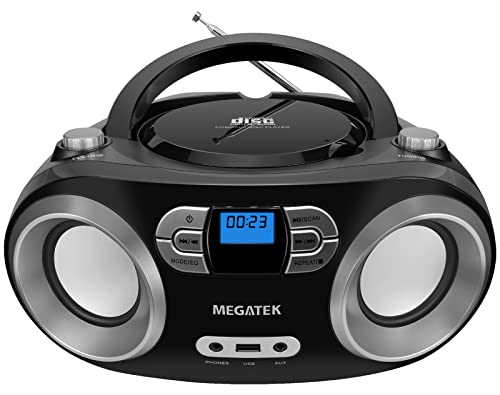
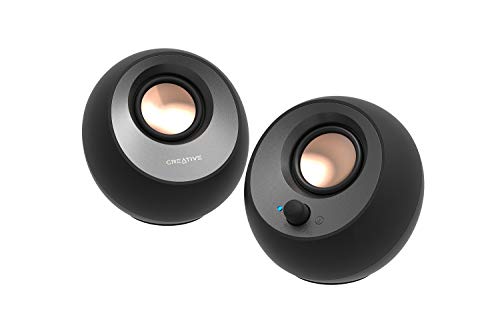
Bluetooth Speakers 101: The Basics
A Bluetooth speaker plays audio sent wirelessly from your phone, tablet, or laptop. Inside, a receiver takes the signal, an amplifier adds power, and drivers turn it into sound. The USB port is an extra doorway into that system, and it comes in a few flavors that look alike but behave very differently.
Some ports only charge the speaker battery. Some act as a power bank output that can top up your phone. Others accept a flash drive full of music files, so the speaker can play songs with no phone involved at all.
A smaller group uses USB for a wired digital audio connection from a computer. Before you buy, decide which job you want the port to do, because the right speaker depends entirely on that answer.
Telling the ports apart takes ten seconds once you know the shapes. A wide rectangular USB A socket is the classic host port, the kind that accepts a flash drive or a charging cable for your phone. A small oval USB C socket usually handles charging the speaker itself, and on some models it also carries digital audio from a computer.
The manual will state each port job in one short line, so read that line before you assume anything from the shape alone. When a listing stays vague about a port, treat that silence as your answer and look at the next model.
Key Specs Explained in Plain English
Five specs decide whether a USB equipped speaker fits your life. Read each one, then check it against the models in the product table above.
Why Choose a Bluetooth Speaker With USB Port
The strongest reason is freedom from your phone. A speaker that reads a flash drive can play your music library at a cabin, a campsite, or a kids party while your phone stays in your pocket. A power bank output rescues a dying phone during a long day out.
A USB audio input gives a laptop far better sound than its built in speakers, with no pairing fuss. Readers comparing portable options can start with our guide to the best portable speakers with usb port. The limit is format support: many speakers read only common file types, so check the manual for your library.
Sound Quality and Tuning
Sound quality rests on driver size, cabinet design, and tuning. Larger drivers and a roomy cabinet usually give fuller sound with more bass. Frequency response hints at the range the speaker can reproduce, though tuning shapes what you actually hear: some makers push bass and sparkle, others keep voices natural and clear.
For flash drive playback and laptop use, clarity at moderate volume matters most. If you want a wider view of sound quality across models, our guide to the best quality bluetooth speakers explains the judging criteria step by step.
Connectivity (Bluetooth Version, Codecs, Wired)
Bluetooth 5.3 is the current sweet spot, with stable range and modest power use. Multipoint pairing lets you stay linked to a phone and a laptop at once, so a call can interrupt a playlist without manual switching. Codecs such as AAC and aptX can improve detail or lower delay when your phone supports them.
Wired choices still matter: an auxiliary input covers older devices, while a USB audio input can deliver clean digital sound from a computer. Buyers who mainly need wired computer audio may also compare our guide to the best usb speakers for desk focused options.
Noise Cancellation and Isolation
Speakers do not seal to your ears, so canceling here mostly concerns microphones on models with call features. Noise reduction in the microphone path softens fan hum and room echo so callers hear your voice first. For listening, the quietest gains come from placement: a speaker away from hard corners sounds clearer than the same speaker boxed into a shelf. Do not pay extra for bold canceling claims on a speaker you want for music playback from a flash drive or laptop.
Battery Life and Charging
Battery ratings of about 10 to 24 hours are common, measured at moderate volume. Playing from a flash drive often uses less power than Bluetooth streaming, which can stretch a day at the park. Using the speaker as a power bank pulls from the same battery, so every phone charge shortens your music time.
Note the charging input too. USB C inputs refill faster and share cables with modern phones, while older micro USB inputs are slower and easier to leave behind on trips.
Rookie Mistakes to Avoid
- Assuming every USB port plays music. Many ports only charge. Confirm that the listing states flash drive playback in plain words before you buy.
- Ignoring file formats. A speaker may read MP3 files but skip the lossless files in your library. Check the supported format list against your collection.
- Expecting full power bank service. Speaker batteries are modest. A power bank output is for top ups and emergencies, not for charging a large tablet from empty.
- Forgetting folder structure. Flash drive playback often follows folder and file order with no search screen. Organize your drive before a trip, not during it.
- Skipping outdoor fit. A bare port invites dust and moisture. For yard and beach use, look for a covered port and a real IP rating, as covered in our guide to the best bluetooth speakers for outside.
Getting Started: Setup and First Use
Begin with a full charge, then pair your phone and play a familiar song to learn the controls. Next, load a small flash drive with a few folders of music and try the USB playback, checking how the speaker moves between tracks and folders. Update the firmware through the companion app if one is offered, because updates often fix pairing and playback quirks.
Store the speaker in a case to protect the drivers when you travel, and keep the port cover closed when the speaker sits outdoors so the contacts stay clean and dry. One more habit pays off quickly: label a small spare drive with your favorite playlists and leave it in the speaker bag. On days when your phone battery runs low or your data signal fades, that drive turns the speaker into a self contained music player in seconds, which is the whole charm of this category.
FAQs
Wired or wireless: which sounds better?
A wired USB or auxiliary connection can sound slightly cleaner because it skips Bluetooth compression. The difference is small for most music, and flash drive playback is also a direct digital path inside the speaker. Choose wireless for freedom of placement, and wired when the speaker will live on a desk beside your computer full time.
What IP rating do I need for outdoor use?
IPX4 covers splashes and light rain for covered patios. IP67 is the safer level for open yards, poolside tables, and beach bags, since it resists dust and short dips in shallow water. Whatever the rating, keep the USB port cover shut outdoors. A sealed cover is what keeps the rating honest once sand and spray arrive.
Is ANC worth the extra cost?
Rarely on this type of speaker. Active noise canceling is a headphone strength, and speaker models usually apply noise reduction only to microphone calls. If you want quiet listening, a calm room and sensible placement help more. Spend the difference on battery size, driver quality, or the USB functions you came for in the first place.
Do I need a special codec?
No. Standard Bluetooth audio sounds good for everyday listening, and USB playback bypasses Bluetooth entirely. AAC suits many Apple phones, and aptX can trim delay on supported Android phones. Match the codec to your phone if you can, but treat it as a minor point behind port function, sound, and battery life.
How long does the battery last?
Most models last about 10 to 24 hours per charge at moderate volume. High volume, heavy bass, and power bank use all shorten that figure. Flash drive playback tends to sip power compared with streaming, which helps on long days away from outlets. Check whether the speaker can play while charging if you plan long sessions at home.
The Bottom Line on Bluetooth Speakers With Usb Port
Decide the job of the port first: music playback, phone charging, computer audio, or simple speaker charging. Then judge sound, Bluetooth version, and battery life with the same care you would give any speaker. Matched to your routine, the best bluetooth speakers with usb port become the most flexible audio tool you own, and the comparison table above will help you settle the final pick for your budget.


